

About this Block
What it does: Filters beams of a Lattice by their connectivity. Common uses:- Editing lattices.
- The Connectivity options are:
- Open: Keeps only beams with one open node and one connected node.
- Closed: Keeps only beams that are connected on both nodes.
- Floating: Keeps only beams with two open nodes.
- This block is a Custom Block. Right-click and select ‘Export Block’ to save and open up the Notebook that is running the block.
- Open up the block’s Properties Panel to view the beam, implicit, and thick graph properties.
- These properties are populated based on the type of Unit Cell you use. An error sign with a tooltip appears next to the property if it is empty.
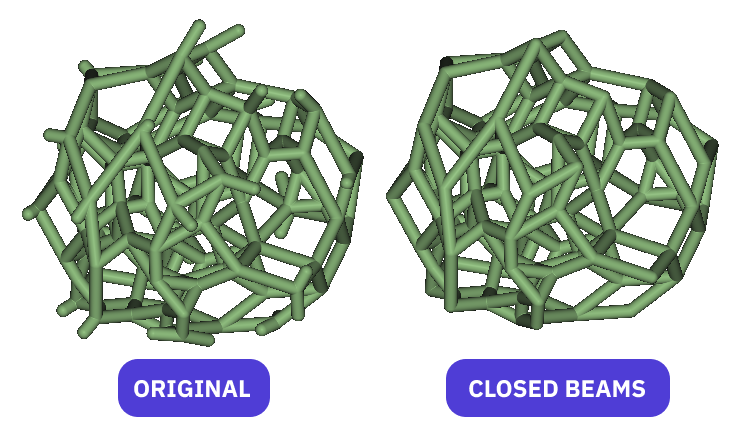
Selects beams of an input Lattice that match a beam connectivity type.
Inputs
- Closed: The beam is not floating and not open.
- Floating: Both beam endpoints are only connected to each other.
- Open: One endpoint of the beam is not the endpoint of any another beam. The other endpoint is the endpoint of more than one beam. |