> ## Documentation Index
> Fetch the complete documentation index at: https://docs.ntop.com/llms.txt
> Use this file to discover all available pages before exploring further.
# Solid Domain
***
## About this Block
**What it does:** The **Solid Domain** block assigns material attribute to either an FE Mesh or an Implicit Body to be used in an **FE Model**. Think of this block as a property container.
**Common uses:**
* A required input in [**Simulation Model**](/block-documentation/blocks/structures/model/simulation-model.html) for analysis workflows.
**Tips:**
* Requires a [**Beam Attribute**](/block-documentation/blocks/structures/material-attributes/beam-attribute.html), [**Shell Attribute**](/block-documentation/blocks/structures/material-attributes/shell-attribute.html), or [**Solid Attribute**](/block-documentation/blocks/structures/material-attributes/solid-attribute.html) to define the properties of the mesh.
* The **FE Solid Domain** and the **Lattice Domain** are built-in custom blocks optimized for solid models and lattices. These can replace the **Solid Domain** block.
* A **Solid Domain** block can auto convert (called autocast) to an **Simulation Model** when it is used in an input that requires an **Simulation Model**. This is useful for single component setups.
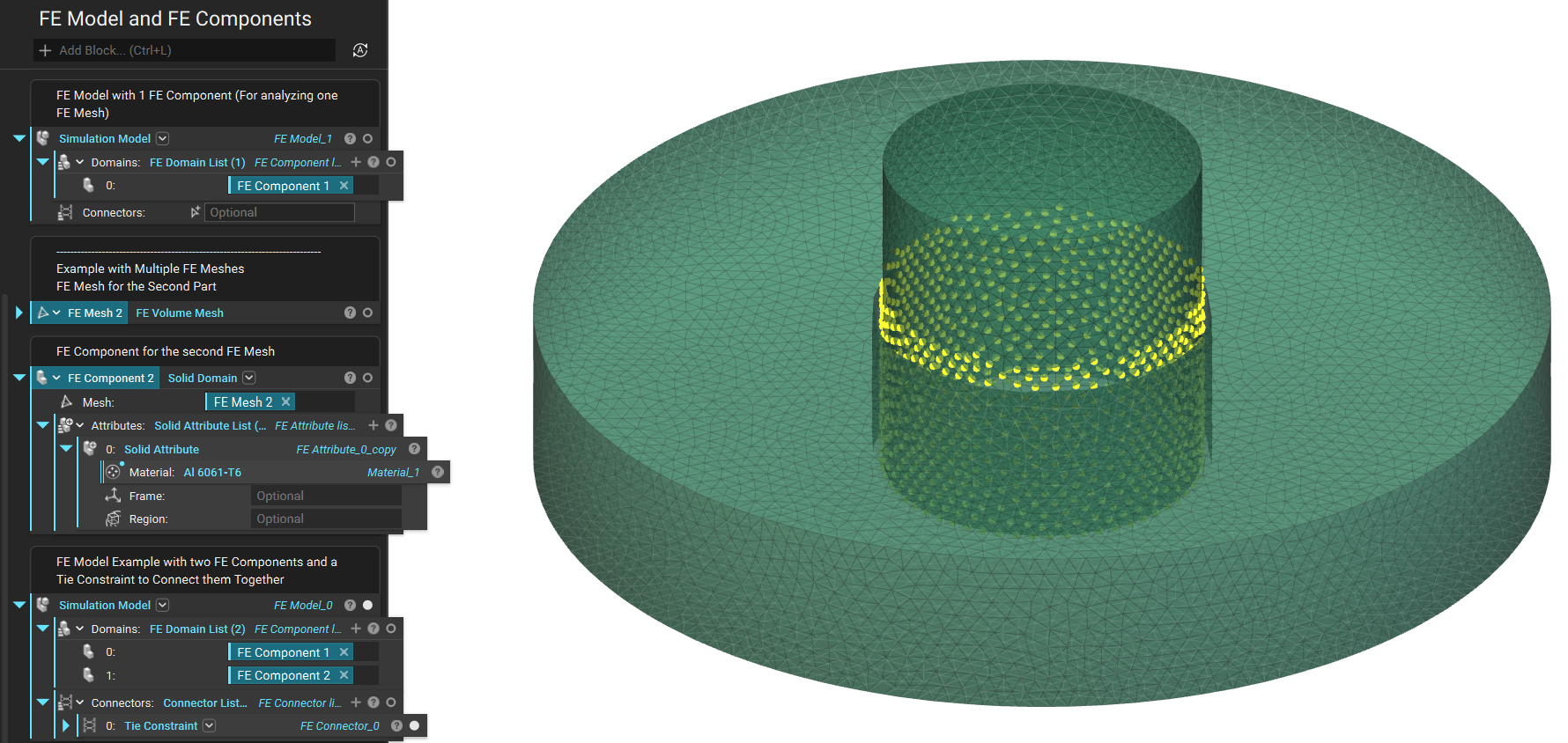
## Example File
Download Example: [Solid Domain](https://storage.googleapis.com/files-learn/static/ExtendedBlockDocs/FEModel.ntop)
***
FE Mesh, Attributes
Create a Solid FE Domain by assigning Solid Attributes to an FE Mesh and checking if all the elements of the FE Mesh have corresponding attributes assigned to them.
### Inputs
| Name | Type | Description |
| ---------- | ----------------------------------------------------------------------------- | ------------------------------- |
| Mesh | [FE Mesh](../../../../block-documentation/types/fe-mesh) | The finite element mesh. |
| Attributes | [Solid Attribute List](../../../../block-documentation/types/solid-attribute) | The list of element attributes. |
### Outputs
| Type |
| ------------------------------------------------------------ |
| [FE Domain](../../../../block-documentation/types/fe-domain) |
***
Implicit Body, Attributes
Creates a Solid Domain by assigning Solid Attributes to an Implicit Body.
### Inputs
| Name | Type | Description |
| ---------- | ----------------------------------------------------------------------------- | ----------------------------- |
| Body | [Implicit Body](../../../../block-documentation/types/implicit-body) | The Implicit Body. |
| Attributes | [Solid Attribute List](../../../../block-documentation/types/solid-attribute) | The list of Solid Attributes. |
### Outputs
| Type |
| ---------------------------------------------------------------------- |
| [Virtual Domain](../../../../block-documentation/types/virtual-domain) |