> ## Documentation Index
> Fetch the complete documentation index at: https://docs.ntop.com/llms.txt
> Use this file to discover all available pages before exploring further.
# Rotating and Twisting Fields via Z-Rotation
This lesson covers the logic behind the **Z Rotation** block and how to extend it to create a variable **Twist**. In field-driven design, rotation isn't about moving an object; it's about remapping the coordinate system so the object “calculates” its new orientation.
### 1. The Logic: 2D Rotation Mapping
To rotate a field about the Z-axis, we only need to transform the x and y coordinates. The z-coordinate remains unchanged, ensuring the rotation occurs within horizontal planes.
Rotation angle about Z
Drag to twist the body in the XY plane.
0°
Remap field inputs:
new x =
cos(0°) · x
−
sin(0°) · y
\=
1.00·x − 0.00·y
new y =
sin(0°) · x
*
cos(0°) · y
\=
0.00·x + 1.00·y
z = z
unchanged
The **Z Rotation** block uses a standard rotation matrix. Because we are remapping a field, we apply the inverse rotation to the coordinates:
[Z Rotation.ntop](https://files.learn.ntop.com/Courses/A%26D%20Learning%20Path/nTop%20Files/z-rotation.ntop)
xnew=x⋅cos(θ)+y⋅sin(θ)x\_\{new} = x \cdot \cos(\theta) + y \cdot \sin(\theta)
ynew=−x⋅sin(θ)+y⋅cos(θ)y\_\{new} = -x \cdot \sin(\theta) + y \cdot \cos(\theta)
The Custom Block is built upon:
* **Sin & Cos:** These are calculated using the negative of the input angle to correctly handle field remapping.
* **Remap Field:** This block takes your original **Scalar Field** and looks for its values at the calculated **new x** and **new y** positions.
 ### 2. Implementing the Remap
The **Remap Field** block is the engine of this transformation. It requires three coordinate inputs to redefine the space:
| **Input** | **Logic** | **Result** |
| --------- | --------- | ----------------------------------- |
| **X** | new x | Rotates the horizontal x component. |
| **Y** | new y | Rotates the horizontal y component. |
| **Z** | z | Keeps the height constant. |
[Follow Along: Twist Example](https://files.learn.ntop.com/Courses/A%26D%20Learning%20Path/nTop%20Files/twist-example.ntop)
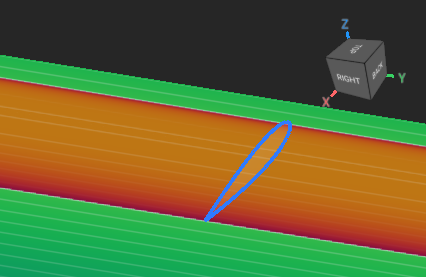
This example uses a **Ramp** to gradually change the Twist value from Start to End.
### 2. Implementing the Remap
The **Remap Field** block is the engine of this transformation. It requires three coordinate inputs to redefine the space:
| **Input** | **Logic** | **Result** |
| --------- | --------- | ----------------------------------- |
| **X** | new x | Rotates the horizontal x component. |
| **Y** | new y | Rotates the horizontal y component. |
| **Z** | z | Keeps the height constant. |
[Follow Along: Twist Example](https://files.learn.ntop.com/Courses/A%26D%20Learning%20Path/nTop%20Files/twist-example.ntop)
This example uses a **Ramp** to gradually change the Twist value from Start to End.