> ## Documentation Index
> Fetch the complete documentation index at: https://docs.ntop.com/llms.txt
> Use this file to discover all available pages before exploring further.
# Mesh and Export
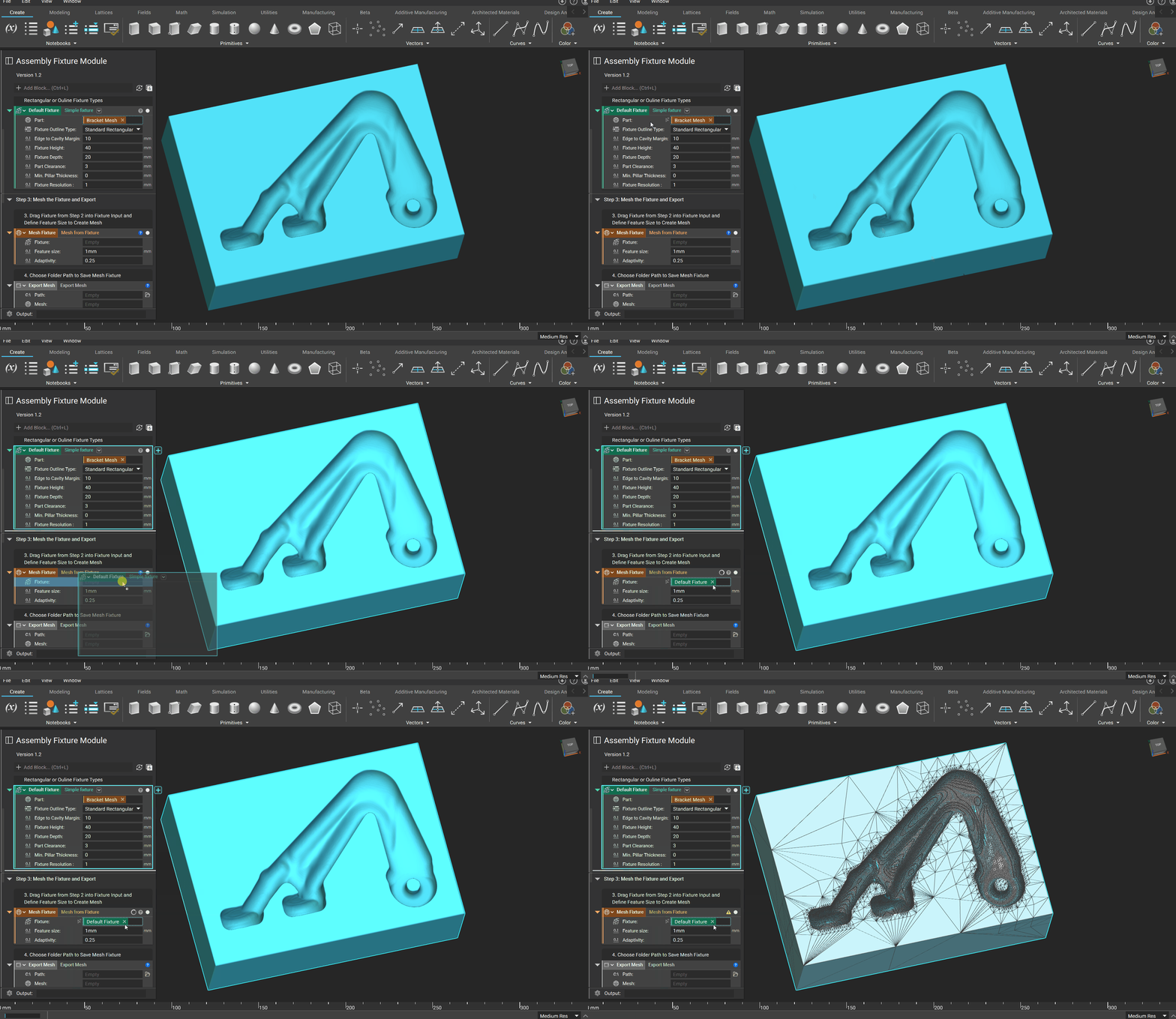
Follow these steps to mesh and export your fixtures.
## Step 1. Drag and drop the final part into the mesh block
 ## Step 2. Drag and drop mesh into the export mesh block
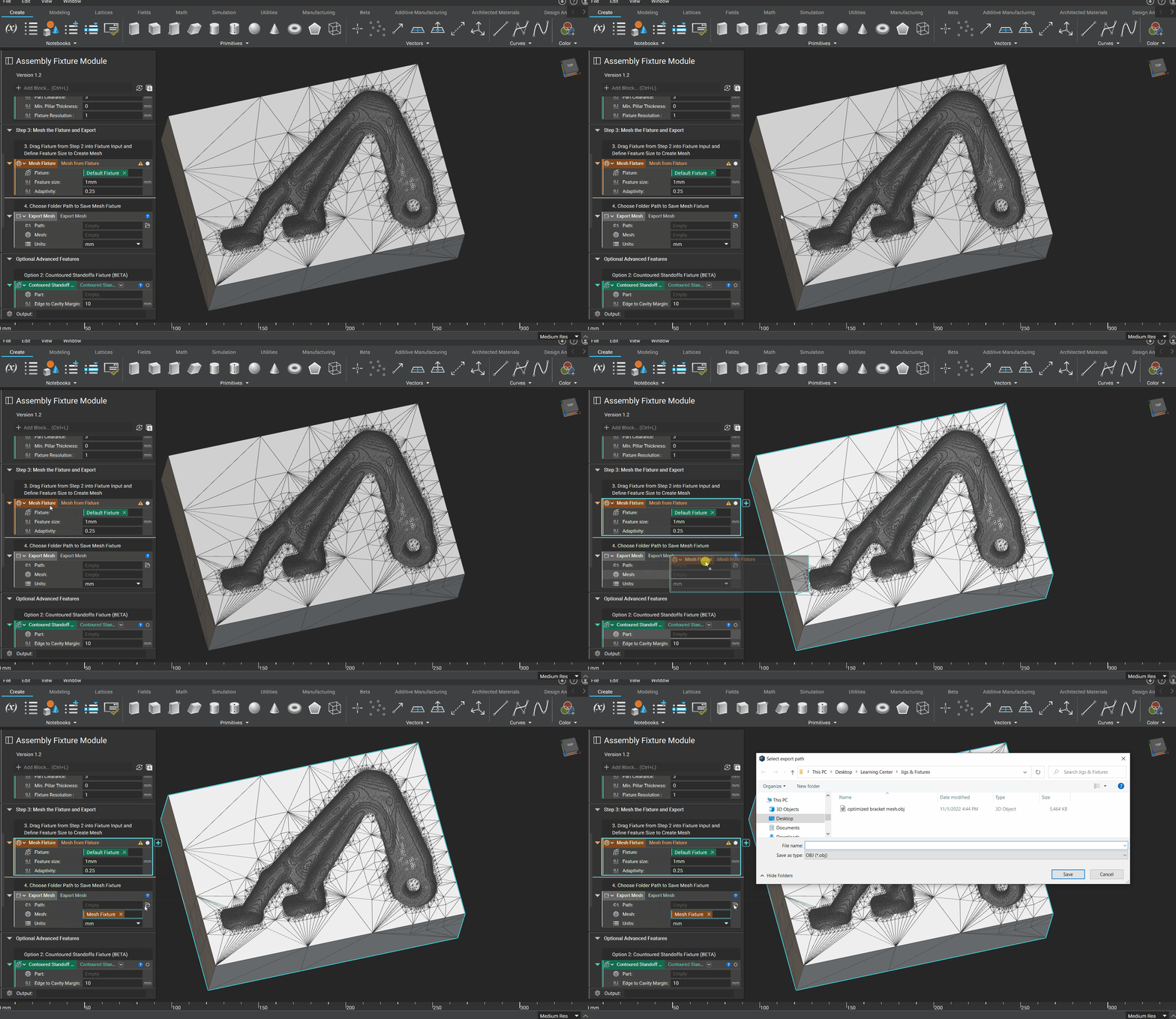 Check out our [102: Guide to Meshing](/courses/102-guide-to-meshing/) course for more information on exporting meshes.