> ## Documentation Index
> Fetch the complete documentation index at: https://docs.ntop.com/llms.txt
> Use this file to discover all available pages before exploring further.
# Section and Extrude
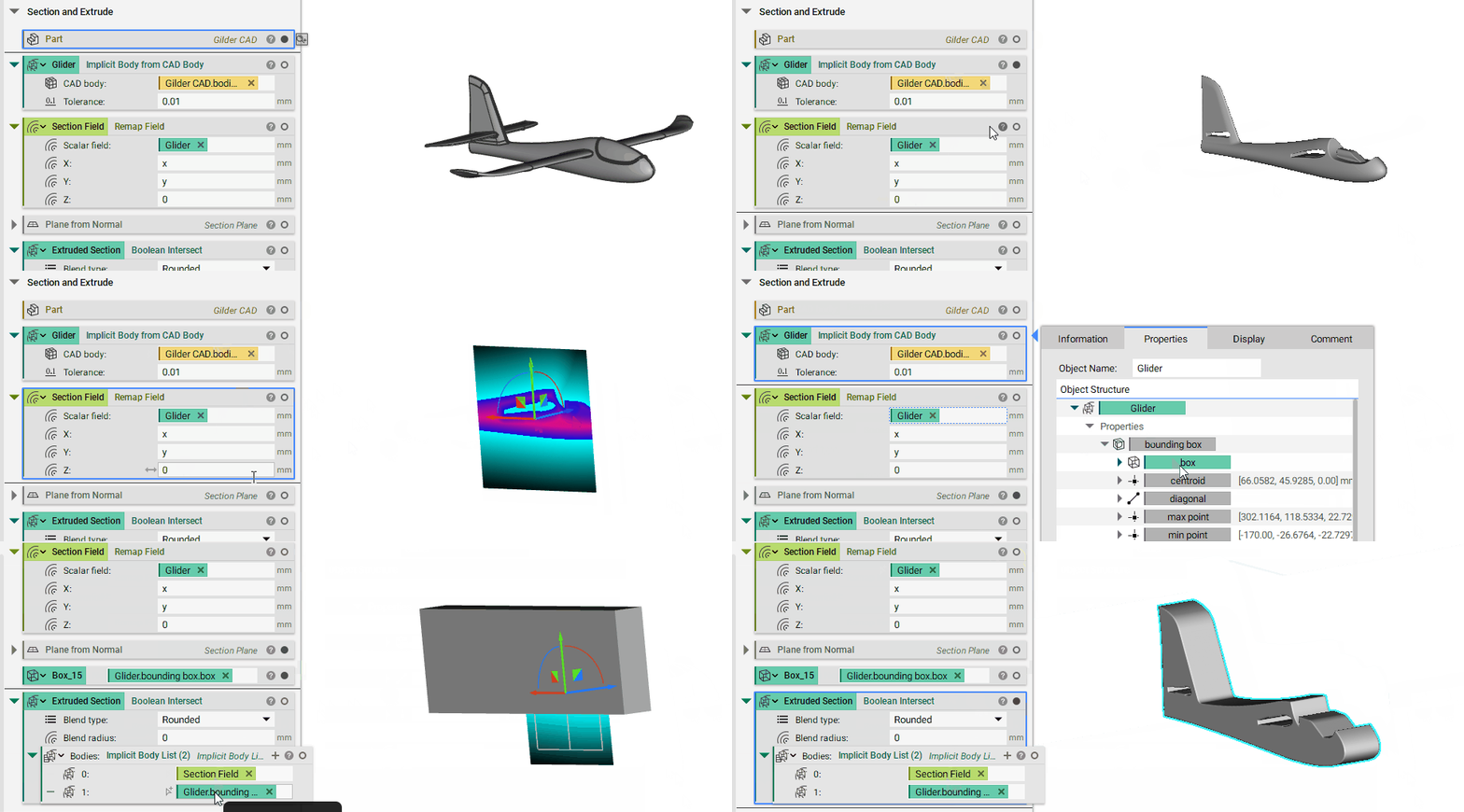
Let's say we have a CAD object, and we want to section it and extrude it. This is a typical CAD operation, but can be a little outside the box when it comes to nTop. However, all we have to do is to use the **Remap Field** block and set the extrusion direction to 0. In this case, we set z to 0. We can visualize the resulting field by pressing 'F'.
Now, if we perform a **Boolean Intersect** between this field and the implicit box of the bounding box of our original implicit part, we generate at an extrusion of a section cut of this part.
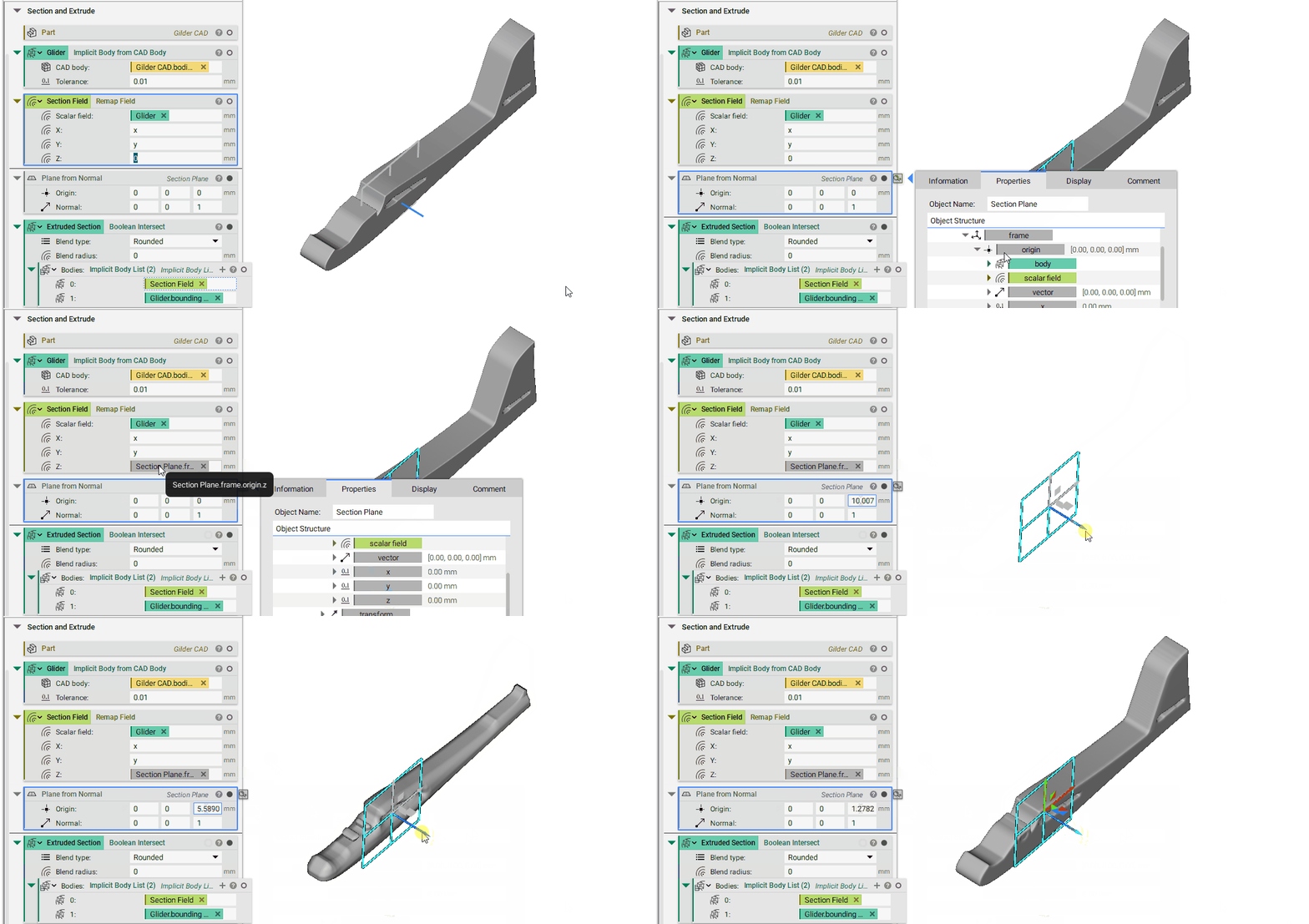
 Next, let's say we want to extrude this at a particular location. Here, we can use the **Plane from Normal** block to define the origin and the normal vector of a plane where we want to section cut the part.
From here, we extract the property '*Section Plane.frame.origin.z'* and use it in the **Remap Field**block as the input for z. Now, we can move the plane around and see how the section field location, and hence the extrusion location, changes.
Next, let's say we want to extrude this at a particular location. Here, we can use the **Plane from Normal** block to define the origin and the normal vector of a plane where we want to section cut the part.
From here, we extract the property '*Section Plane.frame.origin.z'* and use it in the **Remap Field**block as the input for z. Now, we can move the plane around and see how the section field location, and hence the extrusion location, changes.