> ## Documentation Index
> Fetch the complete documentation index at: https://docs.ntop.com/llms.txt
> Use this file to discover all available pages before exploring further.
# Creating and Using a Ramp from Fields
Once you convert a point map to a field in nTop, you can use that field to manipulate implicit geometry. The most common way to do this is by using a **Ramp**block.
Review the **Ramp** Block lesson in the course [220: Intro to Field Driven Design](/courses/220-intro-to-field-driven-design/) to refresh your memory about how the **Ramp**block works. Let's start by looking at the steps to take with a scalar field, such as this von mises stress field from **Static Analysis**.
* Add a **Ramp**block.
* Input the **von mises stress** field as the Scalar Field input.
* Take a look at the Min and Max values from the HUD. Using these values as the *range's In Min* and *In Max* is a great place to start.
* You can use the **Min**and **Max**blocks to calculate these values if you are using a field created from Point Map.
* Set the *Out Min* and the *Out Max* to correspond to the parameter to be varied. If varying thickness, for example, add appropriate units ('mm,' for instance) to these values.
* Set the *Continuity* to your desired option.
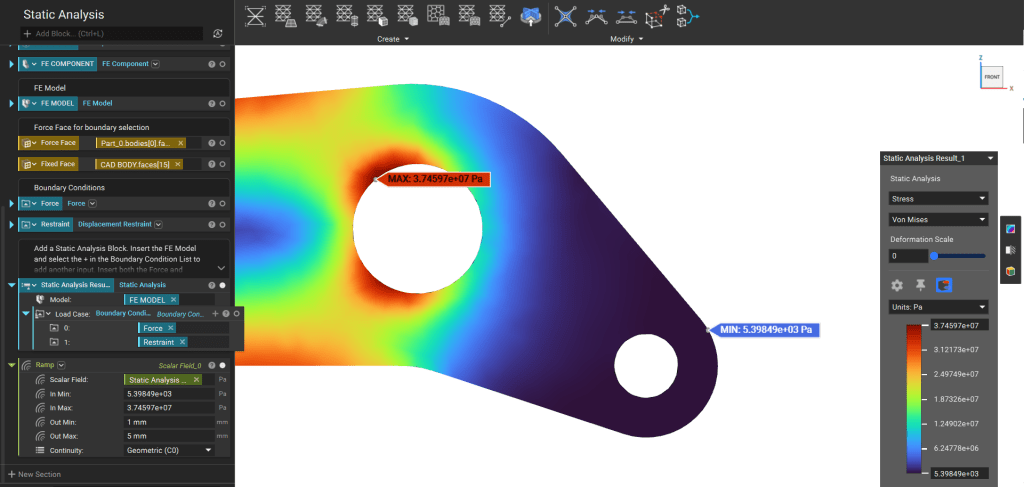 Depending on the field type. You can access their associated fields through the Properties in the Block Details in such cases. For example, the displacement field in Static Analysis will have scalar fields inside for each vector component.
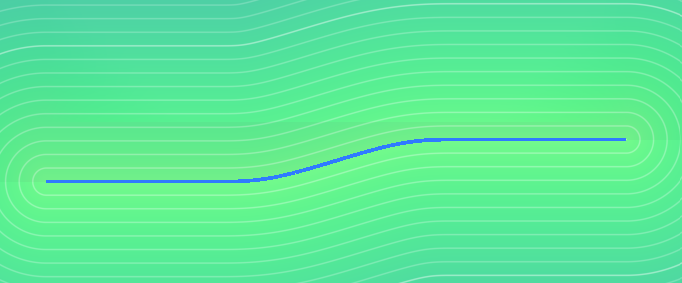 These fields (Property chips) can be used in a **Ramp**block.
Once you've created a **Ramp,** you cancontrol the geometry parameters as input that accepts scalar fields. The Bike Seat example uses two scalar fields to drive the *Point Spacing* and *Thickness* parameters.
These fields (Property chips) can be used in a **Ramp**block.
Once you've created a **Ramp,** you cancontrol the geometry parameters as input that accepts scalar fields. The Bike Seat example uses two scalar fields to drive the *Point Spacing* and *Thickness* parameters.
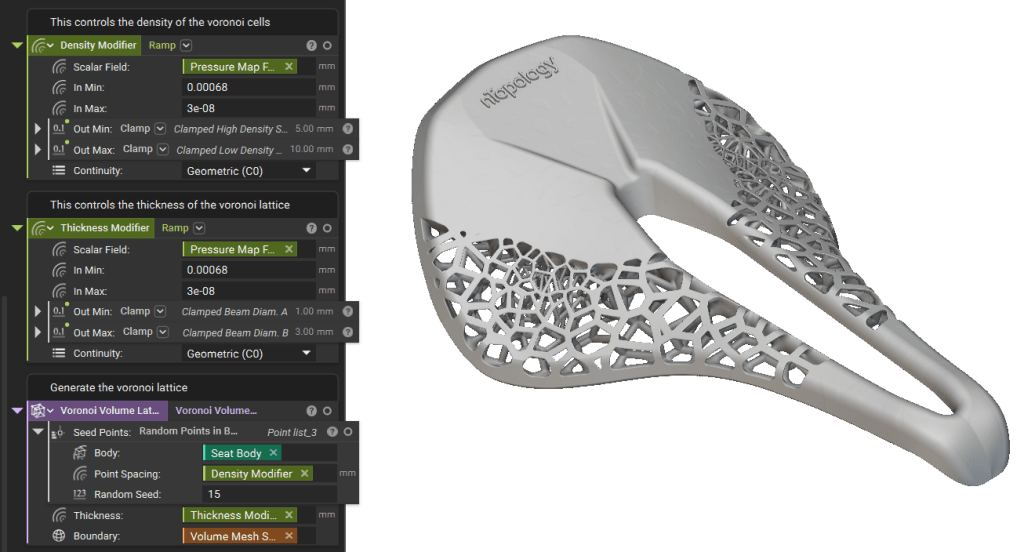 Of course, field property chips can be used directly as well. This [support article](https://support.ntop.com/hc/en-us/articles/360041676813-How-do-I-use-the-Ramp-block) explains different ways in which you can use the Ramp block.