> ## Documentation Index
> Fetch the complete documentation index at: https://docs.ntop.com/llms.txt
> Use this file to discover all available pages before exploring further.

# Overview

> Learn the basics of fields in nTop and how to use them to drive designs.
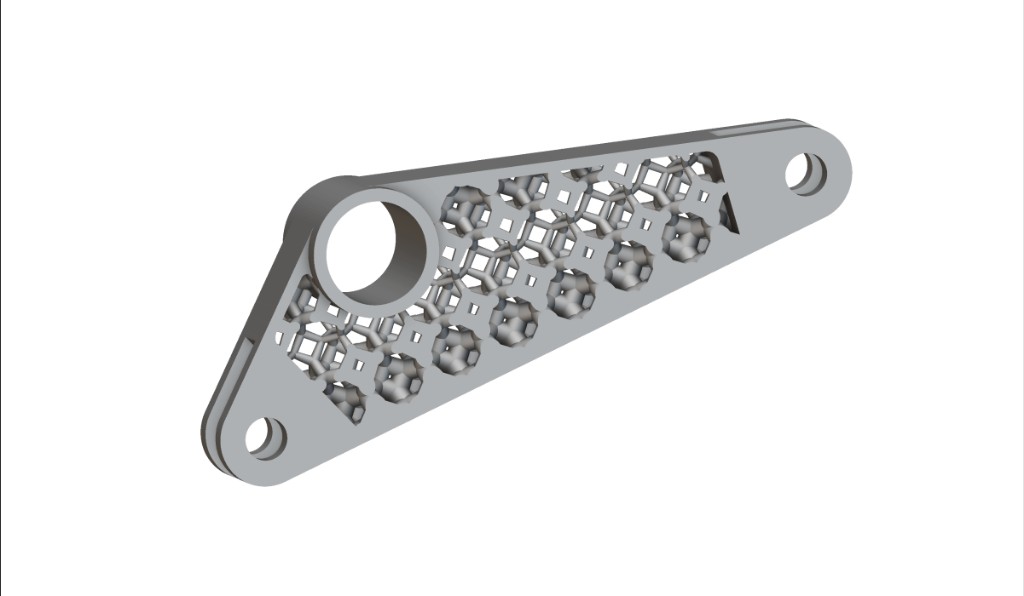
<Frame>
  <img src="https://storage.googleapis.com/files-learn/lessons/intro-to-field-driven-design/field-driven-bracket-overview.png" alt="Bracket with field-driven internal lattice and solid attachment points" />
</Frame>

This course will walk you through the basics of Field Driven Design in nTop. After completing this course, you will be familiar with the different tools in nTop for working with fields and how you can use information from fields to influence your designs.

**Prerequisites:** [101: nTop Essentials](/lessons/ntop-essentials/overview)

**What will be covered:**

* Creating/importing data via Point Maps
* Generating Fields from Point Maps
* Using Ramps created from Point Maps to manipulate geometry
* Using Ramps created from Point Maps to refine meshes for simulation

<CardGroup cols={2}>
  <Card title="Before We Begin" href="/lessons/intro-to-field-driven-design/before-we-begin-field-driven-design" cta="Open" />
</CardGroup>

### Introduction to Fields

<CardGroup cols={2}>
  <Card title="What is a Field?" href="/lessons/intro-to-field-driven-design/what-is-a-field" cta="Open" />

  <Card title="Field Viewer: Visualizing Fields in nTop" href="/lessons/intro-to-field-driven-design/field-viewer-visualizing-fields-in-ntop" cta="Open" />

  <Card title="Different Types of Fields in nTop" href="/lessons/intro-to-field-driven-design/different-types-of-fields-in-ntop" cta="Open" />

  <Card title="Knowledge Check: Introduction to Fields" href="/lessons/intro-to-field-driven-design/knowledge-check-introduction-to-fields" cta="Open" />
</CardGroup>

### Creating and Using Fields

<CardGroup cols={2}>
  <Card title="Different Ways to Create Fields" href="/lessons/intro-to-field-driven-design/different-ways-to-create-fields" cta="Open" />

  <Card title="Ramp Block" href="/lessons/intro-to-field-driven-design/ramp-block" cta="Open" />

  <Card title="Transfer Function Block" href="/lessons/intro-to-field-driven-design/transfer-function-block" cta="Open" />

  <Card title="Mix Block" href="/lessons/intro-to-field-driven-design/mix-block" cta="Open" />

  <Card title="Follow Along: Field Driven Bracket" href="/lessons/intro-to-field-driven-design/follow-along-field-driven-bracket" cta="Open" />

  <Card title="Download: Completed Field Driven Bracket" href="/lessons/intro-to-field-driven-design/download-completed-field-driven-bracket" cta="Open" />

  <Card title="Knowledge Check: Creating and Using Fields" href="/lessons/intro-to-field-driven-design/knowledge-check-creating-and-using-fields" cta="Open" />
</CardGroup>

### Optional Test Problem

<CardGroup cols={2}>
  <Card title="Optional: Intro to Fields Test Problem" href="/lessons/intro-to-field-driven-design/optional-intro-to-fields-test-problem" cta="Open" />

  <Card title="Answer to Optional Intro to Fields Test Problem" href="/lessons/intro-to-field-driven-design/answer-to-optional-intro-to-fields-test-problem" cta="Open" />
</CardGroup>

### What's Next

<CardGroup cols={2}>
  <Card title="Resources" href="/lessons/intro-to-field-driven-design/resources" cta="Open" />
</CardGroup>
