> ## Documentation Index
> Fetch the complete documentation index at: https://docs.ntop.com/llms.txt
> Use this file to discover all available pages before exploring further.
# Optional: Field Optimization Test Problem
Now that you know how to run Field Optimization in nTop, try this optional problem and compare your workflow to our solution in the next lesson.
## Problem Statement
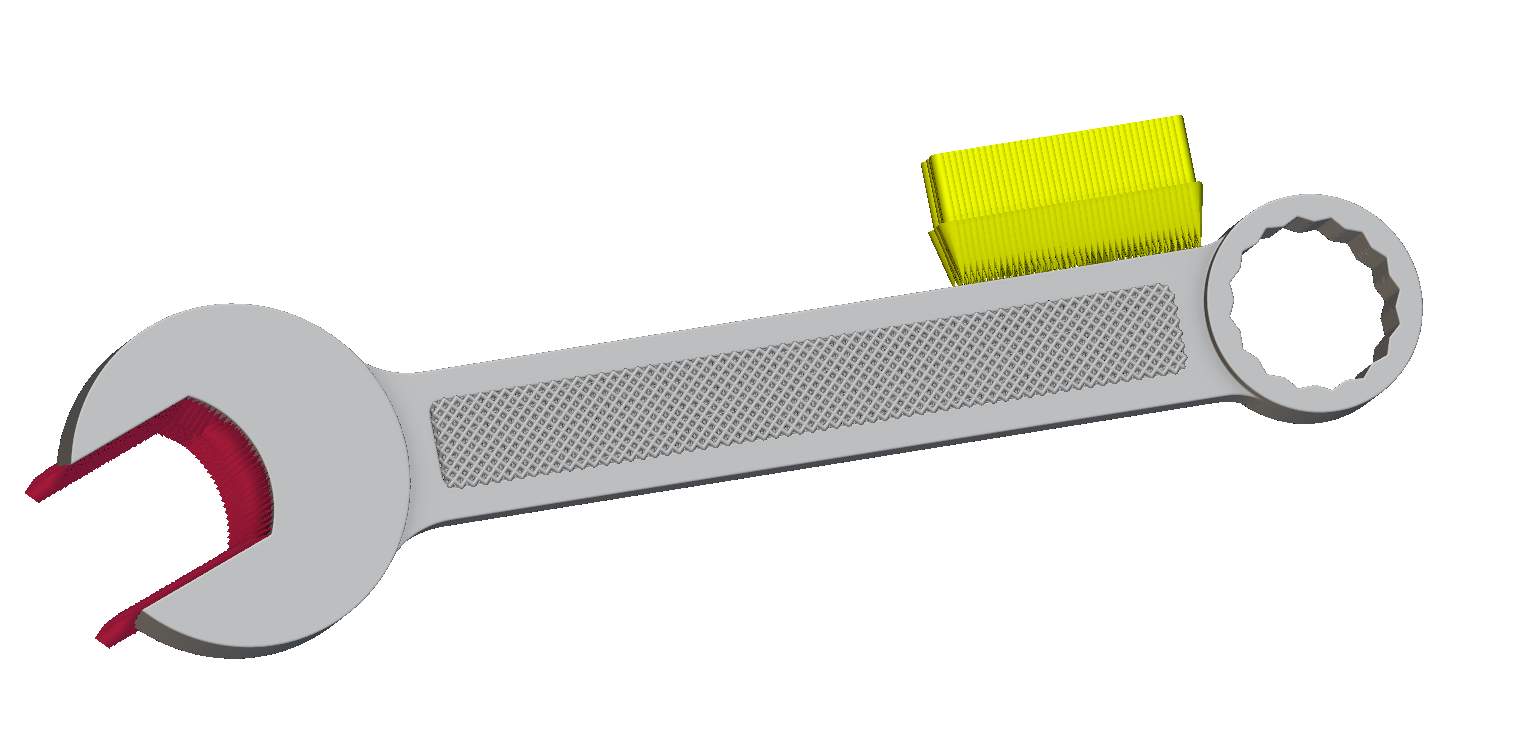
Using the***Inner FE Mesh***and ***Outer FE Mesh***variables in the starter file, set up and run a Field Optimization to generate a latticed wrench.
Minimize structural compliance of the part under the loading conditions below while constraining the inner body to a volume fraction of less than 0.3.
* Apply a **Force**(yellow arrows) of 10,000N in the negative *x* direction to the area selected in the provided ***Force Boundary***
* Apply a **Displacement Restraint** (red cones) to the wrench jaw profile
While setting up your model, use a **Tie Constraint**to connect the inner **Parametric Lattice Component** and solid outer component. Use the following inputs to define the inner lattice component:
* *Face-centered cubic unit cell*
* *Conformal Boundary behavior*
* *2 mm Cell size*
* *0.3 mm Min thickness*
* *0.8 mm Max thickness*
Pull the optimized implicit bodies from the **Field Optimization** block into your notebook and use Boolean operations to generate your final part.
 \*\*Estimated Time to Complete:\*\*20 minutes
**Tip:**
Use an **FE Region by Body**nested inside a **Volume Fraction Response**to isolate the inner body to constrain to a specific region.
**Example File:**
[440\_20\_Starter — Field Optimization Test Problem.ntop](https://files.learn.ntop.com/Courses/440%20Field%20Optimization/nTop%20Files/440_20_Starter%20--%20Field%20Optimization%20Test%20Problem.ntop)
*This file was last updated in nTop 4.16.3*
\*\*Estimated Time to Complete:\*\*20 minutes
**Tip:**
Use an **FE Region by Body**nested inside a **Volume Fraction Response**to isolate the inner body to constrain to a specific region.
**Example File:**
[440\_20\_Starter — Field Optimization Test Problem.ntop](https://files.learn.ntop.com/Courses/440%20Field%20Optimization/nTop%20Files/440_20_Starter%20--%20Field%20Optimization%20Test%20Problem.ntop)
*This file was last updated in nTop 4.16.3*