> ## Documentation Index
> Fetch the complete documentation index at: https://docs.ntop.com/llms.txt
> Use this file to discover all available pages before exploring further.
# Flow Analysis
After completing all three inputs in the **Flow Analysis** block, the simulation will automatically run and produce your results.
## GPU Memory Considerations
Recall that Flow Analysis runs on GPU memory. Before running a full simulation, the **Flow Analysis** block estimates available GPU memory. If insufficient, you will see an insufficient memory error.
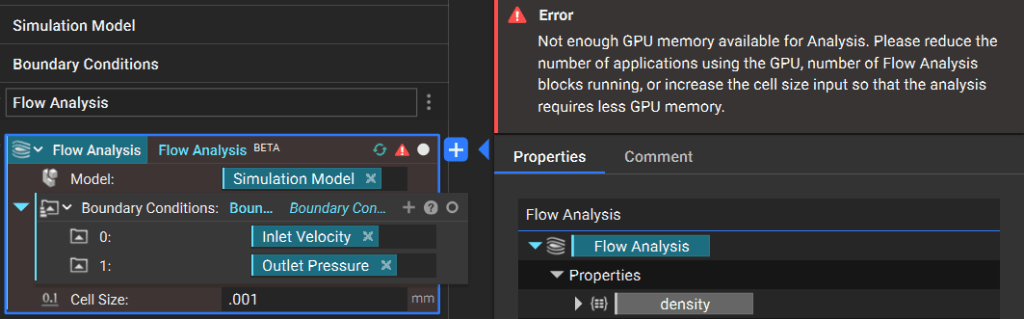 If your analysis runs slowly or encounters memory errors, you can free up available memory by:
* Decreasing your nTop resolution in the bottom-right corner of your screen
* Closing other nTop instances and GPU-intensive applications
## Monitor Block Progress
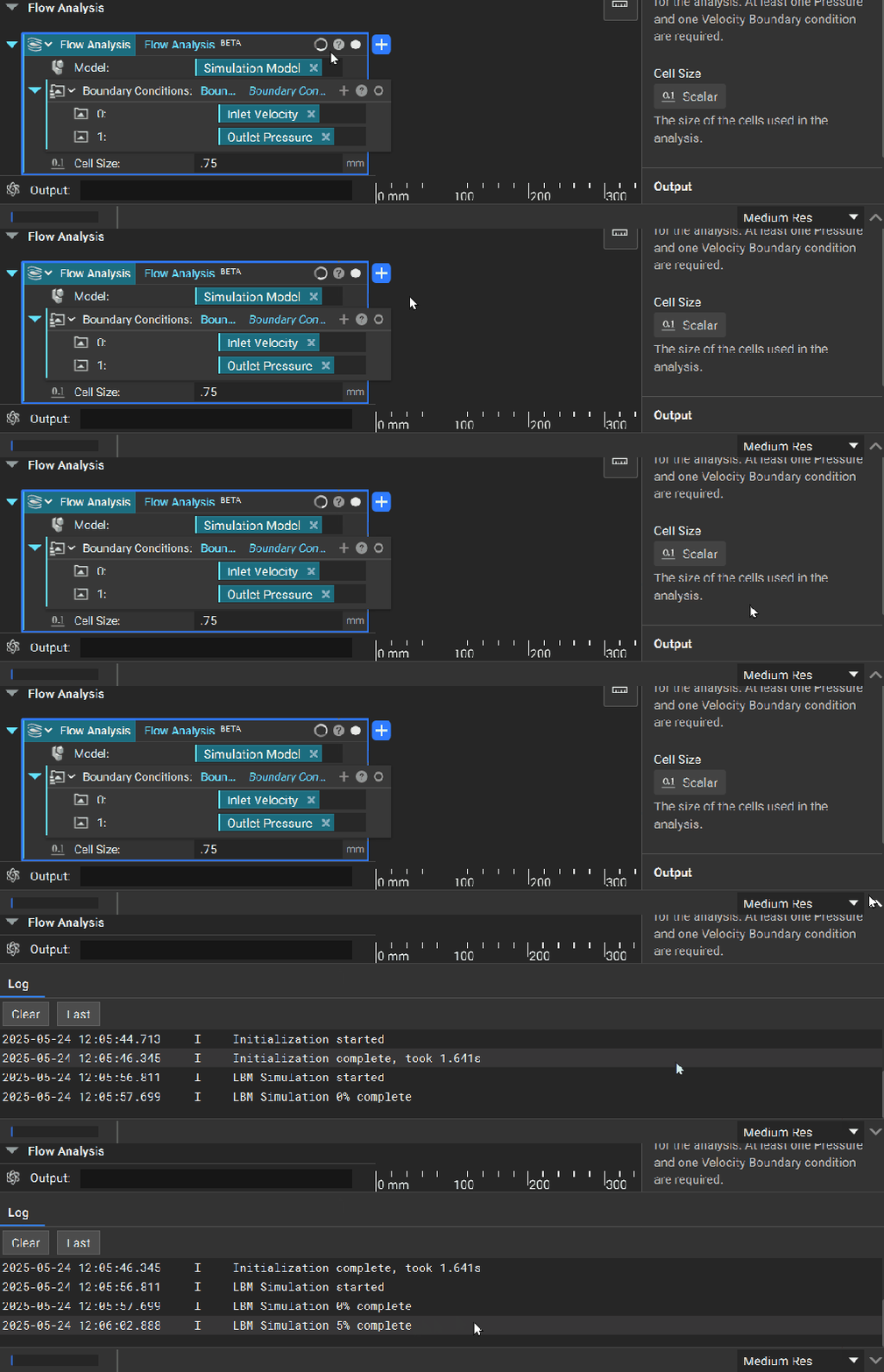
To monitor progress as your flow analysis runs, you can open the Log Panel.
If your analysis runs slowly or encounters memory errors, you can free up available memory by:
* Decreasing your nTop resolution in the bottom-right corner of your screen
* Closing other nTop instances and GPU-intensive applications
## Monitor Block Progress
To monitor progress as your flow analysis runs, you can open the Log Panel.