> ## Documentation Index
> Fetch the complete documentation index at: https://docs.ntop.com/llms.txt
> Use this file to discover all available pages before exploring further.
# Simple Volume Lattices
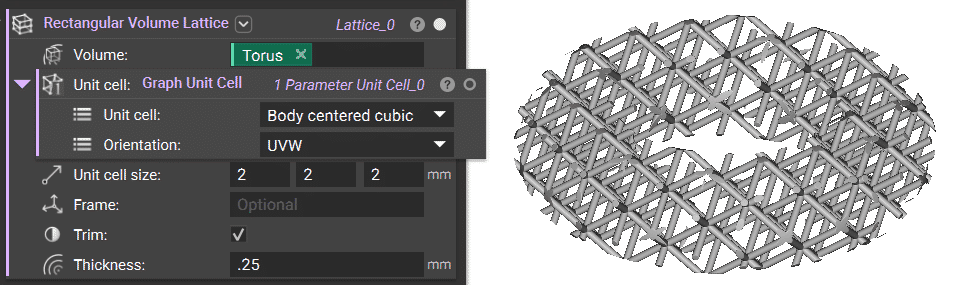
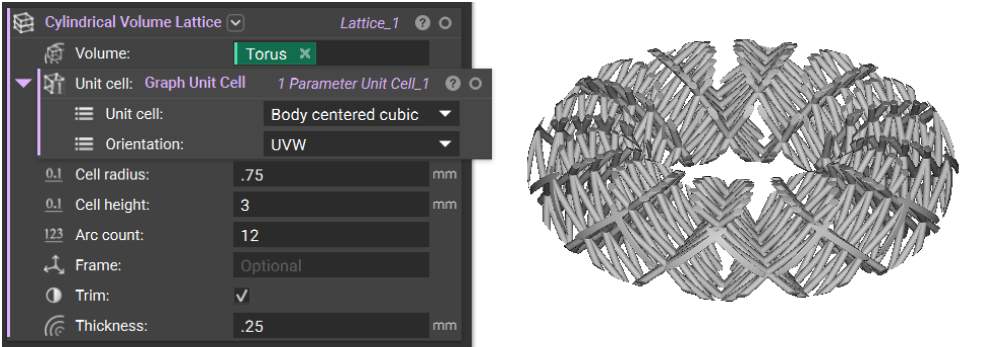
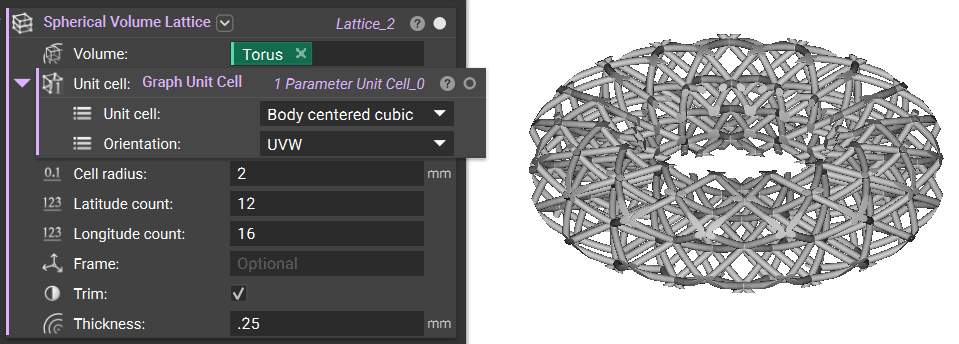
To expedite periodic lattice creation, when you want to add lattice to a volume, you can use one of three blocks:
1. Rectangular Volume Lattice
2. Cylindrical Volume Lattice
3. Spherical Volume Lattice
These blocks will generate periodic lattices in rectangular, cylindrical, and spherical coordinates, respectively, without using the **Periodic Lattice** block or generating Cell Maps separately.
These blocks automatically create a Cell Map based on the implicit body used as the *Volume* input. You can use the *Frame* input to translate and orient the tessellation of the Unit Cells and check/uncheck the *Trim* option to trim the final lattice to the input *Volume*.
 **Note**: These blocks use the same underlying technology as the **Periodic Lattice** block but can eliminate some setup steps when appropriate.