> ## Documentation Index
> Fetch the complete documentation index at: https://docs.ntop.com/llms.txt
> Use this file to discover all available pages before exploring further.
# Meshing Properties and Terminology
## Mesh Properties
This lesson will focus on four fundamental mesh properties: *closed*, *manifold*, *oriented*, and *self-intersecting*. These bool types show true or false in the properties section of the block details and are key to determining if you have a clean mesh. If the mesh is not *closed*, *manifold*, or *oriented*, or if the mesh is self-intersecting, you will receive a warning, which can result in issues when converting the mesh or exporting the part.
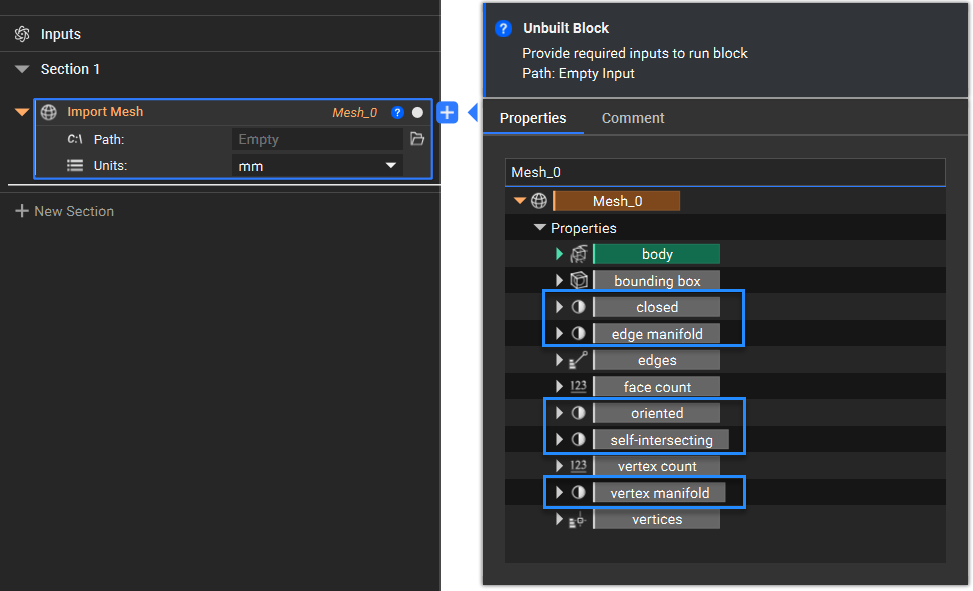 Other unique properties for meshes, such as the *face count*, *vertex count*, and *vertices*, are also available.
## Terminology
### Edges and Closed Meshes
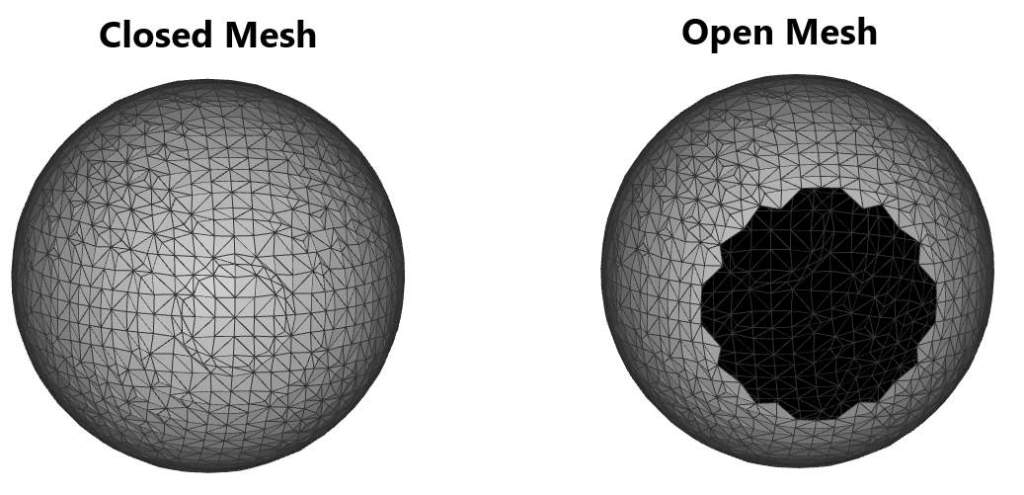
There are different types of edges when referring to a mesh and checking if it is closed. A closed mesh refers to a mesh with no boundary edges, where all edges have more than one adjacent face.
We can have **Boundary Edges**, which are adjacent to exactly one face, **Regular Edges**, that are adjacent to exactly two faces, and **Singular Edges**, which are adjacent to more than two faces.
Other unique properties for meshes, such as the *face count*, *vertex count*, and *vertices*, are also available.
## Terminology
### Edges and Closed Meshes
There are different types of edges when referring to a mesh and checking if it is closed. A closed mesh refers to a mesh with no boundary edges, where all edges have more than one adjacent face.
We can have **Boundary Edges**, which are adjacent to exactly one face, **Regular Edges**, that are adjacent to exactly two faces, and **Singular Edges**, which are adjacent to more than two faces.
 ### Manifold
For a mesh to be manifold, it must be a continuous surface resembling Euclidean space up close. A way to think about this is: “If I could shrink myself down, could I walk around the entire mesh?”
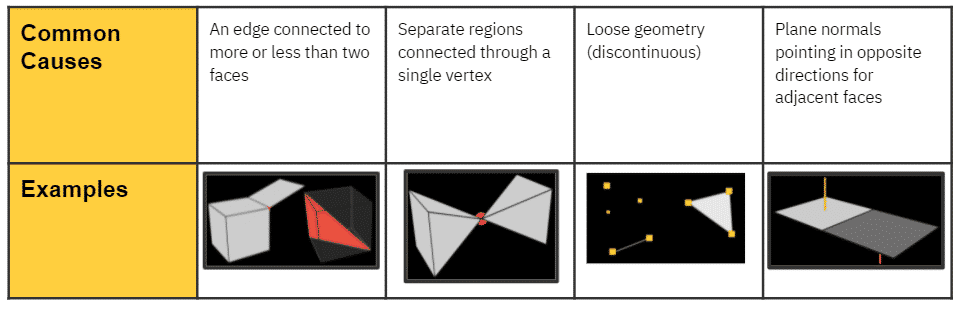
The causes of **non-manifold** meshes are not always obvious, but below are some common scenarios:
### Manifold
For a mesh to be manifold, it must be a continuous surface resembling Euclidean space up close. A way to think about this is: “If I could shrink myself down, could I walk around the entire mesh?”
The causes of **non-manifold** meshes are not always obvious, but below are some common scenarios:
 ### Oriented Mesh
* Used to provide a consistent means of differentiation between the two sides of a mesh face
* 'Oriented' = normal vectors of all mesh faces are consistently facing outward or inward
* Which side of the face is the top (facing outward, indicated by the color gray), and which is the bottom (facing inward, indicated by the color black)?
***Tip:** If you have imported a Mesh or generated a Mesh and it has flipped normals, use the **Flip Mesh Normals** block.*
### Oriented Mesh
* Used to provide a consistent means of differentiation between the two sides of a mesh face
* 'Oriented' = normal vectors of all mesh faces are consistently facing outward or inward
* Which side of the face is the top (facing outward, indicated by the color gray), and which is the bottom (facing inward, indicated by the color black)?
***Tip:** If you have imported a Mesh or generated a Mesh and it has flipped normals, use the **Flip Mesh Normals** block.*
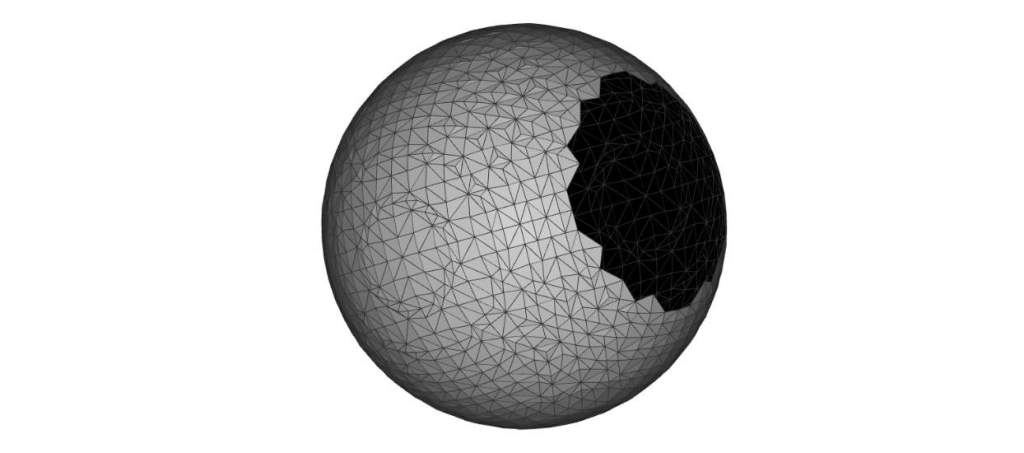 An example of a mesh that is oriented but not closed
### Self-Intersection
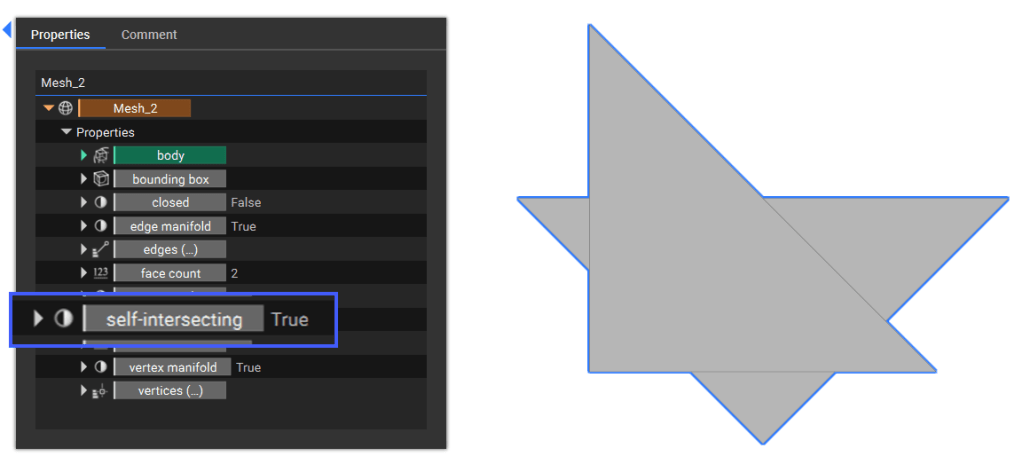
* A part of a surface mesh collides with another part of itself, i.e., at least two mesh elements intersect.
***Note:** An implicit body created from a self-intersecting mesh may have erroneous open extensions that extend outward infinitely. The generated implicit body will slow processes down the line (because of the infinitely large bounding box).*
An example of a mesh that is oriented but not closed
### Self-Intersection
* A part of a surface mesh collides with another part of itself, i.e., at least two mesh elements intersect.
***Note:** An implicit body created from a self-intersecting mesh may have erroneous open extensions that extend outward infinitely. The generated implicit body will slow processes down the line (because of the infinitely large bounding box).*
 ## Clean Meshes
In this context, a clean mesh is a mesh free from any of the abovementioned issues.
## Clean Meshes
In this context, a clean mesh is a mesh free from any of the abovementioned issues.
 ## Wireframe
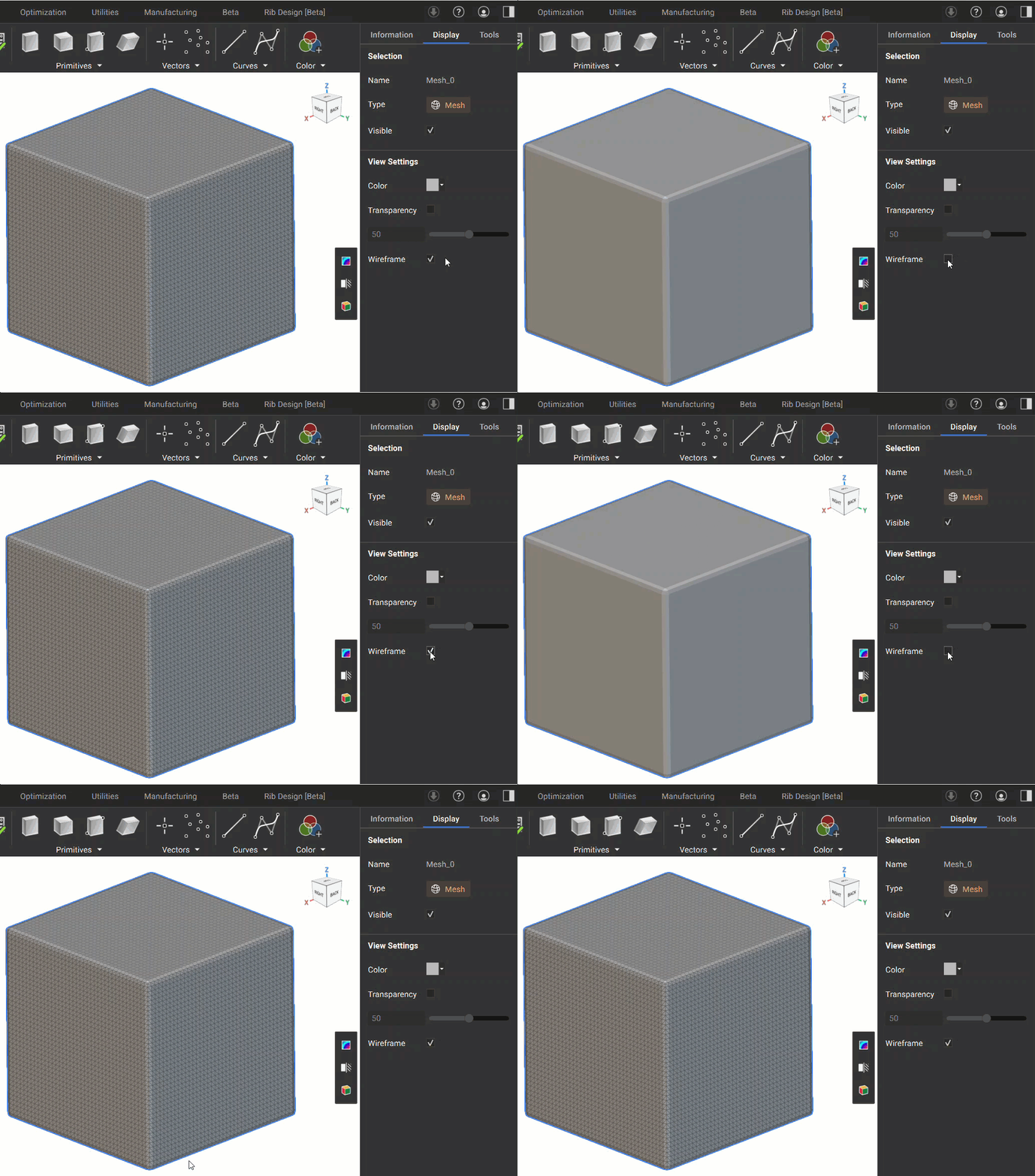
The wireframe for a mesh is automatically visible and shows its edges. You can turn off this wireframe view by going to the Display settings in the Right Panel.
## Wireframe
The wireframe for a mesh is automatically visible and shows its edges. You can turn off this wireframe view by going to the Display settings in the Right Panel.