> ## Documentation Index
> Fetch the complete documentation index at: https://docs.ntop.com/llms.txt
> Use this file to discover all available pages before exploring further.
# Optional: nTop Automate Problem Statement
Now that you have learned how to set up and run nTop Automate, feel free to try this optional problem to apply your knowledge on a more complex scenario. The answer will be reviewed in the next lesson.
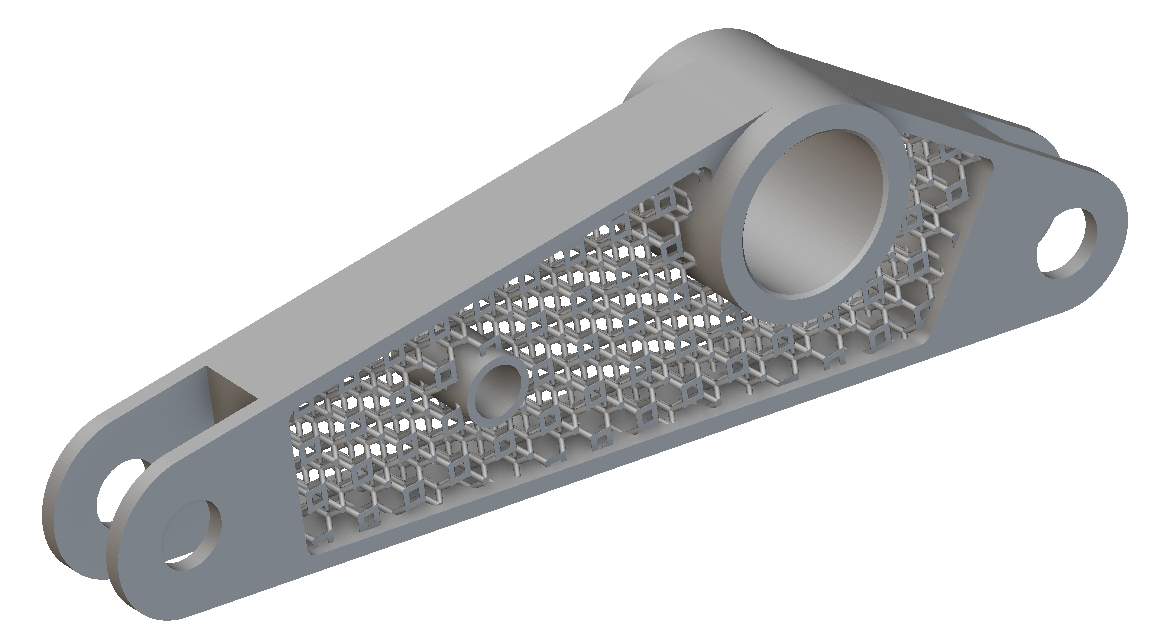
\*\*Problem Statement:\*\*Evaluate this latticed bracket's *mass properties* given the material density of 0.0047 mm-3g for 18 combinations of design variations with the following design inputs:
* 3 Lattice Types (Diamond, Octet, Truncated octahedron)
* 3 Cell Sizes (10mm, 15mm, 20mm)
* 2 Beam Thicknesses (0.2mm, 0.5mm)
Export *3mf mesh files* with the names formatted *'Bracket-Lattice Type-Cell Size-BeamThickness.3mf'*
Download the starter file below and set up the Notebook to prepare for nTop Automate.
After setting up the Notebook, you can save the nTop file as *'Bracket'* for better ease of use with nTop Automate. Execute a test run using the recommended best practices, then scale up with a Python script. You may use the code from the Lattice Example in the previous Follow Along lesson and modify it for this problem.
 **Estimated Time to Complete:** 30 minutes
**Example File:**
[330\_12\_2 Starter — nTopCL Test Problem.ntop](https://files.learn.ntop.com/Courses/330%20nTop%20Automate/nTop%20Files/330_12_2%20Starter%20--%20nTopCL%20Test%20Problem.ntop)
*This file was last updated in nTop 4.24.3*
**Estimated Time to Complete:** 30 minutes
**Example File:**
[330\_12\_2 Starter — nTopCL Test Problem.ntop](https://files.learn.ntop.com/Courses/330%20nTop%20Automate/nTop%20Files/330_12_2%20Starter%20--%20nTopCL%20Test%20Problem.ntop)
*This file was last updated in nTop 4.24.3*