> ## Documentation Index
> Fetch the complete documentation index at: https://docs.ntop.com/llms.txt
> Use this file to discover all available pages before exploring further.
# Analysis Options
Simulations in nTop are a powerful tool, enabling you to use the results directly in your design by utilizing fields. From simple to complex, simulations follow a basic format. The image below represents the minimum setup for a simulation to run.
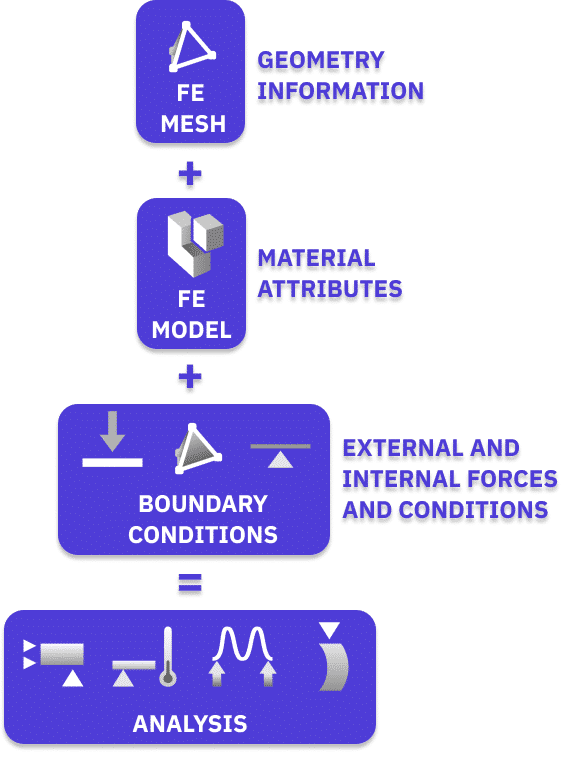 After setting up these elements, you can run an analysis. **Static**, **Buckling**, **Modal**, and **Thermal Analysis**are the analysis types. Each type utilizes these basic parts, with slight differences in addition.
After running a simulation, you can utilize results in various ways. You can extract field results feed into the model. You can also export results to other platforms for further analysis.
Our simulation options are linear static, but we can now run a nonlinear and transient thermal analysis in our *Beta* tab. If your simulation requires transient and/or nonlinear analysis, you can export nTop FE Models to external software.
This course will focus on running a Static, Buckling, and Modal Analysis. See our [341: Intro to Thermal Analysis](https://learn.ntop.com/courses/341-intro-to-thermal-fea/) and [342: Lattice FEA](https://learn.ntop.com/courses/342-lattice-fea-2/) courses to explore your simulation options in nTop!
After setting up these elements, you can run an analysis. **Static**, **Buckling**, **Modal**, and **Thermal Analysis**are the analysis types. Each type utilizes these basic parts, with slight differences in addition.
After running a simulation, you can utilize results in various ways. You can extract field results feed into the model. You can also export results to other platforms for further analysis.
Our simulation options are linear static, but we can now run a nonlinear and transient thermal analysis in our *Beta* tab. If your simulation requires transient and/or nonlinear analysis, you can export nTop FE Models to external software.
This course will focus on running a Static, Buckling, and Modal Analysis. See our [341: Intro to Thermal Analysis](https://learn.ntop.com/courses/341-intro-to-thermal-fea/) and [342: Lattice FEA](https://learn.ntop.com/courses/342-lattice-fea-2/) courses to explore your simulation options in nTop!