> ## Documentation Index
> Fetch the complete documentation index at: https://docs.ntop.com/llms.txt
> Use this file to discover all available pages before exploring further.

# Overview
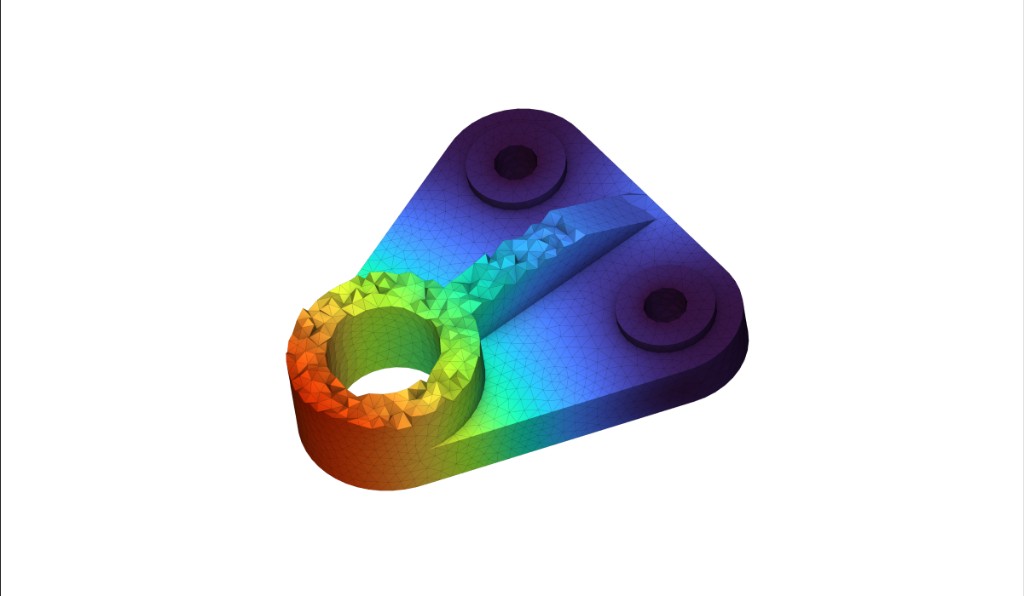
<Frame>
  <img src="https://storage.googleapis.com/files-learn/lessons/intro-to-structural-analysis/bracket-fea-overview.png" alt="Bracket with FEA mesh and stress/strain color gradient" />
</Frame>

This course will take you through the basics of running a simulation within nTop. After completing this course, you will have developed an understanding of the different inputs to run simulations within nTop and how to use these results to drive your designs.

**Prerequisites:** [101: nTop Essentials](/lessons/ntop-essentials/overview), [102: Guide to Meshing](/lessons/intro-to-meshing/overview)

**What will be covered:**

* Setting up an FE Mesh, Model, and Boundary Conditions for a Simulation or Topology Optimization
* Running a Structural, Buckling, and Modal Analysis in nTop
* Importing and Exporting Simulation Results

### Introduction

<CardGroup cols={2}>
  <Card title="Before We Begin" href="/lessons/intro-to-structural-analysis/before-we-begin-structural-analysis" cta="Open" />

  <Card title="Analysis Options" href="/lessons/intro-to-structural-analysis/analysis-options" cta="Open" />
</CardGroup>

### Setting Up A Simulation Model

<CardGroup cols={2}>
  <Card title="Analysis Workflow: Working Backwards" href="/lessons/intro-to-structural-analysis/analysis-workflow-working-backwards" cta="Open" />

  <Card title="Creating a Simulation Model" href="/lessons/intro-to-structural-analysis/creating-a-simulation-model" cta="Open" />

  <Card title="Domains" href="/lessons/intro-to-structural-analysis/domains" cta="Open" />

  <Card title="Defining a Material" href="/lessons/intro-to-structural-analysis/defining-a-material" cta="Open" />

  <Card title="Connectors" href="/lessons/intro-to-structural-analysis/connectors" cta="Open" />

  <Card title="Follow Along: Simulation Model" href="/lessons/intro-to-structural-analysis/follow-along-fe-model" cta="Open" />

  <Card title="Download: Completed Simulation Model" href="/lessons/intro-to-structural-analysis/download-completed-fe-model" cta="Open" />
</CardGroup>

### Setting Up Boundary Conditions

<CardGroup cols={2}>
  <Card title="Creating Boundary Conditions" href="/lessons/intro-to-structural-analysis/creating-boundary-conditions" cta="Open" />

  <Card title="FE Forces" href="/lessons/intro-to-structural-analysis/fe-forces" cta="Open" />

  <Card title="Displacement Restraint" href="/lessons/intro-to-structural-analysis/displacement-restraint" cta="Open" />

  <Card title="Follow Along: Boundary Conditions" href="/lessons/intro-to-structural-analysis/follow-along-boundary-conditions" cta="Open" />

  <Card title="Download: Completed Boundary Conditions" href="/lessons/intro-to-structural-analysis/download-completed-boundary-conditions" cta="Open" />
</CardGroup>

### Running An Analysis

<CardGroup cols={2}>
  <Card title="Simulation Display" href="/lessons/intro-to-structural-analysis/simulation-display" cta="Open" />

  <Card title="Static Analysis Properties" href="/lessons/intro-to-structural-analysis/static-analysis-properties" cta="Open" />

  <Card title="Follow Along: Static Analysis" href="/lessons/intro-to-structural-analysis/follow-along-static-analysis" cta="Open" />

  <Card title="Download: Completed Static Analysis" href="/lessons/intro-to-structural-analysis/download-completed-static-analysis" cta="Open" />

  <Card title="Knowledge Check: Static Analysis" href="/lessons/intro-to-structural-analysis/knowledge-check-static-analysis" cta="Open" />
</CardGroup>

### Optional Simulation Test Problem

<CardGroup cols={2}>
  <Card title="Optional: Simulation Problem Statement" href="/lessons/intro-to-structural-analysis/optional-simulation-problem-statement" cta="Open" />

  <Card title="Answer to Simulation Test Problem" href="/lessons/intro-to-structural-analysis/answer-to-simulation-test-problem" cta="Open" />
</CardGroup>

### Modal And Buckling Analysis

<CardGroup cols={2}>
  <Card title="Buckling and Modal Analysis Properties and Terminology" href="/lessons/intro-to-structural-analysis/buckling-and-modal-analysis-properties-and-terminology" cta="Open" />

  <Card title="Follow Along: Modal Analysis" href="/lessons/intro-to-structural-analysis/follow-along-modal-analysis" cta="Open" />

  <Card title="Follow Along: Buckling Analysis" href="/lessons/intro-to-structural-analysis/follow-along-buckling-analysis" cta="Open" />

  <Card title="Download: Completed Modal and Buckling Analysis" href="/lessons/intro-to-structural-analysis/download-completed-modal-and-buckling-analysis" cta="Open" />
</CardGroup>

### Importing and Exporting

<CardGroup cols={2}>
  <Card title="Importing and Exporting Simulation Data" href="/lessons/intro-to-structural-analysis/importing-and-exporting-simulation-data" cta="Open" />

  <Card title="Follow Along: Importing and Exporting Simulation Data" href="/lessons/intro-to-structural-analysis/follow-along-importing-and-exporting-simulation-data" cta="Open" />
</CardGroup>

### What's Next

<CardGroup cols={2}>
  <Card title="Resources" href="/lessons/intro-to-structural-analysis/resources" cta="Open" />
</CardGroup>
