> ## Documentation Index
> Fetch the complete documentation index at: https://docs.ntop.com/llms.txt
> Use this file to discover all available pages before exploring further.
# Example: Creating a Thermal Bonded Contact
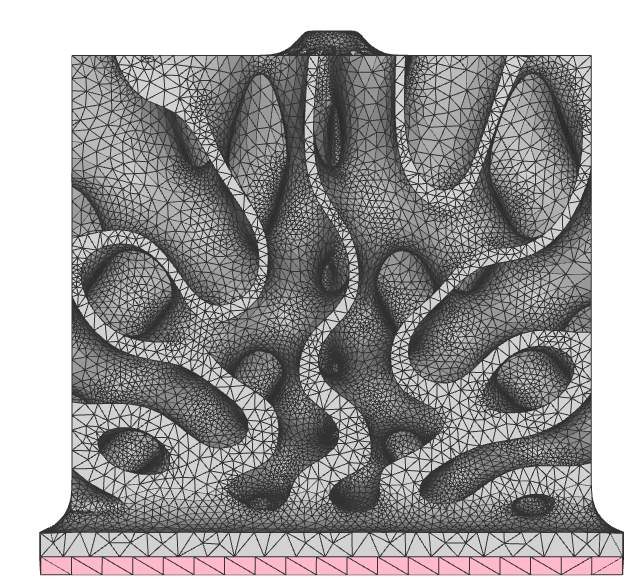
The Heat Sink FE Model below is made of two **FE Components**: the Heat Sink (gray) and the Base (red). It is assumed that the Base is the Independent mesh, while the Heat Sink is the Dependent mesh.
 ***
***
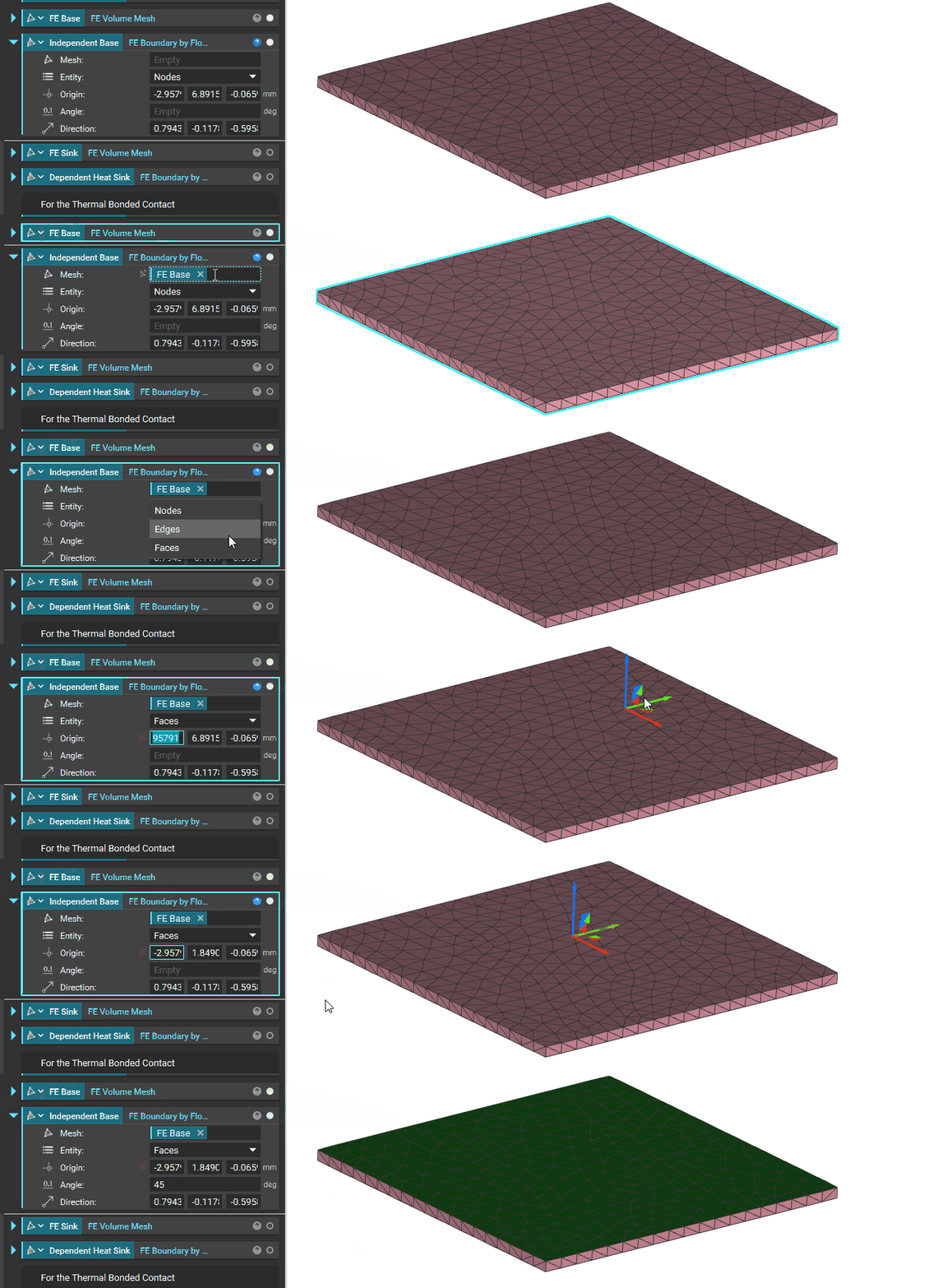 Select the top face of the Base (red) as the Independent part (green face entities) of the **Thermal Bonded Contact** using **FE Boundary by Flood Fill**.
***
Select the top face of the Base (red) as the Independent part (green face entities) of the **Thermal Bonded Contact** using **FE Boundary by Flood Fill**.
***
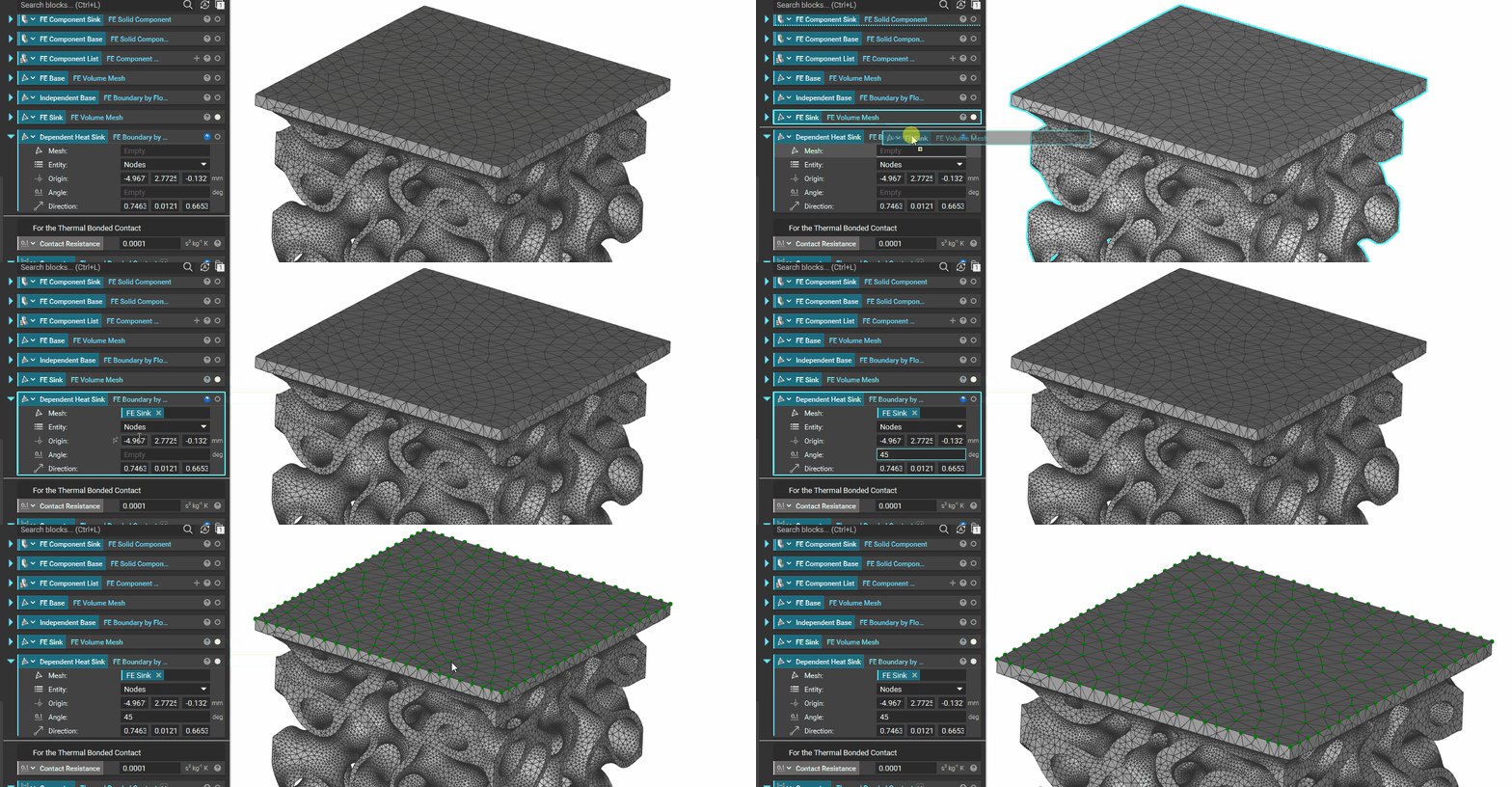 Select the mating face of the Heat Sink (gray) to the Base (red) as the Dependent part (green node entities) of the**Thermal Bonded Contact**using**FE Boundary by Flood Fill**.
***
**Note**:the heat sink is presented upside down for viewing the mating surface.
Select the mating face of the Heat Sink (gray) to the Base (red) as the Dependent part (green node entities) of the**Thermal Bonded Contact**using**FE Boundary by Flood Fill**.
***
**Note**:the heat sink is presented upside down for viewing the mating surface.
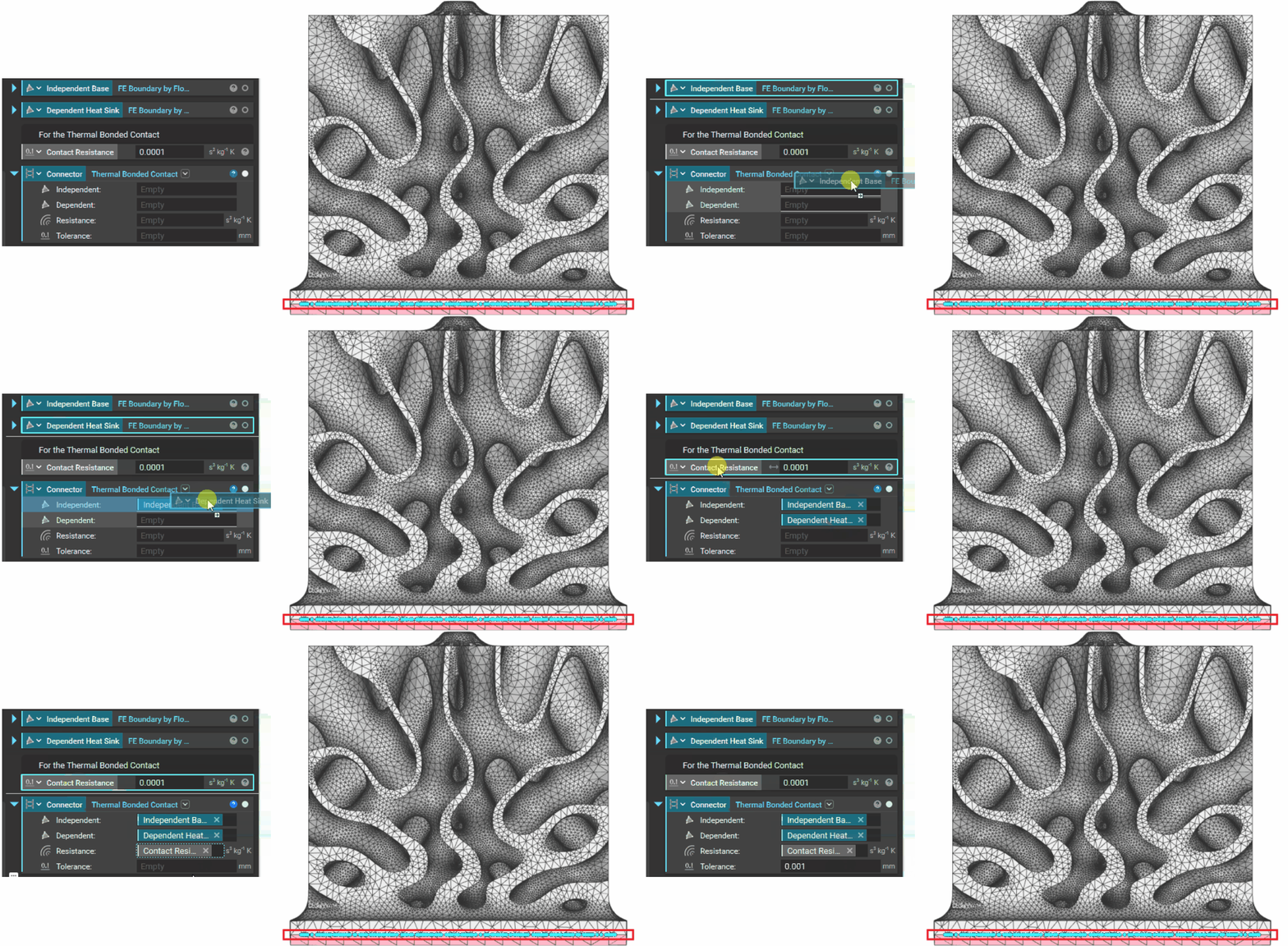 Finally, a **Thermal Bonded Contact**(red box) is created between the Heat Sink and the Base
***
Finally, a **Thermal Bonded Contact**(red box) is created between the Heat Sink and the Base
***