> ## Documentation Index
> Fetch the complete documentation index at: https://docs.ntop.com/llms.txt
> Use this file to discover all available pages before exploring further.
# Thermal FEA Results
The results of all thermal analyses include fields such as Temperature, Heat Flux, and Thermal Reaction Flux which are available in the Properties of the relevant **Thermal Analysis** block.
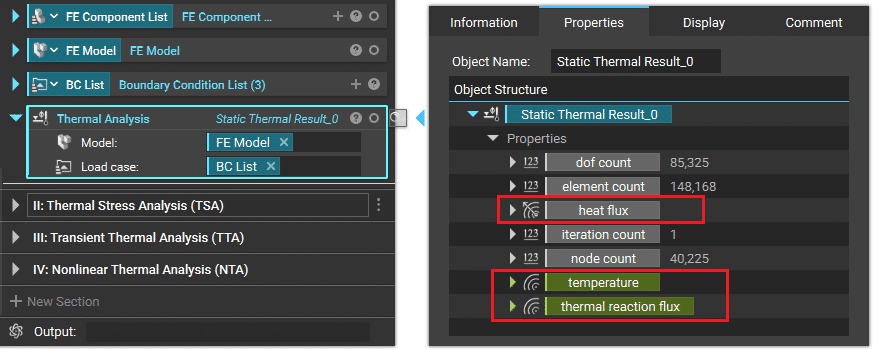 **Example:** Field results (Temperature, Heat Flux and Thermal Reaction Flux) for a Thermal Analysis
***
These fields can be brought into the Notebook and visualized with the Field Viewer, as shown below.
**Example:** Field results (Temperature, Heat Flux and Thermal Reaction Flux) for a Thermal Analysis
***
These fields can be brought into the Notebook and visualized with the Field Viewer, as shown below.
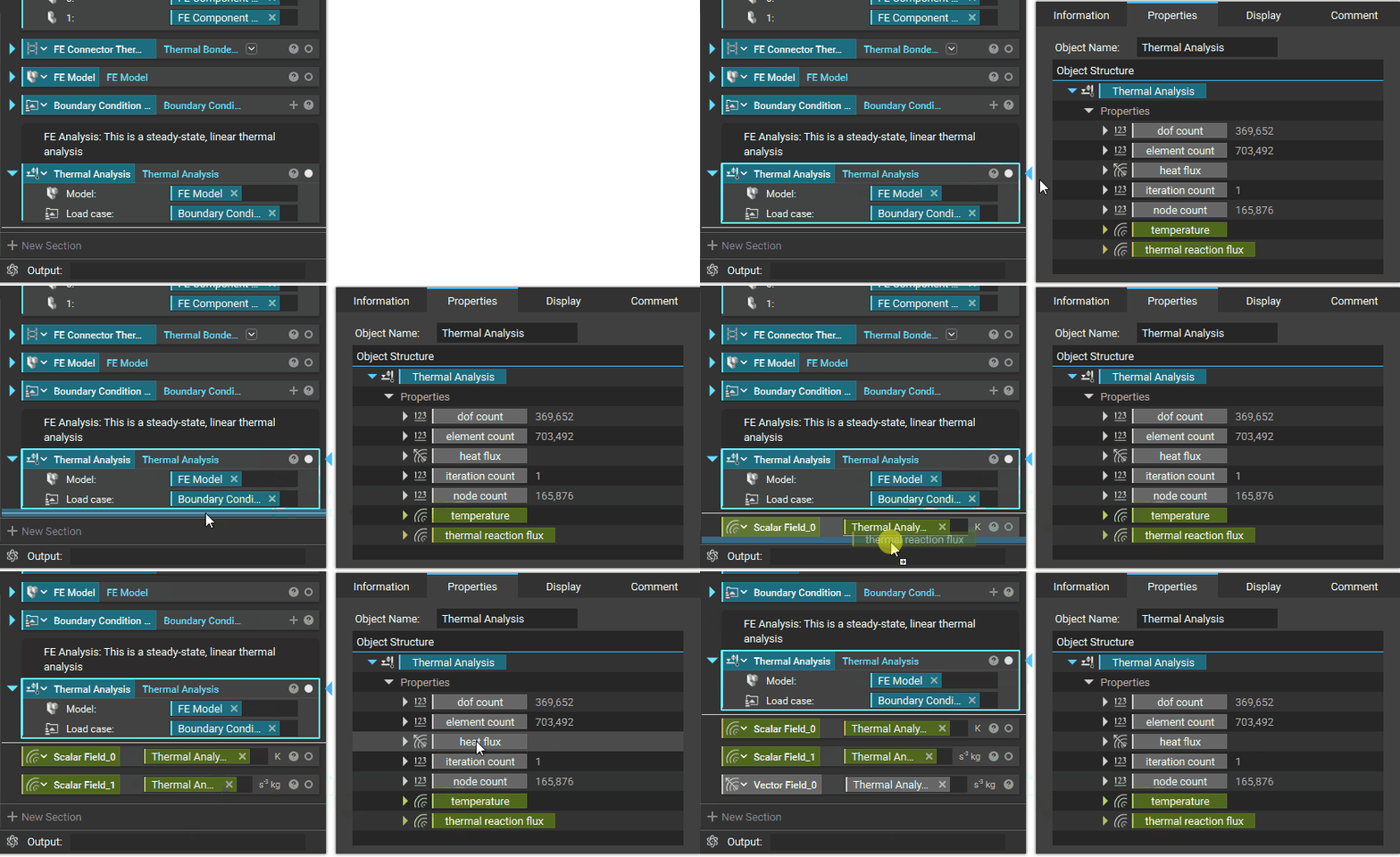 \*\*Example:\*\*Bringing resultant fields from the properties of a **Thermal Analysis** block in to the Notebook
***
## Field Results
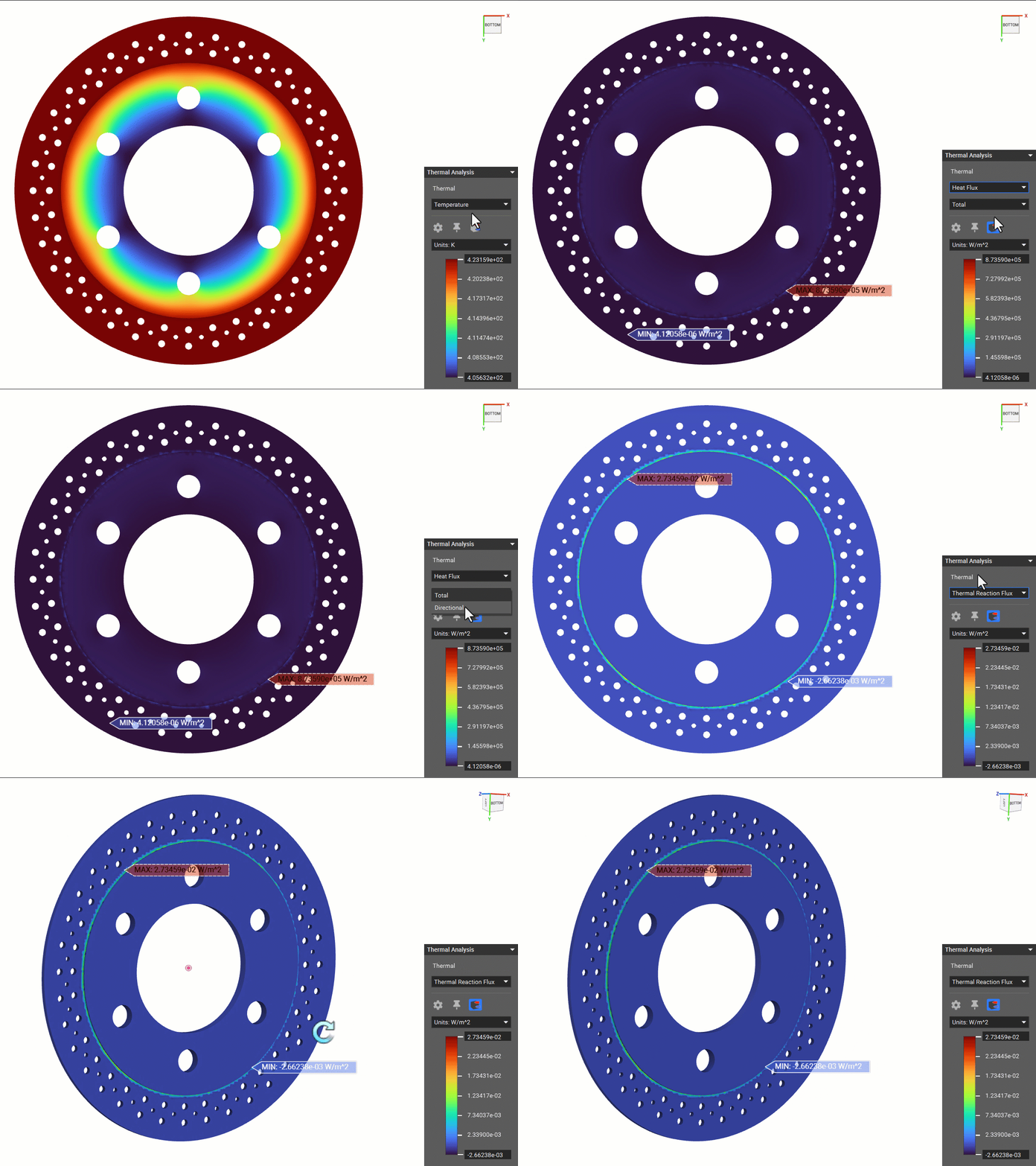
The following field results can be directly viewed by isolating the relevant analysis block for**Thermal Analysis**, **Transient Thermal Analysis** and **Nonlinear Thermal Analysis**:
1. Temperature *(K)*
2. Heat Flux *(W/m2)*
3. Thermal Reaction Flux *(W/m2)*
\*\*Example:\*\*Bringing resultant fields from the properties of a **Thermal Analysis** block in to the Notebook
***
## Field Results
The following field results can be directly viewed by isolating the relevant analysis block for**Thermal Analysis**, **Transient Thermal Analysis** and **Nonlinear Thermal Analysis**:
1. Temperature *(K)*
2. Heat Flux *(W/m2)*
3. Thermal Reaction Flux *(W/m2)*
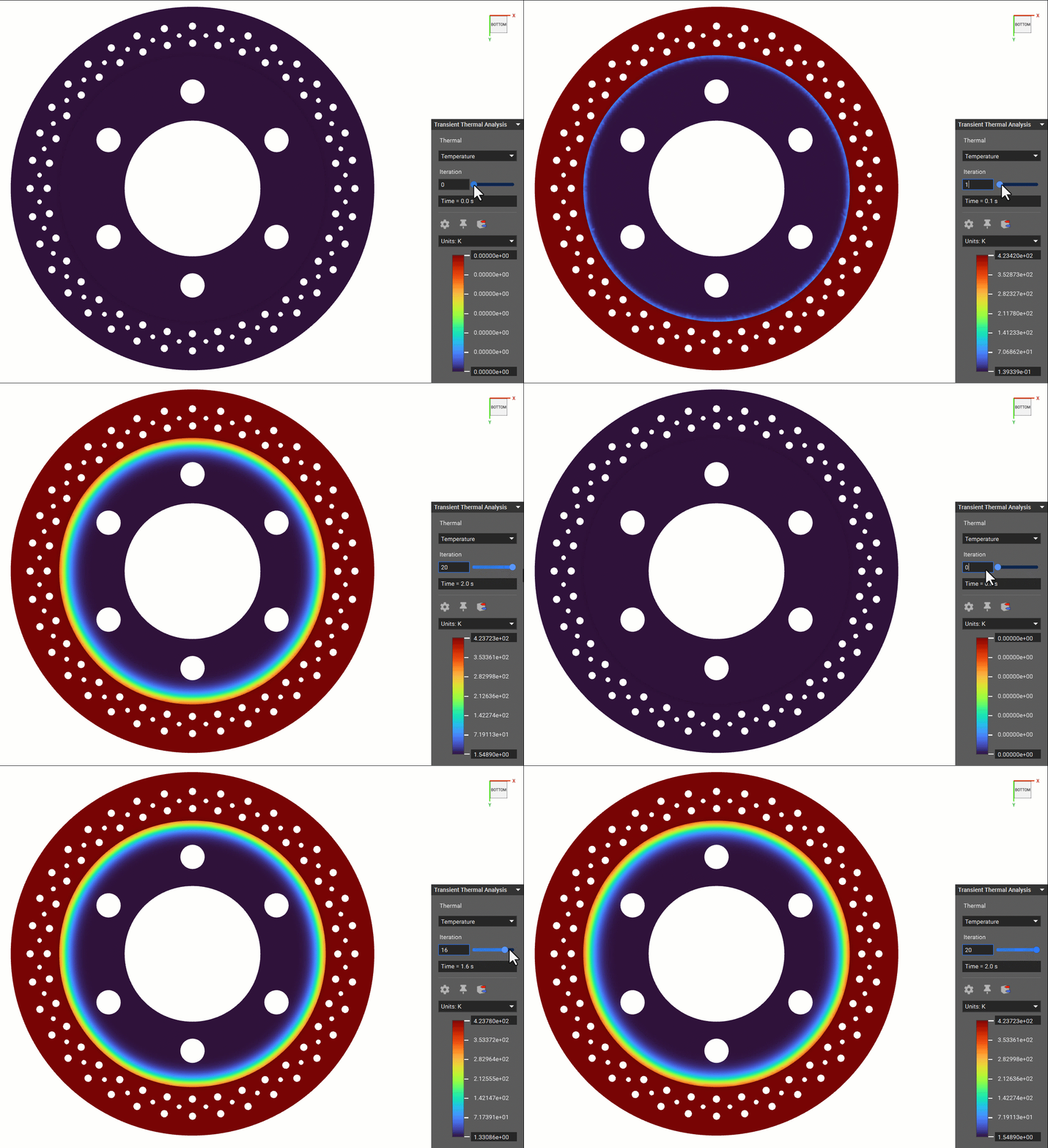
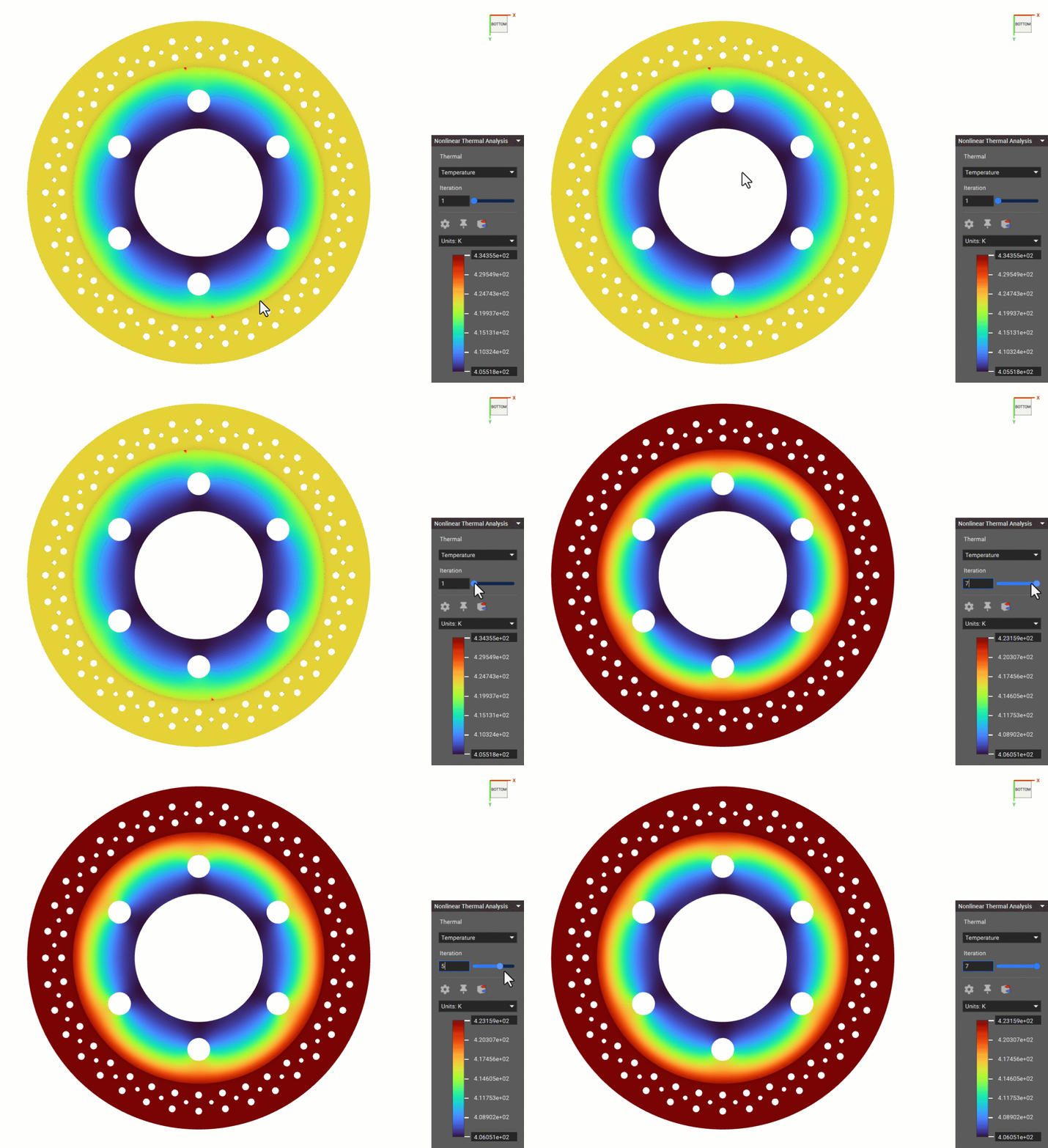
 For a**Transient Thermal Analysis**and **Nonlinear Thermal Analysis**, the field results can be visualized at various Solution Steps to see their temporal evolution as shown below.
 **Note**: For a Thermal Stress Analysis, the post-processing is the same as that for the Static Analysis, as covered in the [240: Intro to Simulation](/courses/240-intro-to-simulation/) course.
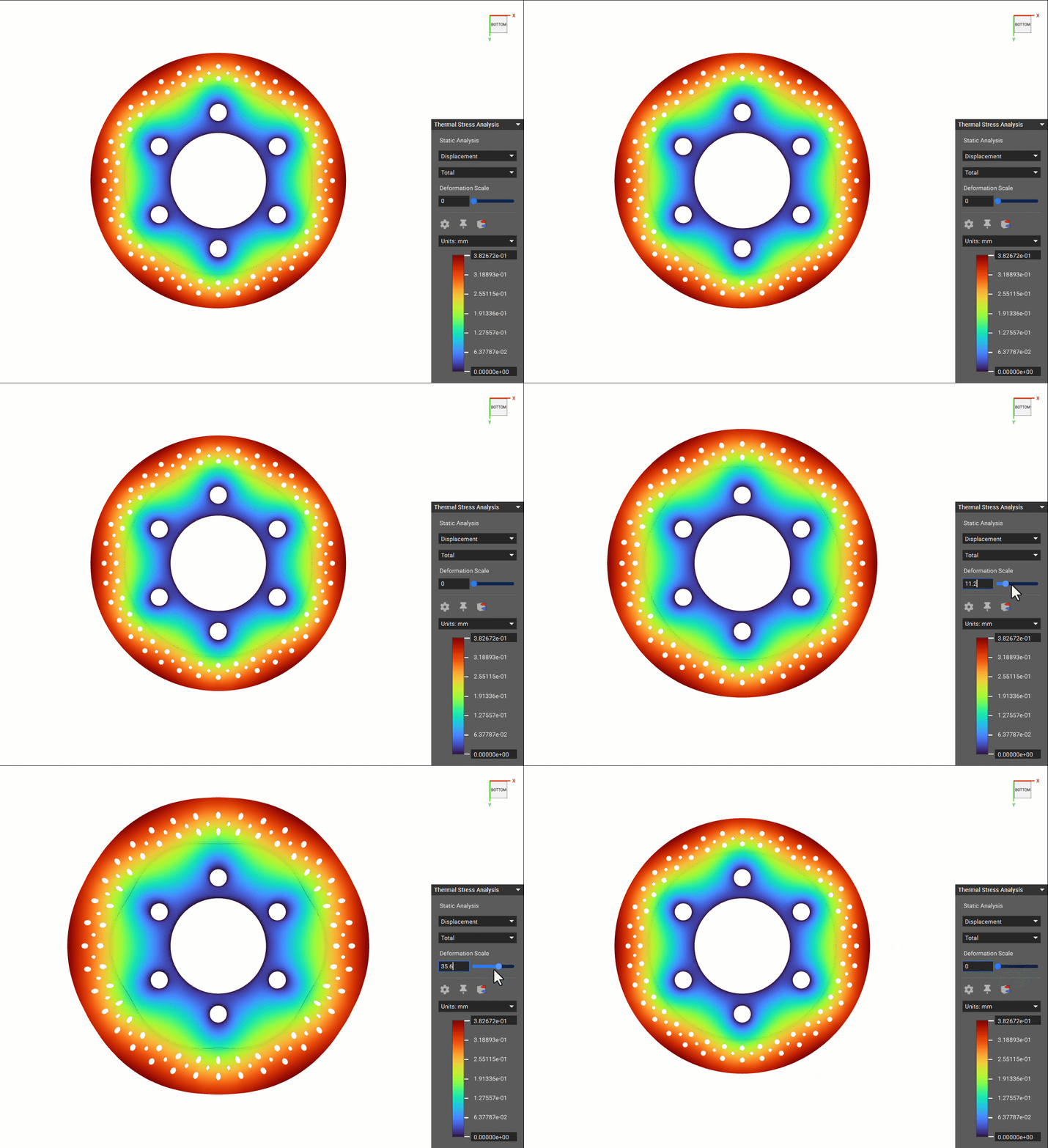 **Example:** Brake-disk deformation due to thermal expansion
## Temperature Point Maps
It could be interesting to create a**Temperature Point Map** from thermal analysis results, which could be used further in field-driven design.
**Example:** Brake-disk deformation due to thermal expansion
## Temperature Point Maps
It could be interesting to create a**Temperature Point Map** from thermal analysis results, which could be used further in field-driven design.
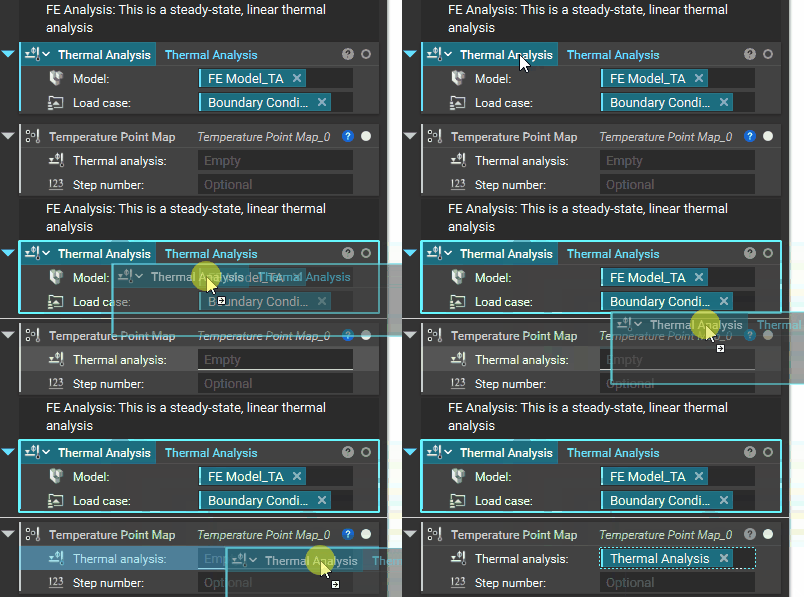
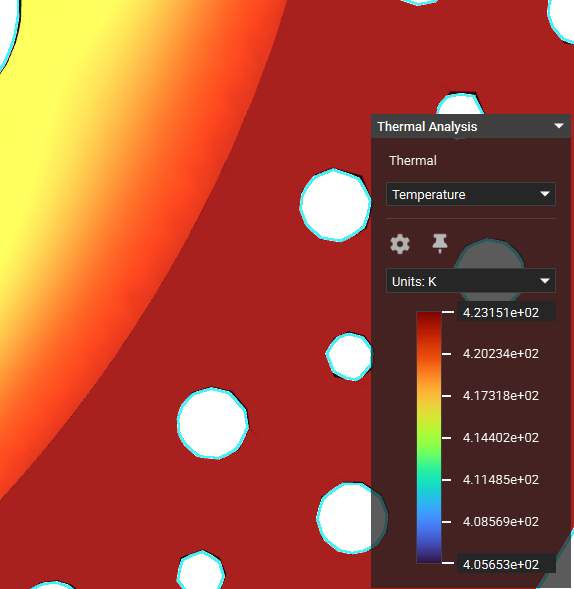 Temperature as a Field
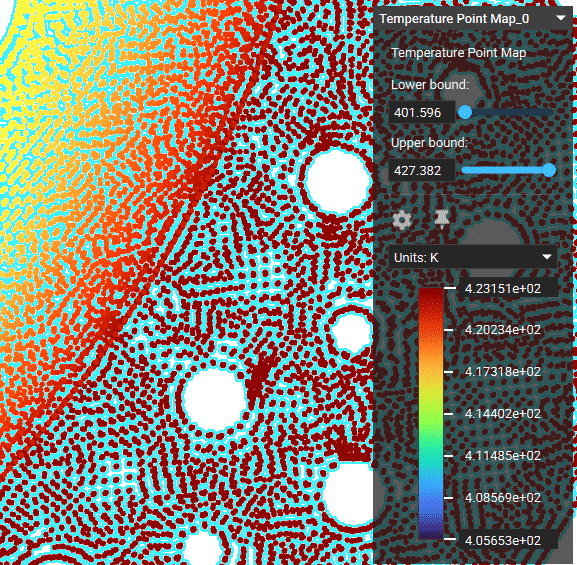 Temperature as a Point Map
**Note**: To learn more about how to leverage point maps for advanced engineering workflows, refer to the [320: Data Driven Design](/courses/320-data-driven-design/) course.
## Probe Mode to View Individual Values
You can directly probe values of the simulation results (fields) and point maps using the Probe Mode tool as shown below.
Temperature as a Point Map
**Note**: To learn more about how to leverage point maps for advanced engineering workflows, refer to the [320: Data Driven Design](/courses/320-data-driven-design/) course.
## Probe Mode to View Individual Values
You can directly probe values of the simulation results (fields) and point maps using the Probe Mode tool as shown below.
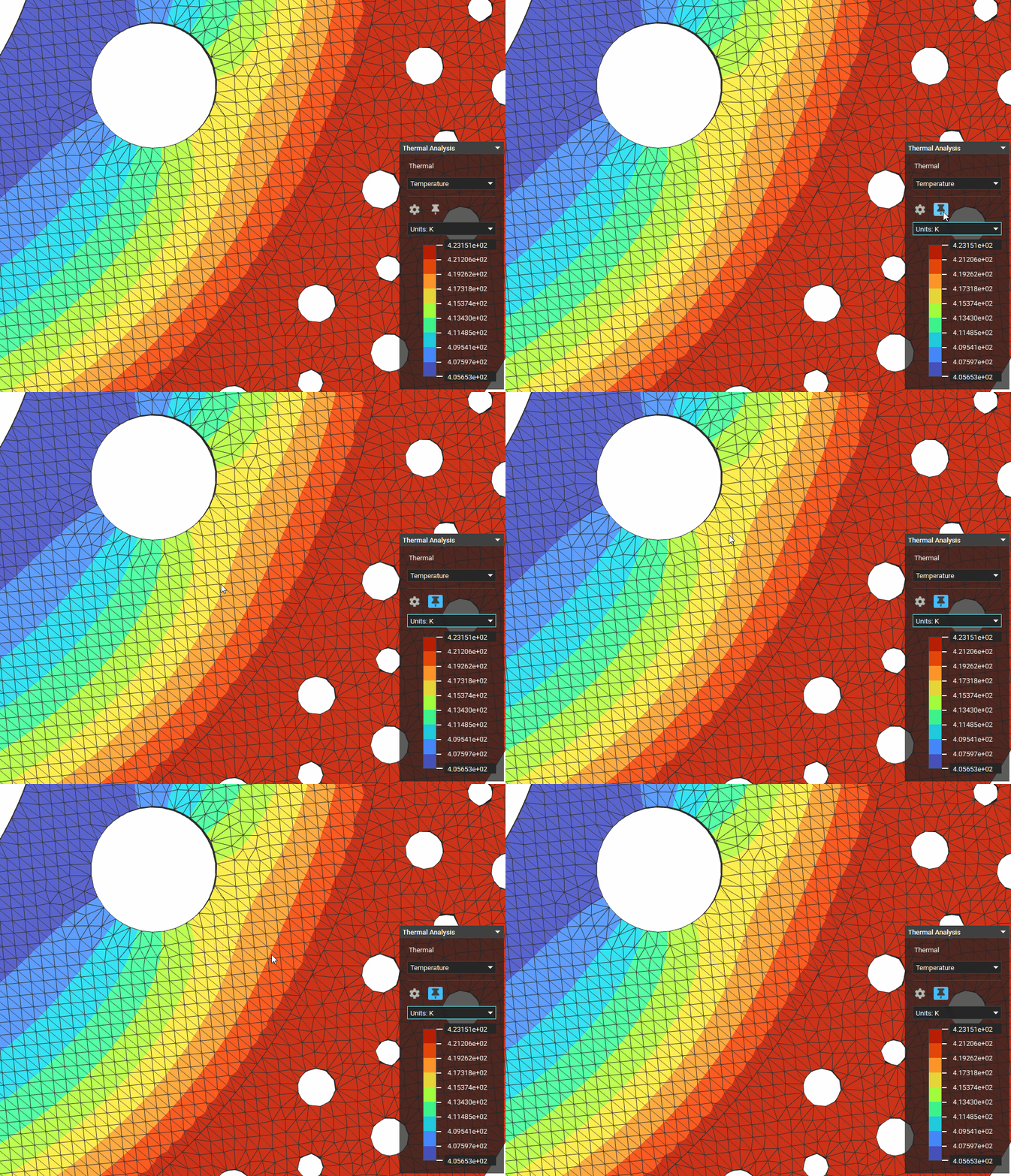 *Probe Mode tool used for the****exterior**\*\*of the model on a Temperature field*
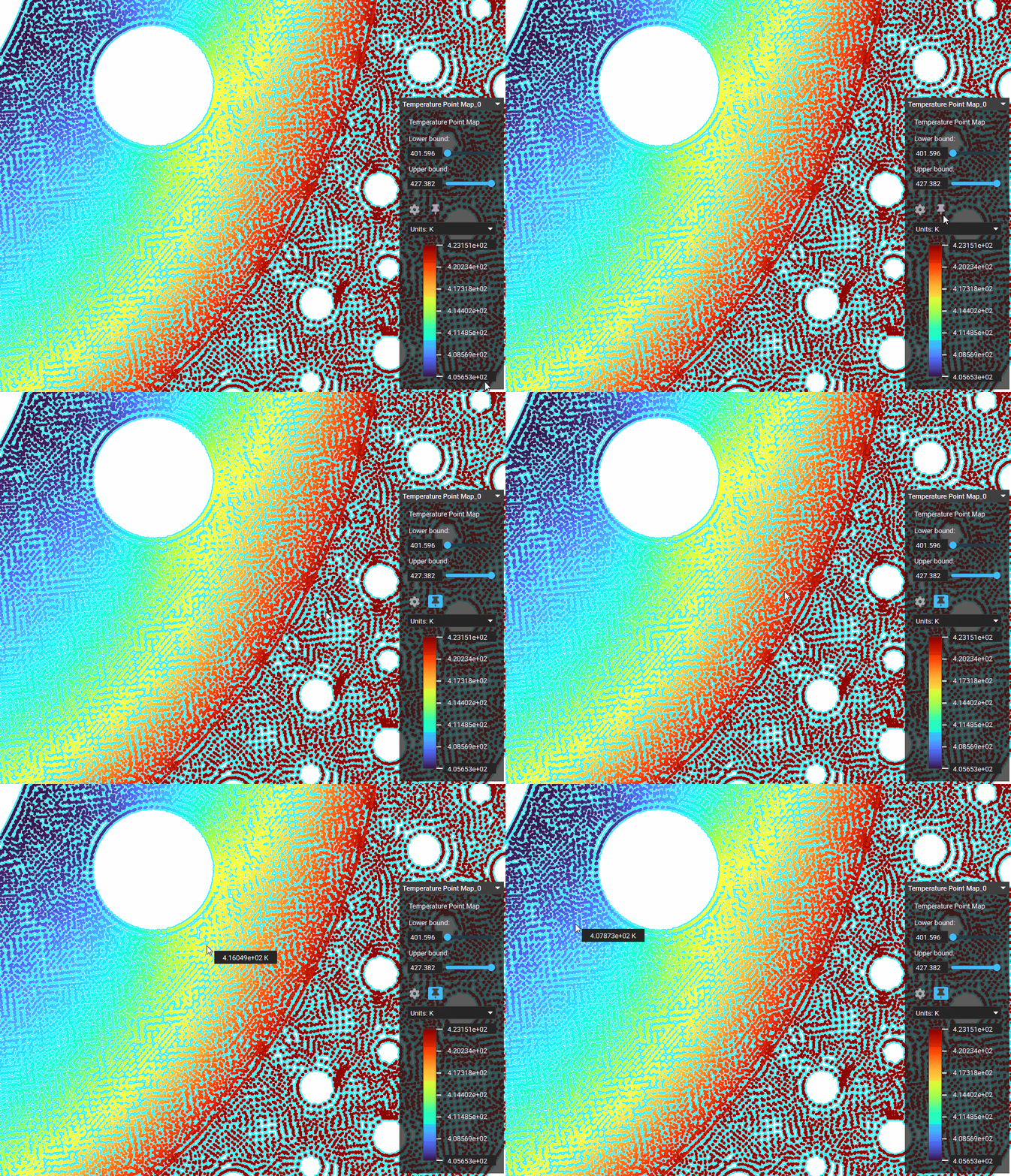 *Probe Mode tool used for its point map*
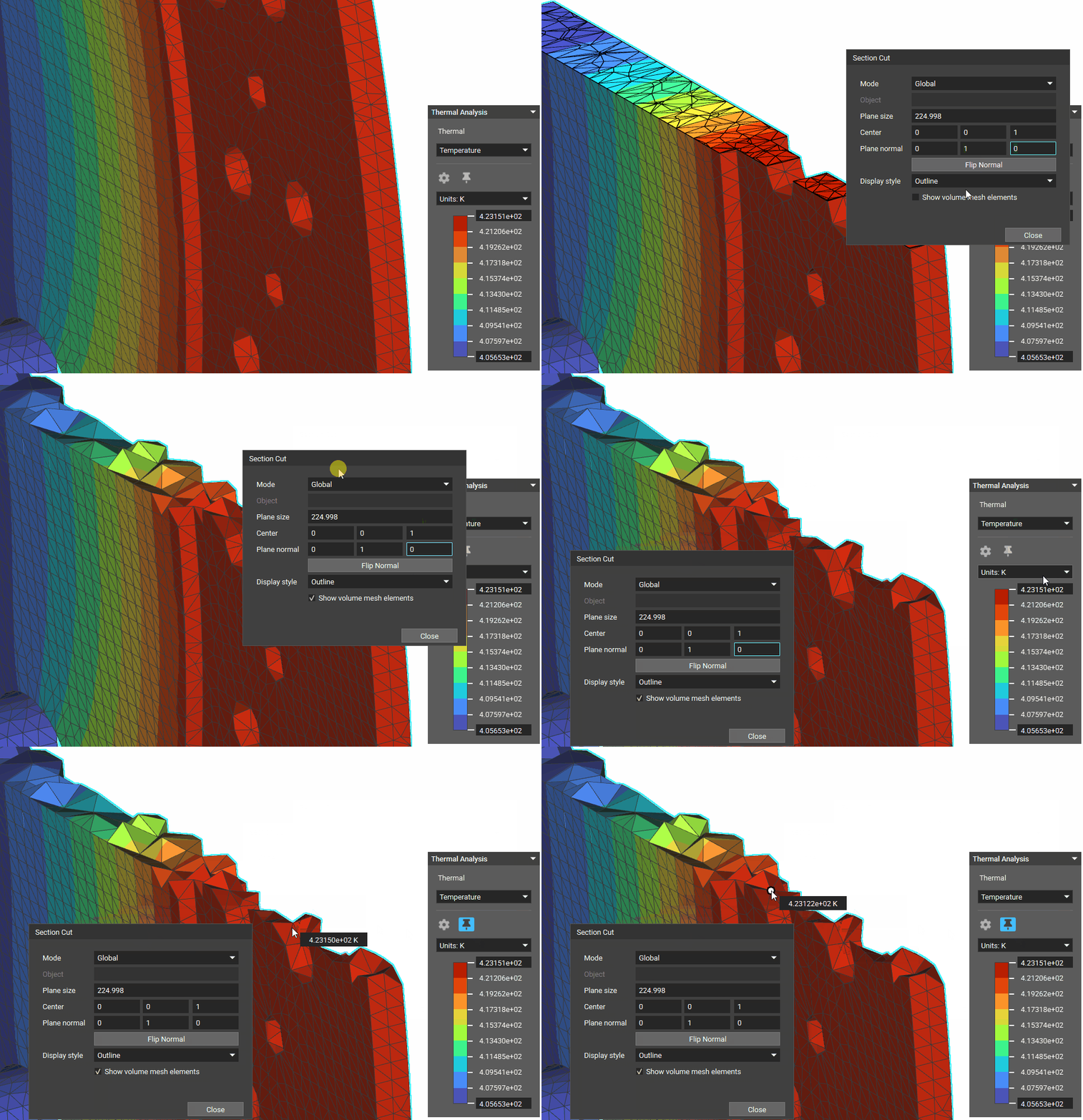 *Probe Mode tool used for the****interior**\*\*of the model on a Temperature field*
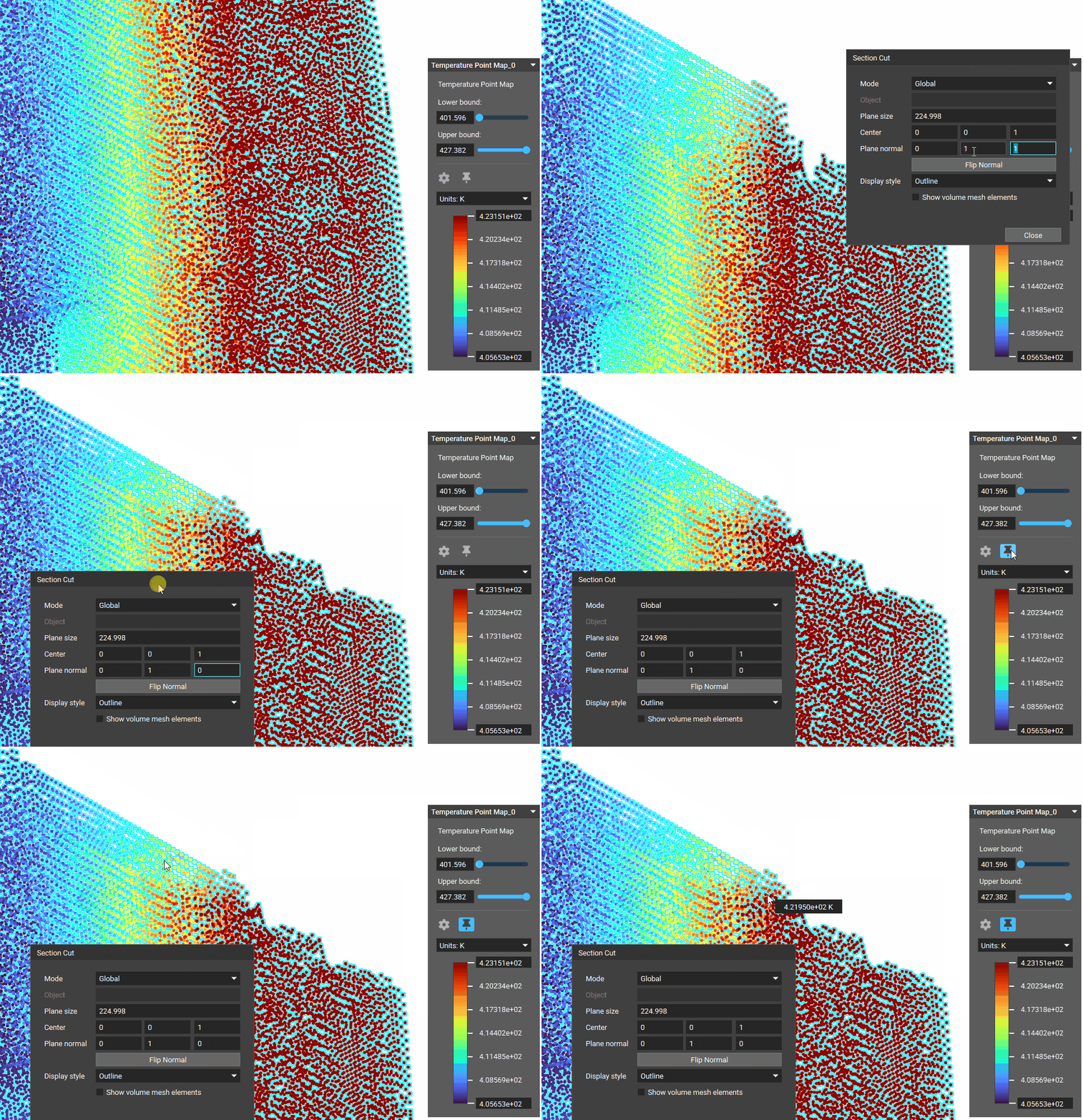 *Probe Mode tool used for its point map*