> ## Documentation Index
> Fetch the complete documentation index at: https://docs.ntop.com/llms.txt
> Use this file to discover all available pages before exploring further.
# Orient Object
Another common texturing technique uses the **Orient Object** block to populate a surface with the desired unit cell.
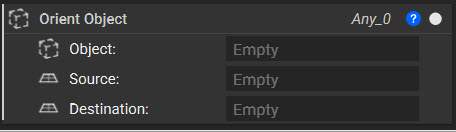
This block takes in an object of any type and orients it based on a *Source*and *Destination* plane. This block becomes powerful when we take advantage of list processing. By using a list of planes as our *Destination* input, we can very quickly cover an entire part with multiple objects to create a textured surface.
 ## Unit Cell Generation
Depending on what we want to texture our part with, there are a few ways we can generate a unit cell.
* \*\*Imported Geometry:\*\*Unit cells can be generated outside of nTop to use within a workflow. Both CAD and mesh bodies can be imported and used.
* **Implicits Generated within nTop:** Using blocks in the *Create* and *Modeling* tab, we can generate an implicit geometry from scratch within nTop.
## Orient Object
Once you have your unit cell, the **Orient Object**block will allow for populating your geometry. When setting up the block, your unit cell will be the *Object*input. It can be any geometry type but using a mesh type will allow for easy merging in the end.
## Unit Cell Generation
Depending on what we want to texture our part with, there are a few ways we can generate a unit cell.
* \*\*Imported Geometry:\*\*Unit cells can be generated outside of nTop to use within a workflow. Both CAD and mesh bodies can be imported and used.
* **Implicits Generated within nTop:** Using blocks in the *Create* and *Modeling* tab, we can generate an implicit geometry from scratch within nTop.
## Orient Object
Once you have your unit cell, the **Orient Object**block will allow for populating your geometry. When setting up the block, your unit cell will be the *Object*input. It can be any geometry type but using a mesh type will allow for easy merging in the end.
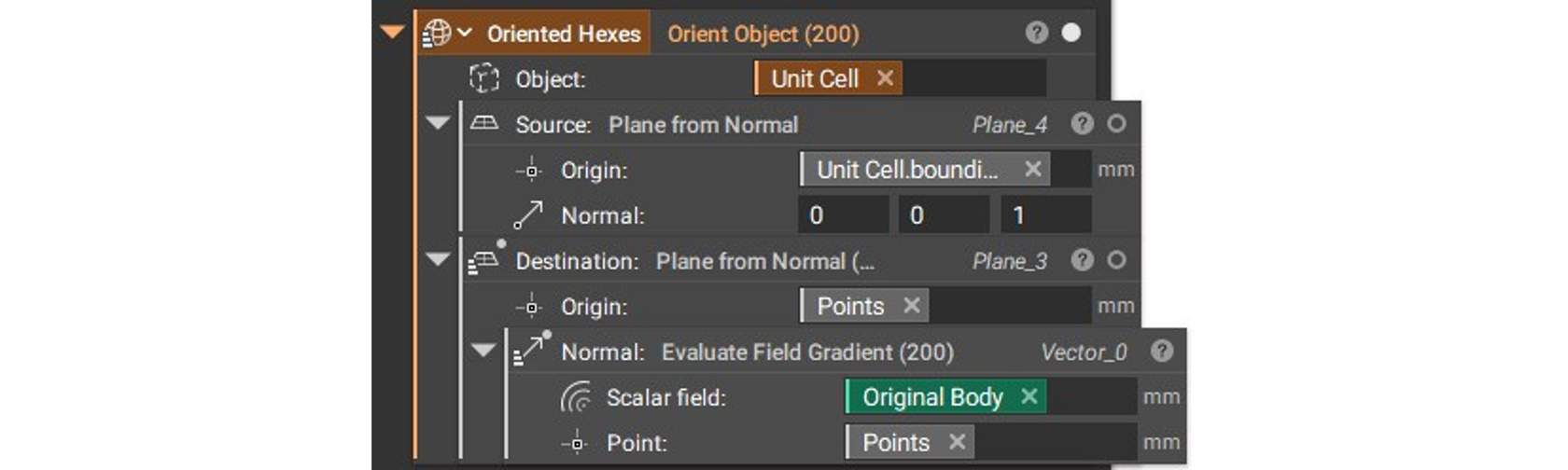 The *Source* plane acts as the base for where your object will be pulled from. Here we use a **Plane from Normal** block with the centroid of the bounding box, accessed by the block properties.
By bringing in a list of points, generated from a **Random Points on Mesh** block, we can place many unit cells at once. We use an**Evaluate Field Gradient** block to ensure that each unit cell is normal to the geometry. This trick is simple due to the fact that all Implicit bodies are fields.
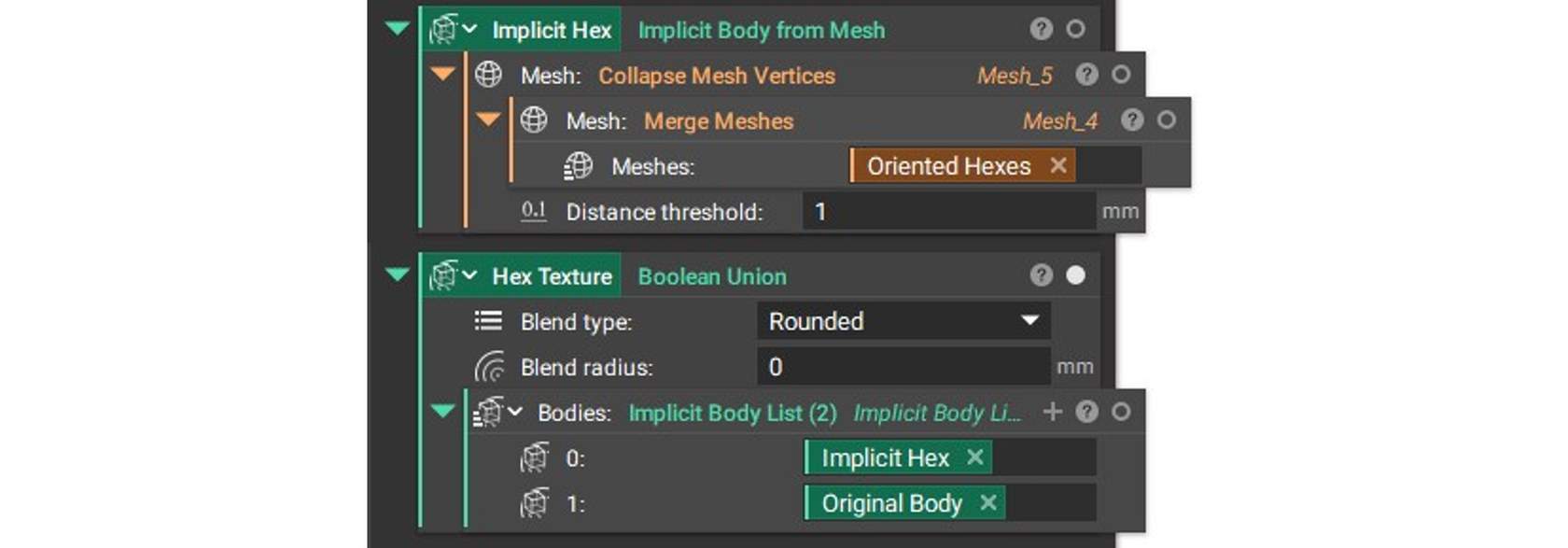
These geometries can then be merged with a **Merge Mesh**block and converted back to implicits to perform whatever boolean operations are needed for your desired texture effect; a **Boolean Union** to emboss or a **Boolean Subtract**to deboss. Here, we also use a **Collapse Mesh Vertices**block to avoid intersecting faces.
The *Source* plane acts as the base for where your object will be pulled from. Here we use a **Plane from Normal** block with the centroid of the bounding box, accessed by the block properties.
By bringing in a list of points, generated from a **Random Points on Mesh** block, we can place many unit cells at once. We use an**Evaluate Field Gradient** block to ensure that each unit cell is normal to the geometry. This trick is simple due to the fact that all Implicit bodies are fields.
These geometries can then be merged with a **Merge Mesh**block and converted back to implicits to perform whatever boolean operations are needed for your desired texture effect; a **Boolean Union** to emboss or a **Boolean Subtract**to deboss. Here, we also use a **Collapse Mesh Vertices**block to avoid intersecting faces.