> ## Documentation Index
> Fetch the complete documentation index at: https://docs.ntop.com/llms.txt
> Use this file to discover all available pages before exploring further.

# Overview

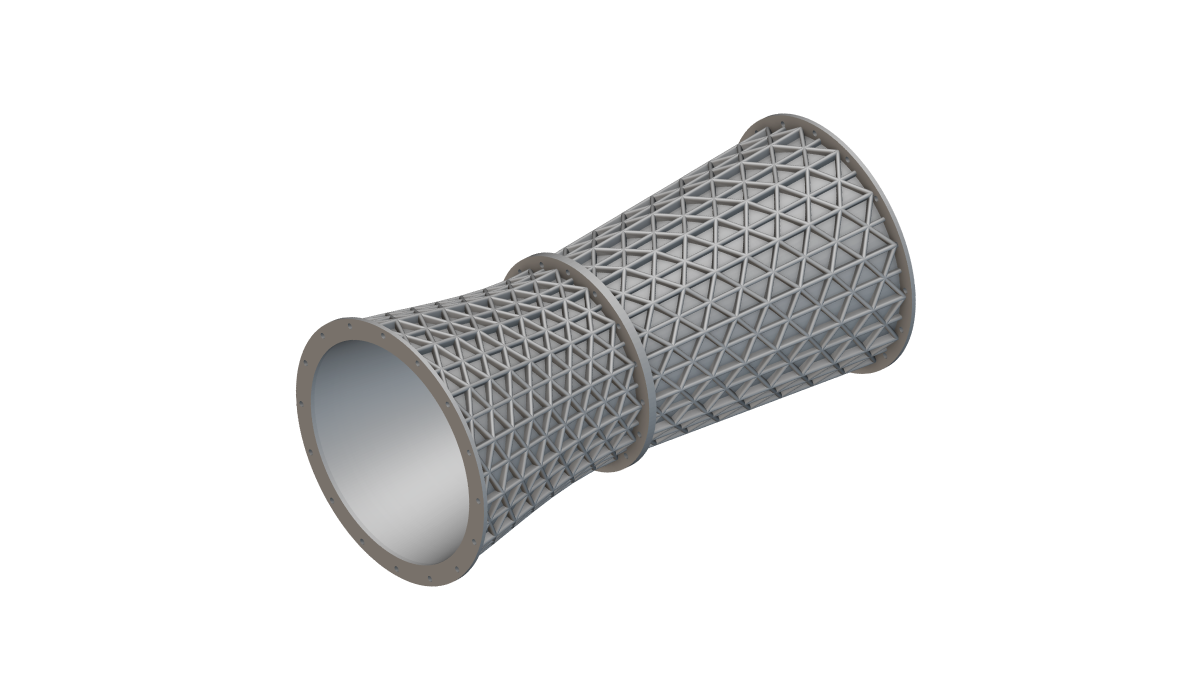
> This course will walk you through multiple techniques for adding conformal ribs and textures to your geometry in nTop.

After completing this course, you will be familiar with various workflows and tactics for both functional and aesthetic design.
<Frame>
  <img src="https://storage.googleapis.com/files-learn/lessons/ribbing-and-texturing/ribbing-and-texturing.png" alt="Ribbing and Texturing" />
</Frame>

**Prerequisites:**
[101: nTop Essentials](/lessons/ntop-essentials/overview),
[210: Intro to Latticing](/lessons/intro-to-lattices/overview),
[220: Intro to Field Driven Design](/lessons/intro-to-field-driven-design/overview)

**What Will Be Covered:**

* Using conformal lattices to design structural ribs
* Using fields to add roughness and drive procedural textures
* Orienting bodies across a surface
* Importing Bitmaps to manipulate geometries

<CardGroup cols={1}>
  <Card title="Before We Begin" href="/lessons/ribbing-and-texturing/before-we-begin-ribbing-texturing" cta="Open">Introduction and course overview</Card>
</CardGroup>

### Conformal Lattices For Ribbing

<CardGroup cols={2}>
  <Card title="Follow Along: Creating Ribs" href="/lessons/ribbing-and-texturing/follow-along-creating-ribs" cta="Open" />

  <Card title="Download: Creating Ribs" href="/lessons/ribbing-and-texturing/download-creating-ribs" cta="Open" />
</CardGroup>

### Optional Conformal Ribbing Test Problem

<CardGroup cols={2}>
  <Card title="Optional Conformal Ribbing Test Problem" href="/lessons/ribbing-and-texturing/optional-conformal-ribbing-test-problem" cta="Open" />

  <Card title="Answer to Conformal Ribbing Test Problem" href="/lessons/ribbing-and-texturing/answer-to-conformal-ribbing-test-problem" cta="Open" />
</CardGroup>

### Field Based Texturing

<CardGroup cols={2}>
  <Card title="Noise Fields" href="/lessons/ribbing-and-texturing/noise-fields" cta="Open" />

  <Card title="Follow Along: Adding Roughness" href="/lessons/ribbing-and-texturing/follow-along-adding-roughness" cta="Open" />

  <Card title="Download: Adding Roughness" href="/lessons/ribbing-and-texturing/download-adding-roughness" cta="Open" />

  <Card title="Periodic Fields" href="/lessons/ribbing-and-texturing/periodic-fields" cta="Open" />

  <Card title="Follow Along: Procedural Texturing" href="/lessons/ribbing-and-texturing/follow-along-procedural-texturing" cta="Open" />

  <Card title="Download: Procedural Texturing" href="/lessons/ribbing-and-texturing/download-procedural-texturing" cta="Open" />
</CardGroup>

### Optional Texturing Test Problem

<CardGroup cols={2}>
  <Card title="Optional: Texturing Test Problem" href="/lessons/ribbing-and-texturing/optional-texturing-test-problem" cta="Open" />

  <Card title="Answer to Texturing Test Problem" href="/lessons/ribbing-and-texturing/answer-to-texturing-test-problem" cta="Open" />
</CardGroup>

### Orienting Bodies

<CardGroup cols={2}>
  <Card title="Orient Object" href="/lessons/ribbing-and-texturing/orient-object" cta="Open" />

  <Card title="Unit Cell Generation" href="/lessons/ribbing-and-texturing/unit-cell-generation" cta="Open" />

  <Card title="Follow Along: Orienting Bodies onto a Surface" href="/lessons/ribbing-and-texturing/follow-along-orienting-bodies-onto-a-surface" cta="Open" />

  <Card title="Download: Orienting Bodies on a Surface" href="/lessons/ribbing-and-texturing/download-orienting-bodies-on-a-surface" cta="Open" />
</CardGroup>

### Optional Perforation Test Problem

<CardGroup cols={2}>
  <Card title="Optional: Perforation Test Problem" href="/lessons/ribbing-and-texturing/optional-perforation-test-problem" cta="Open" />

  <Card title="Answer to Perforation Test Problem" href="/lessons/ribbing-and-texturing/answer-to-perforation-test-problem" cta="Open" />
</CardGroup>

### Texturing From Bitmaps

<CardGroup cols={2}>
  <Card title="Working with Bitmaps" href="/lessons/ribbing-and-texturing/working-with-bitmaps" cta="Open" />

  <Card title="Follow Along: Adding an Image" href="/lessons/ribbing-and-texturing/follow-along-adding-an-image" cta="Open" />

  <Card title="Download: Adding an Image" href="/lessons/ribbing-and-texturing/download-adding-an-image" cta="Open" />
</CardGroup>

### Optional Bitmap Test Problem

<CardGroup cols={2}>
  <Card title="Optional: Bitmap Test Problem" href="/lessons/ribbing-and-texturing/optional-bitmap-test-problem" cta="Open" />

  <Card title="Answer to Bitmap Test Problem" href="/lessons/ribbing-and-texturing/answer-to-bitmap-test-problem" cta="Open" />
</CardGroup>

### What's Next

<CardGroup cols={2}>
  <Card title="Resources" href="/lessons/ribbing-and-texturing/resources" cta="Open" />
</CardGroup>
