> ## Documentation Index
> Fetch the complete documentation index at: https://docs.ntop.com/llms.txt
> Use this file to discover all available pages before exploring further.

# Overview

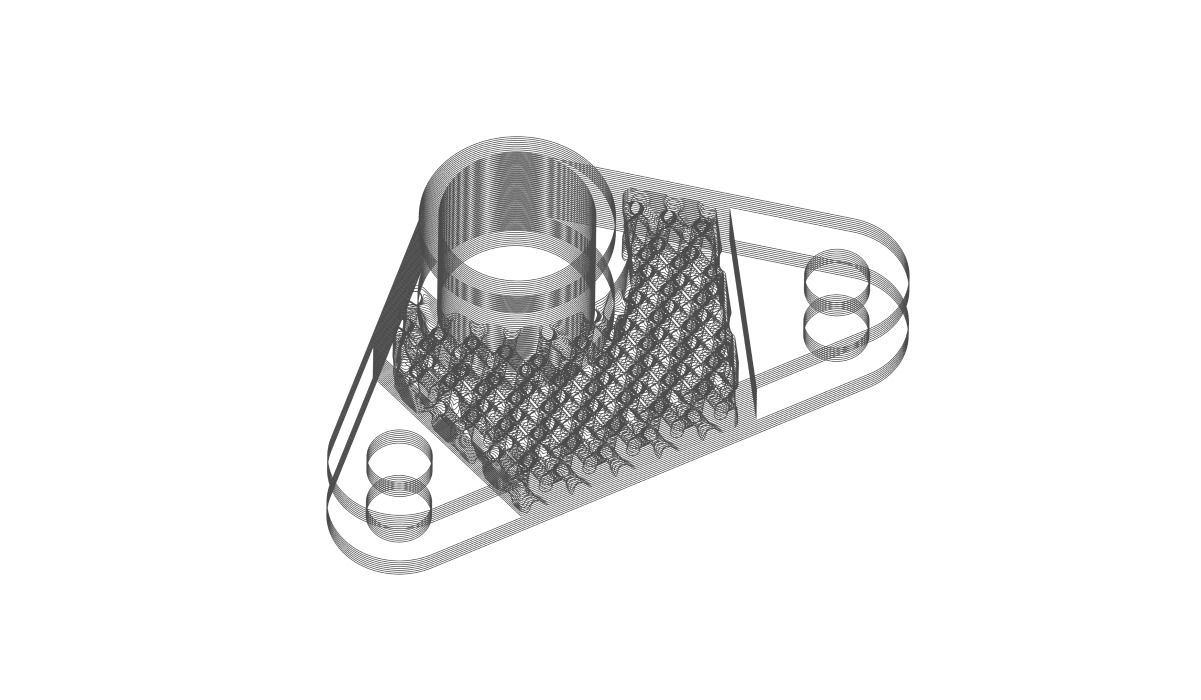
> This course will take you through the different slicing options available and the formats as well as the different techniques for creating your print layout for certain 3D printing machines.

After the completion of the course, you will have developed the knowledge on how to export your part for additive manufacturing.
<Frame>
  <img src="https://storage.googleapis.com/files-learn/lessons/slicing-and-print-layout/slicing-and-print-layout.png" alt="Slicing and Print Layout" />
</Frame>

**Prerequisites:**
[101: nTop Essentials](/lessons/ntop-essentials/overview)

**What will be covered:**

* Orienting a part
* Using build volumes to orient bodies on a build plane
* Slicing options within nTop
* Exporting Slicing Data

<CardGroup cols={2}>
  <Card title="Before We Begin" href="/lessons/slicing-and-print-layout/before-we-begin-slicing-and-print-layout" cta="Open" />

  <Card title="Slice Properties and Terminology" href="/lessons/slicing-and-print-layout/slice-properties-and-terminology" cta="Open" />
</CardGroup>

### Preparing For Printing

<CardGroup cols={2}>
  <Card title="Preparing for Printing: Build Volume and Build Plate" href="/lessons/slicing-and-print-layout/preparing-for-printing-build-volume-and-build-plate" cta="Open" />

  <Card title="Orienting a Part" href="/lessons/slicing-and-print-layout/orienting-a-part" cta="Open" />

  <Card title="Placing Multiple Parts: Bounding Box 2D Nesting" href="/lessons/slicing-and-print-layout/placing-multiple-parts-bounding-box-2d-nesting" cta="Open" />

  <Card title="Follow Along: Print Preparation" href="/lessons/slicing-and-print-layout/follow-along-print-preparation" cta="Open" />

  <Card title="Download: Print Preparation" href="/lessons/slicing-and-print-layout/download-print-preparation" cta="Open" />

  <Card title="Knowledge Check: Preparing for Printing" href="/lessons/slicing-and-print-layout/knowledge-check-preparing-for-printing" cta="Open" />
</CardGroup>

### Slice and Export

<CardGroup cols={2}>
  <Card title="Slicing a Body" href="/lessons/slicing-and-print-layout/slicing-a-body" cta="Open" />

  <Card title="Slicing Capabilities and Custom Blocks" href="/lessons/slicing-and-print-layout/slicing-capabilities-and-custom-blocks" cta="Open" />

  <Card title="Exporting Slice Information" href="/lessons/slicing-and-print-layout/exporting-slice-information" cta="Open" />

  <Card title="Slicing Tips" href="/lessons/slicing-and-print-layout/slicing-tips" cta="Open" />

  <Card title="nTop Plugin for EOSPRINT" href="/lessons/slicing-and-print-layout/ntop-plugin-for-eosprint" cta="Open" />

  <Card title="Follow Along: Slice and Export" href="/lessons/slicing-and-print-layout/follow-along-slice-and-export" cta="Open" />

  <Card title="Download: Slice and Export" href="/lessons/slicing-and-print-layout/download-slice-and-export" cta="Open" />

  <Card title="Knowledge Check: Slice and Export" href="/lessons/slicing-and-print-layout/knowledge-check-slice-and-export" cta="Open" />
</CardGroup>

### Optional Test Problem

<CardGroup cols={2}>
  <Card title="Optional: Print Prep and Slicing Problem Statement" href="/lessons/slicing-and-print-layout/optional-print-prep-and-slicing-problem-statement" cta="Open" />

  <Card title="Answer to Print Prep and Slicing Test Problem" href="/lessons/slicing-and-print-layout/answer-to-print-prep-and-slicing-test-problem" cta="Open" />
</CardGroup>

### What's Next

<CardGroup cols={2}>
  <Card title="Resources" href="/lessons/slicing-and-print-layout/resources" cta="Open" />
</CardGroup>
