> ## Documentation Index
> Fetch the complete documentation index at: https://docs.ntop.com/llms.txt
> Use this file to discover all available pages before exploring further.
# Slice Properties and Terminology
## What are Slice Stacks?
When exporting for 3D printing, you can create the slice data to send directly to the printer. In the [102: Guide to Meshing](/courses/102-guide-to-meshing/) course, we discussed how to export your designs as a mesh or CAD body, but this can create a large file and, depending on the complexity, can take a long time to compute. If your 3D printer takes in slice information, we recommend this path, as you can slice an implicit body and skip this longer process of meshing your complex design. You can find our slicing options in the *Manufacturing* tab. A “slice stack” is the collection of sliced contours ordered by layer.
 ## Slice Stack Properties
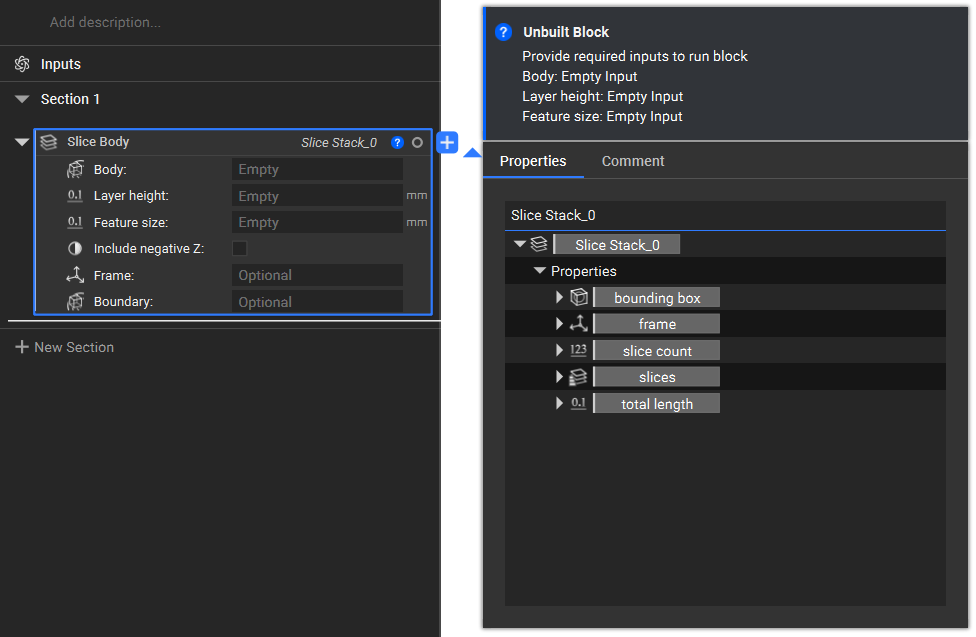
Each slice stack has the properties of *slice count* (how many slices are produced), *slices*, and *total length*. You can also find the cross-sectional area and the total length property within the slices options.
## Slice Stack Properties
Each slice stack has the properties of *slice count* (how many slices are produced), *slices*, and *total length*. You can also find the cross-sectional area and the total length property within the slices options.
 **Note**: We can only export slice data for certain printers currently. Please check our [Exporting Slice Information](https://learn.ntop.com/lessons/exporting-slice-information/) lesson to see if we currently support the slice stack information for your printer.