> ## Documentation Index
> Fetch the complete documentation index at: https://docs.ntop.com/llms.txt
> Use this file to discover all available pages before exploring further.
# Slicing Capabilities and Custom Blocks
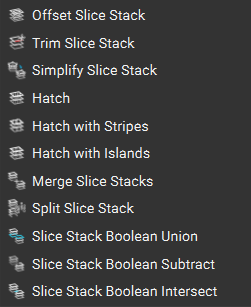
Along with our **Slice Body** blocks, other slicing capabilities are shown in the *Slicing* tab below. Similar to our Implicit body, you have the capabilities to Boolean Union/Subtract/Intersect our slices, as well as merge them.
To learn more about these individual blocks, you can look at the software's documentation. This article, “[How to generate and export slice data for SLS/SLM/DMLS](https://support.ntop.com/hc/en-us/articles/9599938786195-How-to-generate-and-export-slice-data-for-SLS-SLM-DMLS),” has an example of using these blocks.
 ## Custom Block: CLI Slice Body by Tiers
If you plan to slice the body using tiers, you can use the **CLI Slice Body by Tiers**custom block, available for download below, with similar inputs to the **Slice Body** block.
## Custom Block: CLI Slice Body by Tiers
If you plan to slice the body using tiers, you can use the **CLI Slice Body by Tiers**custom block, available for download below, with similar inputs to the **Slice Body** block.
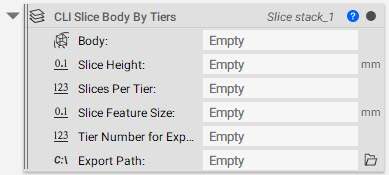 * **Body:** Implicit Body to slice
* **Slice Height:** Spacing between slice layers
* \*\*Slices Per Tier:\*\*Total height/Number of Tiers
* \*\*Slice feature size:\*\*Minimum feature size to accurately capture details
* \*\*Tier Number for Export:\*\*List of numbers for iterating all the tiers one after another
You can use the **Sequence**block to create a list with an increment of 1, as shown below (for more information on the **Sequence**block, you can check out our*List Processing and Sequencing*lesson in our [230: Intro to Automation](/courses/230-intro-to-automation/) course.
* **Body:** Implicit Body to slice
* **Slice Height:** Spacing between slice layers
* \*\*Slices Per Tier:\*\*Total height/Number of Tiers
* \*\*Slice feature size:\*\*Minimum feature size to accurately capture details
* \*\*Tier Number for Export:\*\*List of numbers for iterating all the tiers one after another
You can use the **Sequence**block to create a list with an increment of 1, as shown below (for more information on the **Sequence**block, you can check out our*List Processing and Sequencing*lesson in our [230: Intro to Automation](/courses/230-intro-to-automation/) course.
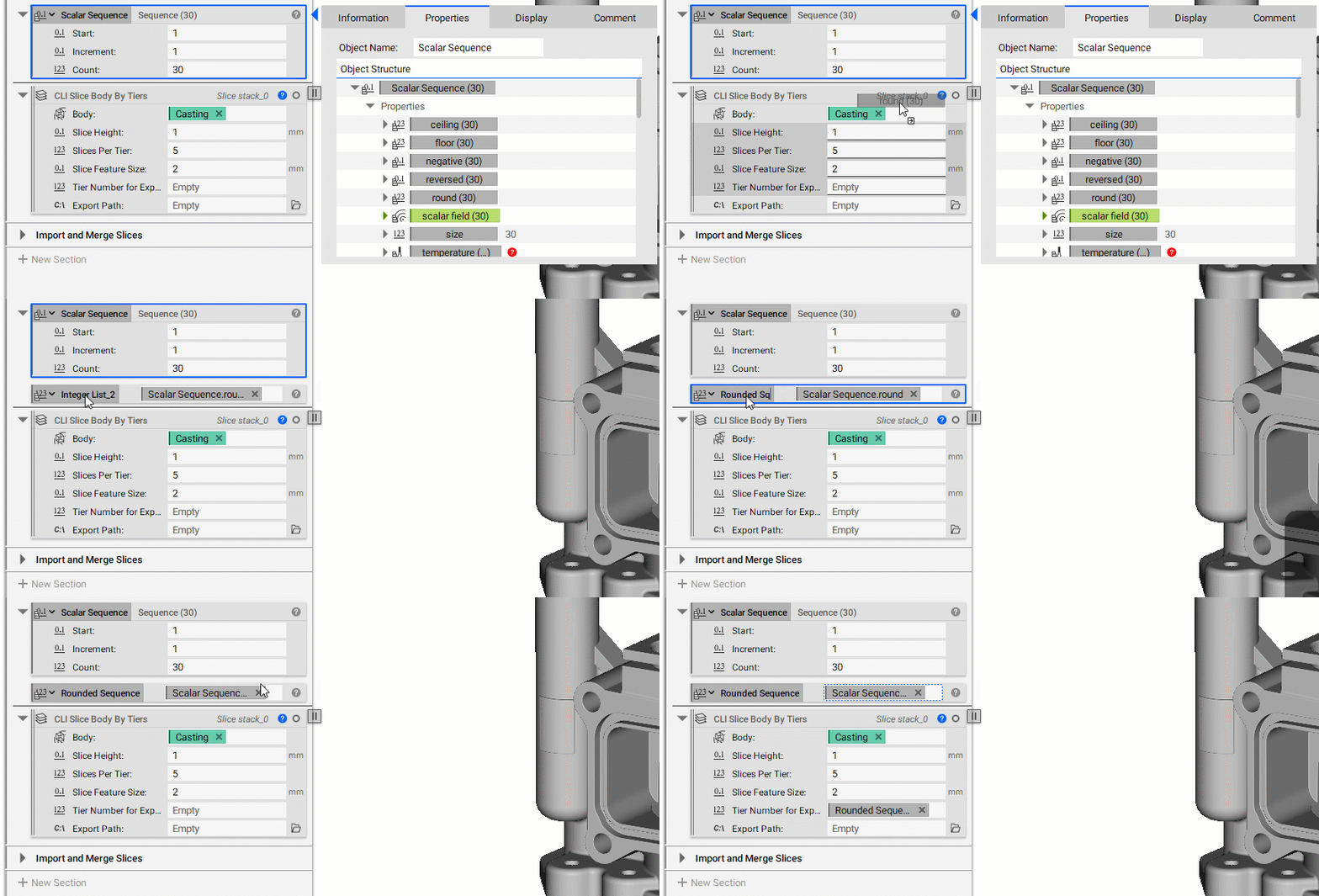 **Note**: The 'Include negative Z' is checked by default, and the default 'Frame' selected for this block is X-axis 1,0,0 and Y-axis 0,1,0, with the bounding box centroid as the origin.
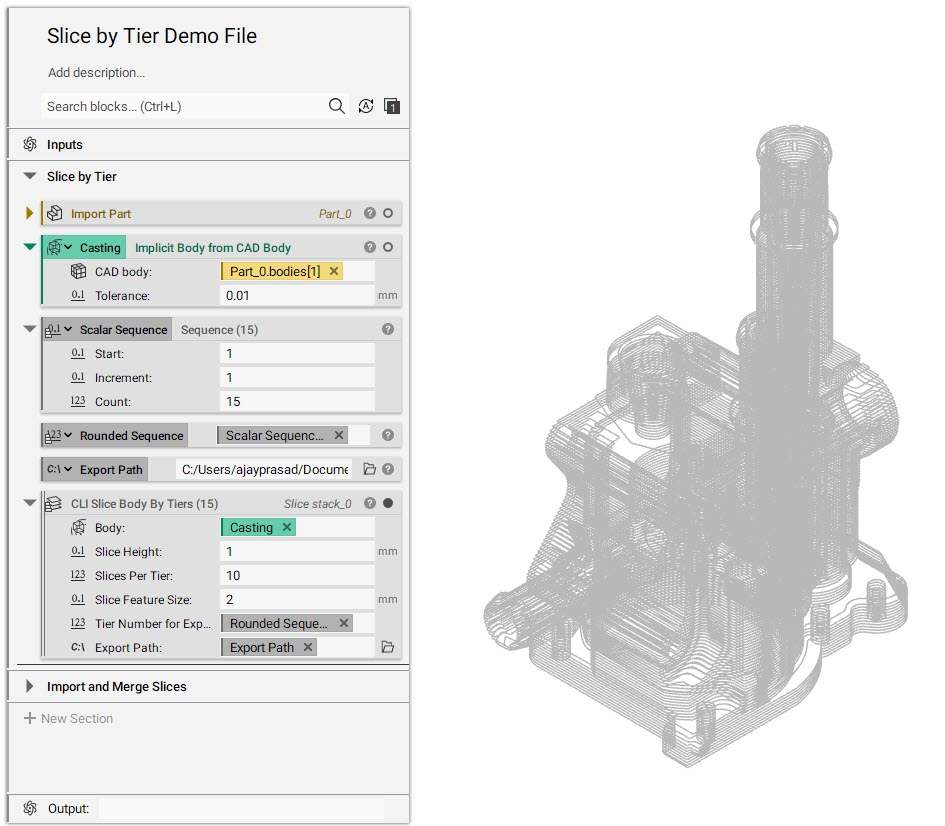 **Example File:**
[250\_10\_1 & 14\_2 CB CLI Slice Body By Tiers.ntop](https://files.learn.ntop.com/Courses/250%20Slicing%20and%20Print%20Layout/nTop%20Files/250_10_1%20%26%2014_2%20CB%20CLI%20Slice%20Body%20By%20Tiers.ntop)
*This file was last updated in nTop 3.37.3*
**Example File:**
[250\_10\_1 & 14\_2 CB CLI Slice Body By Tiers.ntop](https://files.learn.ntop.com/Courses/250%20Slicing%20and%20Print%20Layout/nTop%20Files/250_10_1%20%26%2014_2%20CB%20CLI%20Slice%20Body%20By%20Tiers.ntop)
*This file was last updated in nTop 3.37.3*