

- Help Center and Knowledge Base: Get answers to any questions about accounts, licensing, troubleshooting, and more. Learn about a wide range of topics in the Knowledge Base. Can’t find what you are looking for or need help? Submit a ticket to the Product Support team through the Help Center, and they will be happy to help you.
- Learning Center: Visit the learning center to go through guided courses, level up your skills, and book live trainings.
- User Dashboard: Download the latest version of nTop, preview Release Notes, manage your account, and manage Organizational Administration features. On your user dashboard, you can find links to nTopLives, tutorials, and blog posts.
- Youtube: Visit our Youtube channel to watch video tutorials.
- nTop.com: Visit our website to watch nTopLives, read blog posts, and see new case studies.
- Welcome Screen: Opens up when you first launch nTop. It offers an assortment of local examples and links to support resources.
-
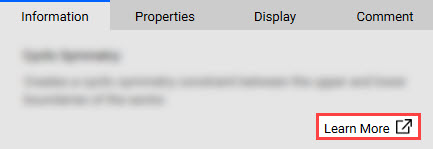
Learn More: Open up a block’s Info Panel and select the Learn More button to access the block’s documentation and example files. You can also access this information by going to the Block Documentation tab in the sidebar.
Support System
We are here to support your journey with nTop through both local and web-based content. Read through the options below to see what type of support is available.