

About this Block
What it does: The Conic Section Sweep block creates a swept conic section between two rail curves (Rail 1 and Rail 2), using the Spine curve as the origin. The resulting geometry extends beyond the rail curves along the tangents of the spine.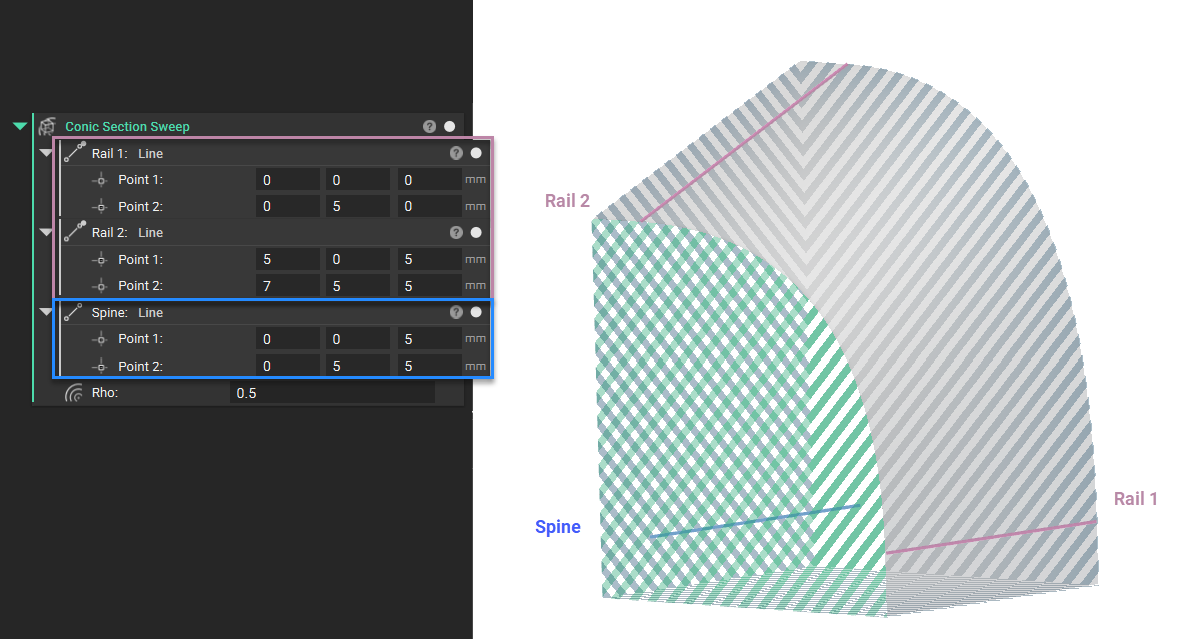
 Common uses:
- Designing aerodynamic profiles for wings, fuselages, and other vehicle bodies.
- Modeling smooth transitions in components like ducts, inlets, and nozzles to manage fluid flow.
- Creating architectural features like arches and curved facades.
- It is recommended that you use Boolean Intersect block to create closed surfaces.
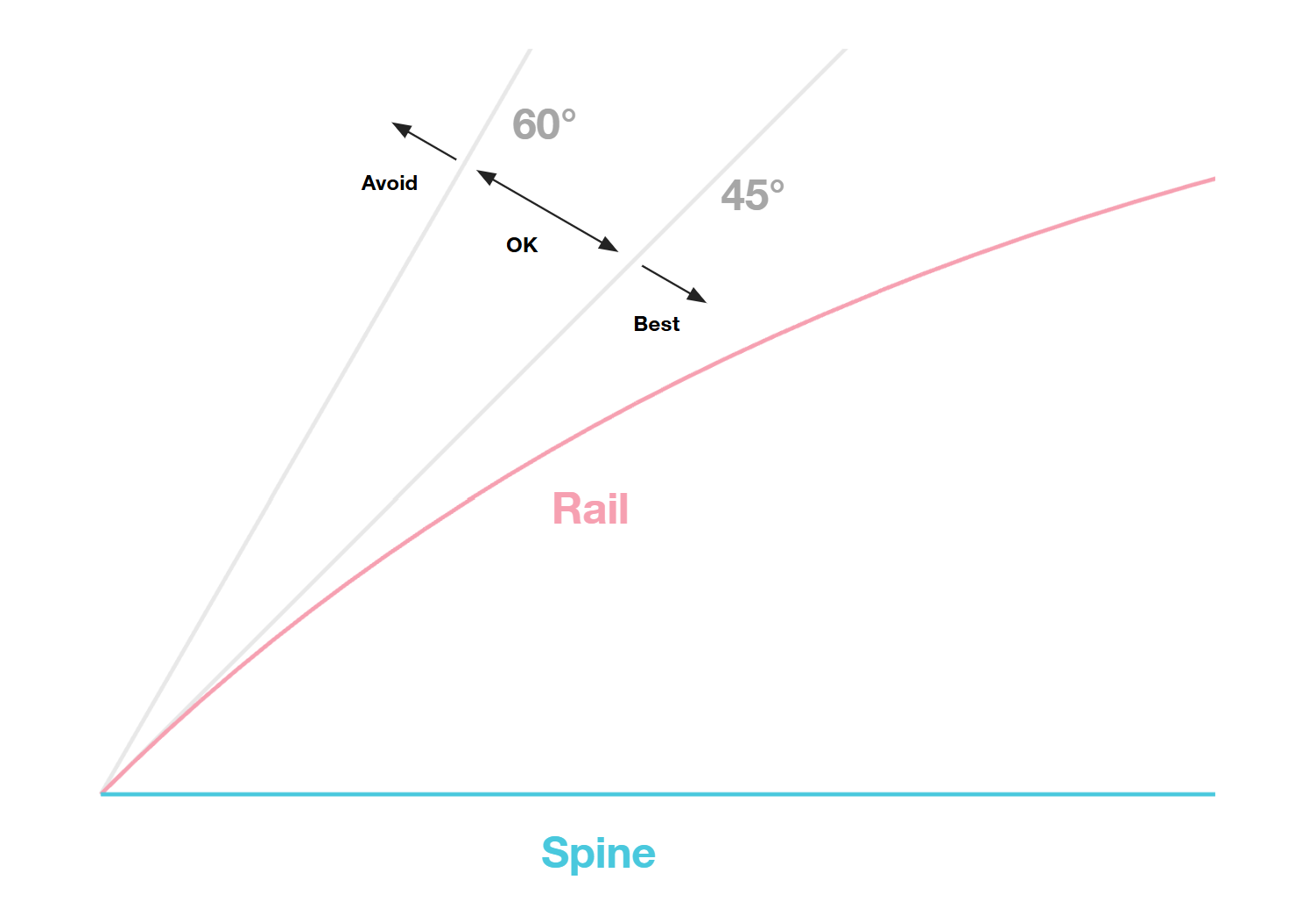
- It is recommended to avoid steep angles between the rail curves and the spine to avoid unexpected shelling and offset results downstream. A threshold of 45-60 degrees is a good rule of thumb.
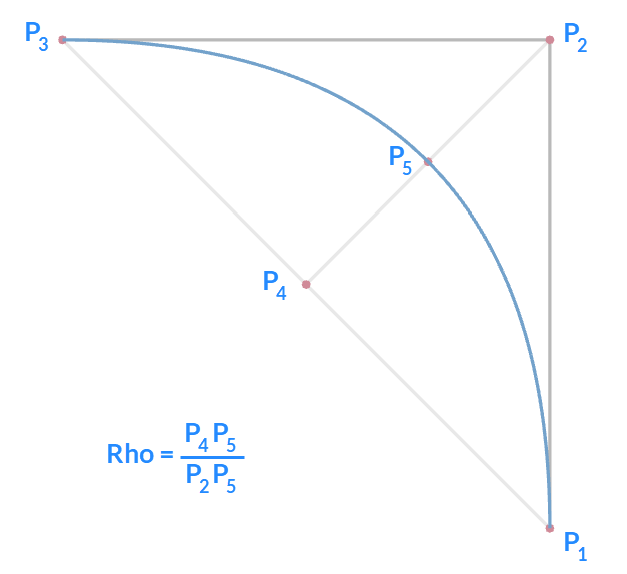
- For advanced applications, you can change the Rho value to define the curve’s shape via a Ramp block to vary the shape spatially.
- If you encounter errors while using this block, please check the following conditions:
- Rails Perpendicular to the Spine: Rails cannot be perpendicular to the spine at any point. An error stating “Rays from the axis along the specified direction must intersect the curves only once” indicates this condition.
- Closed Rail Curves: Rail 1 and Rail 2 cannot be closed curves. If you receive an error regarding closed rails, please replace them with open curves.
- Curve Intersections: An error regarding “improperly configured inputs” often indicates that the geometry is self-intersecting relative to the axis. Please ensure that rays projected from the axis along the specified direction intersect the curve only once.
Example File
Download Example: Lofting by Section SweepCreates an implicit body by sweeping a conic section along a spine curve between two rail curves, where the conic shape is controlled by a spatially-varying Rho field. The Rho parameter defines the conic shape factor at each point along the sweep (0.5 for parabolic, <0.5 for elliptical, >0.5 for hyperbolic sections), allowing smooth transitions between different conic types.