

About this Block
What it does: The CAD Body from Implicit Body block converts an input Implicit Body to a CAD Body. This block is useful for exporting parts made in nTop back to other CAD software, as a Parasolid (X_T, X_B) or STEP file (.STEP), using the Export Part block. Common uses:- Convert implicit to CAD Body
- We recommend this block for medium complexity models. See the Part Complexity section below to understand how to categorize the complexity of your part. This block produces NURBS surfaces that are not aligned with the part’s features, but it’s more likely to succeed on medium-complex models where the quad meshing workflow would fail.
- For highly complex models, we recommend using the Simplified Body Representation block.
- For low complexity models, use the CAD Body from Quad Mesh block . See Procedure 1 in this support article for a full overview and example nTop file.
- The optional Preserved CAD input lets you provide a list of CAD Bodies, and the block will attempt to sew-in faces from the CAD Bodies into the final result. If the face extends outside of the boundary of the implicit, or if the algorithm didn’t succeed in sewing, the face will be ignored.
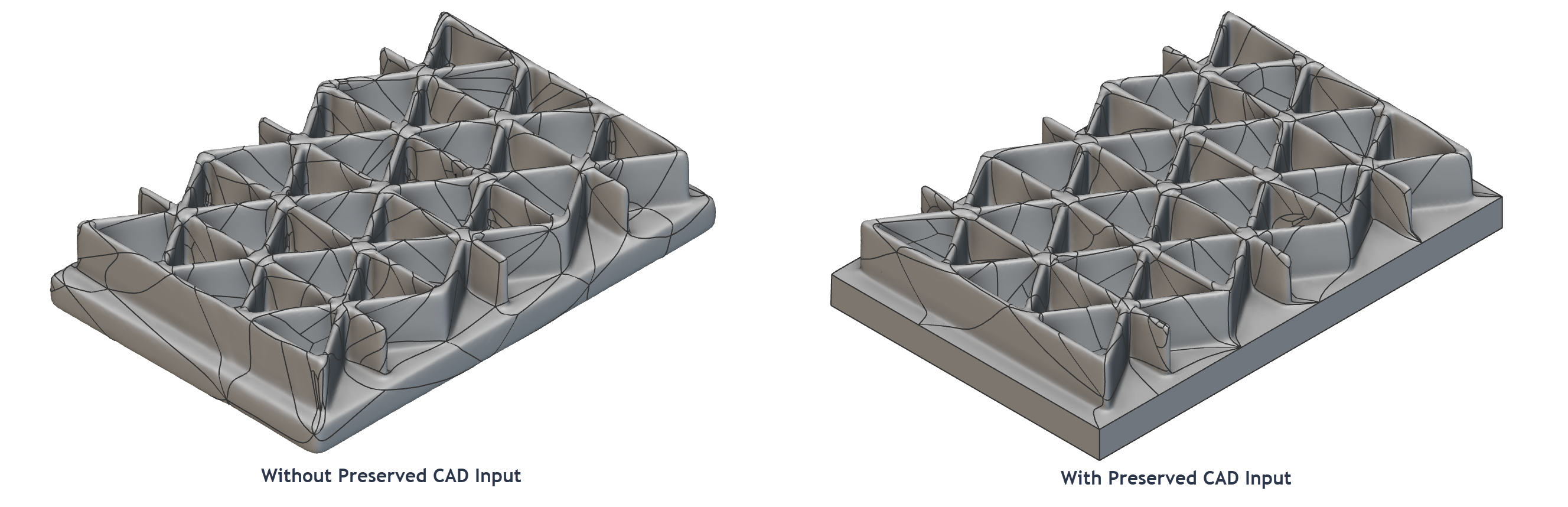
- For a complete overview of export workflows, including what data types and blocks to use for each particular downstream activity, see this article.
-
Low
- Parts that are generated from Topology Optimization, unfilled shells, and parts with very coarse patterns or ribs. These usually require only a few hundred to a few thousand CAD faces to represent their geometry.
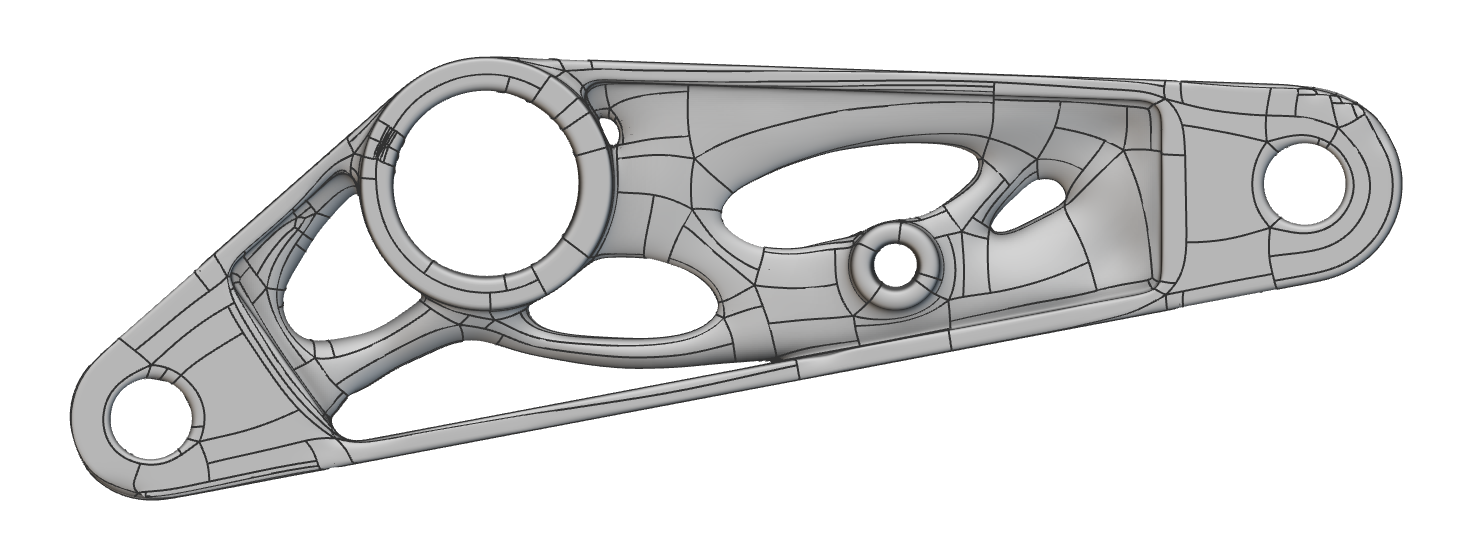
- Parts that are generated from Topology Optimization, unfilled shells, and parts with very coarse patterns or ribs. These usually require only a few hundred to a few thousand CAD faces to represent their geometry.
-
Medium
- These are parts with medium-coarse textured models or lattices containing beams, faces, or TPMS cells:
- Beam or face-based lattices: up to 10k beams or faces
- TPMS: up to 1k unit cells
- Implicit models at this level of complexity can be converted into CAD Bodies with 50k or fewer faces, so their detailed geometry can be consumed by traditional CAD systems.
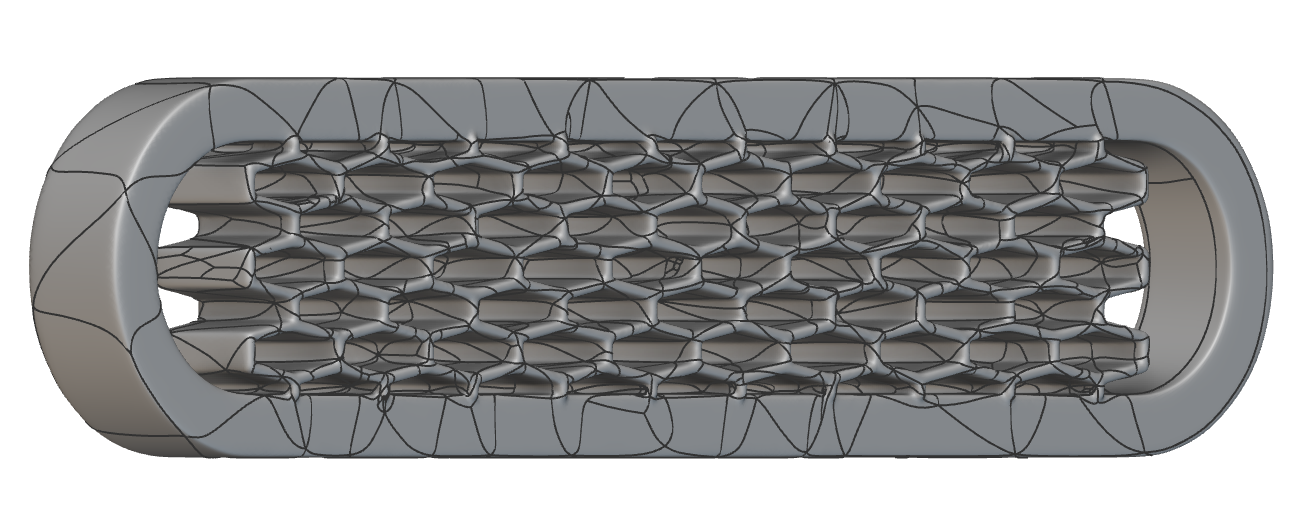
- These are parts with medium-coarse textured models or lattices containing beams, faces, or TPMS cells:
-
High
- These are parts with fine-grain textures, beam or face-based lattices with over 10k beams or faces, or TPMS lattices with over 1k unit cells. Typically, these require many thousands or even millions of CAD faces, so their detailed geometry can not be used by traditional CAD systems.
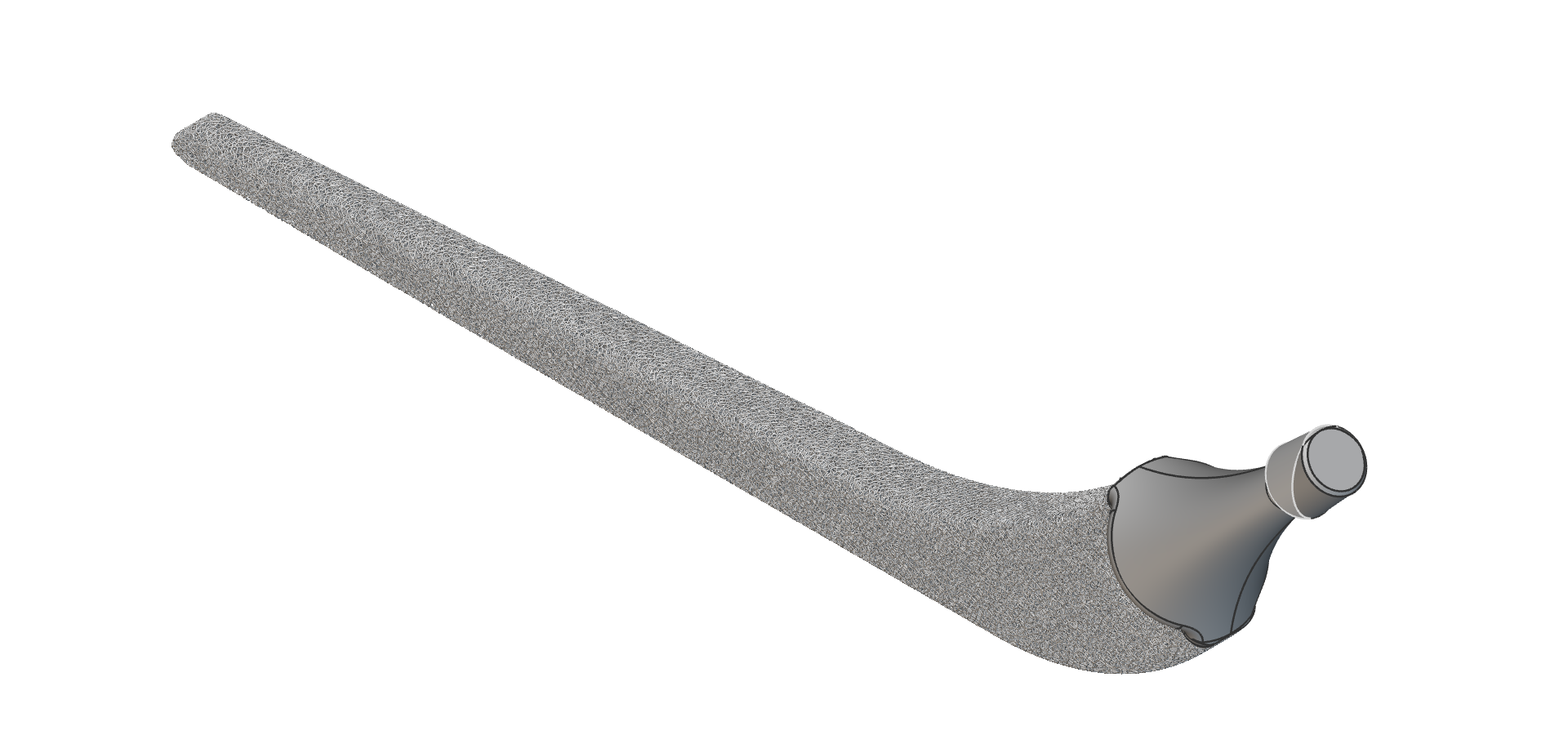
- These are parts with fine-grain textures, beam or face-based lattices with over 10k beams or faces, or TPMS lattices with over 1k unit cells. Typically, these require many thousands or even millions of CAD faces, so their detailed geometry can not be used by traditional CAD systems.
Example File
Download Example: CAD Body from Implicit Body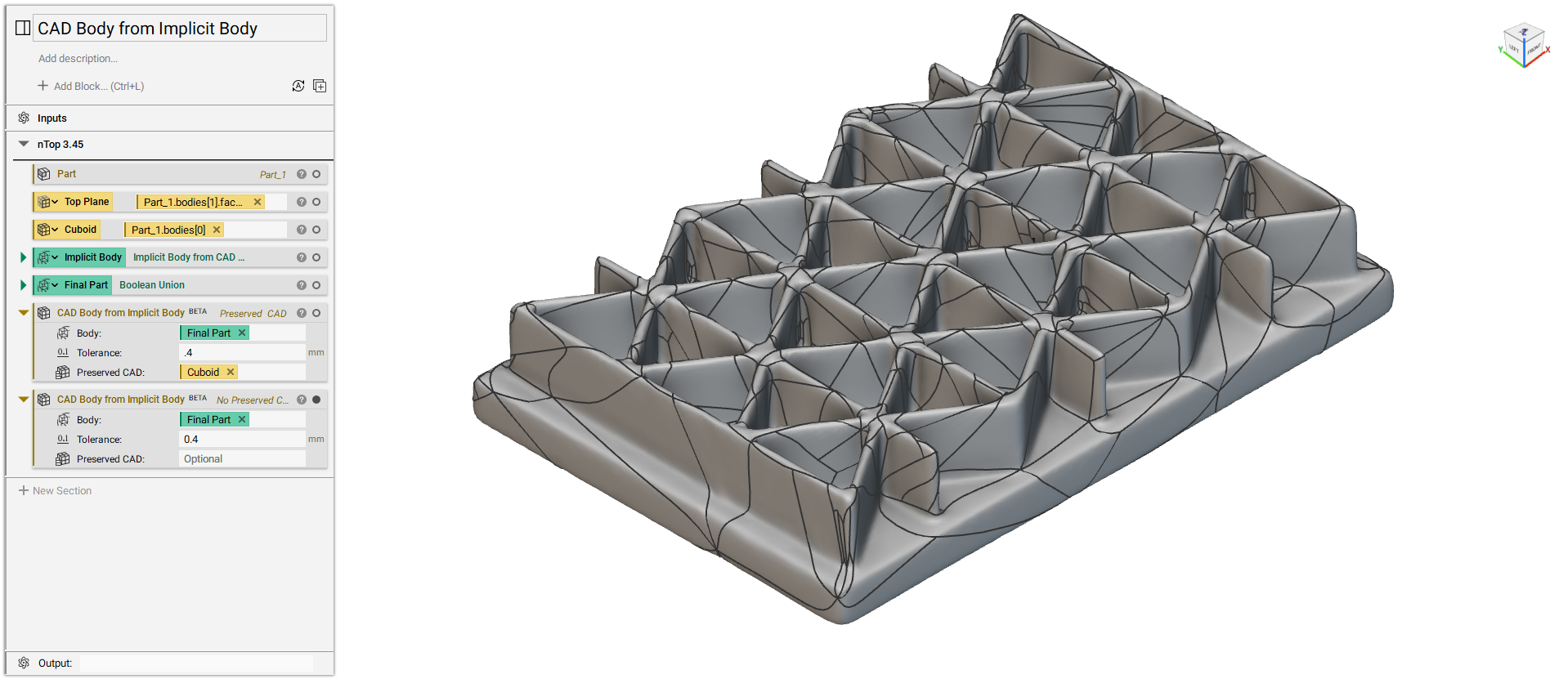
Converts an Implicit Body to a CAD Body within a specified Tolerance. As the Tolerance increases, the CAD Body may contain fewer faces and be generated faster. Works best for medium complexity Lattices and Implicit Bodies. For lower complexities, use Mesh from Implicit Body, Quadrangulate Mesh, then CAD Body from Quad Mesh. For higher complexities, use the Simplified Body Representation block.