

Objective:
Learn how to prepare your nTop Notebook for nTop Automate (ntopcl).Procedure:
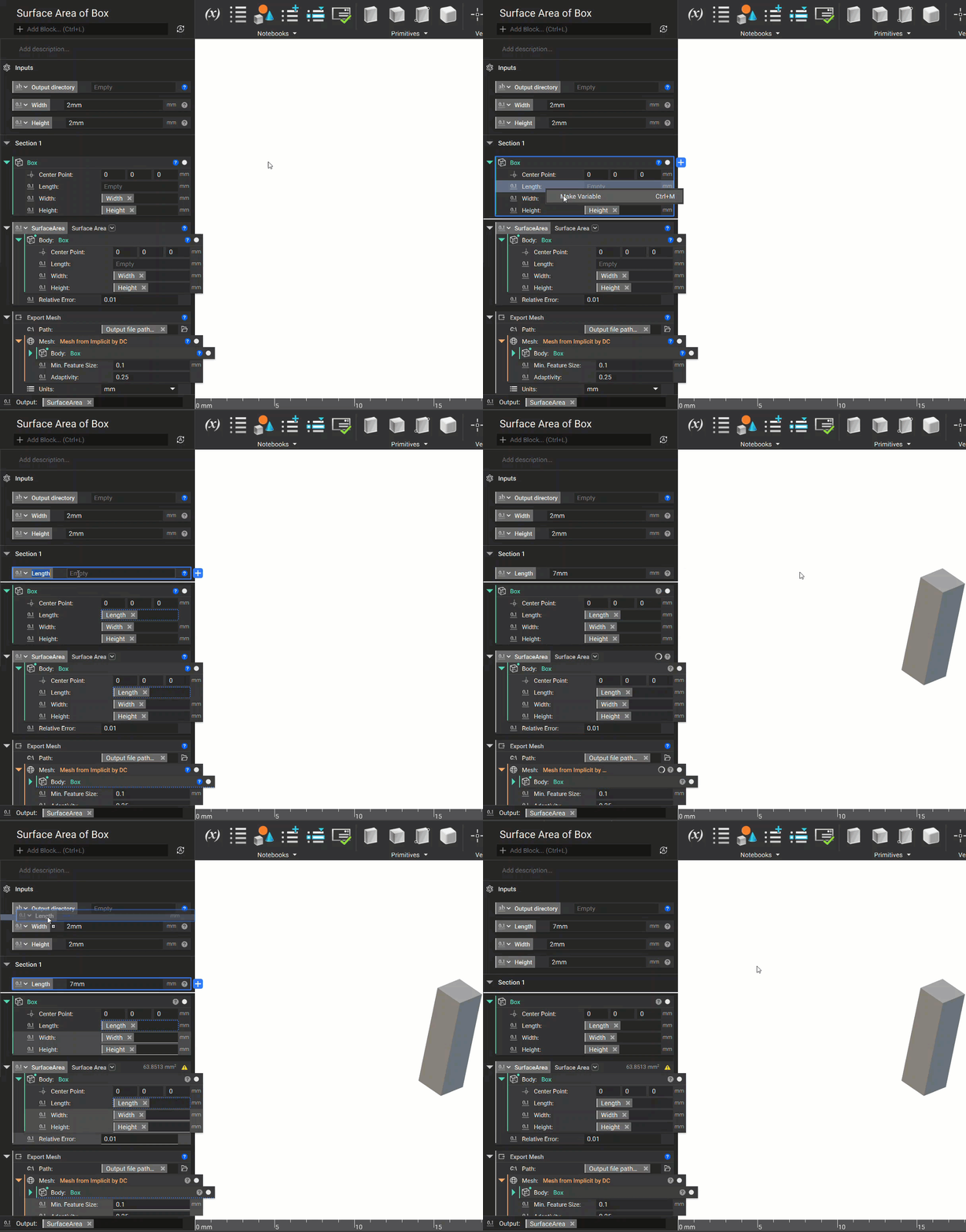
1. Prepare Inputs: Right-click on block inputs to declare them as the Notebook input variables.- Scalar and Text variable types are supported for passing input variables in the execution command.
- Boolean, Integer, Scalar, Text, File Path, Vector, Point, and Enum types are supported for passing input variables as JSON files.
- File import/export blocks work well with the Text or File Path variable.
- An enum type makes block drop-down lists as the Notebook input variables.
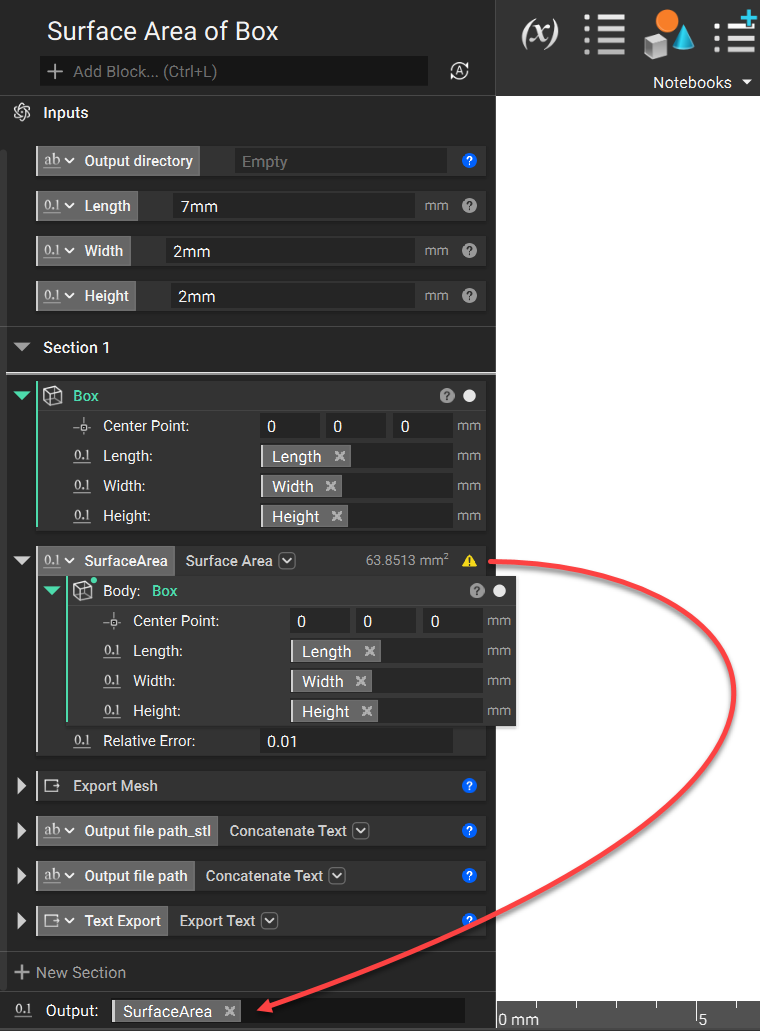
 2. Prepare Output: Type the block object name in the output section.
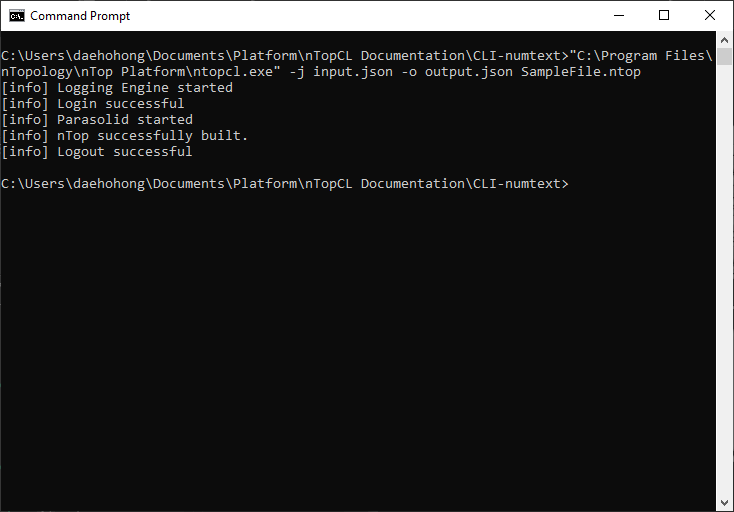
 3. Run your Notebook using nTop Automate: Use the command in Command Prompt.
 And that’s it! You’ve successfully prepared your Notebook for nTop Automate.
Are you still having issues? Contact the support team, and we’ll be happy to help!
And that’s it! You’ve successfully prepared your Notebook for nTop Automate.
Are you still having issues? Contact the support team, and we’ll be happy to help!