

Overview
- In nTop version 3.44, we will update five blocks related to simulation and analysis. See section 2.0 Impacted Blocks.
- Your previous notebooks can still be opened and viewed in nTop 3.44. Your geometry and analysis results will be cached and available as view-only.
- The impacted blocks cannot be re-run but can be updated to the latest version. You will need the latest block version to run the notebook. See section 5.0 Recommended Actions.
- Updating the blocks will trigger them to run and produce new geometry and analysis results. Previously cached geometry and results will be overwritten.
1.0 Why is this change happening?
- We have upgraded our meshing technology to create high-quality surface and volume meshes for simulation. As a result of this update, there are minor differences in the location of the nodes and elements produced by a few meshing blocks compared to the results from previous versions (versions 3.43 and prior).
- The impact of this change on simulation and optimization results, although small, has been documented in this article to allay any concerns regarding these workflows. We believe this change will positively impact meshing performance as this technology continually improves.
2.0 Impacted Blocks
Here is a table summarizing the updated blocks, their function, the latest version, and the performance difference from the prior version:| Block Name | Function | Update Version | Change |
|---|---|---|---|
| Remesh Surface | Re-mesh an existing surface mesh. | 1.1.0 | Minor differences in mesh output |
| Remesh Surface with Cyclic Symmetry | Re-mesh a surface mesh to create conformal nodes between the independent and dependent planes. | Beta | Minor differences in mesh output |
| Volume Mesh | To mesh a solid domain with tetrahedral elements that conform to the boundary of the specified domain. | 1.2.0 | Minor differences in mesh output |
| Boundary Layer Mesh | To create a solid mesh along the boundary of a surface mesh using a defined number of layers. | 1.2.0 | Minor differences in mesh output |
| Modal Analysis | To calculate the natural frequencies and mode shapes of an FE Model. | 1.3.0 | Minor differences in frequency values of rigid body modes |
| Block Name | Toolkit | Section | Function |
|---|---|---|---|
| Infill Tet Lattice | Architected Materials | Latticing | Create a tetrahedral lattice from the Implicit body. |
| Tet Lattice from CAD Body | Architected Materials | Latticing | Create a tetrahedral lattice from the CAD body. |
| Surface Lattice from CAD Body | Architected Materials | Latticing | Create a conformal surface lattice from the CAD face. |
| Simple Remesh Body | Architected Materials | Utilities | Remesh an Implicit body with a simple set of parameters. |
| Remesh CAD Face | Architected Materials | Utilities | Remesh a CAD face with a simple set of parameters. |
| FE CAD Solid Mesh | Design Analysis | Mesh Generation | Create an FE Mesh of solid tetrahedral elements from a single CAD Body. |
| FE Tetrahedral Mesh | Design Analysis | Mesh Generation | Create an FE Mesh of solid tetrahedral elements from a domain defined by a closed surface mesh. |
| FE CAD Shell Mesh | Design Analysis | Mesh Generation | Create an FE Mesh of shell elements from a single CAD Body. |
| FE Shell Mesh | Design Analysis | Mesh Generation | Create an FE Mesh of shell elements from an input surface mesh. |
3.0 Example Differences
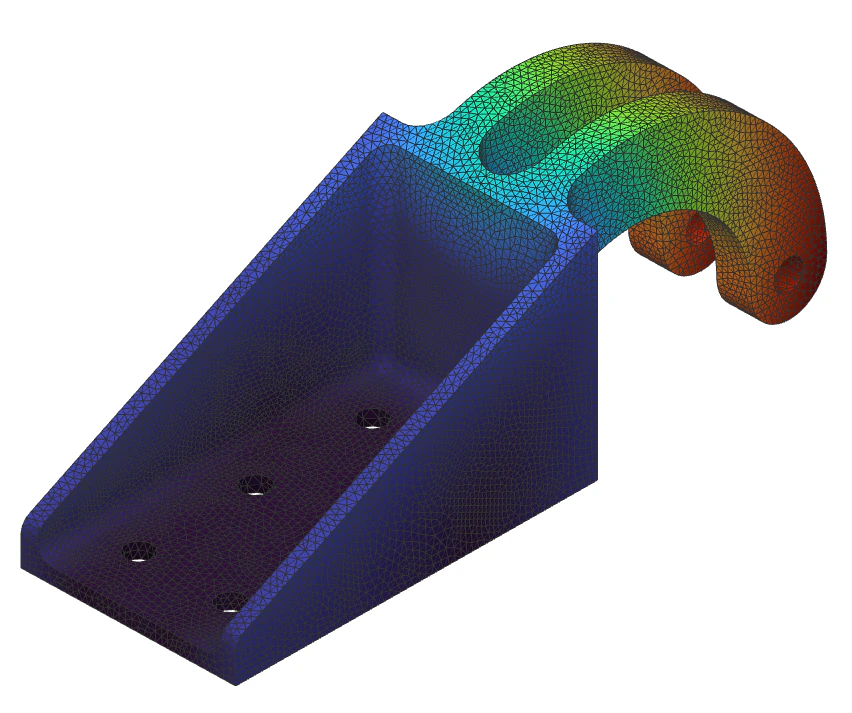
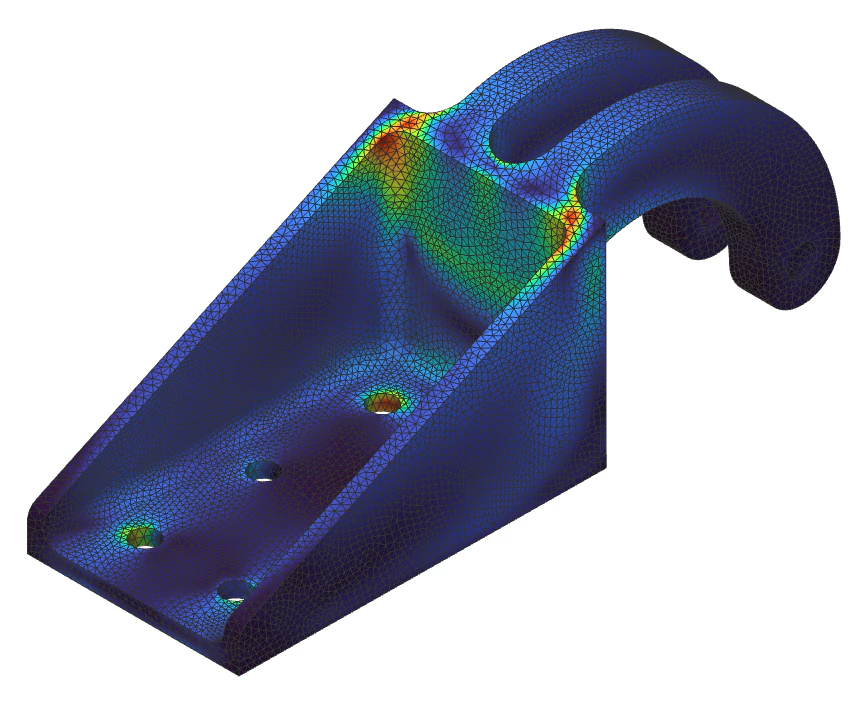
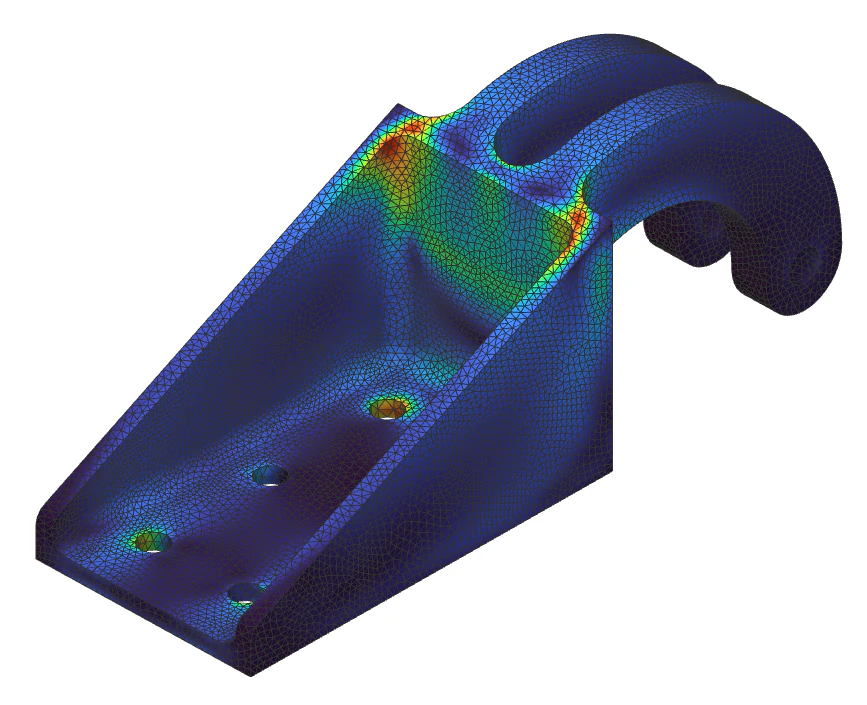
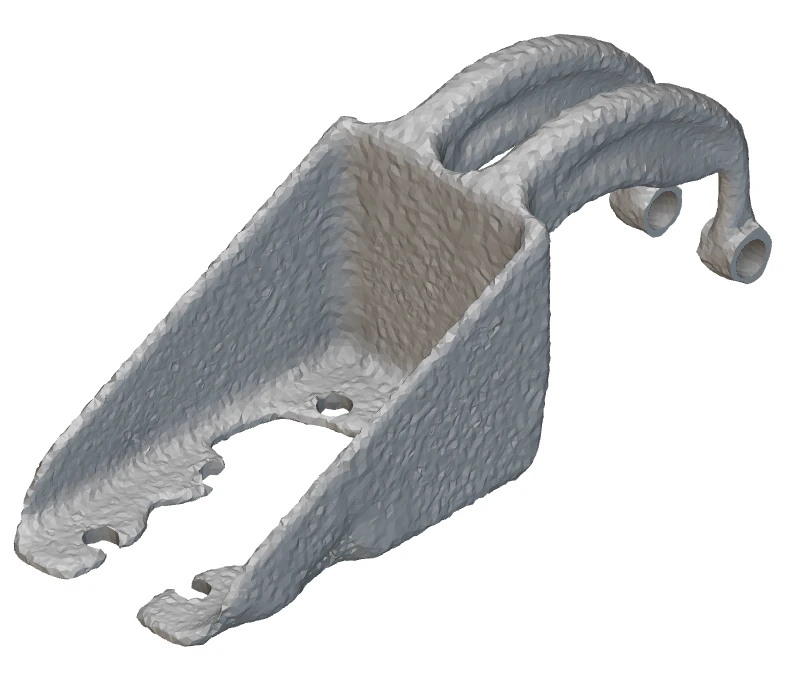
This section contains a few examples demonstrating the results from meshing, simulation, and optimization of a bracket between nTop version 3.42 and version 3.44. Example 1 - Remesh Surface applied to a bracket | 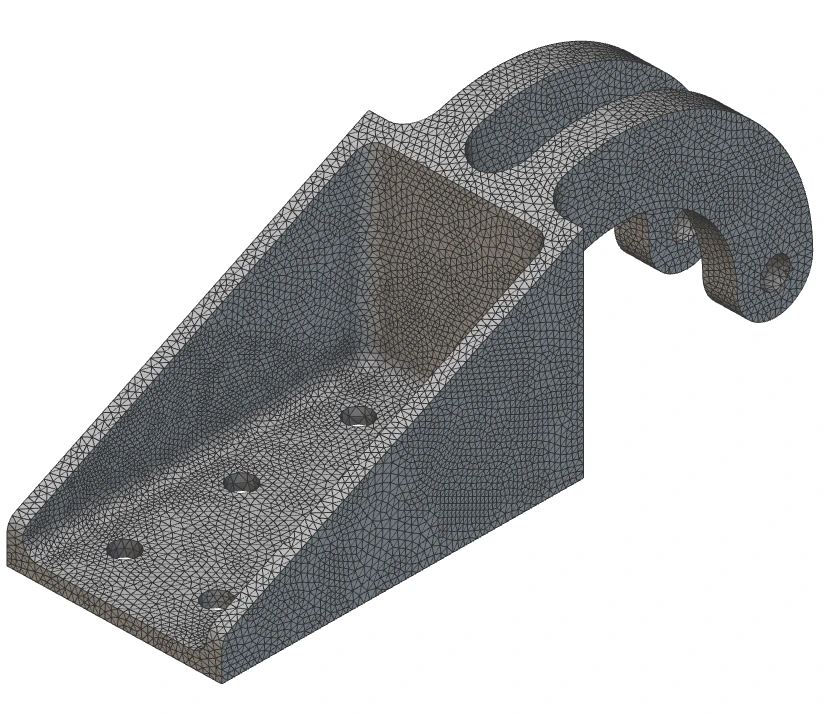 |
|---|
| Version | Edge Length (mm) | Node Count | Element Count |
|---|---|---|---|
| 3.42 (image on left) | 5 | 17708 | 35444 |
| 3.44 (image on right) | 5 | 17697 | 35422 |
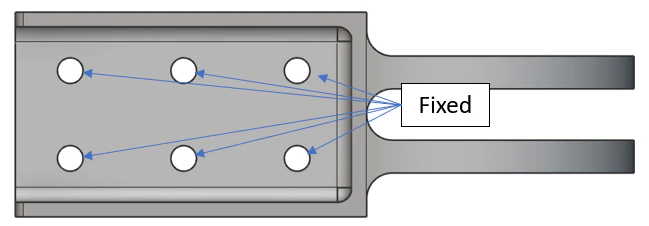 | 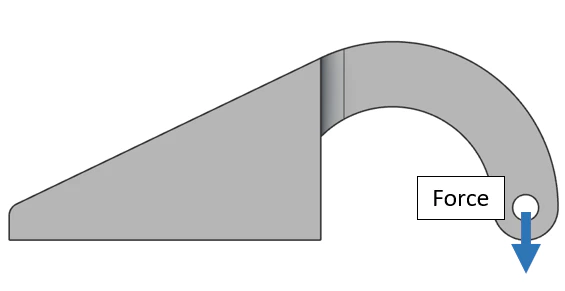 |
|---|---|
 |  |
 |  |
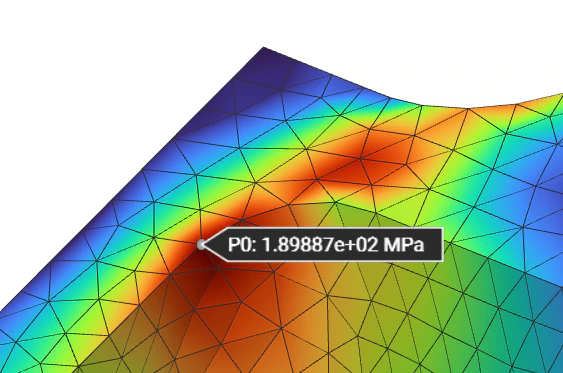 | 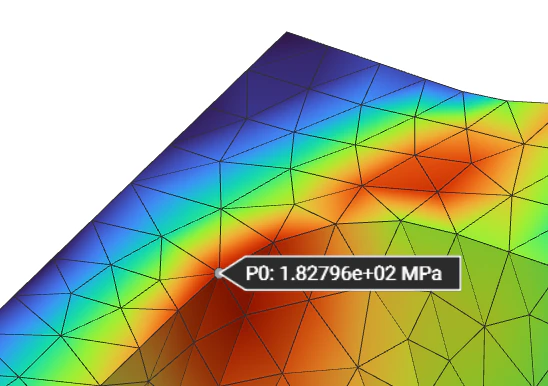 |
| Version | Max Displacement (mm) | Max Stress (MPa) | Stress at fillet, (MPa) |
|---|---|---|---|
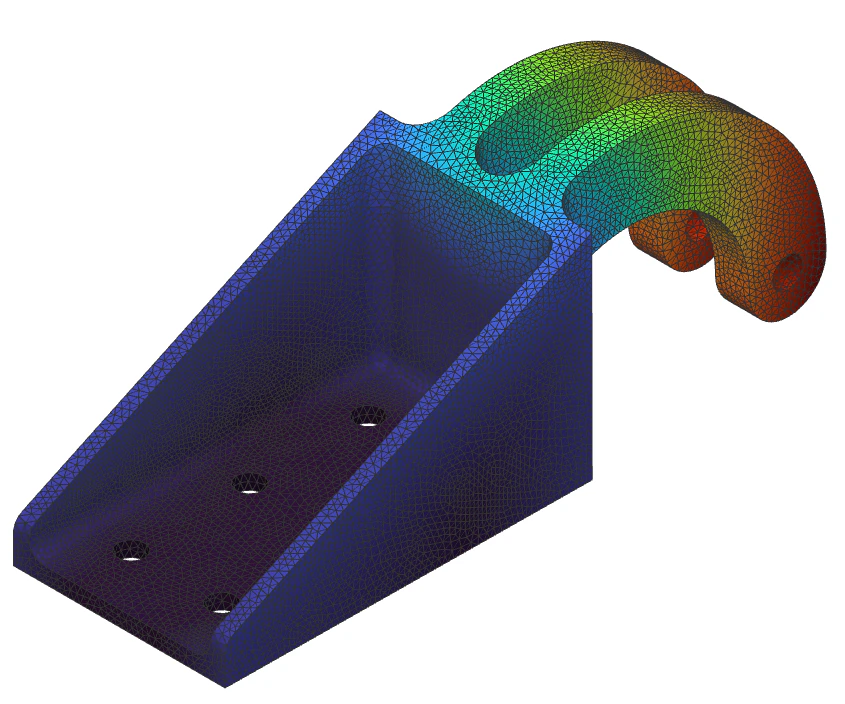
| 3.42 (images on left) | 2.381 | 189.88 | 189.88 |
| 3.44 (images on right) | 2.375 | 199.66 | 182.79 |
 |  |
|---|---|
 |  |
| Version | Convergence iteration | Result Threshold |
|---|---|---|
| 3.42 (images on left) | 24 | 0.5 |
| 3.44 (images on right) | 24 | 0.5 |
4.0 How does this affect you?
- The old meshing behavior is not available in nTop version 3.44. Consequently, if you have an existing notebook with older versions of the blocks in the table above, you cannot re-run these blocks unless you update the individual block versions. However, you will have access to the previously generated results. You will also be prompted to update these blocks to the latest version. If you choose to update the blocks, your previous results will be erased, and the new output will be generated. This will also restore your ability to re-run the blocks.
As demonstrated in the previous section, the effect of this update on your existing workflows for meshing, simulation, and optimization is minimal. You can expect a minor difference in the characteristics of the mesh generated from the updated blocks but this will not have a significant effect on the accuracy of the analysis or the quality of the optimized result.
5.0 Recommended Actions
Here are a few scenarios and the recommended actions to follow when using the simulation and optimization tools after this update:- Accessing results from an existing notebook: No action necessary. You can open a notebook created in a version before the update and access your results in a view-only state. You will notice warning and error messages in the updated blocks. You can ignore these messages if you do not intend to re-run them and generate new results.
- Modifying or reusing a notebook to generate new results: You must select the Update button for each block in the block’s warning panel. We do not auto-update your blocks in notebooks created with older versions. This will update it to the latest version and trigger the block to run. Previous results will be erased, and the new output generated. Optionally, save a copy of the notebook with a different name before running the update to preserve your old results and workflows.
- Composing a new notebook: No action necessary. All the updated blocks will be available in their latest version by default as you add them to your notebook from the ribbon or the search bar.
6.0 Effective Release
These changes will be effective in nTop version 3.44, expected to be released the week of March 20th.7.0 Stochastic Lattice Application
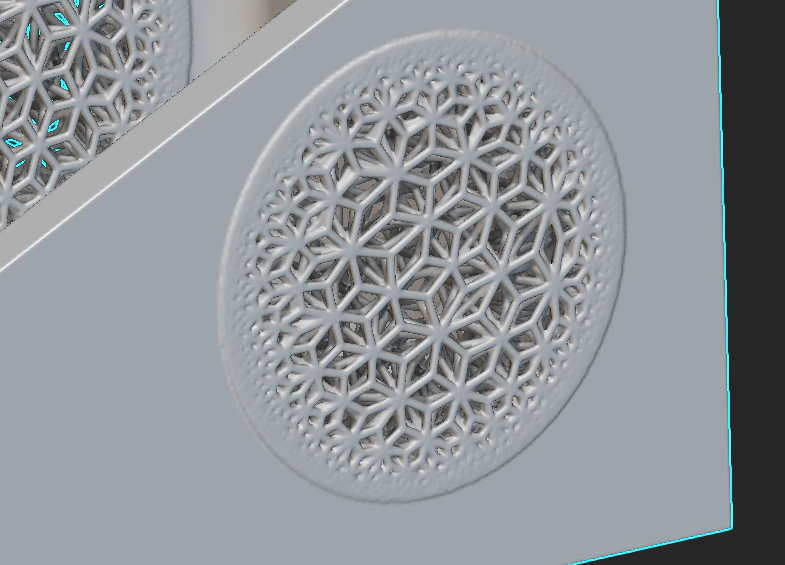
While the meshing blocks described in section 2.0 are utilized primarily for simulation applications, a few are also used to generate seed points for stochastic lattice structure generation, specifically the Remesh Surface and the Volume Mesh block. The mesh update described in the article will impact these seed points and the lattice structures generated with these blocks. In addition to this, if you opted in for Toolkits during the installation process, the following toolkit blocks related to latticing, which are composed of the updated meshing blocks, will also be updated:| Block Name | Toolkit | Section | Function |
|---|---|---|---|
| Infill Tet Lattice | Architected Materials | Latticing | Create a tetrahedral lattice from the Implicit body. |
| Tet Lattice from CAD Body | Architected Materials | Latticing | Create a tetrahedral lattice from the CAD body. |
| Surface Lattice from CAD Body | Architected Materials | Latticing | Create a conformal surface lattice from the CAD face. |
| Simple Remesh Body | Architected Materials | Utilities | Remesh an Implicit body with a simple set of parameters. |
| Remesh CAD Face | Architected Materials | Utilities | Remesh a CAD face with a simple set of parameters. |
 |  |
|---|
| Version | Beams Count | Vertex Count |
|---|---|---|
| 3.42 (image on left) | 105474 | 84106 |
| 3.44 (image on right) | 103703 | 81022 |