Bool, Any, Any
Bool Field, Scalar Field, Scalar Field
Bool Field, Vector Field, Vector Field
Bool Field, 2D Vector Field, 2D Vector Field, 5.31.0
About this Block
What it does:
The If-Else block provides control flow to your nTop workflow, enabling it to make decisions based on a condition. It evaluates the boolean Condition input and returns the Then branch if the Condition is true or the Else branch if the Condition is false. We will refer to both Then and Else outputs as “branches.” Below is a common schematic of the If-Else.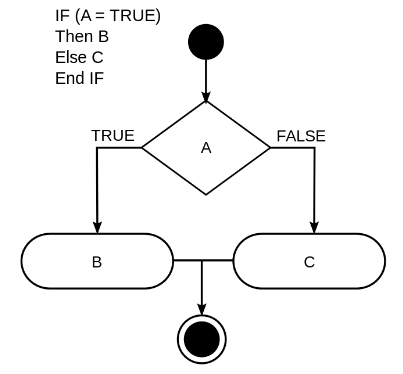
Running:
To better understand If-Else, it is important to understand how the nTop notebook blocks are ran. When you place blocks into the notebook, the block will always run unless:- The block’s required inputs are empty
- The block is set to Manual Run Mode
- Any block referenced by the block upstream does not have its required inputs entered
- Any block referenced by the block upstream is set to Manual Run Mode
- Autorun is toggled off
- General Logic
- Mesh Setup
- Simulation Setup
- Scan Data Alignment
- Field Logic
-
When If-Else branches are made into variables, they will always run. When running computationally expensive branches of If-Else, we recommend not making the branches variables.
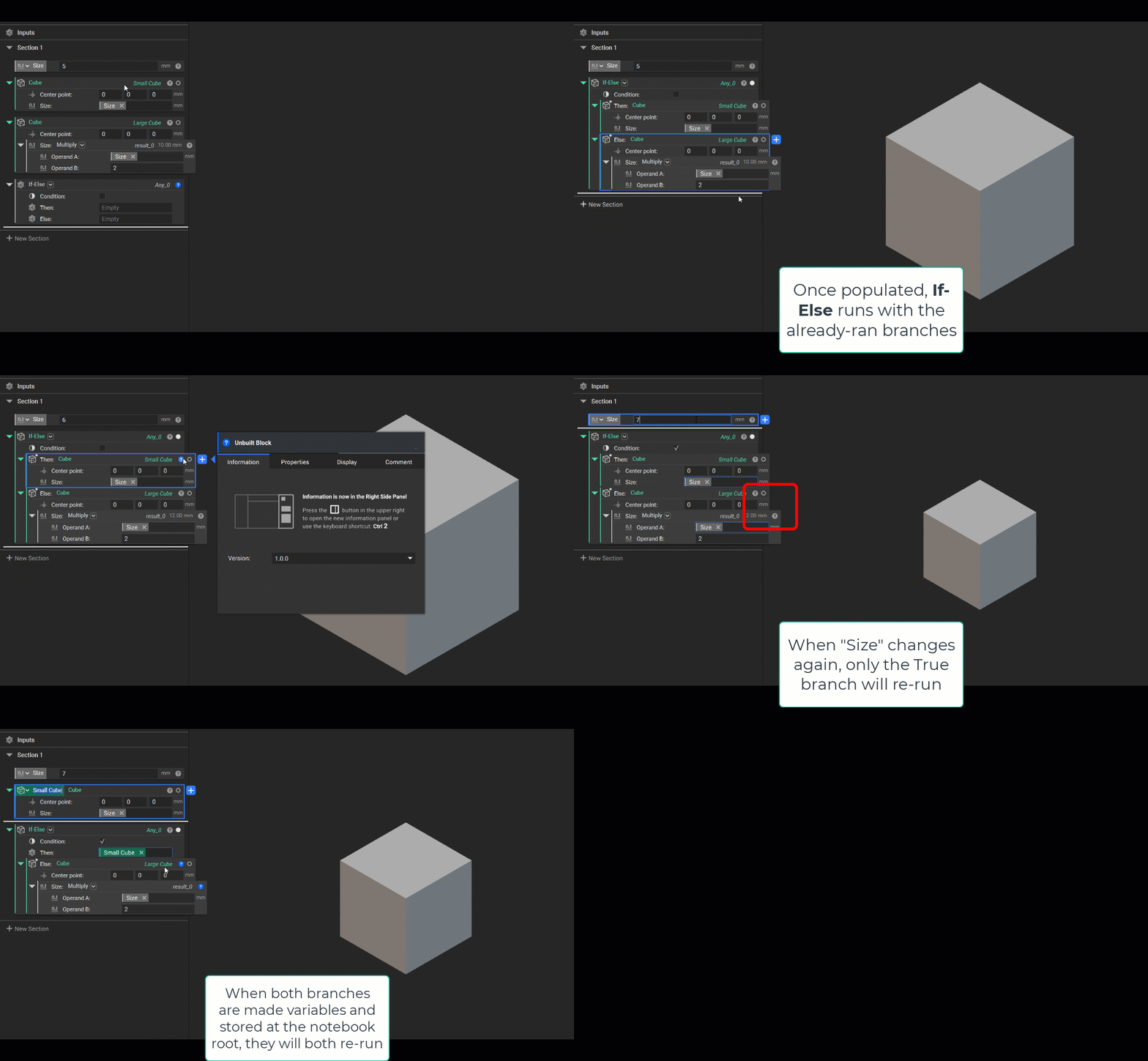
-
We recommend only referencing the If-Else output properties downstream, not the output properties from either of the branches. If you do reference the output properties of a branch downstream, nTop will require this branch to run regardless of the Condition.
- If needed, create branch nestings and make variables of lower-level nestings.
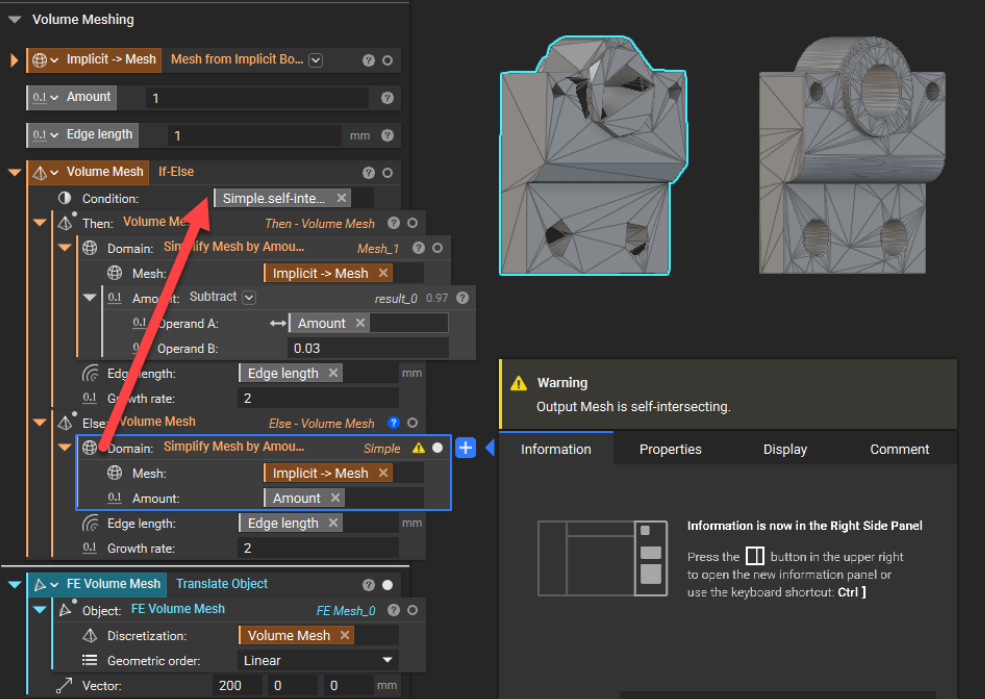
- The bracket example below shows the correct setup.
- The “Implicit->Mesh,” “Amount,” and “Edge length” variables are used in both branches of If-Else so that they can be kept as variables outside of If-Else.
- (Red Arrow) The “Simple” mesh is self-intersecting. In this instance, the output property of the “self-intersecting” boolean equals True and is used as the Condition.
- Due to the Condition being True, only the “Then - Volume Mesh” branch runs, providing a suitable mesh.
- Due to the Condition being True, the “Else - Volume Mesh” branch does not run and returns an error.
- If needed, create branch nestings and make variables of lower-level nestings.
-
When creating notebooks, you will likely create the blocks you need in the notebook and then drag them into the branches of the If-Else.
- These blocks will run automatically until they are used as Branches in If-Else - in which case only the one that matches the Condition input will run. This is very helpful for reusable workflows.
- If you want to ensure neither branch is ever run, ensure the Condition is unbuilt or in Manual Run Mode, then create your logic encapsulated in the If-Else via the input dropdown.
-
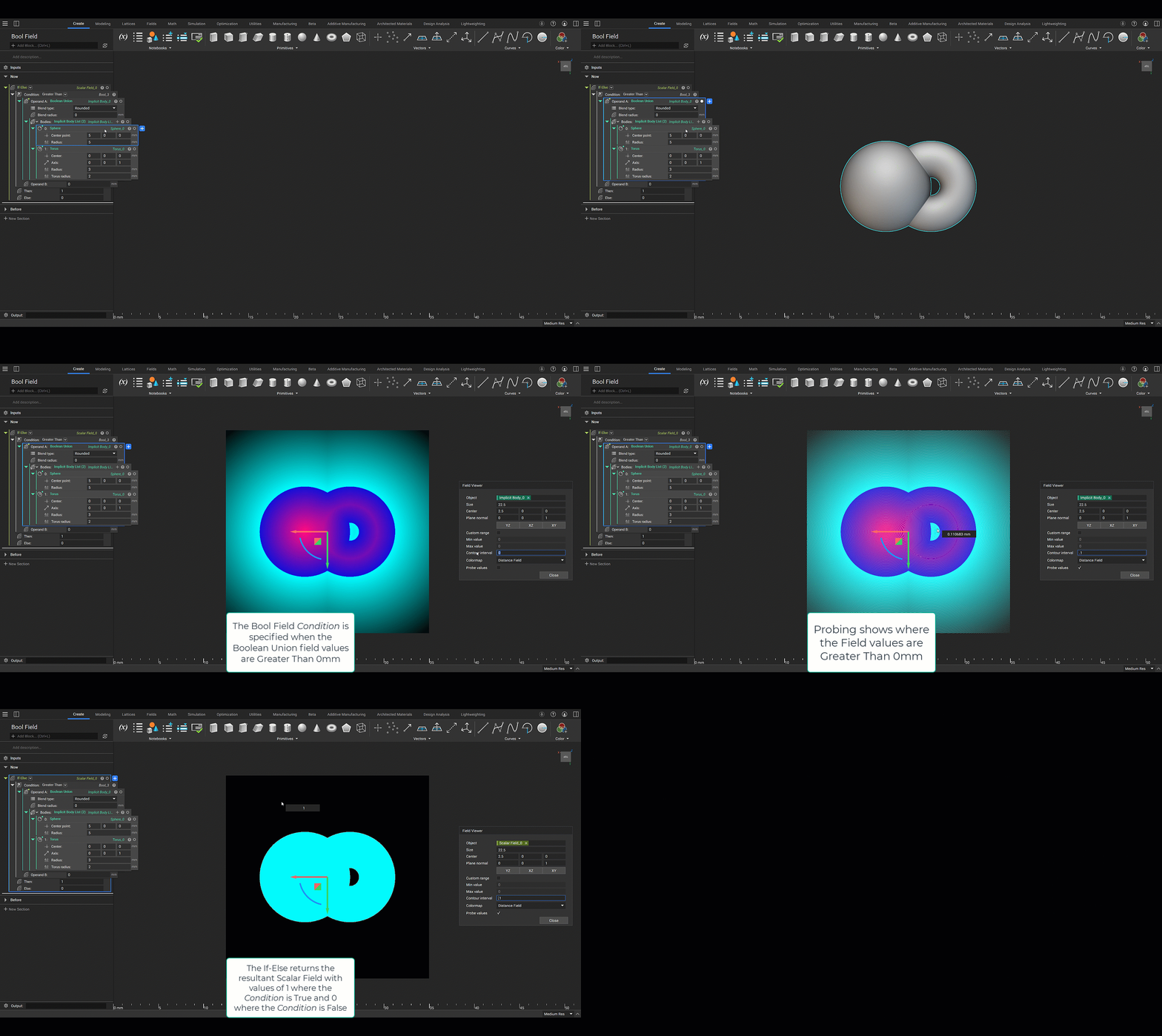
The two overloads of If-Else enable you to leverage a Bool Field Condition to return either a Scalar Field or Vector Field value. Since evaluating fields leverages mathematics, both branches will always run for these overloads and be computationally fast.