

FE Point, Boundary, FE Coupling Enum
FE Point, Boundary, FE Coupling Enum
About this Block
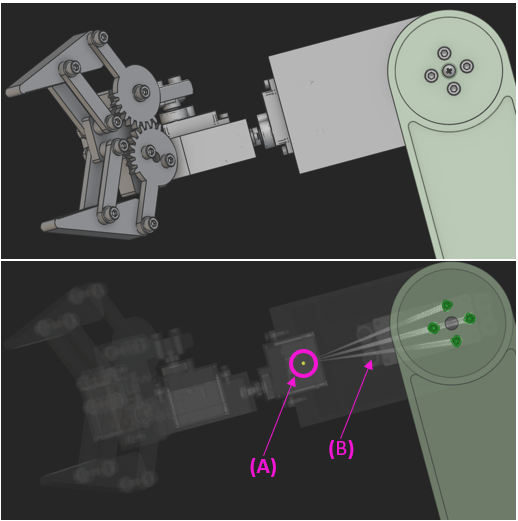 The Rigid Connector block can be used to define a connection between a point and a surface of a component in a simulation or optimization study. This is typically used in multi-component simulations where only the mass of the auxiliary components affect the analysis while the geometry of these components can be neglected. These auxiliary components are modeled as point FE component in nTop. This can be used to reduce the size of the finite element model, improving the performance of the simulation or optimization solver without compromising the accuracy of the results.
For example, the screenshot above represents a gripper connected to a robotic arm. The second image shows the robotic gripper replaced by a point mass entity (A) at its center of mass tied to the connection points on the arm through rigid connections (B).
This Rigid Connector system in combination with point masses can be used in studies where the mass participation of the components are essential like a Modal Analysis, a Buckling Analysis or an Optimization study (Topology or Field Optimization) with a Frequency Response as a constraint or an objective.
Rigid Connector Block
The Rigid Connector block can be used to define a connection between a point and a surface of a component in a simulation or optimization study. This is typically used in multi-component simulations where only the mass of the auxiliary components affect the analysis while the geometry of these components can be neglected. These auxiliary components are modeled as point FE component in nTop. This can be used to reduce the size of the finite element model, improving the performance of the simulation or optimization solver without compromising the accuracy of the results.
For example, the screenshot above represents a gripper connected to a robotic arm. The second image shows the robotic gripper replaced by a point mass entity (A) at its center of mass tied to the connection points on the arm through rigid connections (B).
This Rigid Connector system in combination with point masses can be used in studies where the mass participation of the components are essential like a Modal Analysis, a Buckling Analysis or an Optimization study (Topology or Field Optimization) with a Frequency Response as a constraint or an objective.
Rigid Connector Block
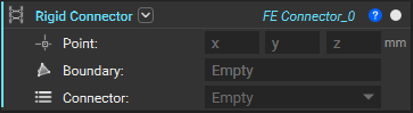 The block has the following inputs :
- Point : This is the location where the block will create a remote point. This is typically at the center of mass of the component being represented. To learn more about the attributes that can be applied to the point, please refer to the Point Attribute section in the Documentation.
- Boundary : This defines the boundaries (typically nodes on a surface) that will be connected to the point with rigid elements
- Connector : This defines the the behavior of the nodes on the boundary linked to the motion of the point and has 2 options -
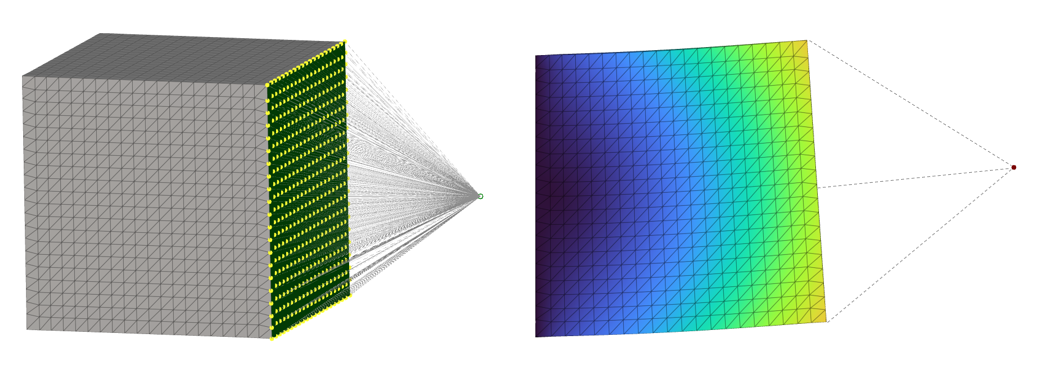
- Rigid : The rigid option constrains the nodes on the boundary to move with the point. It prevents any relative motion between the nodes on the boundary and behaves like a rigid entity. This is popularly known as the RBE2 connector that connects an independent node (green) to a set of dependent nodes (yellow)
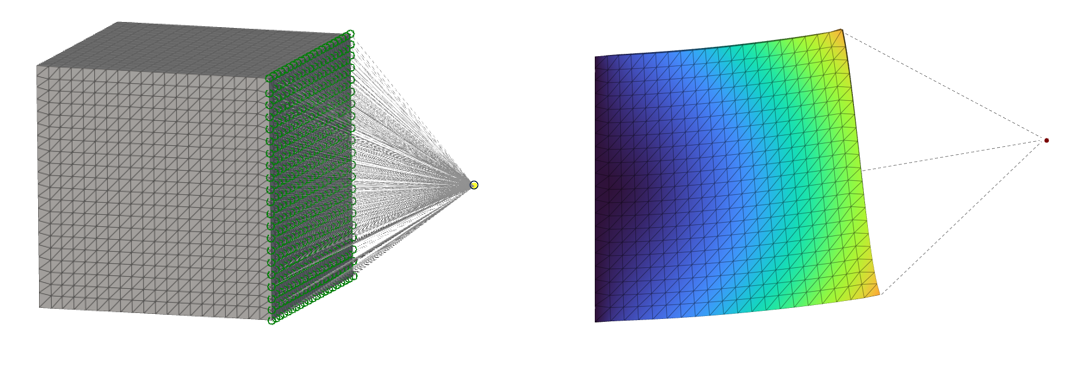
- Flexible : This flexible option links the motion of the point to the nodes on the boundary and enables relative motion between these nodes. This distributes the mass between the nodes on the boundary and avoids locally stiffening the model (unlike the Rigid connector). This is popularly known as the RBE3 connector that connects a dependent node (yellow) to a set of independent nodes (green)
 Here is an example that illustrates how this block works.
- Rigid : The rigid option constrains the nodes on the boundary to move with the point. It prevents any relative motion between the nodes on the boundary and behaves like a rigid entity. This is popularly known as the RBE2 connector that connects an independent node (green) to a set of dependent nodes (yellow)
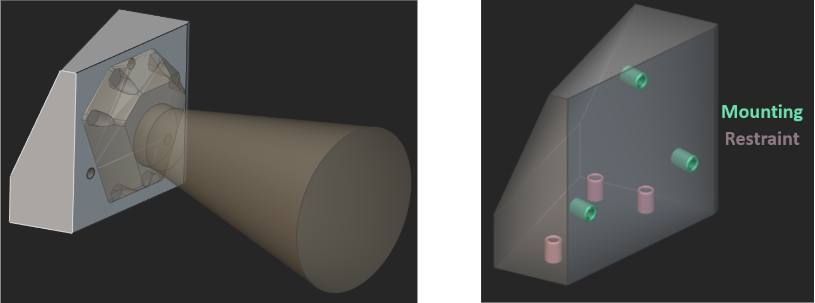 Here is a bracket (gray) that is used to connect a camera (yellow) to a mount (not pictured in the image). The requirement for this bracket is to have a first natural frequency that is greater than 350 Hz. To estimate the first natural frequency and to optimize the bracket to obey this requirement, it is essential to include the mass of the camera in the analysis. This can be defined as a remote point mass attached to the mounting locations with flexible (RBE3) connectors.
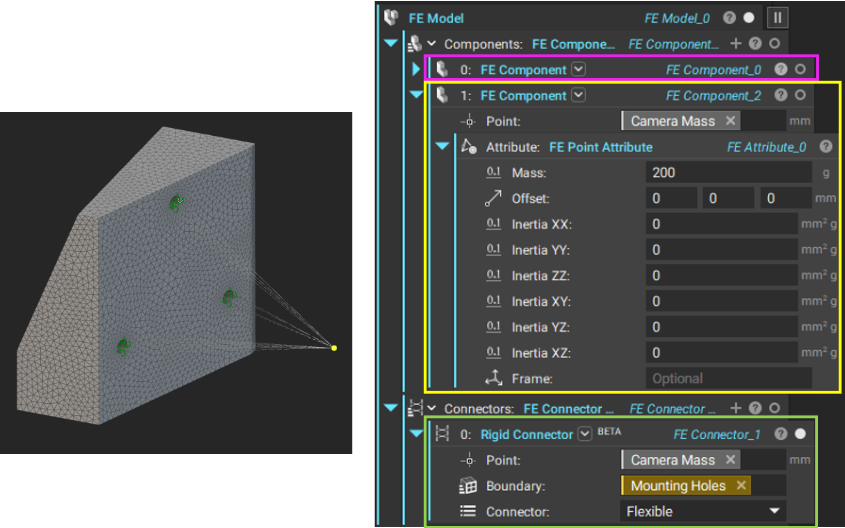
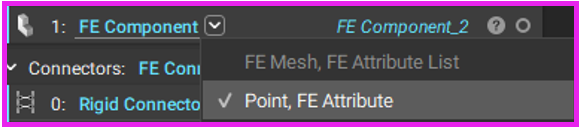 The remote point mass can be defined and attached to the mounting locations in the following way :
- Add a second FE Component to the FE Model. Use the second overload of the FE Component that takes a Point and an FE Attribute
- In the Point input, specify the x, y, z location of the camera’s center of mass. In the attached example, this point is specified as a variable that contains the camera’s center of mass property
- To the FE Attribute input, add an FE Point Attribute and input the mass properties of the camera. In the attached example, a mass of 200 g was specified in this block
- In the Connectors input of the FE Model, add the Rigid Connector block
- Enter the coordinates of the point representing the camera’s center of mass. Here, the center of mass variable was used to specify this input just like the FE Component block
- Define the Boundary that the remote mass is connected to
- Finally specify the connector type. In this example, the Flexible (RBE3) connector was used
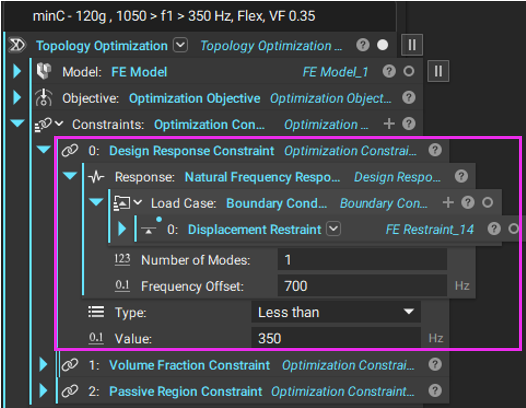 This FE Model with the remote point mass was used in Topology Optimization to define the natural frequency response. In this example, this response was defined to keep the first natural frequency of the bracket-remote mass model above 350 Hz and below 1050 Hz. In addition to this, a volume fraction constraint of 0.35 was imposed on the design space. The optimization was carried out with a compliance minimization objective for a 120g load in the +Y direction on the bracket and the camera.
| Design 1 | Design 2 |
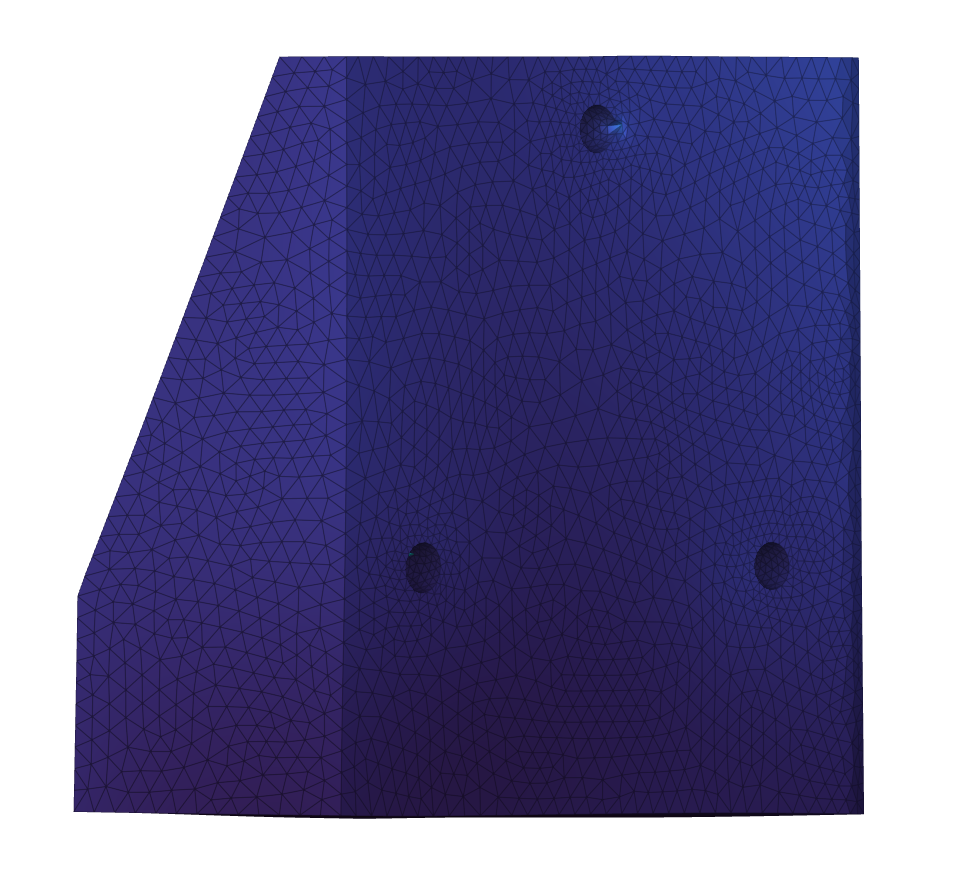 | 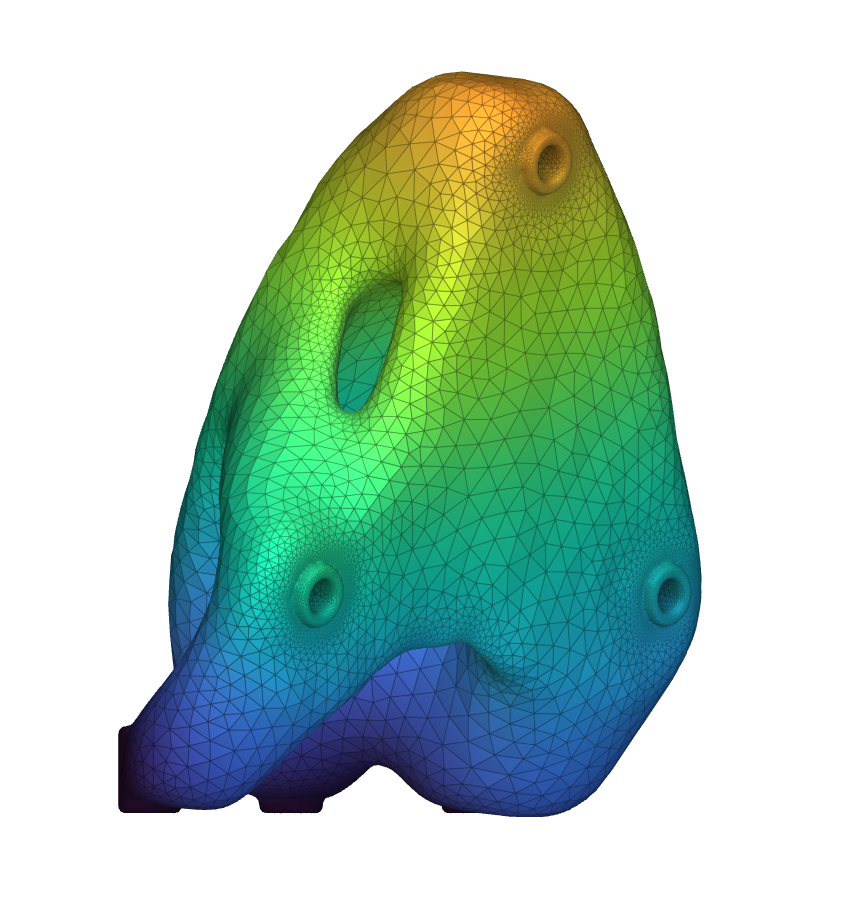 |
| 480 g | 178 g |
| 922 Hz | 635 Hz |