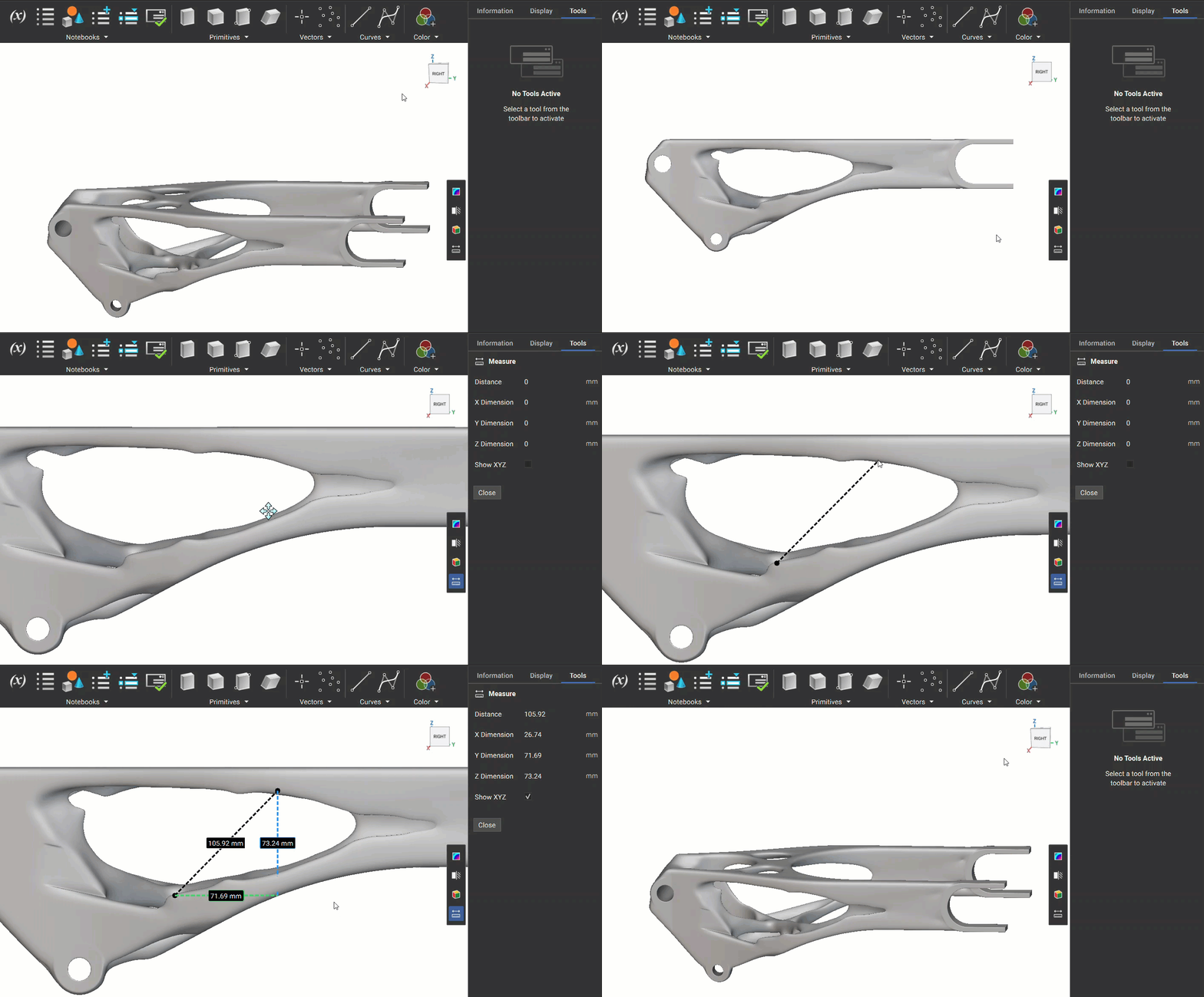
- Press “M” to open the measure tool.
- Click on any point on your model to set the first point, then click again to set the second point.
- The distance and XYZ dimensions appear:
- As an overlay in the 3D viewport.
- In the right-side panel for detailed dimensions.
Settings
Show XYZ: Enable this checkbox in the right-side panel to display dimension lines for X, Y, Z directions directly in the 3D view.