Blend Enum, Scalar Field, Bodies
Blend Enum, Scalar Field, Bodies, 1.1.0
Blend Enum, Scalar Field, Bodies, 5.44.0
About this Block
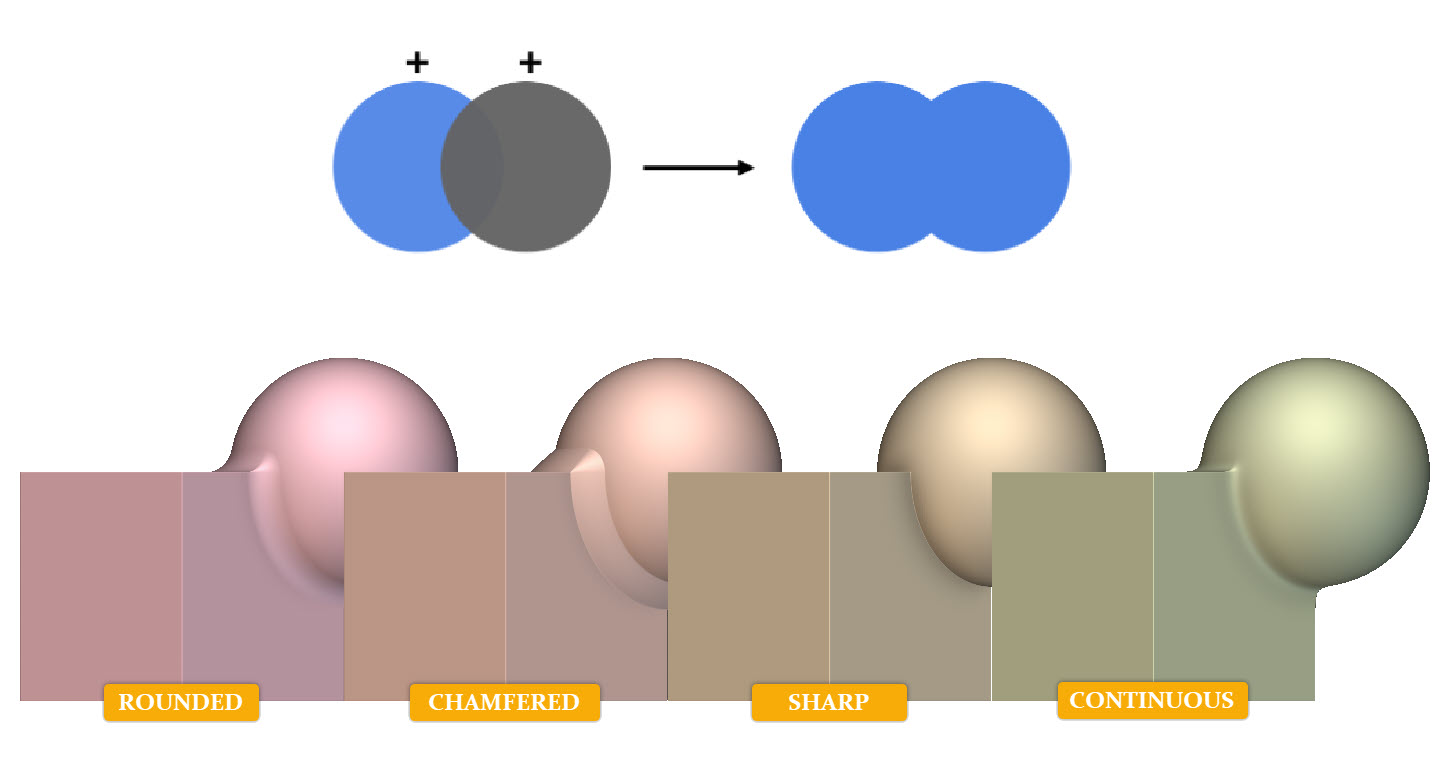
What it does: The Boolean Union block joins a list of Implicit Bodies into a single Implicit Body. A blend is applied at the intersection of each body to control the transition between each volume. The Blend type can be sharp, rounded, continuous, or chamfered. Tips:- Apply a fillet by using the ‘Rounded’ Blend Type.
- Apply a chamfer by using the ‘Chamfered’ Blend Type.
- To retain the shape features, use the ‘Sharp’ Blend Type.
- To achieve a smoothed appearance between edges, use the ‘Continuous’ Blend Type.
- Join more than 2 bodies by clicking on the + button in the upper right-hand corner of the Implicit Body List block.
- The angle input on the Chamfered or Rounded blend type can’t be changed.
Example File
Download Example: File Name