

About this Block
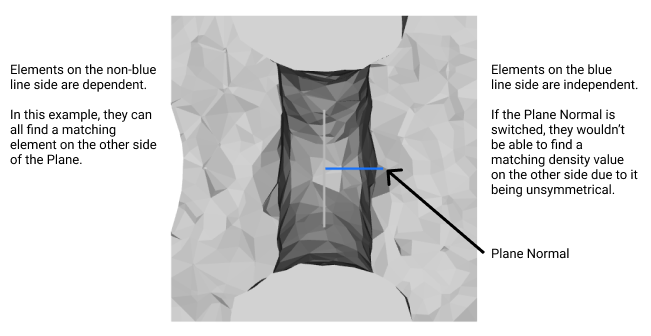
Input a Plane to create a symmetry constraint. The symmetry works by connecting half of the design to have the same density values as the other half. Each dependent element has an independent element on the other side. This reduces the optimization domain to only half of the design. However, if the design is not 100% symmetric you may have some issues. An element from the dependent side may try to find a corresponding element on the independent side, unsuccessfully. In the example, there’s a simple cube with the left side having fewer elements than the right side. If the left side is independent, that means that some elements of the right side will not find matching elements on the left side. But, if we reverse the normal of the plane, the dependent/independent sides switch. So, all elements of the left side have a matching element on the right side, so the symmetry will work.Example File
Download Example: Planar Symmetry Constraint The file uses a Planar Symmetry constraint to run a TopOpt. It showcases how flipping the Normal of the Plane may cause an error if the part isn’t perfectly symmetrical.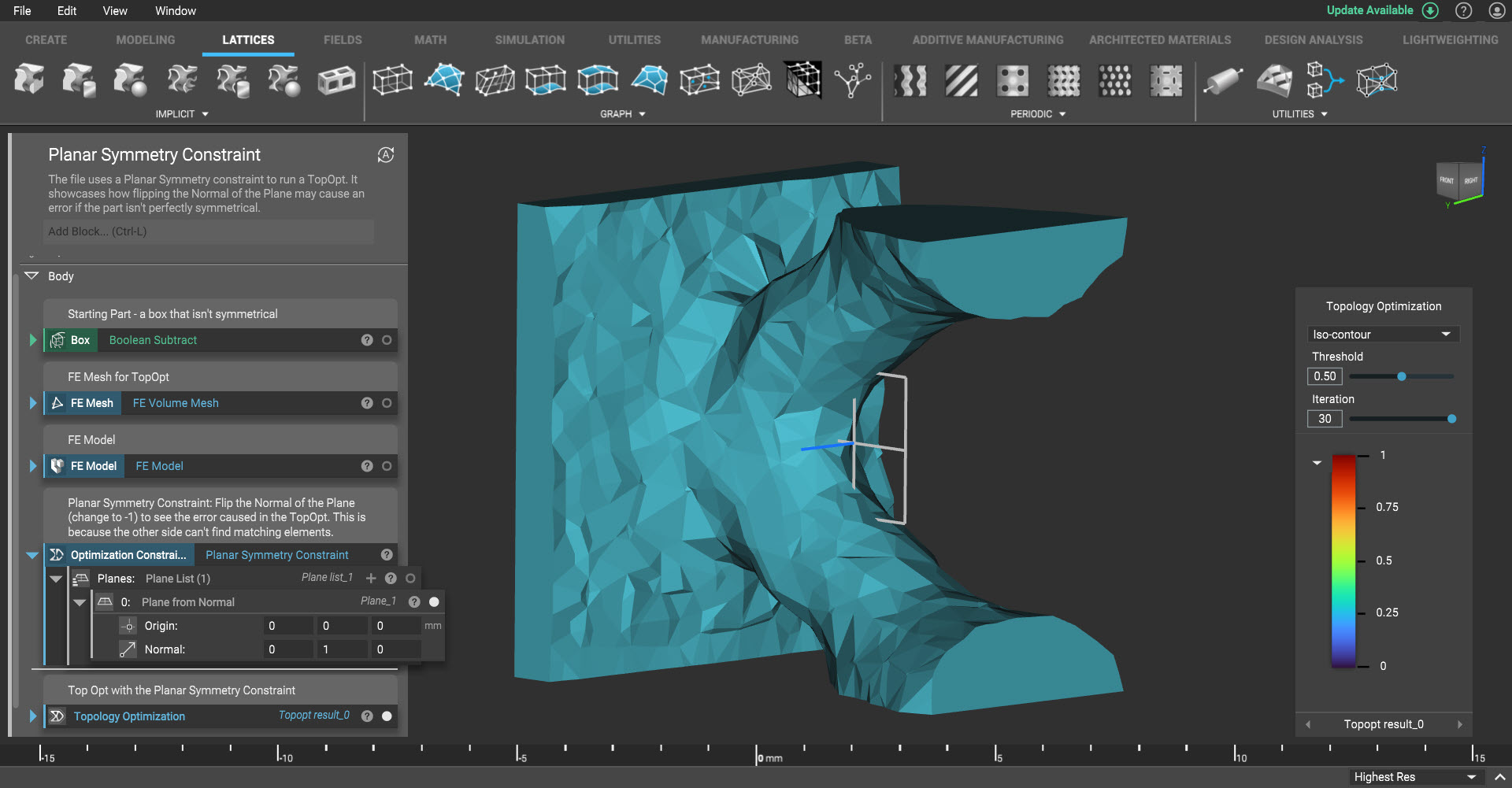
Specify planar symmetry for a topology optimization process.