

About this Block
What it does: The Demold Constraint block ensures the manufacturability of the final results for castings or plastic injection molding parts. The block prevents overhangs or undercuts based on a defined Demold Direction. You can use this block for a single draw, a split draw with a variable surface, or a split draw with a known surface. Common uses:- Topology Optimization for casting
- You cannot use this with the Field Optimization block; it is only for Topology Optimization
Example File
As stated above, you can use this block in three possible manufacturing scenarios. Below are examples of each, with information on which inputs to use based on your situation. The example file at the bottom contains all three setup examples. Single Draw:- Define the Demold Direction
- Uncheck the Auto Split Surface
- Do not define a region
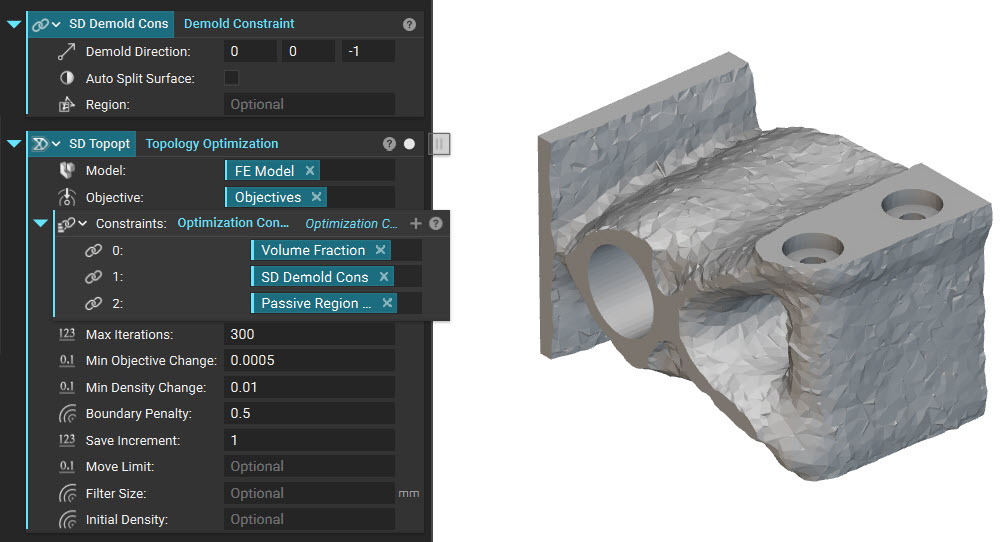 Split Draw with a Variable Surface:
- Define the Demold Direction
- Check the Auto Split Surface
- If you don’t want the constraint to be applied to the entire design space, specify a region
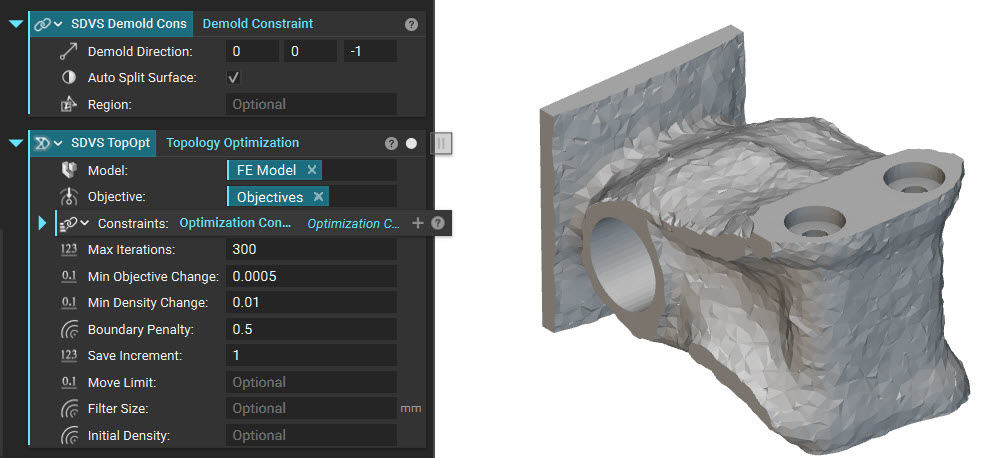 Split Draw with a Known Surface:
- Use 2 Demold Constraint blocks, 1 for each half of the body
- Uncheck the Auto Split Surface
- Separate the design space using a parting surface (FE Region By Body or similar)
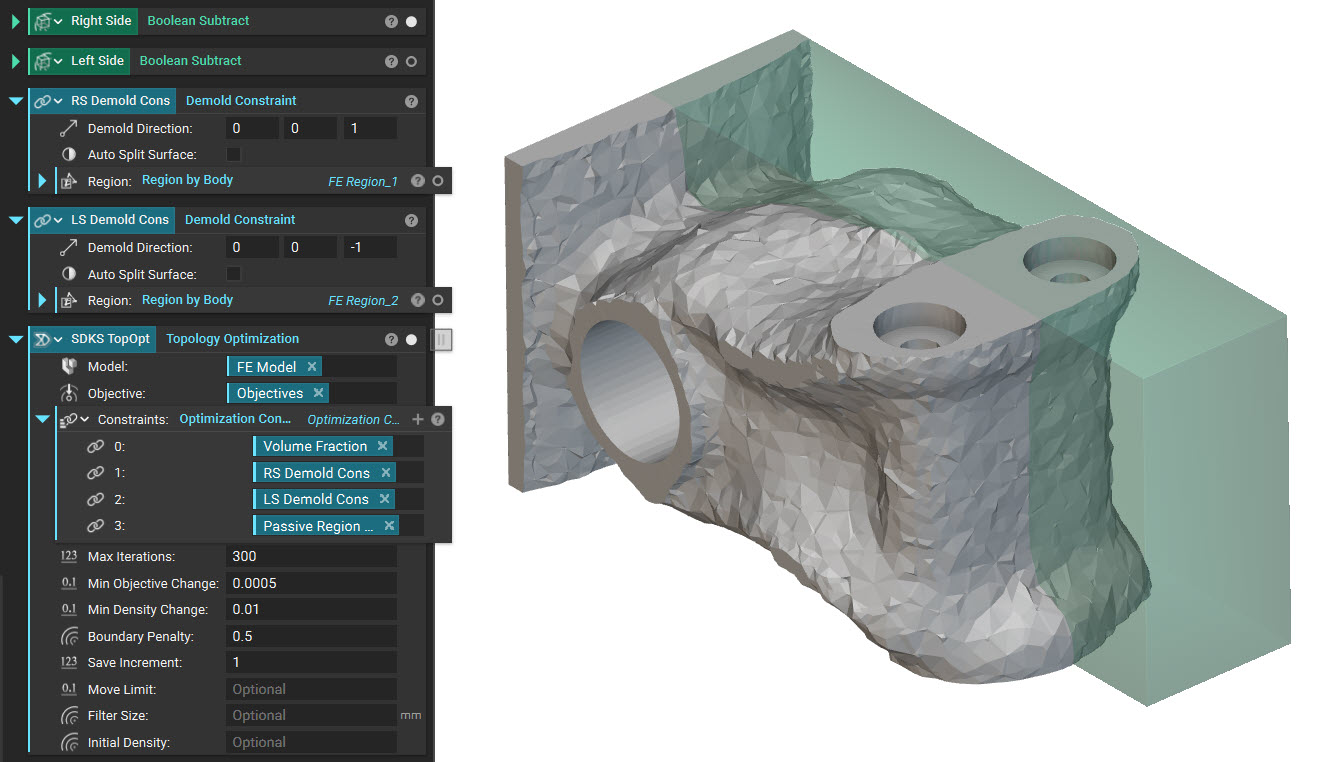 Download Example: Demold Constraint
Define a demold constraint for a topology optimization process. The constraint ensures no undercuts in the optimized result, enabling release of the mold in the specified demold direction.