

About this Block
What it does: The 3-Axis Milling Constraint block enables 3-axis milling constraints on Topology Optimizations. The constraint ensures the Topology Optimization result can be manufactured without contact between the tool head and the design domain. It ensures no features are generated smaller than the smallest cutting tool would allow.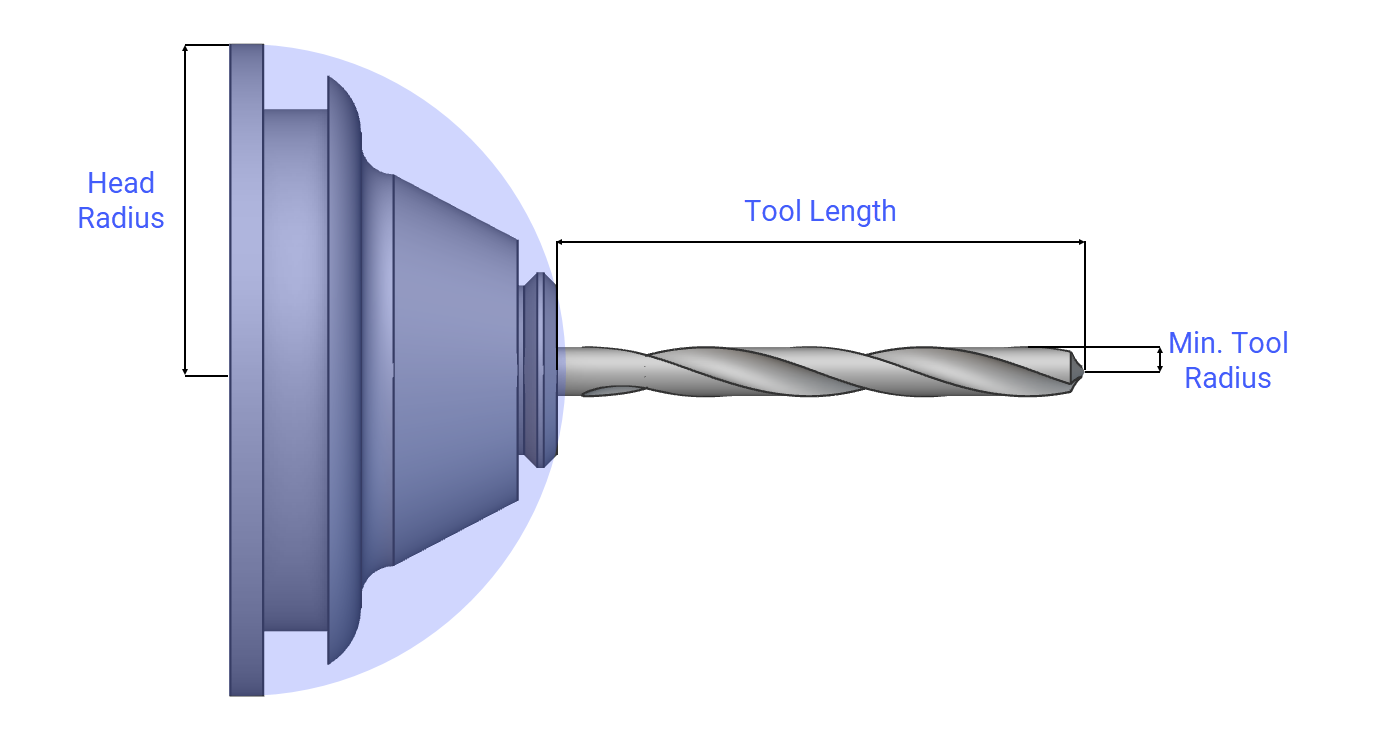 If you would like to visualize these inputs in your nTop notebook, download this CB - Tool Aid Block and import it into your notebook.
The block has the following inputs:
If you would like to visualize these inputs in your nTop notebook, download this CB - Tool Aid Block and import it into your notebook.
The block has the following inputs:
- Head Radius: The radius of a half sphere used to represent a simplified drill chuck. This will ensure the cutting tool can access specific regions without interference. The head radius should be larger than the min tool radius.
- Tool Length: The cutting tool length is measured from the tip to the drill chuck.
- Min Tool Radius: The radius of the cutting tool. This input controls the radii that can occur in the results.
- Approach Directions: These are the possible milling directions. If left blank, the default directions are +X, -X, +Y, -Y, +Z, and -Z. You can select multiple approach directions for one milling configuration to allow for multi-sided machining.
- Topology Optimization setup when manufactured by 3-Axis CNC Mills
- To fix the Smallest dimension of tool is larger than domain’s largest side error, decrease the Tool dimensions (Length or Diameter).
- To fix the Tool length is so small that both head and tip starts at the same distance error, increase the Tool Length input.
Example File
Download Example: 3-Axis Milling Constraint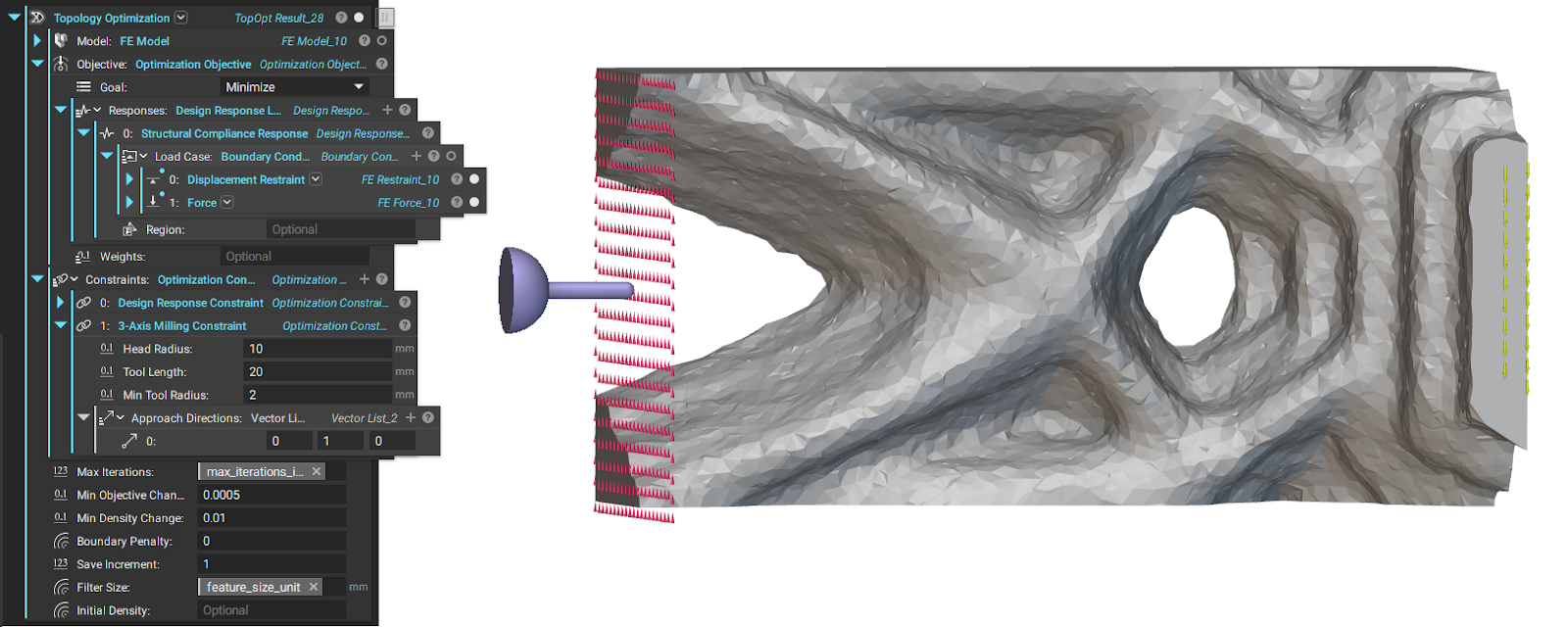
Imposes a 3-axis milling constraint on a topology optimization.