Parametric FE Model, Design Objective, Constraints, Integer, Scalar, Scalar, Integer, Scalar
Parametric FE Model, Design Objective, Constraints, Integer, Scalar, Scalar, Integer, Scalar, 1.1.0
Parametric FE Model, Design Objective, Constraints, Integer, Scalar, Scalar, Integer, Scalar, 5.23.0
About this Block
The Field Optimization block performs a numerical design operation that optimizes design parameters within the bounds of a design space based on a set of objectives and constraints. The block allows you to optimize values of field based design parameters that best achieve the desired objective(s) while considering complex and multivariate loading conditions and design constraints. nTop’s field optimization algorithm uses Custom Parameterized Material Models. Field optimization setup involves choosing objectives and constraints for your optimization. The objective is a list of one or more Design Responses you will minimize or maximize in the optimization. A few examples of design responses you could have are:- The volume fraction of the original design space the part takes up (Volume Fraction)
- Stiffness under given loading conditions (Compliance)
- Stress or Displacement
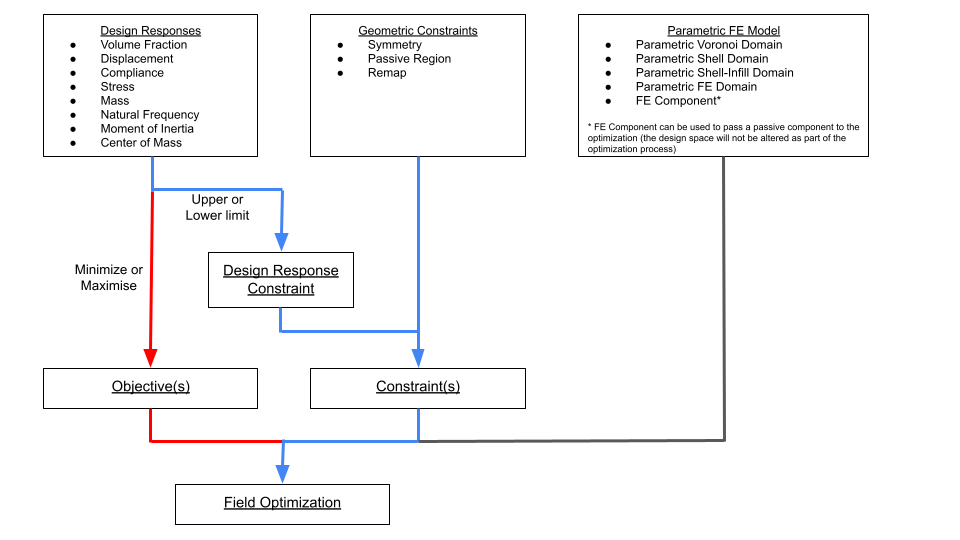 The Field Optimization block takes in a Parametric FE Model, an objective, a constraints list, and a series of values that control the field optimization algorithm. The Parametric FE Model must contain one or more Parametric FE Domains and can include FE Domains as well (FE Domains will remain solid). Each Parametric FE Domain will contain the design space, design parameters, and bounds of the optimization that the underlying material model is bounded by.
An explanation of the algorithmic controls for field optimization is below.
The Field Optimization block takes in a Parametric FE Model, an objective, a constraints list, and a series of values that control the field optimization algorithm. The Parametric FE Model must contain one or more Parametric FE Domains and can include FE Domains as well (FE Domains will remain solid). Each Parametric FE Domain will contain the design space, design parameters, and bounds of the optimization that the underlying material model is bounded by.
An explanation of the algorithmic controls for field optimization is below.
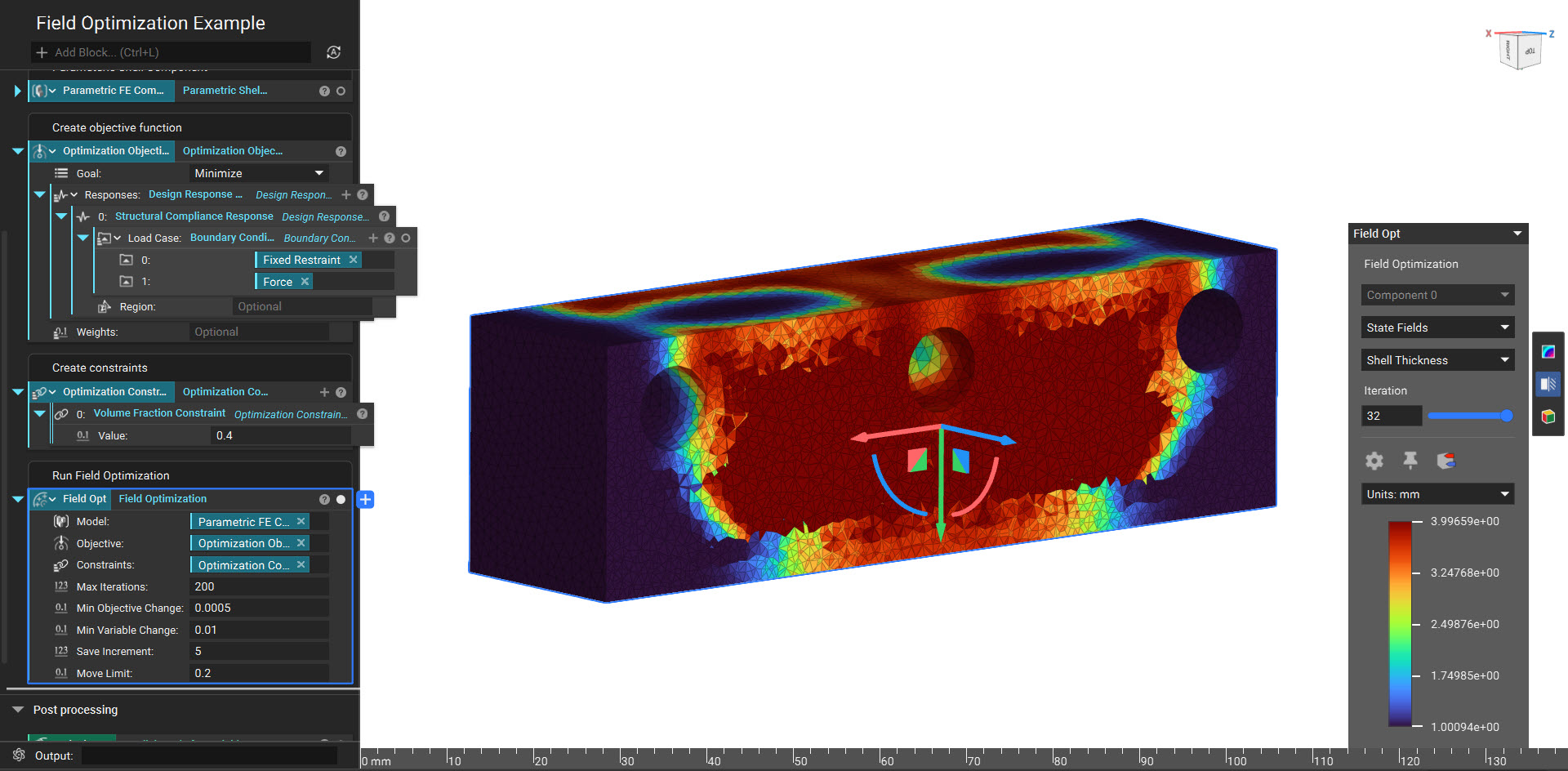
- Max iterations - field optimization is an iterative process that updates the topology until it reaches the objective and satisfies the constraints. If the process takes a long time, you can set a maximum limit to the number of iterations attempted. This input allows you to limit the max computation time expended on the field optimization process.
- Min objective change - The objective function quantifies how well the topology achieves its objective(s). When the relative change between iterations of the objective function value falls below this number, the field optimization will be considered complete (as long as the constraints are satisfied). Decreasing this number will result in a more accurate field optimization but a longer computation time.
- Min variable change - This input is a convergence threshold, as described above, but for the relative change of the design variable values from one iteration to the next. Decreasing this number will result in a more optimized result but a longer computation time.
- Save increment - This input controls the amount of intermediate data stored, and is accessible after the field optimization completes. You can increase the number to lower the file size of a completed field optimization file and increase computational efficiency. The default value of 5 will save results every fifth increment, whereas a result of 0 will save only the first and last increment. For any value N greater than 1, it will save results for every Nth increment. The last iteration will always be saved.
- Move limit - a value between 0 and 1 defining how much a design parameter’s value may change between iterations as a percentage of the design variable’s range.
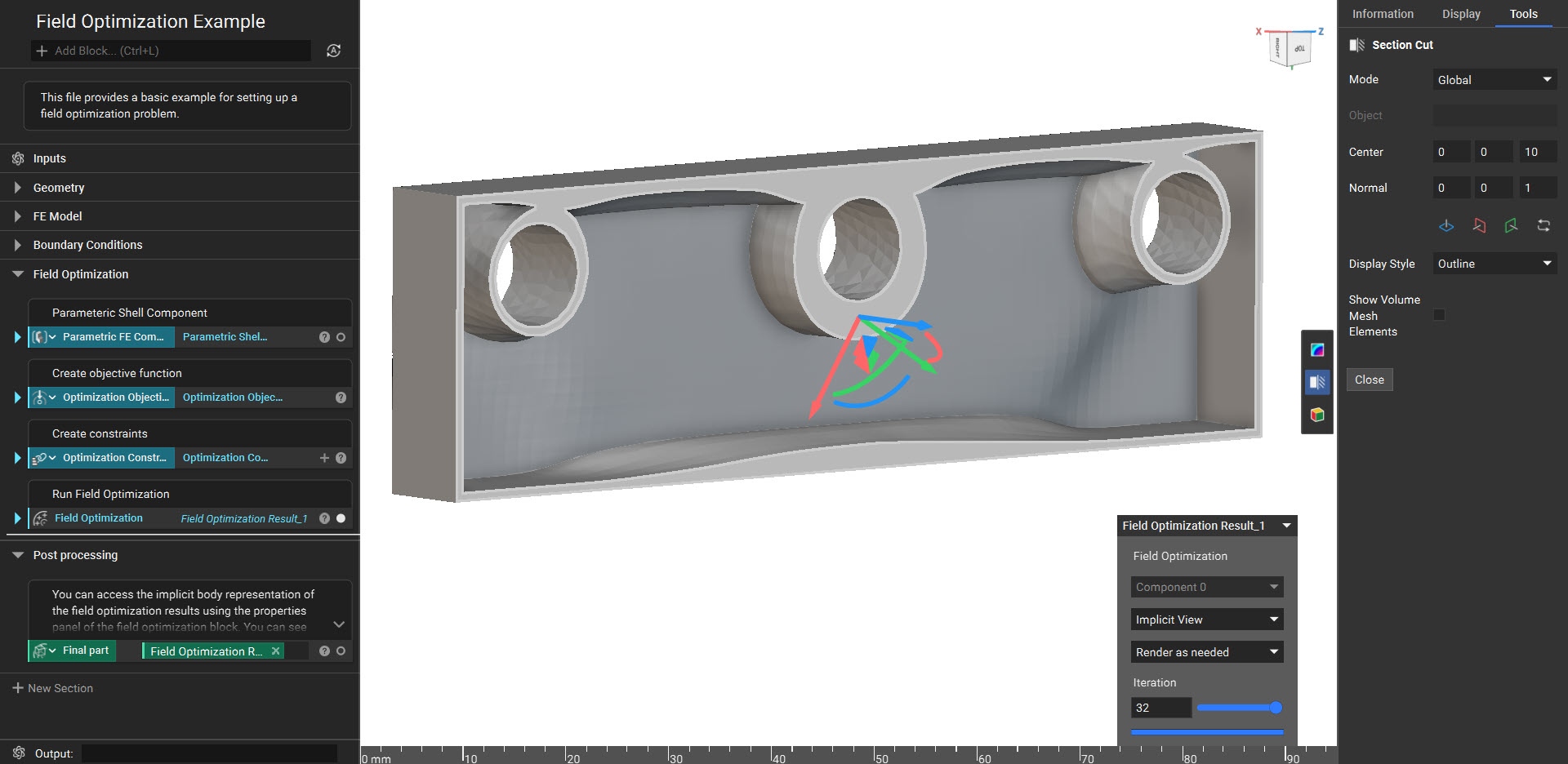
- Implicit View - allows you to view the resulting geometry. Under the ‘Render as needed’ drop-down, each iteration will render when you move the slider bar. Use the ‘Render all’ option in the drop-down to render more than 1 iteration at a time to view the progression of the field optimization results easily. You can also use Section Cut to view inside your Implicit body.
- Property Fields - allows you to view the mechanical properties of the resulting structure across the design space. You can display the results across the original mesh and render them in real time for any saved iteration.
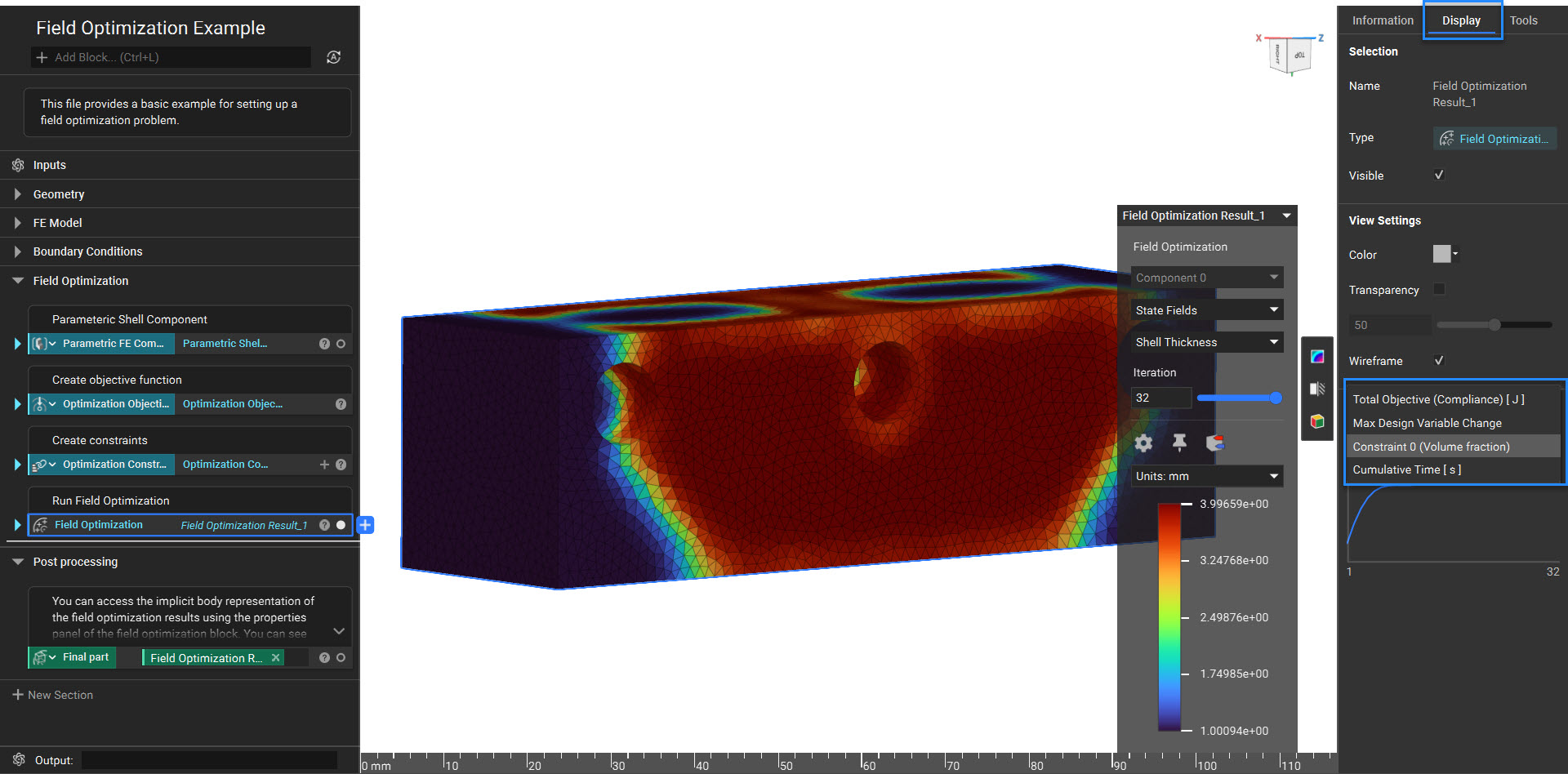
- State Fields - allows you to view values of the design parameters across the design space. You can display the results across the original mesh and render them in real time for any saved iteration.
 You can access the result of the Field Optimization as Implicit Body using the Implicit Body from Field Optimization block.
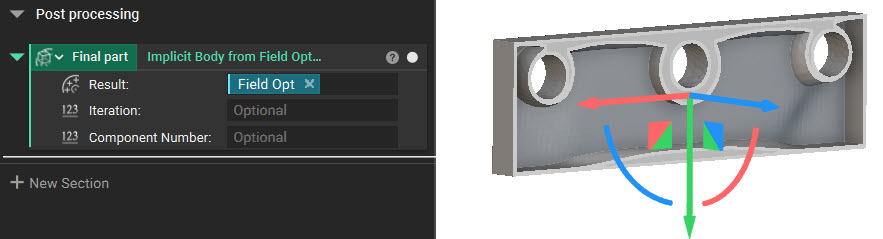 Common uses:
- Periodic Lattice Optimization
- Voronoi Lattice Optimization
- Variable Shell Optimization
- Variable Shell-Infill Optimization
Example File
Download Example: Field Optimization