FE Mesh, Isotropic Material, Choice, Choice, Scalar, Scalar Field, Scalar Field, Scalar Field, Scalar, Scalar Field
FE Mesh, Isotropic Material, Choice, Choice, Scalar, Scalar Field, Scalar Field, Scalar Field, Scalar, Scalar Field, 1.1.0
FE Mesh, Isotropic Material, Choice, Choice, Scalar, Scalar Field, Scalar Field, Scalar Field, Scalar, Scalar Field, 1.2.0
About this Block
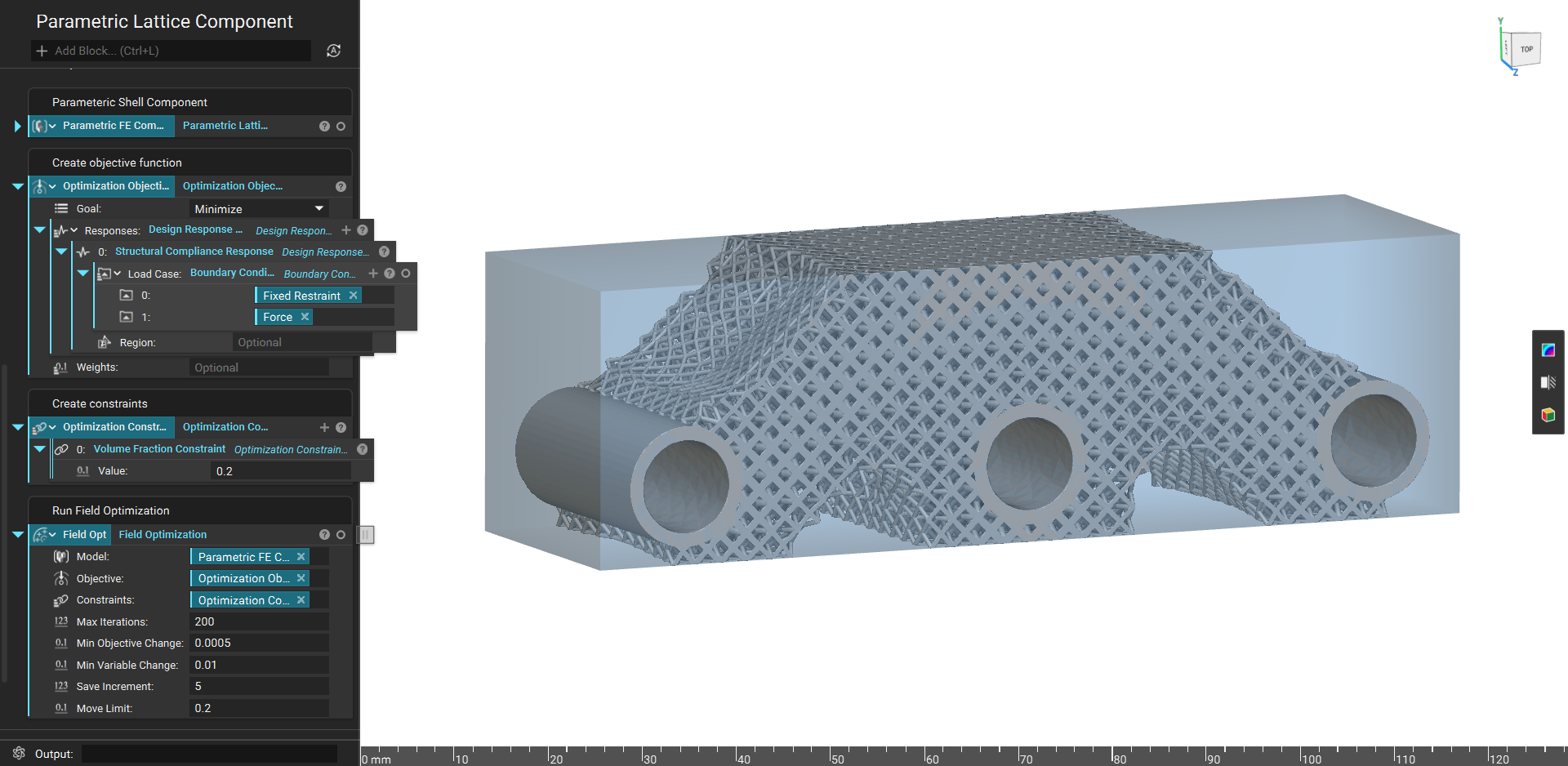
The Parametric Lattice Domain block creates a Parametric FE Domain parameterized with design parameters for a variably thickened lattice. The block uses a FE Volume Mesh as an input mesh to define the design space. This block allows you to select any currently available lattice types with constant cell size. This block is an input to the Parametric FE Model block. After field optimization, the optimized values for the lattice thickness is applied to the design space. The Parametric Lattice Domain uses homogenization data from a discretized beam thickness/cell size ratio set. There are two available options for Boundary. The Conformal one will warp the outer cells to fill the design space, whereas the Trimmed option would trim the lattice to the design space.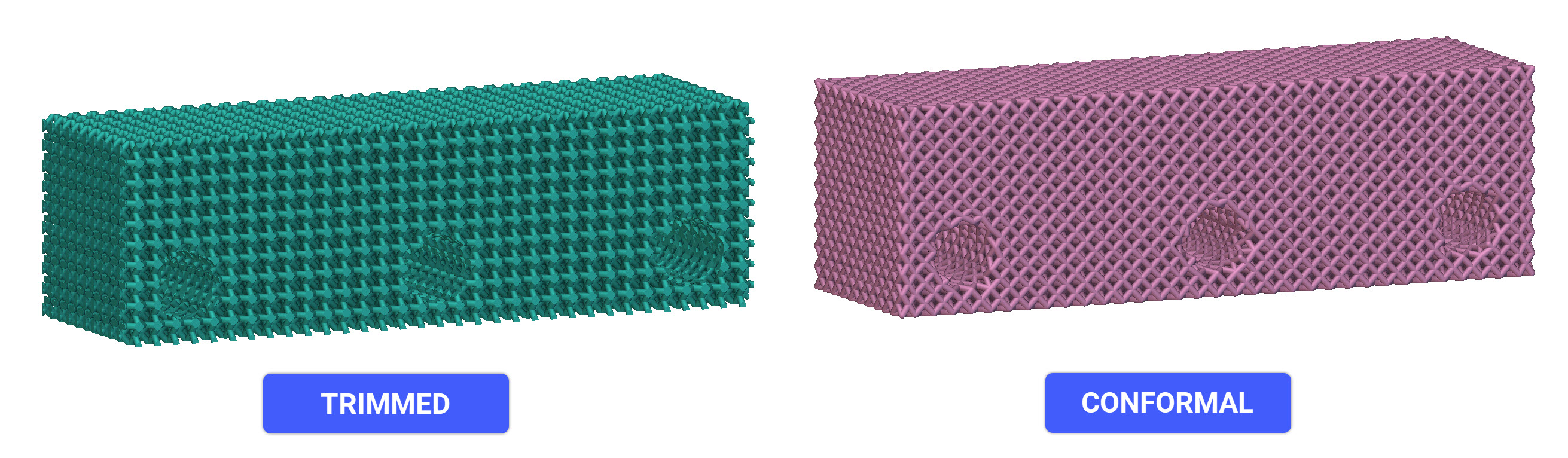 Common uses:
This block is an input to the Parametric FE Model block.
Once the Parametric Lattice Domain is generated, a HUD appears in the Viewport with several options for visualizing the results.
Common uses:
This block is an input to the Parametric FE Model block.
Once the Parametric Lattice Domain is generated, a HUD appears in the Viewport with several options for visualizing the results.
- Implicit View - allows you to view the resulting geometry.
- Property Fields - allows a user to view the mechanical properties of the structure across the design space before performing field optimization.
- State Fields - allows a user to view values of the design parameters across the design space before performing the field optimization.
- Adjust the Initial thickness to view the geometry generated for the Upper/Lower bounds to ensure printability before running a field optimization.
- Adjust the Density threshold to alter the lattice thickness and design space during optimization. The threshold value will remove less significant design space volume. A value of 0 will remove no design space and behave solely as a thickness optimization. A value of 0.3 will remove areas with less than a 30% volume fraction.
- The maximum allowable lattice thickness is 1.5 times the cell size. This is limited due to the data collected, as most lattices reach solid volume before this threshold.
Example File
Download Example: Parametric Lattice Domain