FE Mesh, Scalar Field, Material
Lattice, Geometric Order Enum, Scalar Field, Isotropic Material
About this Block
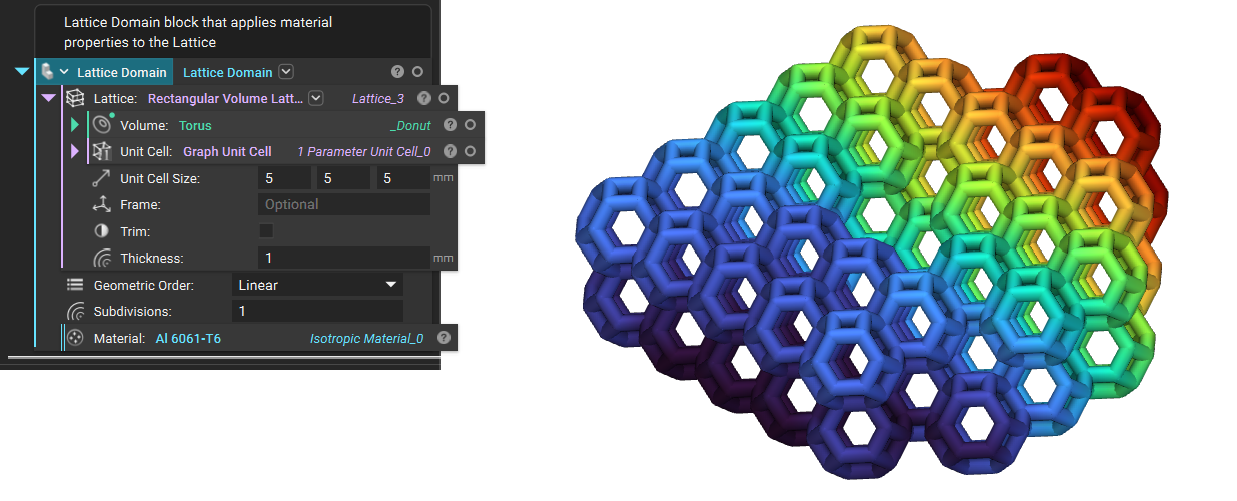
What it does: The Lattice Domain block creates an FE Domain from an input Lattice. Common uses:- Use this to create a Simulation Model for analysis workflows.
- Save time and skip traditional meshing when you are running an analysis.
- This block is an FE Domain type, which allows it to auto convert (called autocast) to an Simulation Model when it is used in an input that requires an Simulation Model. This is useful for single component setups.
- Open the properties of this block to use the FE attributes, FE Model, or FE Mesh chips.
- This block combines the FE Lattice Mesh with the Lattice Domain, removing the need for any meshing steps.
- When you are creating Boundary Conditions use the FE Mesh chip from the properties. If you don’t use this chip, you will get an error if your Boundary Condition references an FE Mesh that isn’t in the Simulation Model.
- Linear Geometric order is faster, but less accurate.
- Quadratic Geometric order is slower, but more accurate. We recommend this option if you are using the results downstream.
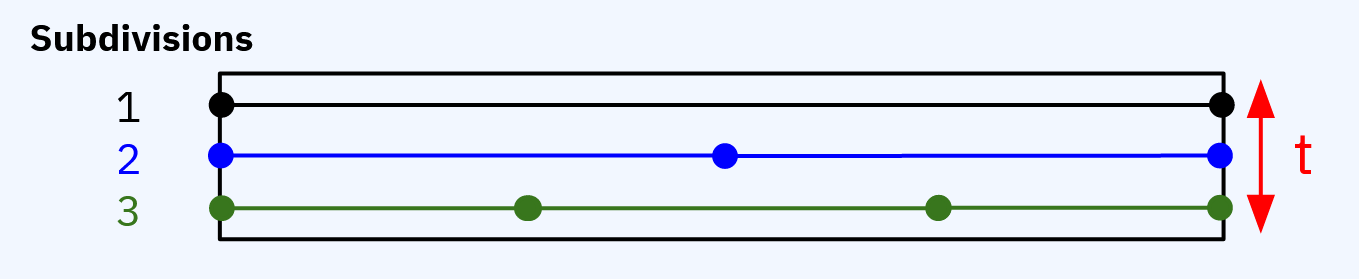
- Subdivision input will split the original beam into equal length subdivisions.
 Tips for the FE Mesh overload:
- Remove any inputs to change to the FE Mesh overload.
- Assigns a user-defined isotropic material and thickness to the lattice.
- This block is a custom block containing an Beam Attribute inserted into an FE Component.
- Input an FE Lattice Mesh into the Mesh input. If you use an FE Volume Mesh or FE Surface Mesh, you will receive an error.
Example File
Download Example: Lattice Domain