

Objective:
Learn how to get the cross-sectional area of each slice and their total lengths.Applies to:
- Slicing
- Exporting
Procedure:
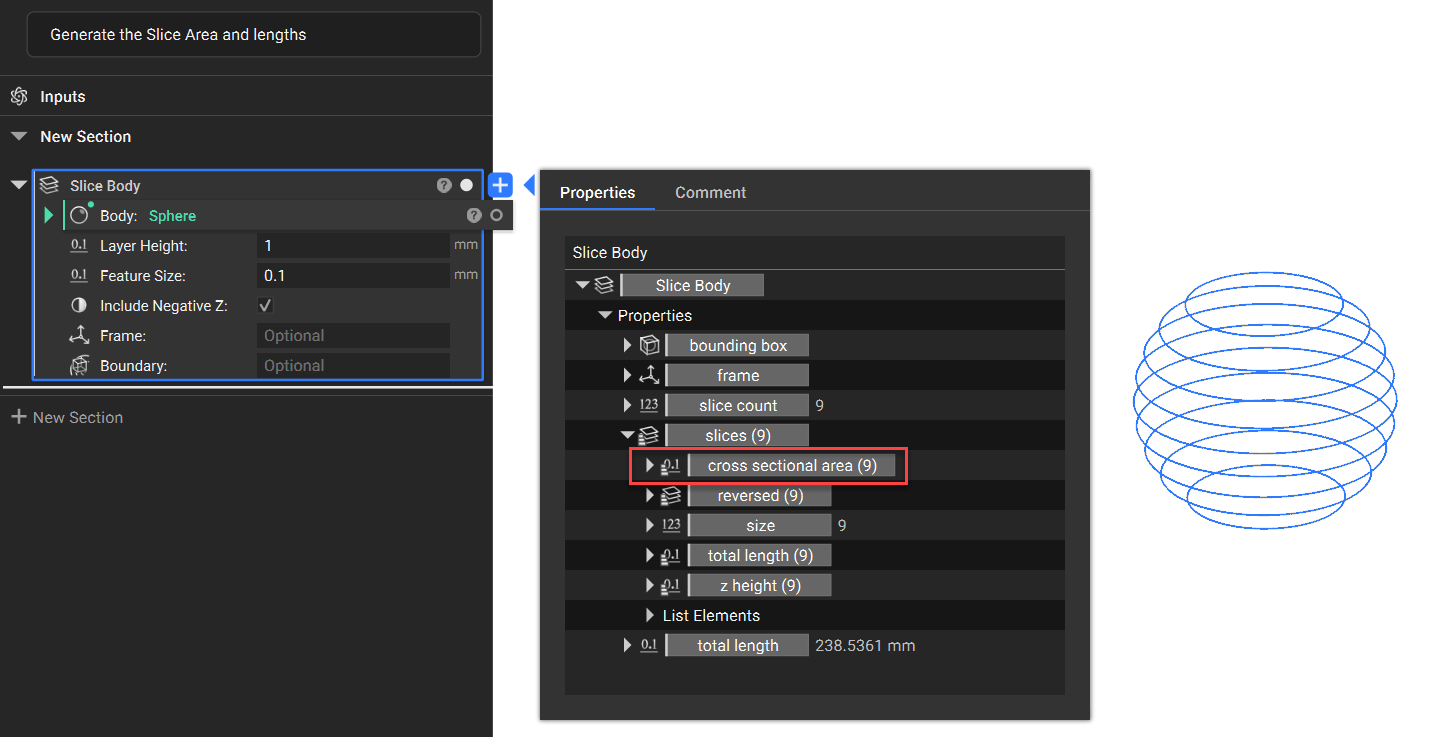
1. Start with your slices created 2. Extract the Properties- Open the Slice Body Properties
- Expand the Slices (#)
- Expand the Properties underneath the Slices (#)
- Drag out the cross-sectional area property and the total length property (you can also view these properties without dragging the chips out. Just expand the chevron to see their values)
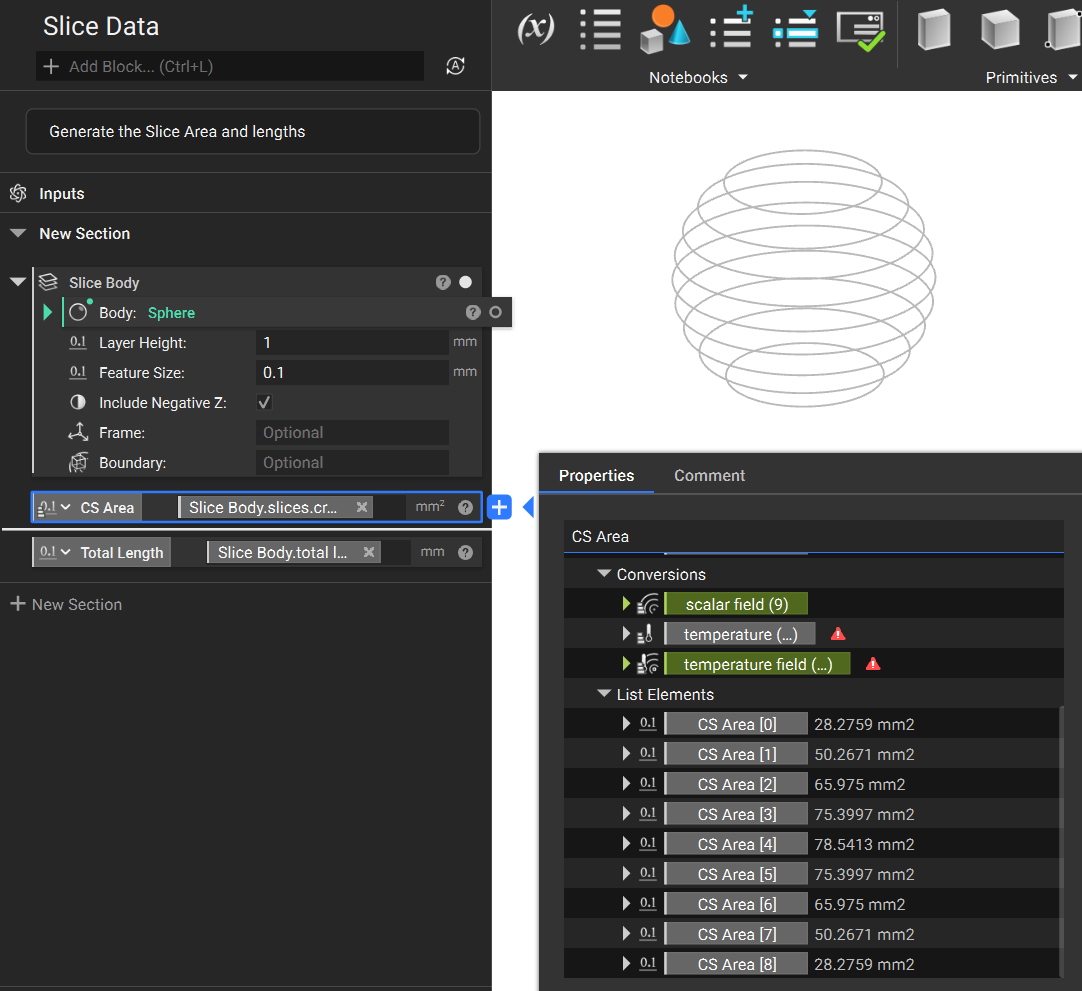 And that’s it! You’ve successfully determined the area and length of each slice.
Are you still having issues? Contact the support team, and we’ll be happy to help!
And that’s it! You’ve successfully determined the area and length of each slice.
Are you still having issues? Contact the support team, and we’ll be happy to help!