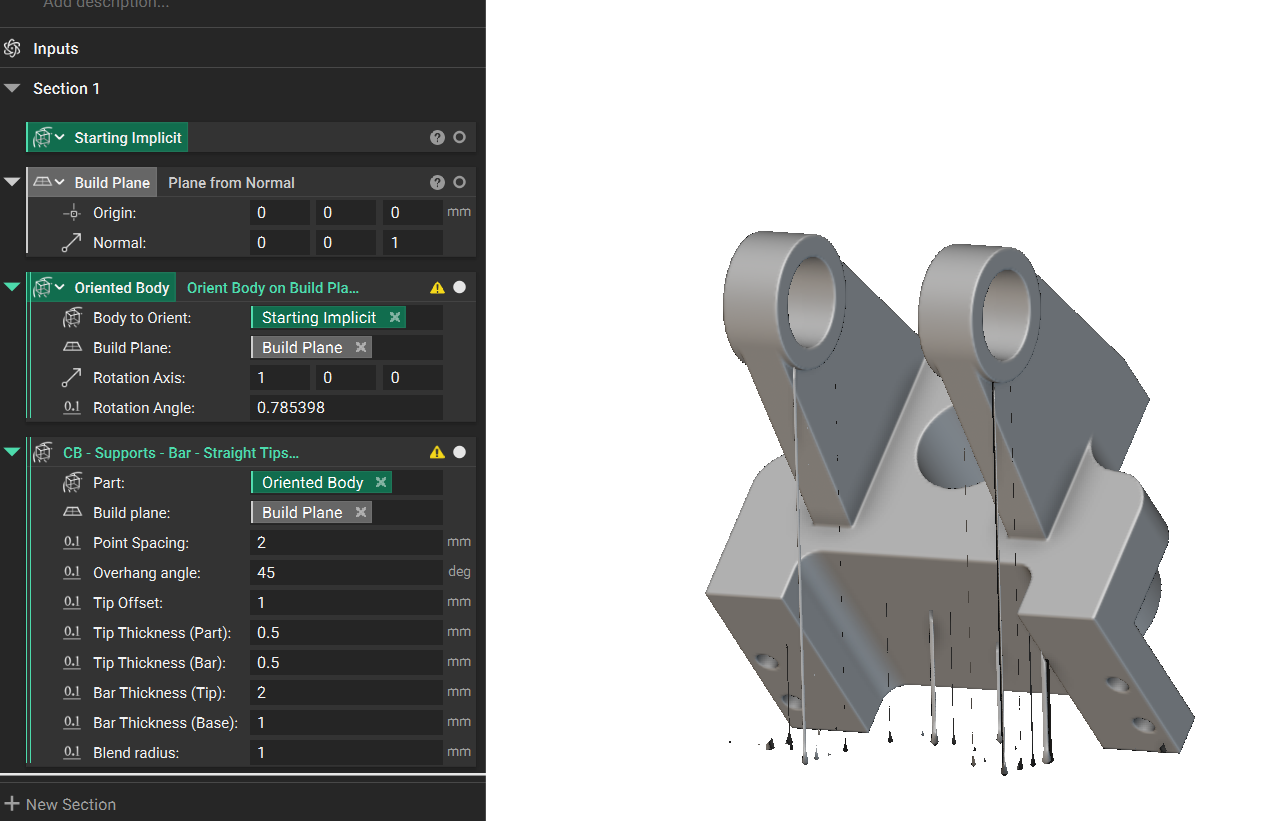
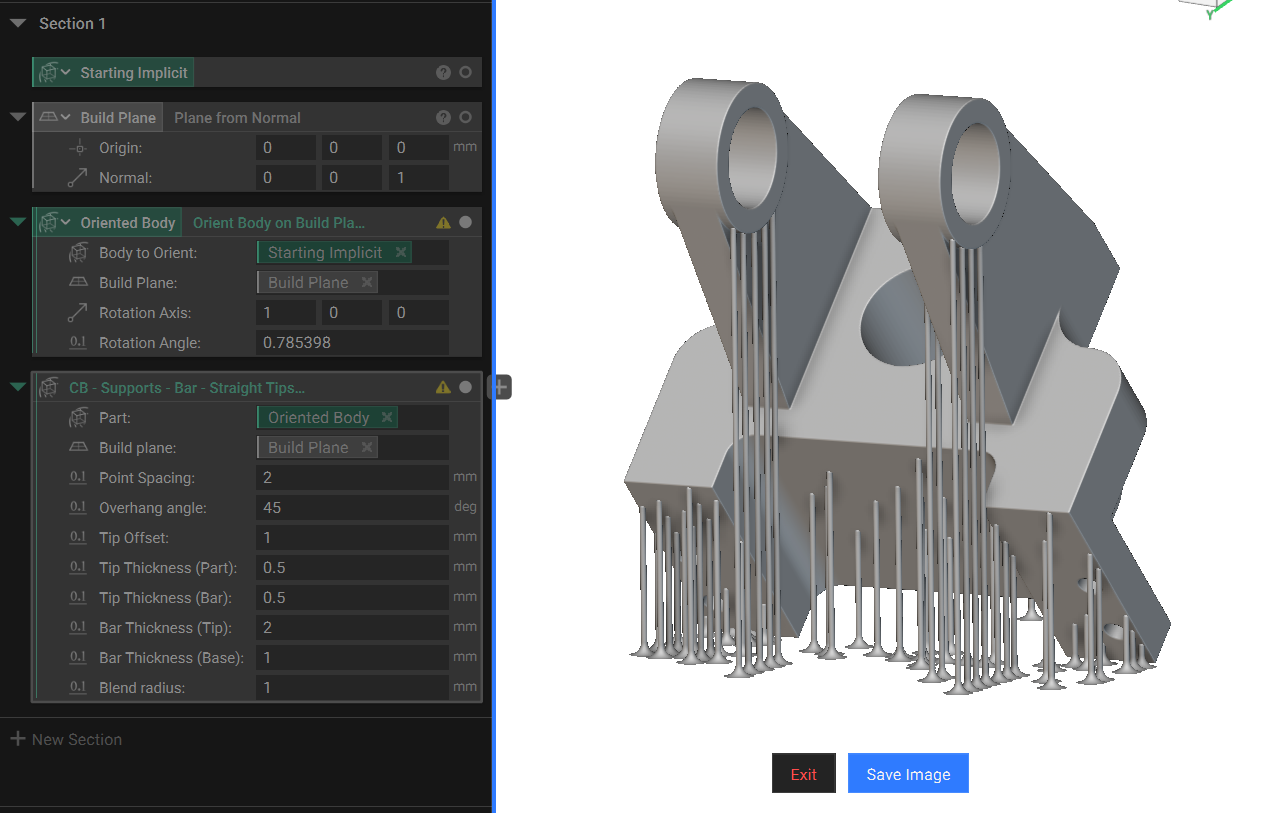
Objective:
Learn how to use the Supports - Bar - Straight Tips - Part to BPlate (External) custom block to generate bar supports under a part. In this example, you will learn how to use a combination of blocks to generate supports necessary for additive manufacturing.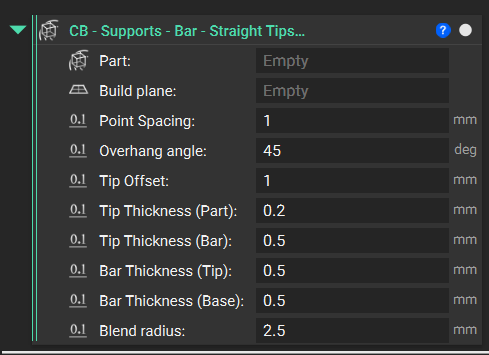
Applies to:
- Additive manufacturing
Procedure:
1. Import the Custom Block: Import the Supports - Bar - Straight Tips - Part to BPlate (External) custom block. 2. Fill out the inputs: Input 1: Part The input body is the part we want to support. We use this example’s bracket below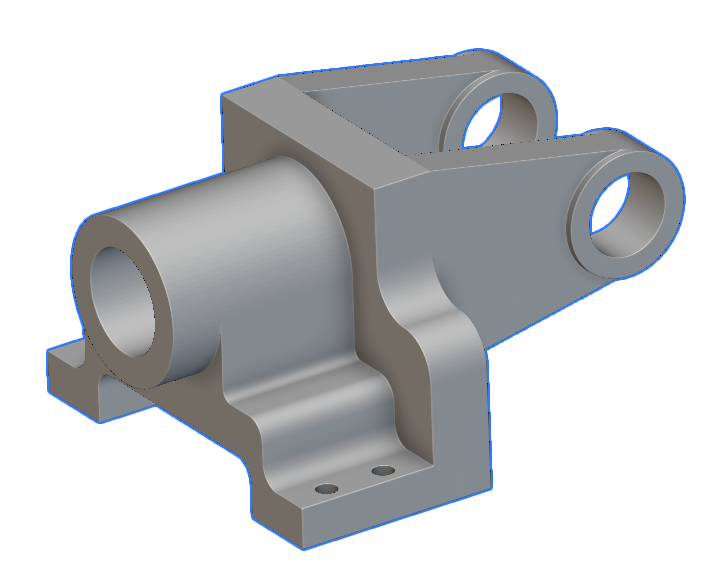 Input 2: Build Plane
- Define the build plane that your supports should be placed on
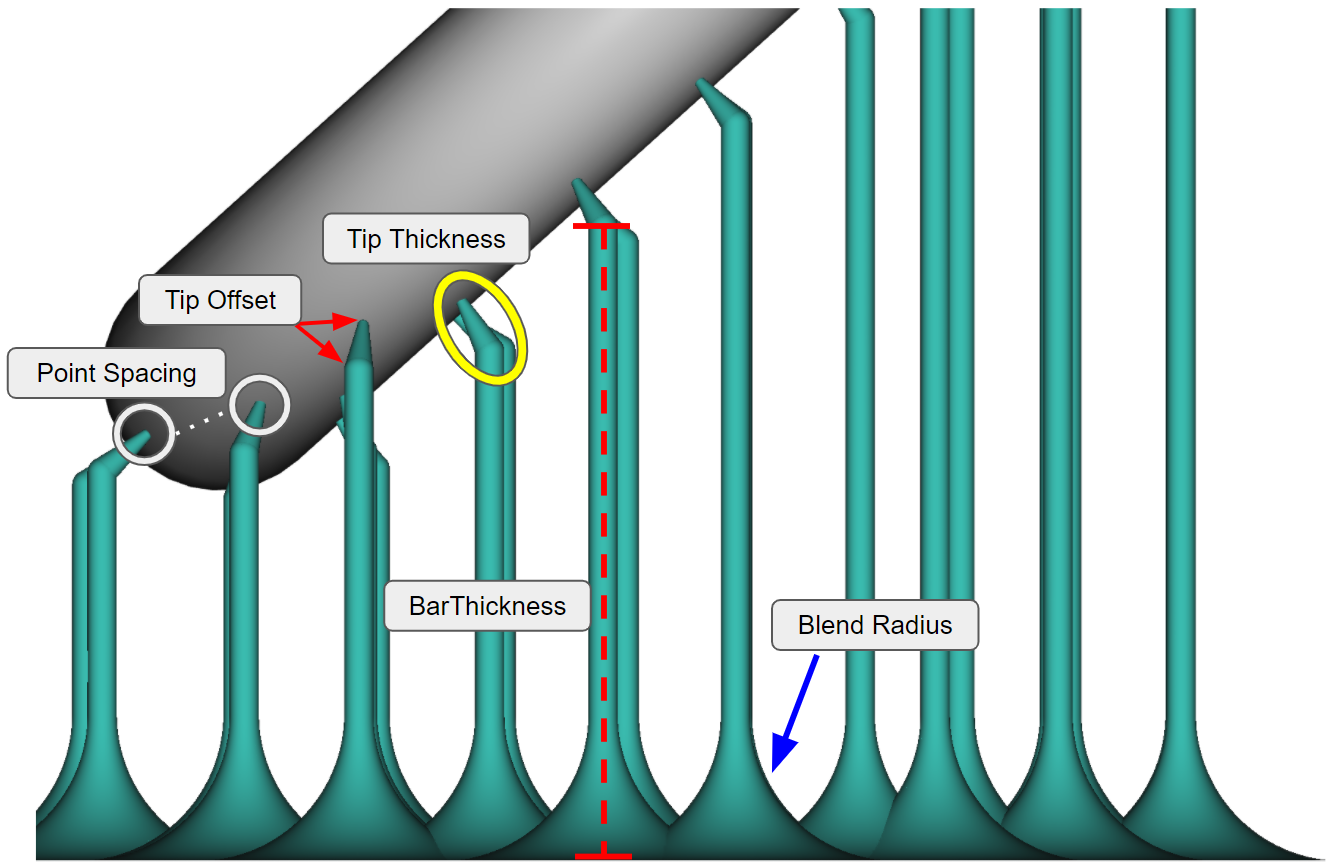 Input 3: Point Spacing
- Defines the space between the tip points on the part
- We recommend entering a value slightly less than the required Overhang angle to capture the entire area. An example of 44.8 degrees for a required 45 degrees.
- Defines the ‘length’ of the tip
- Controls the taper of the tip from the Part to the Bar
- Controls the taper of the bar from the Tip to the Base
- Controls the radius of the support beams connecting to the build plate