

Objective:
If you encounter issues using the Slice Body block, learn how to use the Custom Block, Slice by Tiers, to create your slices. This custom block breaks down the Slice Body block into multiple tiers. It exports a single tier of slices at the correct Z-reference height in CLI format.Applies to:
- Slice Body
- Crash during slicing
- Running out of memory while slicing
Procedure:
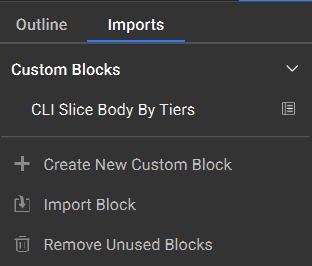
- Import the custom block CLI Slice Body by Tiers attached below.
- The inputs for the CLI Slice Body by Tiers are similar to that of the Slice Body block.
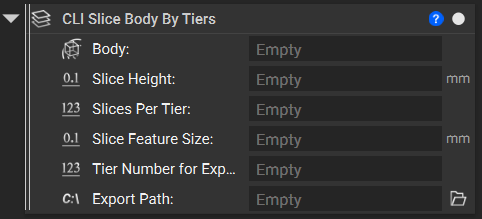
- Body: Implicit Body to slice
- Slice Height: Spacing between slice layers
- Slices Per Tier: Total height/Number of Tiers
- Slice feature size: Minimum feature size to accurately capture details
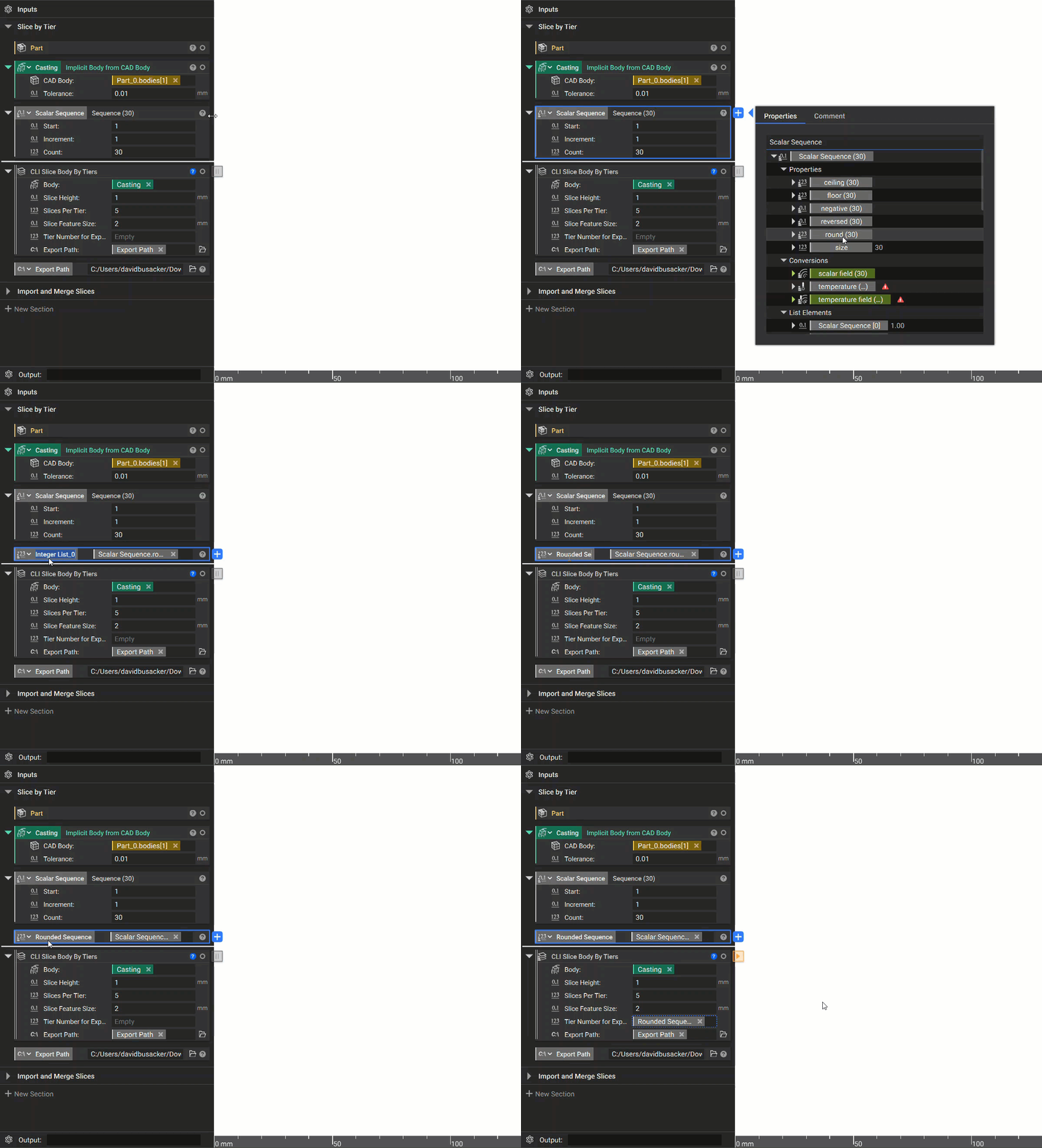
- Tier Number for Export: List of numbers for iterating all the tiers one after another
- Use the Sequence block to obtain the list with an increment of 1.
- Export Path: File path for export
Note: The ‘Include negative Z’ is checked on by default and the default ‘Frame’ selected for this block is X-axis 1,0,0 and Y-axis 0,1,0 with the bounding box centroid as the origin.
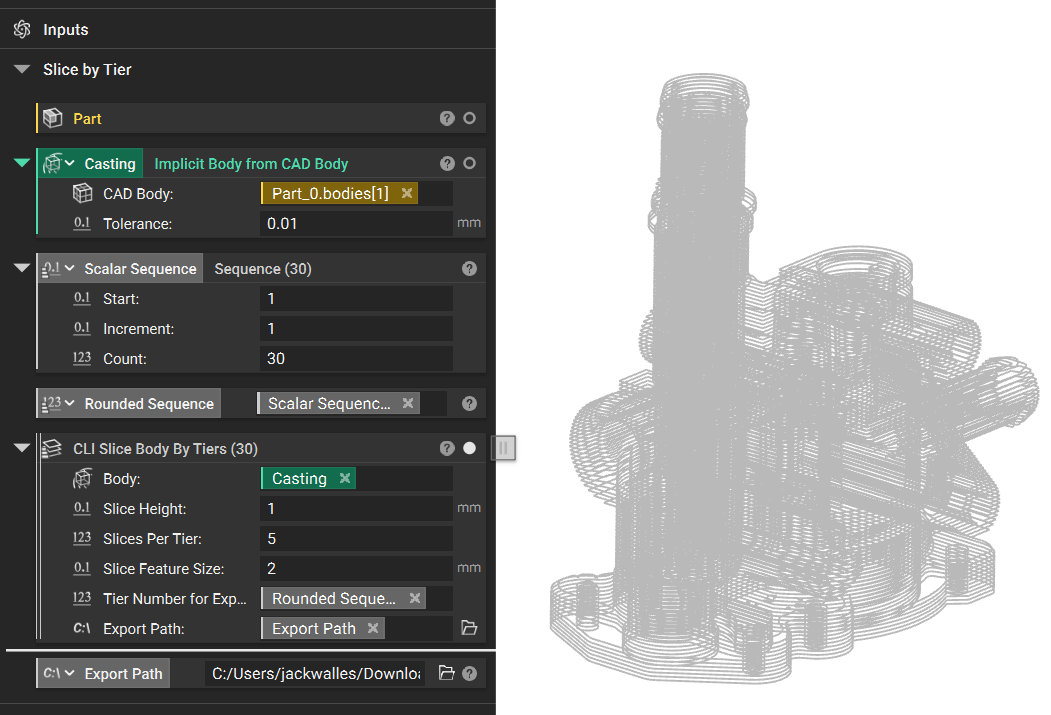
- Import and Merge Slices: If you wish to merge the slice stacks.
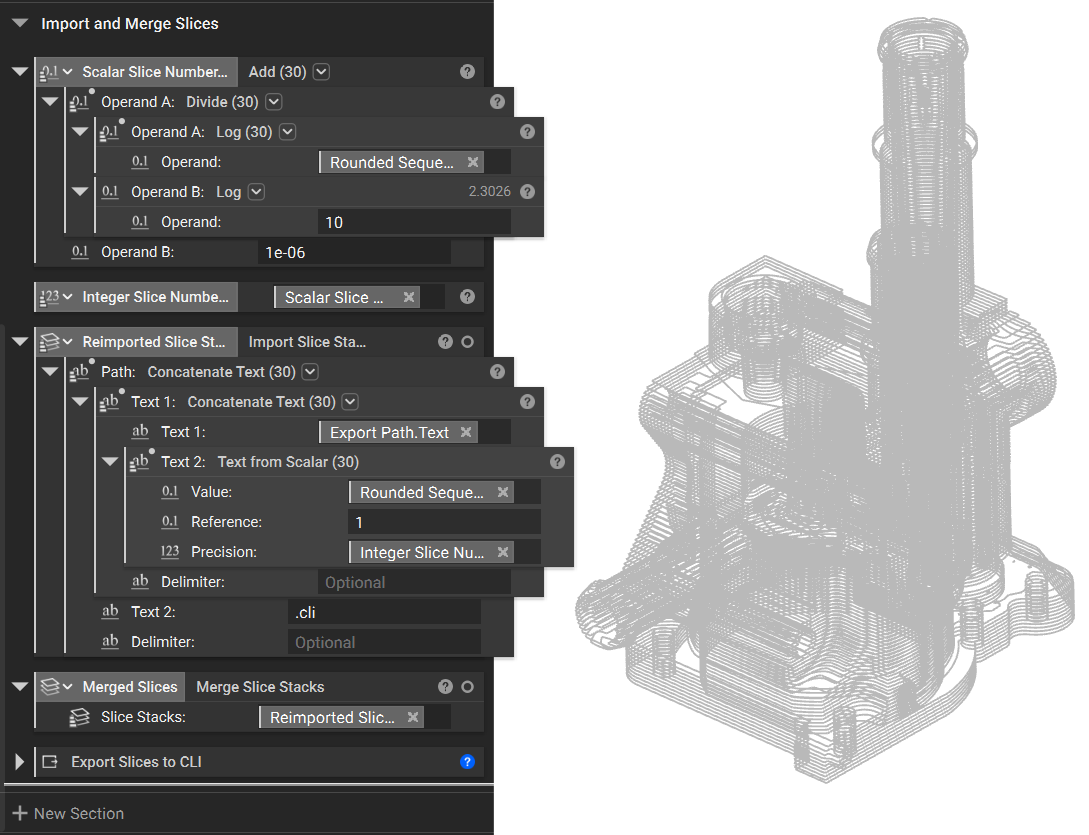 And that’s it! You’ve successfully sliced by tiers.
Are you still having issues? Contact the support team, and we’ll be happy to help!
And that’s it! You’ve successfully sliced by tiers.
Are you still having issues? Contact the support team, and we’ll be happy to help!