

About this Block
What it does: The Cubic Bezier block creates an Implicit Body whose boundary is formed by a smooth, implicit cubic Bézier curve. The shape of the curve is controlled by four points.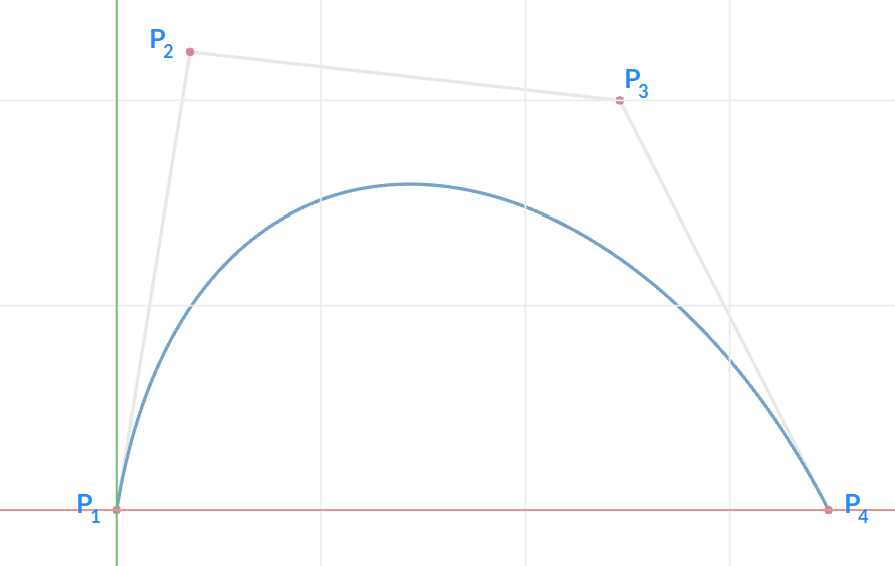 Common uses:
- Designing aerodynamic profiles for wings, fuselages, and other vehicle bodies.
- Modeling smooth transitions in components like ducts, inlets, and nozzles to manage fluid flow.
- Creating architectural features like arches and curved facades.
- For advanced applications, you can use a Ramp or Distance to Curve from Axis block to vary the points.
- You would need to combine it with a Boolean Intersect block to create a solid since the block only outputs the implicit surface.
Example File
Download Example: Cubic Bezier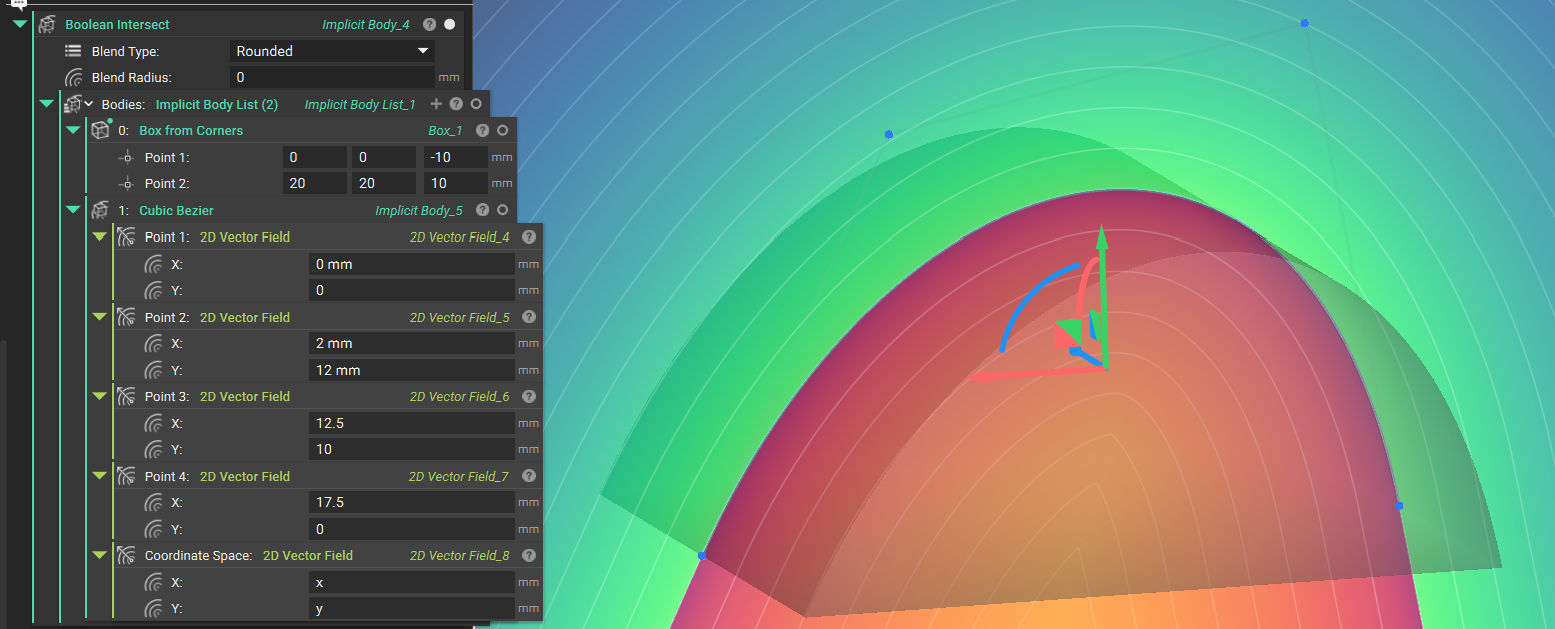
Create a cubic Bezier distance field. The signed distance of a planar cubic Bezier curve will be returned.