nTop home page
Search...
⌘K
Ask AI
Login
Get a demo
Get a demo
Search...
Navigation
Primitives
Sphere
Product Documentation
Blog
nTop
Welcome to nTop!
Getting Started
Concepts
User Interface
Blocks and the Notebook
File Types
Block Documentation
Block Documentation
Blocks
Overview
Create
Create
Primitives
Primitives
Box
Cube
Box from Corners
Rounded Box
Skewed Box
Cylinder
Cylinder from Line Segment
Rounded Cylinder
Capsule
Sphere
Cone
Torus
Regular Polygon
Circle
Bounding Box
Rectangle
Rectangle by Points
Slot
Slot by Points
Cubic Bezier
Conic
Vectors
Curves
Color
Modeling
Lattices
Fields
Math
Structures
Optimization
Parameter Optimization [Beta]
Utilities
Manufacturing
Beta
Rib Design [Beta]
Fluids [Beta]
Types
Enums
Error Documentation
Release Notes
nTop Automate
Using nTop Automate
On this page
About this Block
Example File
Inputs
Outputs
nTop
Block Documentation
Blocks
Create
Primitives
Sphere
Copy page
Copy page
About this Block
What it does:
The
Sphere
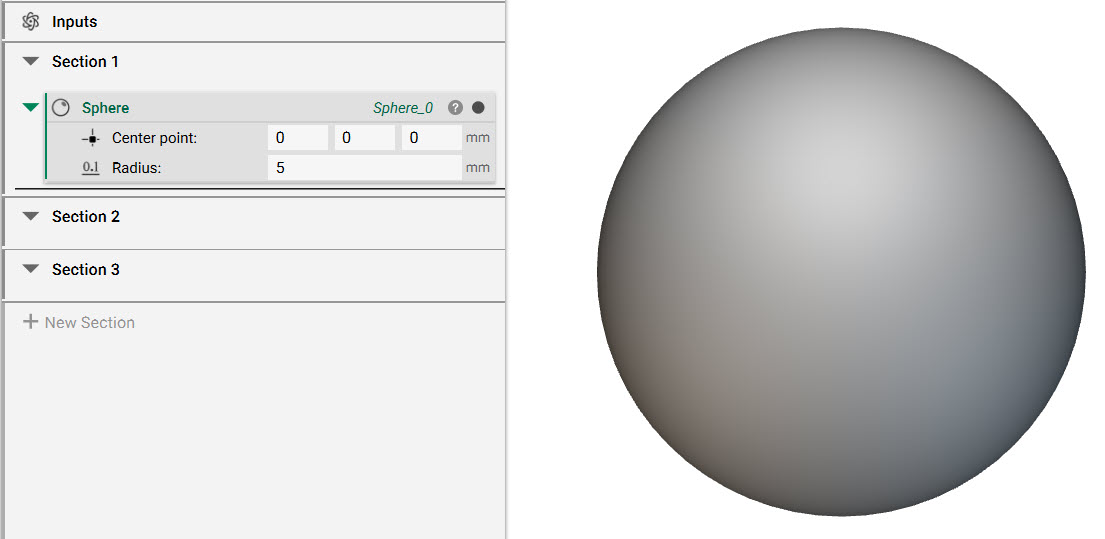
block creates a sphere from a user-defined center point and radius.
Common uses:
Texturing
Boolean Operations
Spherical cell maps
Tips
To add texture to a surface using random points:
https://support.ntopology.com/hc/articles/360060794753
To add perforations:
https://support.ntopology.com/hc/articles/1500012943262
Example File
Create a sphere from a center point and radius.
Inputs
Name
Type
Description
Center point
Point
Center point of sphere.
Radius
Scalar
Radius of sphere.
Outputs
Type
Sphere
Capsule
Previous
Cone
Next
⌘I
Assistant
Responses are generated using AI and may contain mistakes.