

About this Block
What it does: Imports external data from a source .csv file into a Vector Point Map. The .csv file needs to contain lines of six scalar numbers separated by commas. The first three numbers in the row define the position of a point, and the last three numbers define a vector assigned to that point. You can generate the input .csv file from external CAD software, spreadsheet software, or a scripting language like MATLAB or Python. The input file must be a .csv, but .xls, .txt, or other readable file formats can be saved as .csv before importing. Tips:- The Units input specifies the length units that you assign to the points.
- The Scale input allows you to scale the vector by a scalar number and set its units if needed.
- The .csv file should not contain units, but units can be assigned to the vector by the Scale input.
Example File
Download Example: Import Vector Point Map Download CSV: Import Vector Point Map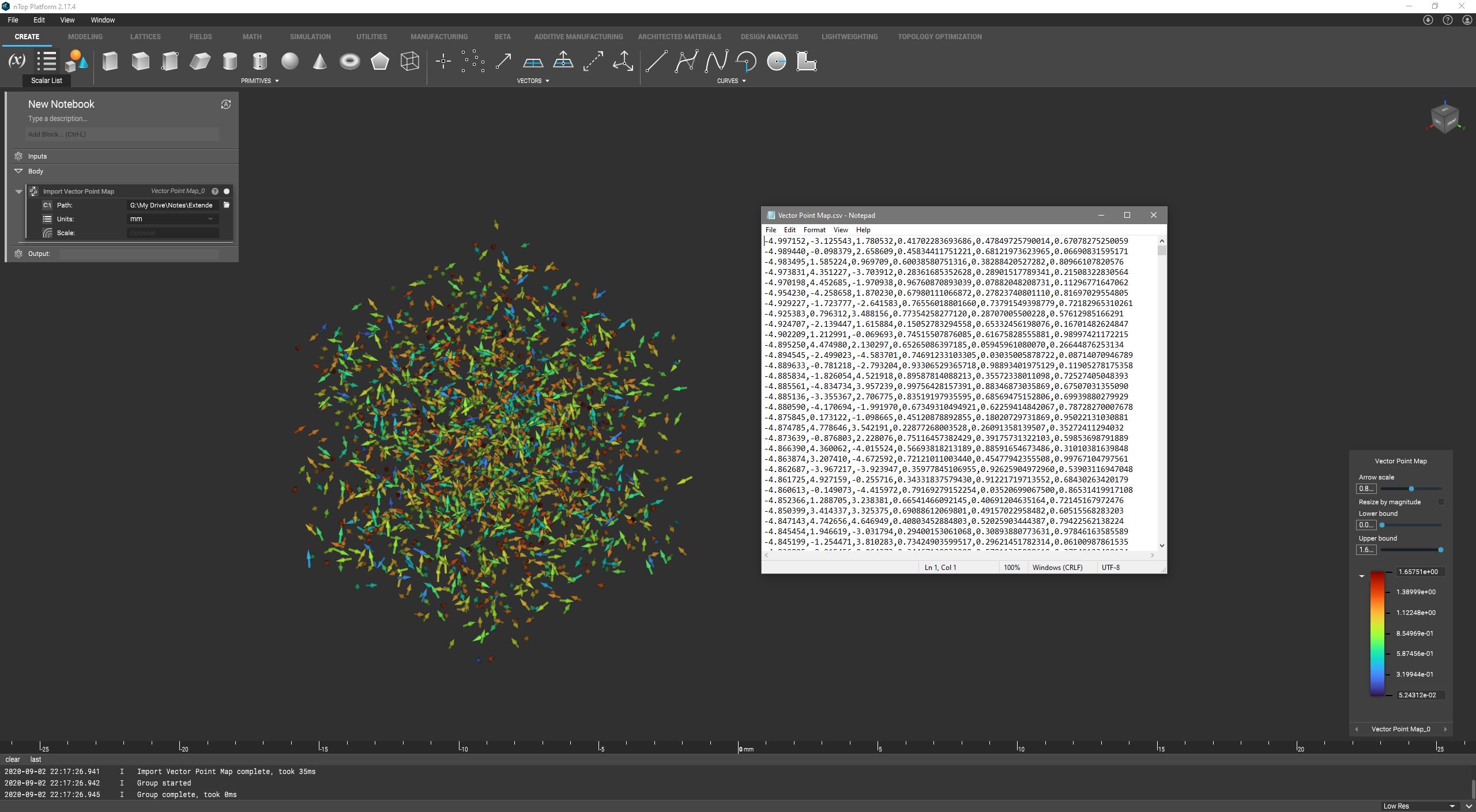
Import vector point map data from a CSV file. Each row of the source file should be formatted as “x, y, z, u, v, w.”