

About this Block
What it does: Selects the FE Mesh elements whose center of mass lies within the tolerance value of the implicit body. Commons uses:- Choosing areas for defining material and elemental properties.
- Choosing elements for Boundary Conditions.
- This block selects elements that are present within the FE Mesh. These elements include beams, shells, or cells (including interior cells).
-
How to decide which Entity type to choose:
- Choosing your entity depends on the type of elements available in the mesh.
- Cells can only be selected on an FE Volume Mesh.
- Shells can only be selected on FE Surface Mesh and FE Lattice Mesh (only if the lattice contains faces).
- Beams can only be selected on beam-based FE Lattice Meshes.
- Choosing your entity depends on the type of elements available in the mesh.
Example File
Download Example: FE Region by Body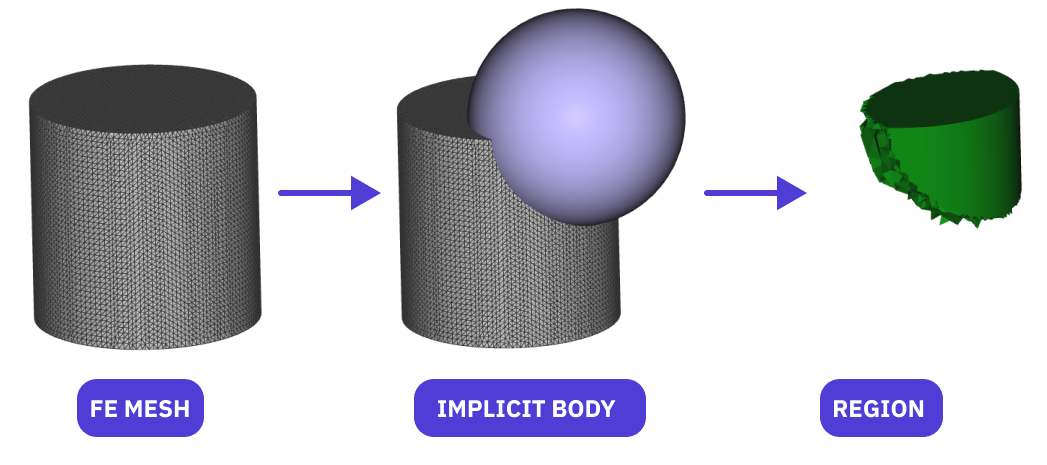
Select elements in an FE Mesh using an Implicit Body. Elements with their center of mass lying within a defined tolerance of the Implicit Body will be selected.