

Summary:
Creating surface textures has many applications, from aesthetics effects to increasing mechanical grip or decreasing aerodynamic drag. The required geometries can be challenging to draw manually and even more challenging to scale and conform around complex parts.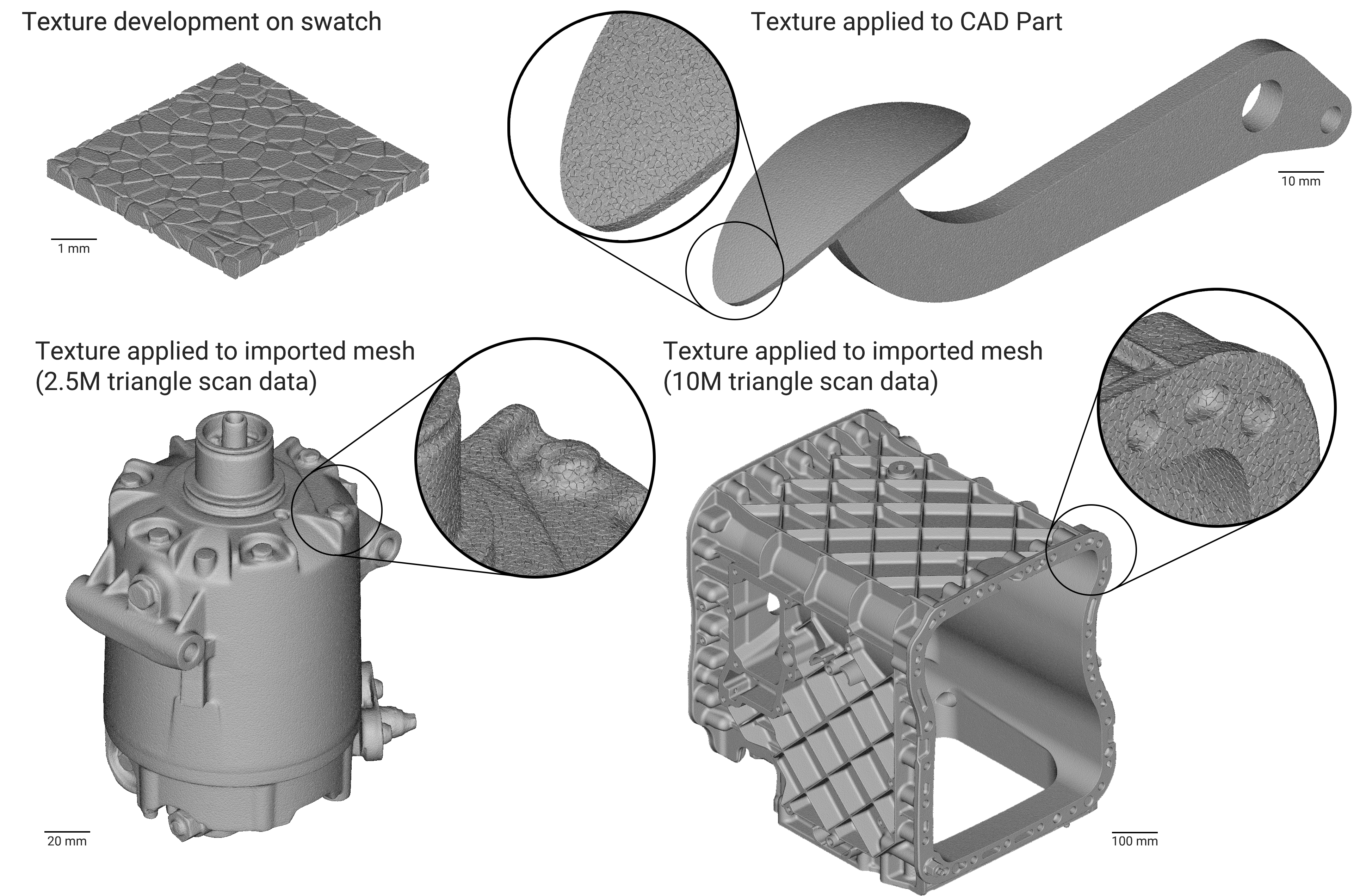 Procedural texturing generates a surface texture using a mathematical procedure or algorithm. It can be especially advantageous over the manual modeling of surface features if the desired outcome is an organic-looking texture without repeating unit cells (e.g., leather instead of knurling).
This tutorial explains how to use procedural methods to generate surface textures with helpful example files.
Procedural texturing generates a surface texture using a mathematical procedure or algorithm. It can be especially advantageous over the manual modeling of surface features if the desired outcome is an organic-looking texture without repeating unit cells (e.g., leather instead of knurling).
This tutorial explains how to use procedural methods to generate surface textures with helpful example files.
- Create a repeatable workflow that can apply a surface texture to any part
- Generate surface roughness that conforms to CAD geometry
- Modify the basic roughness workflow to create attractive wood, leather, and marble textures.
Applies to:
- nTop
- Surface texturing
- Implicit modeling
Why is nTop good at Procedural Texturing?
nTop’s implicit modeling engine is mathematically based, and natively compatible with procedural texturing recipes. Field-driven design allows users to control the size, shape, or strength of the texture however they desire. Note that other texturing methods are available in nTop as well, and can sometimes be easier for simple parts.Roughness
Adding roughness is perhaps the simplest procedural texture and a foundation for the more advanced ones below. It involves three easy steps: generating noise, scaling the noise, and applying it to a part.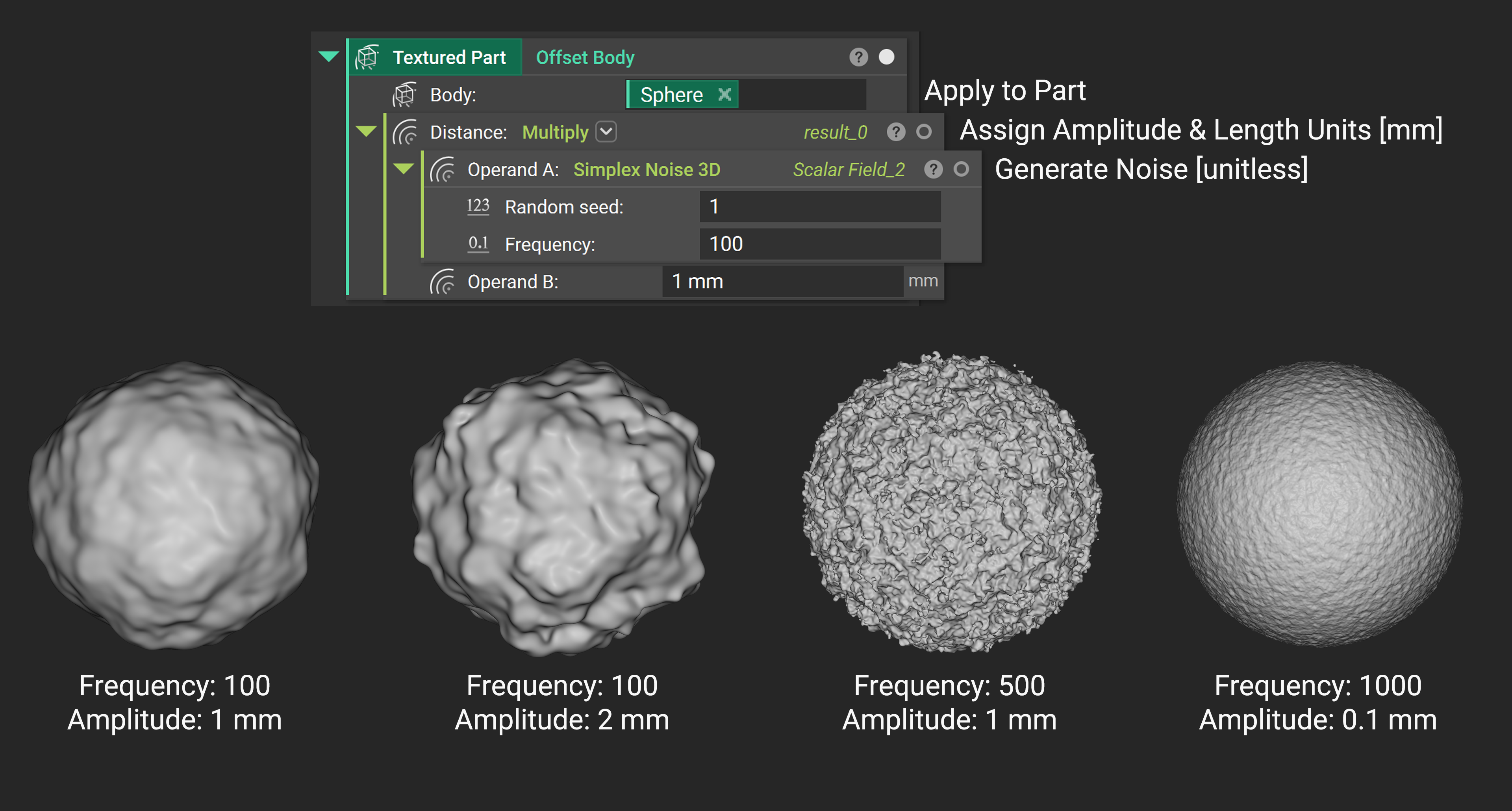 Roughness begins with a Simplex Noise 3D block.
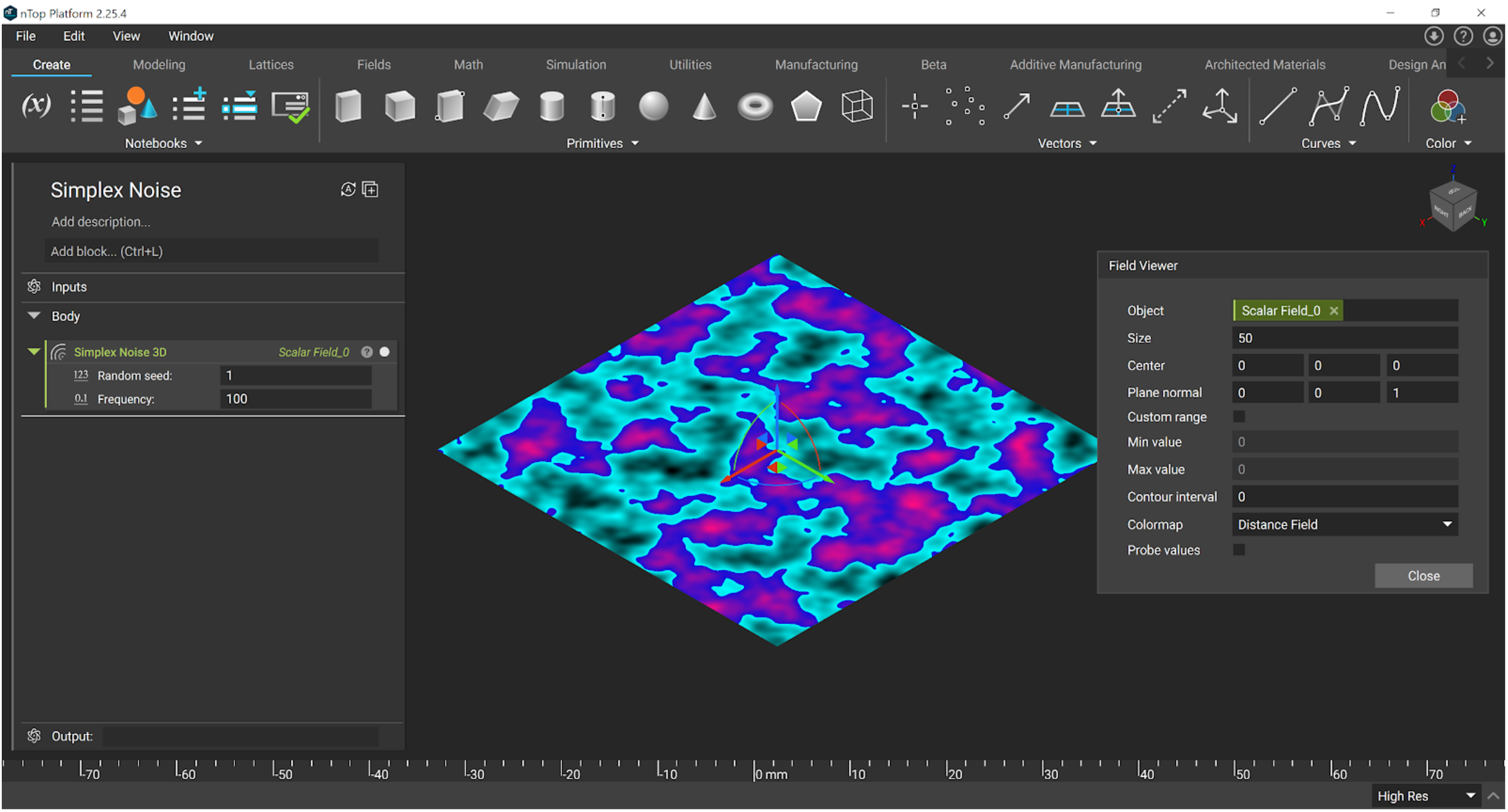 Using the field viewer (press F), you can see that the noise ranges from -1 to 1 (toggle “Probe Values” on the Field Viewer dialog, and hover over the field). The influence of the frequency input is best visualized by changing the value, and the random seed is useful if you want to layer multiple noise functions without them coinciding, or to randomize different parts’ textures.
We need to assign length units in order for it to change the shape of a part. Using a multiply block assigns units of length, and also the strength or amplitude of the noise. Imagining this as a digital signal or 3D oscilloscope may help.
Using the field viewer (press F), you can see that the noise ranges from -1 to 1 (toggle “Probe Values” on the Field Viewer dialog, and hover over the field). The influence of the frequency input is best visualized by changing the value, and the random seed is useful if you want to layer multiple noise functions without them coinciding, or to randomize different parts’ textures.
We need to assign length units in order for it to change the shape of a part. Using a multiply block assigns units of length, and also the strength or amplitude of the noise. Imagining this as a digital signal or 3D oscilloscope may help.
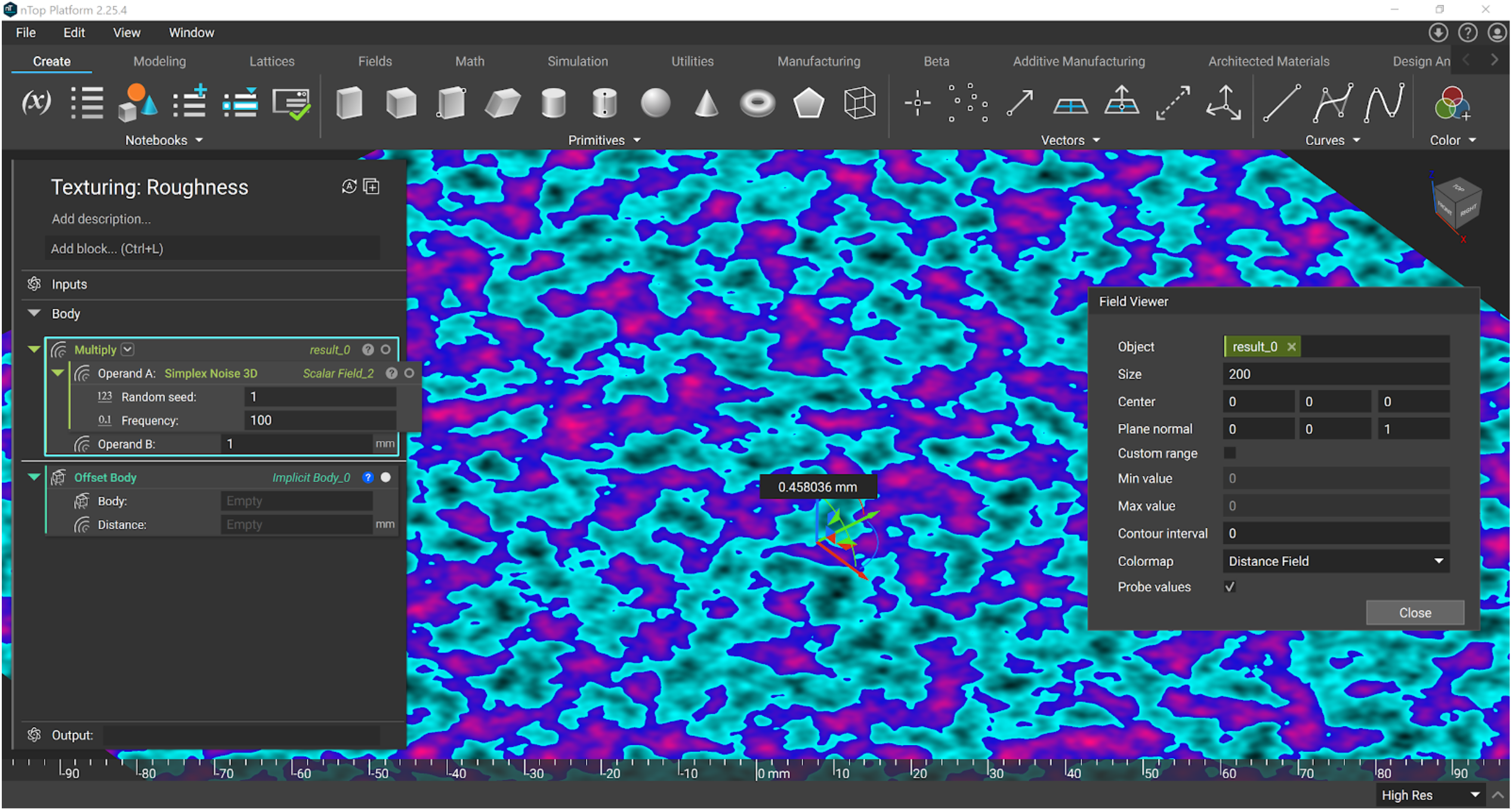 The resulting field now has units of length and can be used in an Offset block to add and remove material (the original sphere is shown in green). The magnitude of this multiplying value controls the depth or strength of the texture and can be varied spatially.
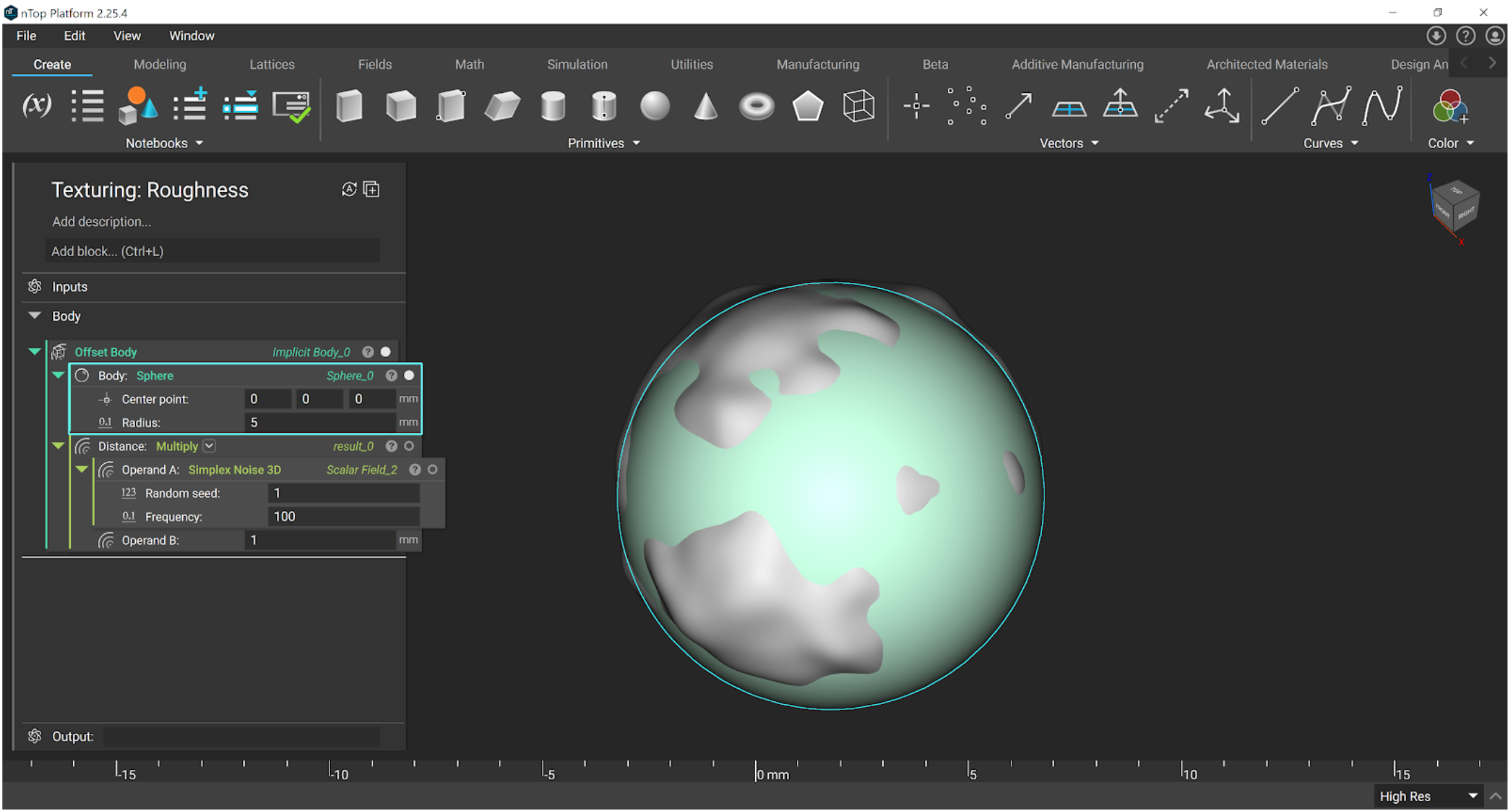 Organizing the notebook, you can now swap in any part into this roughness texturing workflow, including imported CAD or mesh files (once converted to Implicit).
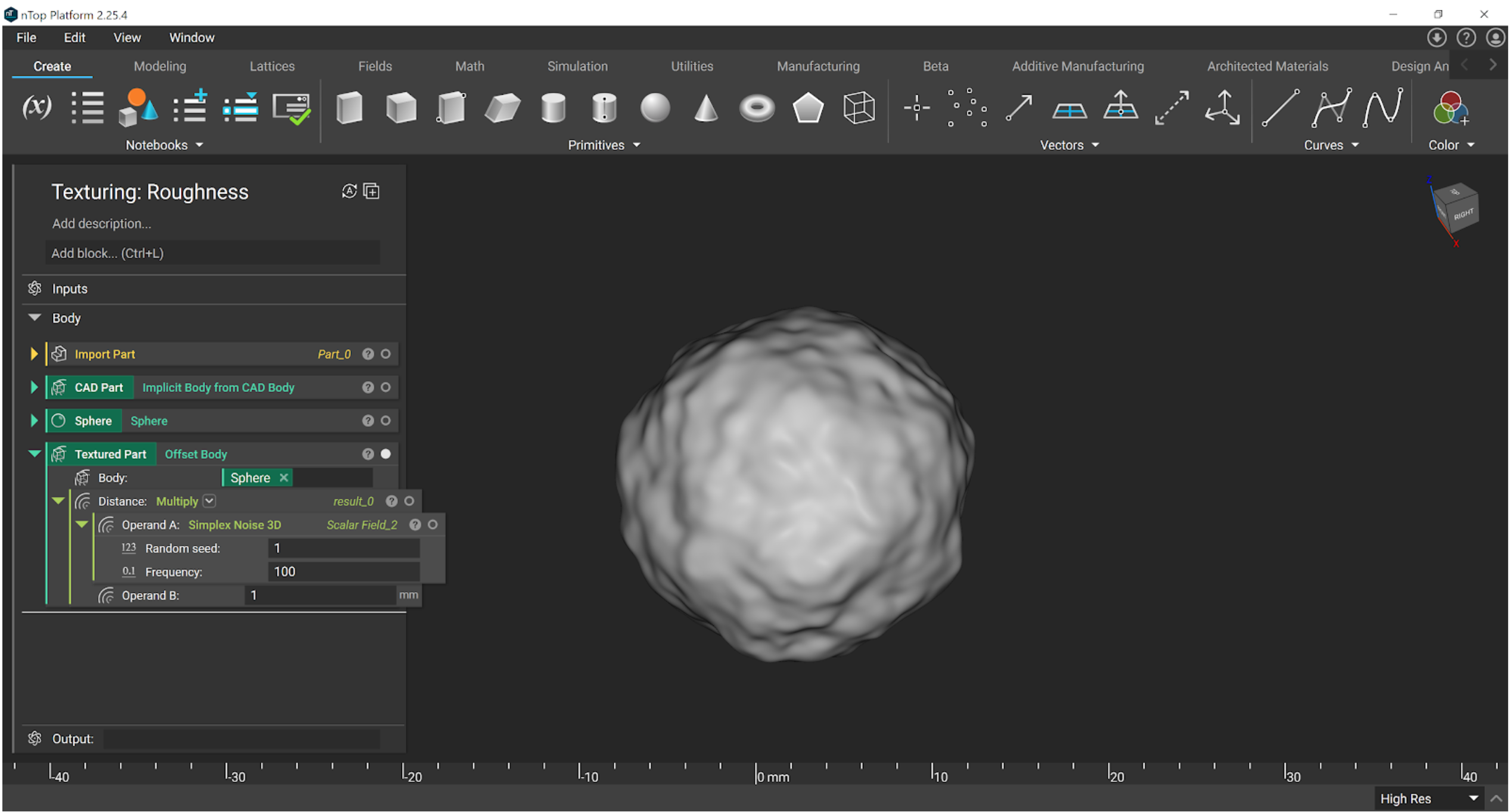 Shown on an imported CAD part:
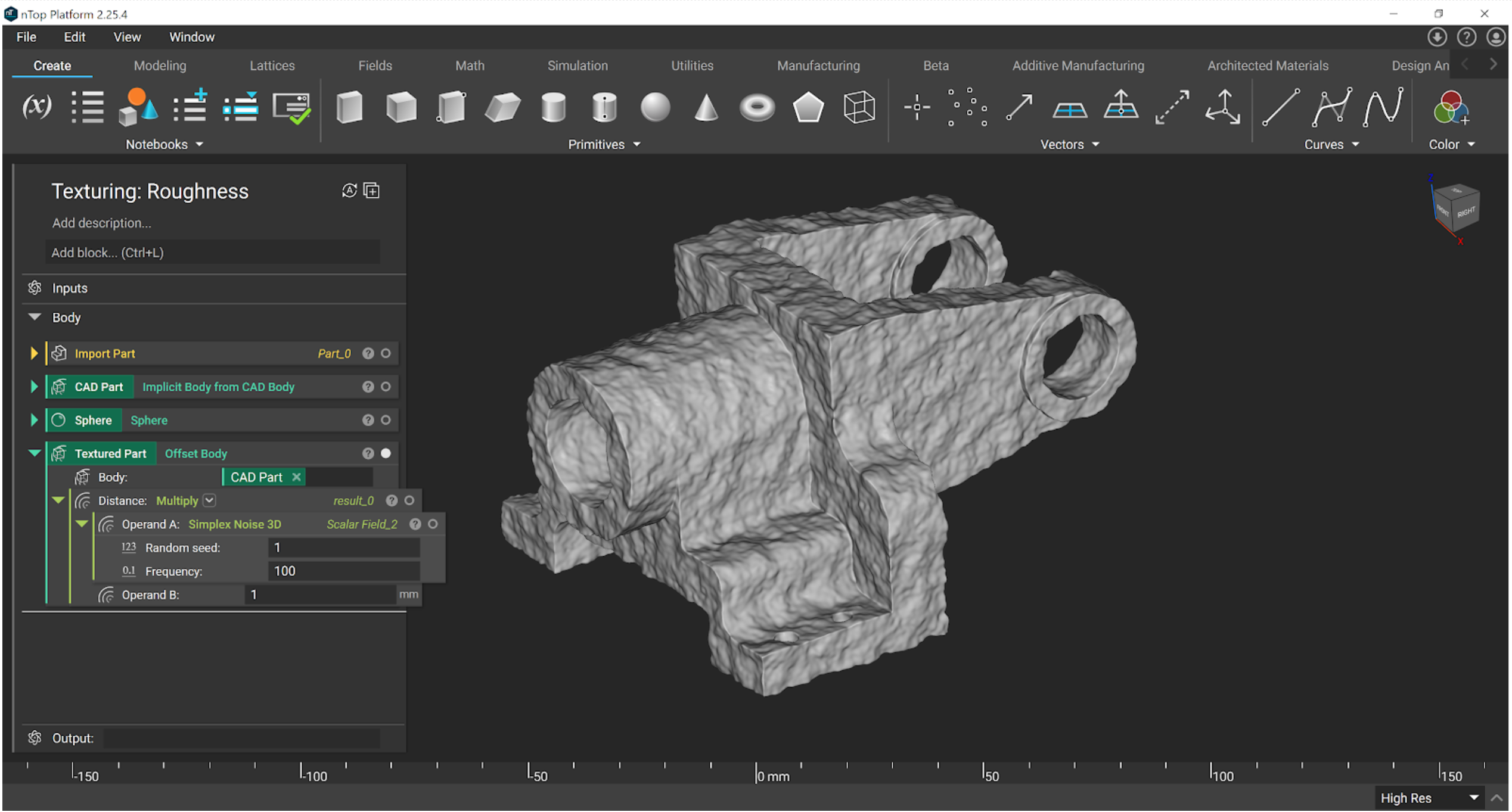 See example file: Texturing - Roughness.ntop
The texture depth can be controlled with a ramp block in the multiply input. Here we show fading from smooth (0 mm) to textured (1 mm) as we proceed away from the plane.
See example file: Texturing - Roughness.ntop
The texture depth can be controlled with a ramp block in the multiply input. Here we show fading from smooth (0 mm) to textured (1 mm) as we proceed away from the plane.
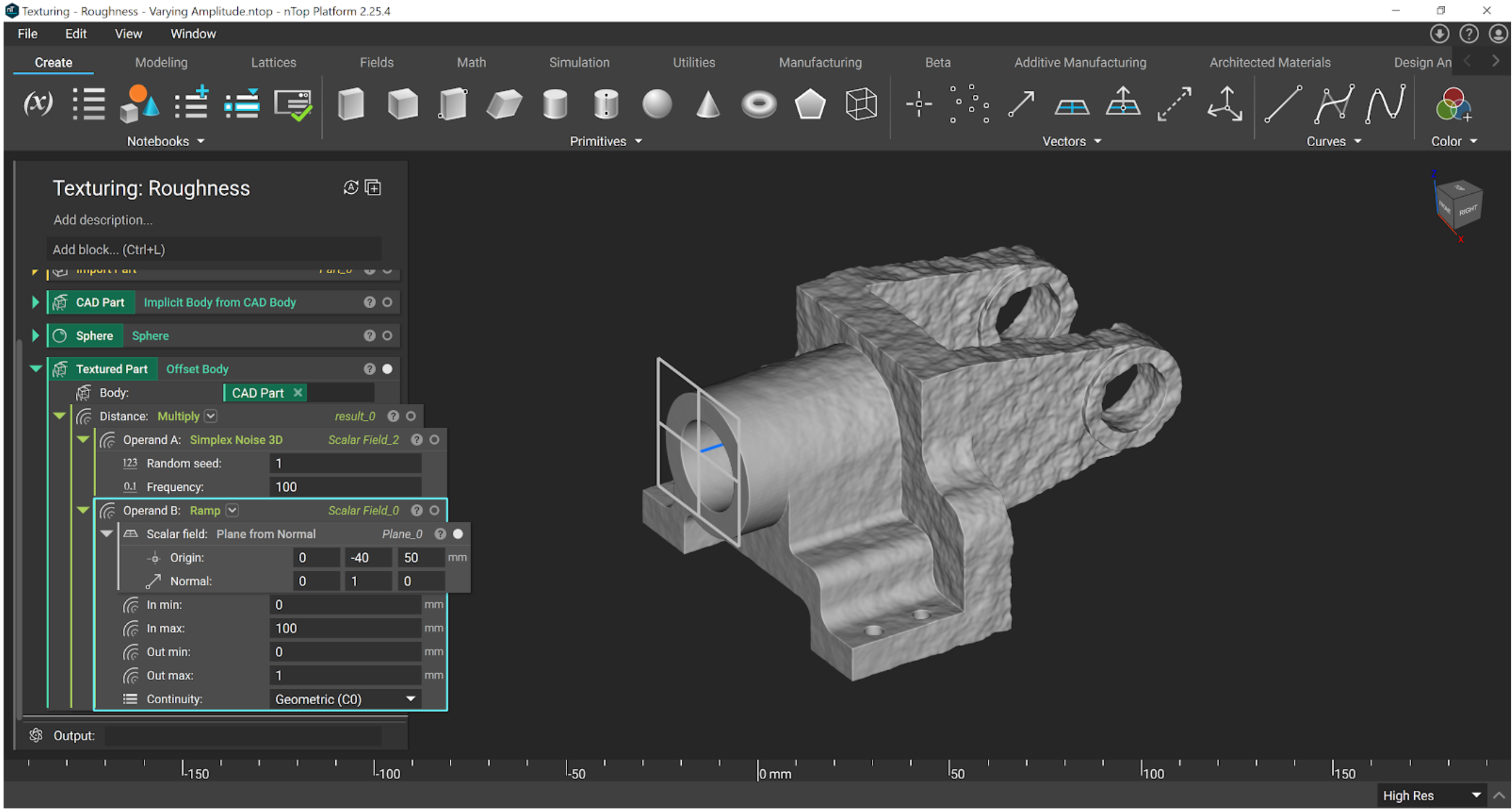 See example file: Texturing - Roughness - Varying Amplitude.ntop
The texture’s frequency can also be controlled by ramps, with a few more steps. Here we use a Remap Field block to warp the underlying noise field. A ramp block is used in each of the X, Y, Z inputs (recall the noise signal extends in 3D), each with their respective axis being divided by 10 as we move away from the plane. The two effects (ramping both frequency and amplitude) can also be combined.
See example file: Texturing - Roughness - Varying Amplitude.ntop
The texture’s frequency can also be controlled by ramps, with a few more steps. Here we use a Remap Field block to warp the underlying noise field. A ramp block is used in each of the X, Y, Z inputs (recall the noise signal extends in 3D), each with their respective axis being divided by 10 as we move away from the plane. The two effects (ramping both frequency and amplitude) can also be combined.
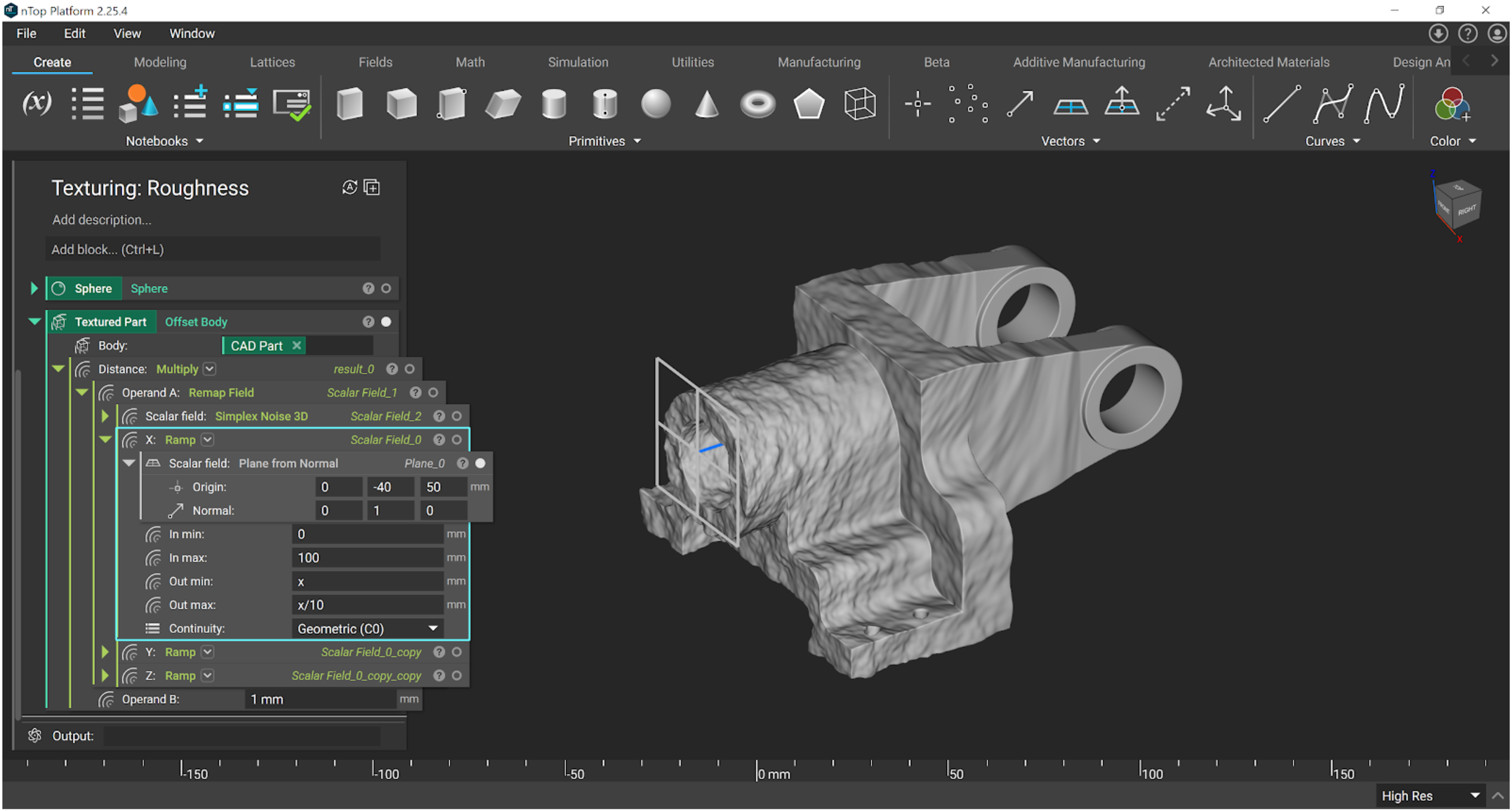 See example file: Texturing - Roughness - Varying Frequency.ntop
Leather
Cellular Noise is another block available and is useful for replicating natural textures such as leather.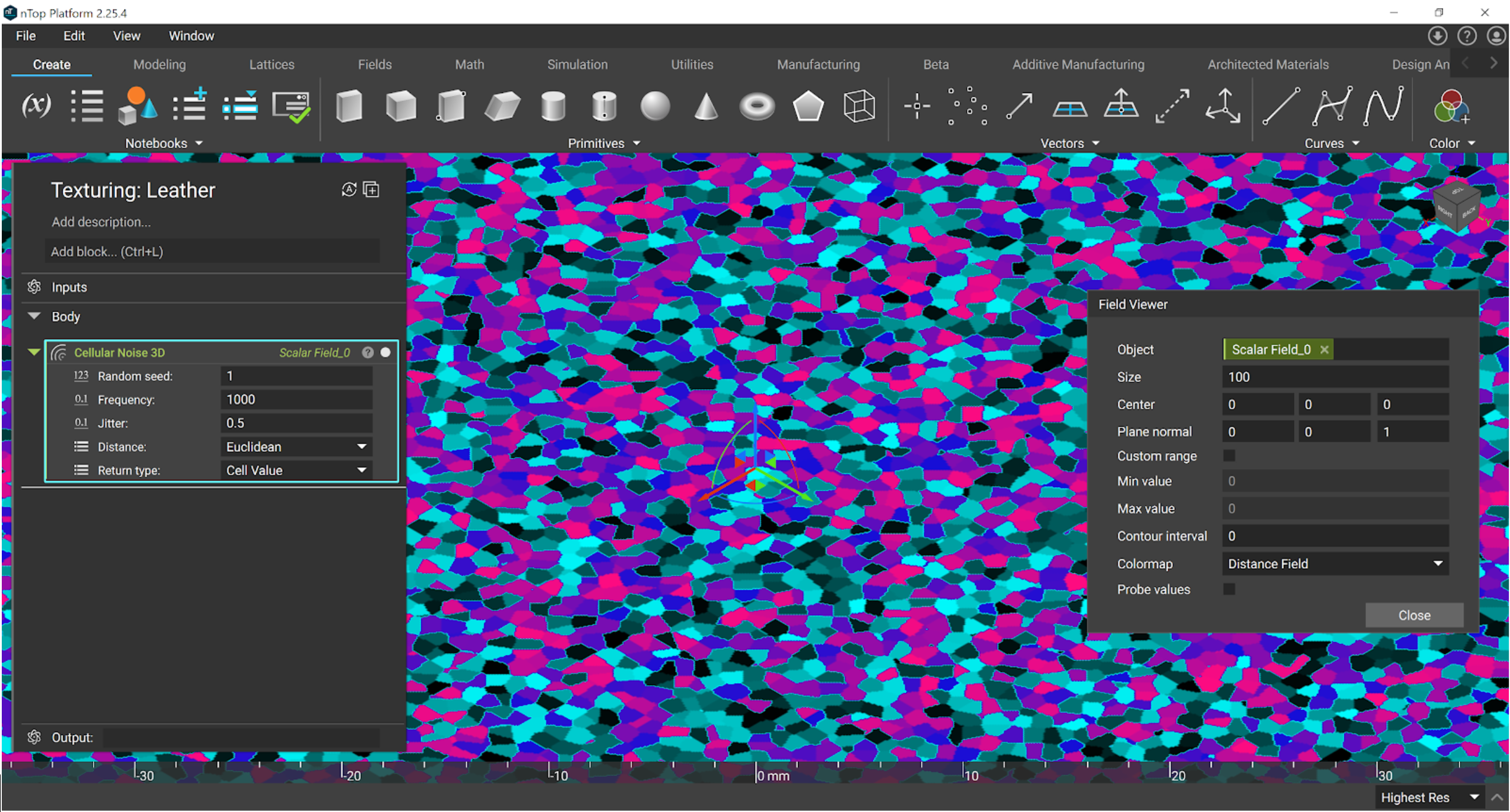 Effect of different Return Types in the Cellular Noise 3D block.
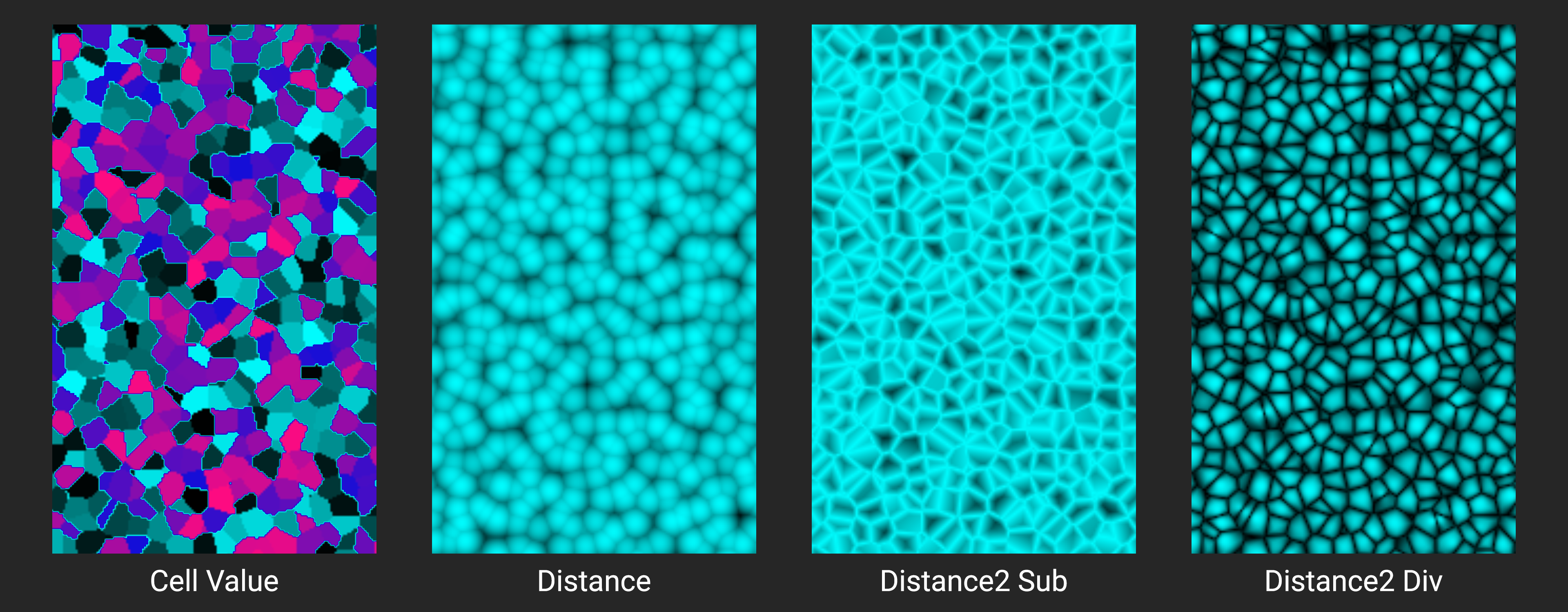 Applying this type of noise to our shape is very similar to the roughness texture shown earlier. For leather, we proceed with Distance2 Div, since it looks most similar to the effect we are aiming for.
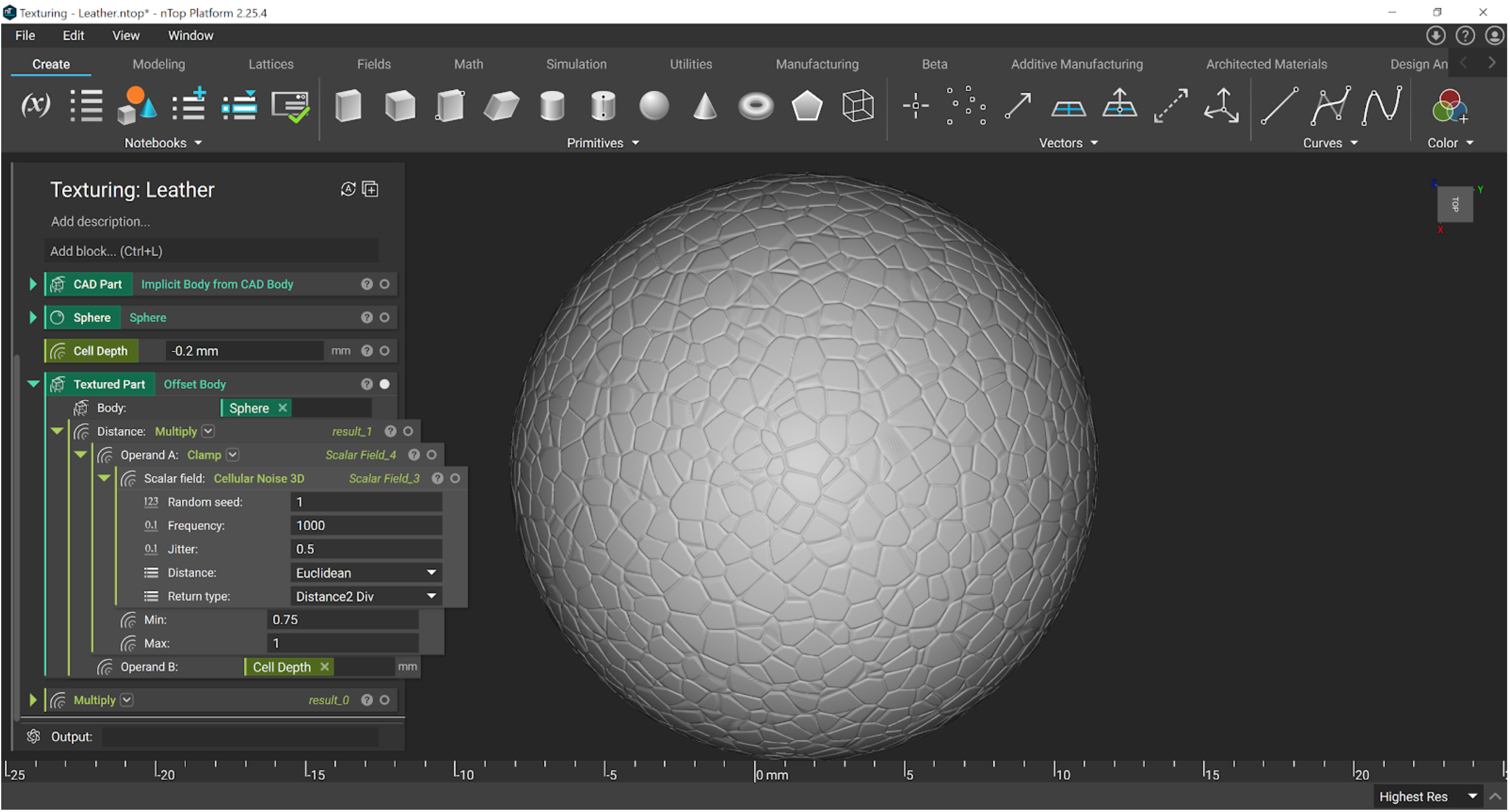 In between our Noise and Multiply block, we use a Clamp. This essentially thresholds the noise signal (which runs from 0 to 1) to be between 0.75 and 1 only. This creates flat spots in our leather cells, rather than mountains, and is easier to visualize with the Turbo option in the Field Viewer.
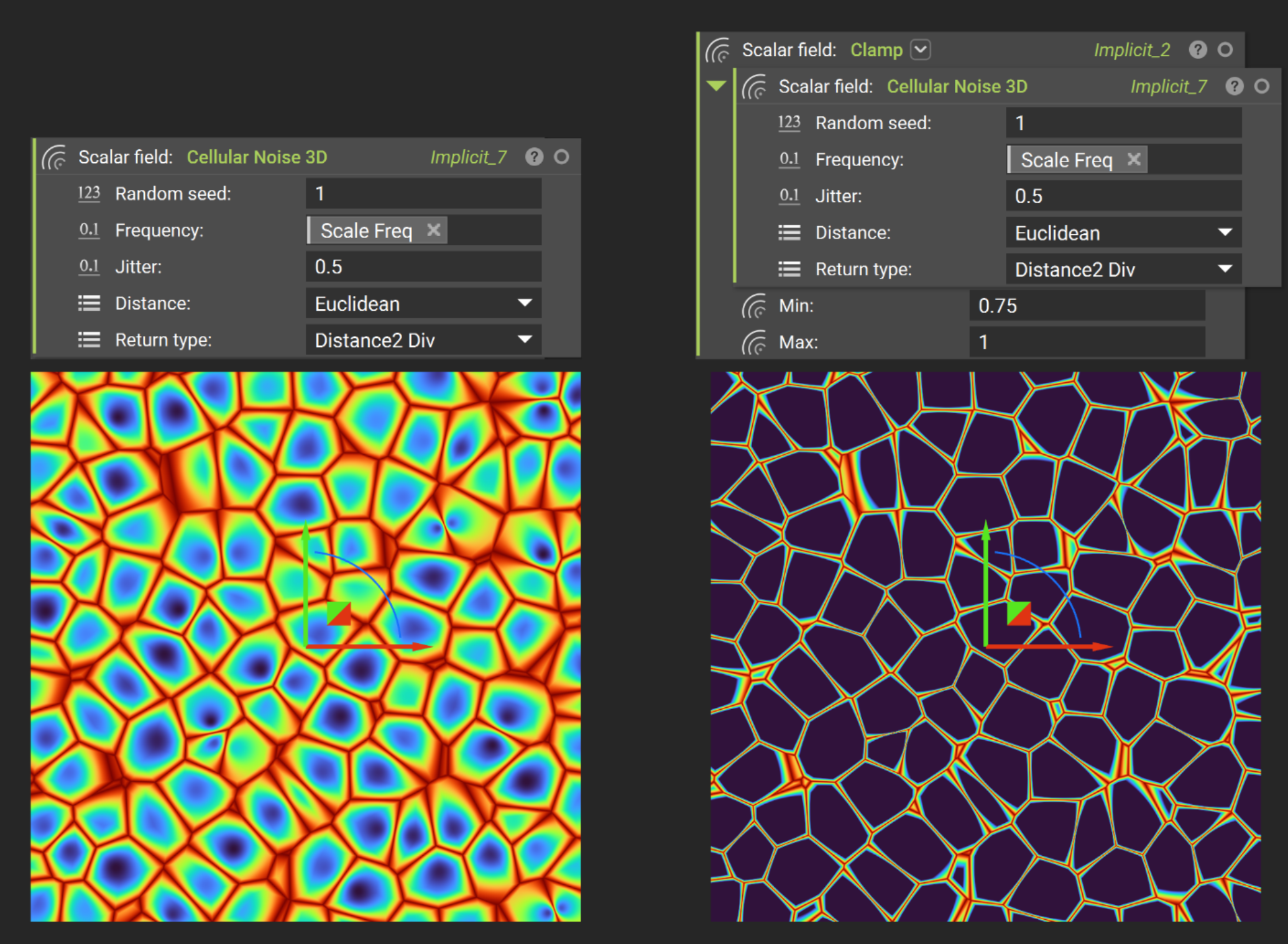 We want to etch this field into the part, so we use a negative value in the Multiply block. This offsets the creases (high spots in the field) inwards.
To make it more realistic, we can add a fine layer of roughness to the leather. Here we used variables to keep the frequencies proportional to one another (the roughness being 10x the frequency of the Cellular Noise). Be sure to only use a small amplitude here. You may need to do the high-res Ctrl+H render to see the effect.
We want to etch this field into the part, so we use a negative value in the Multiply block. This offsets the creases (high spots in the field) inwards.
To make it more realistic, we can add a fine layer of roughness to the leather. Here we used variables to keep the frequencies proportional to one another (the roughness being 10x the frequency of the Cellular Noise). Be sure to only use a small amplitude here. You may need to do the high-res Ctrl+H render to see the effect.
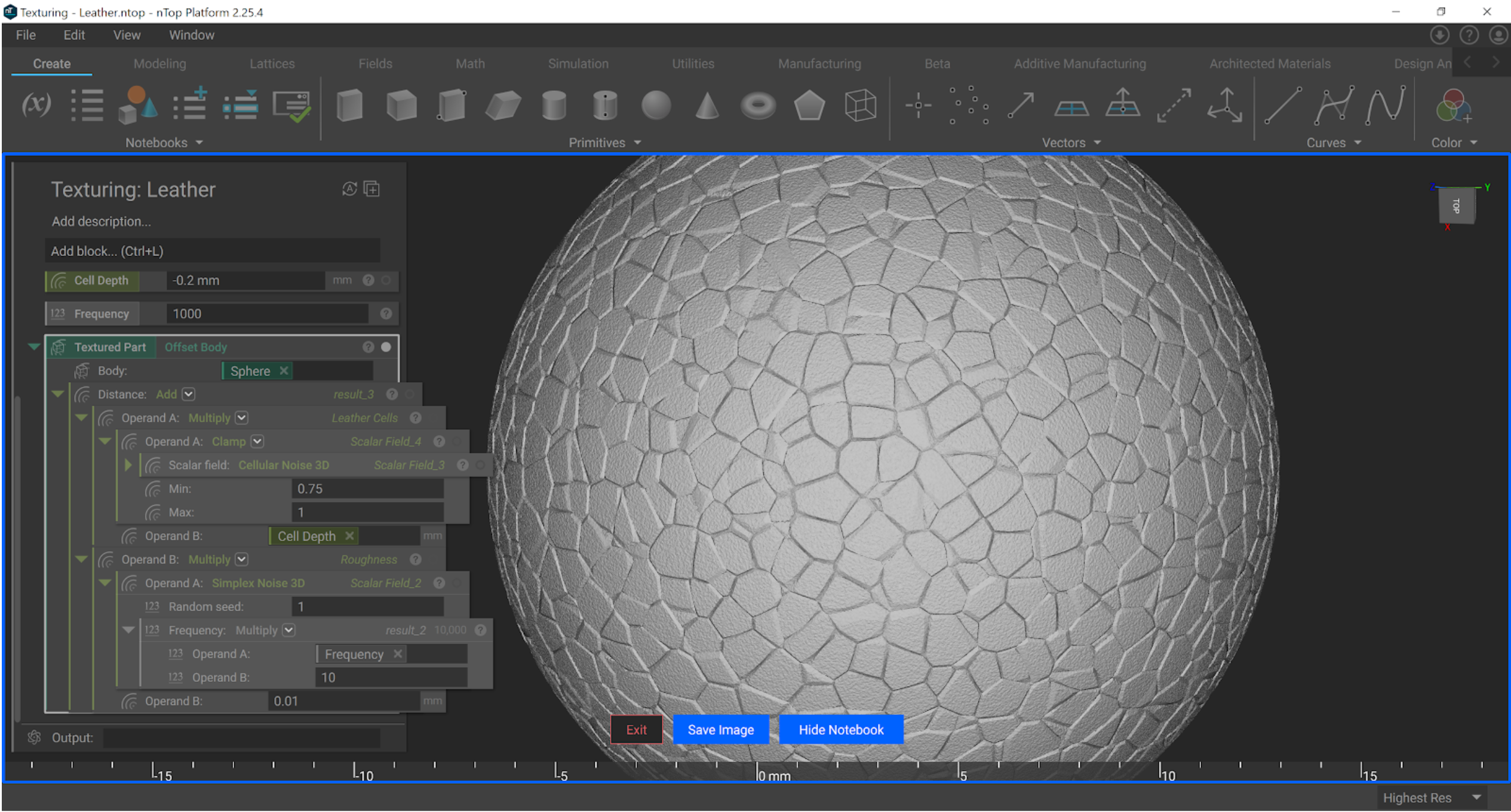 See example file: Texturing - Leather.ntop
Wood
Generating a wood texture in nTop adds another series of blocks into our file: trigonometry functions. We can use these to create waves that resemble the rings in wood.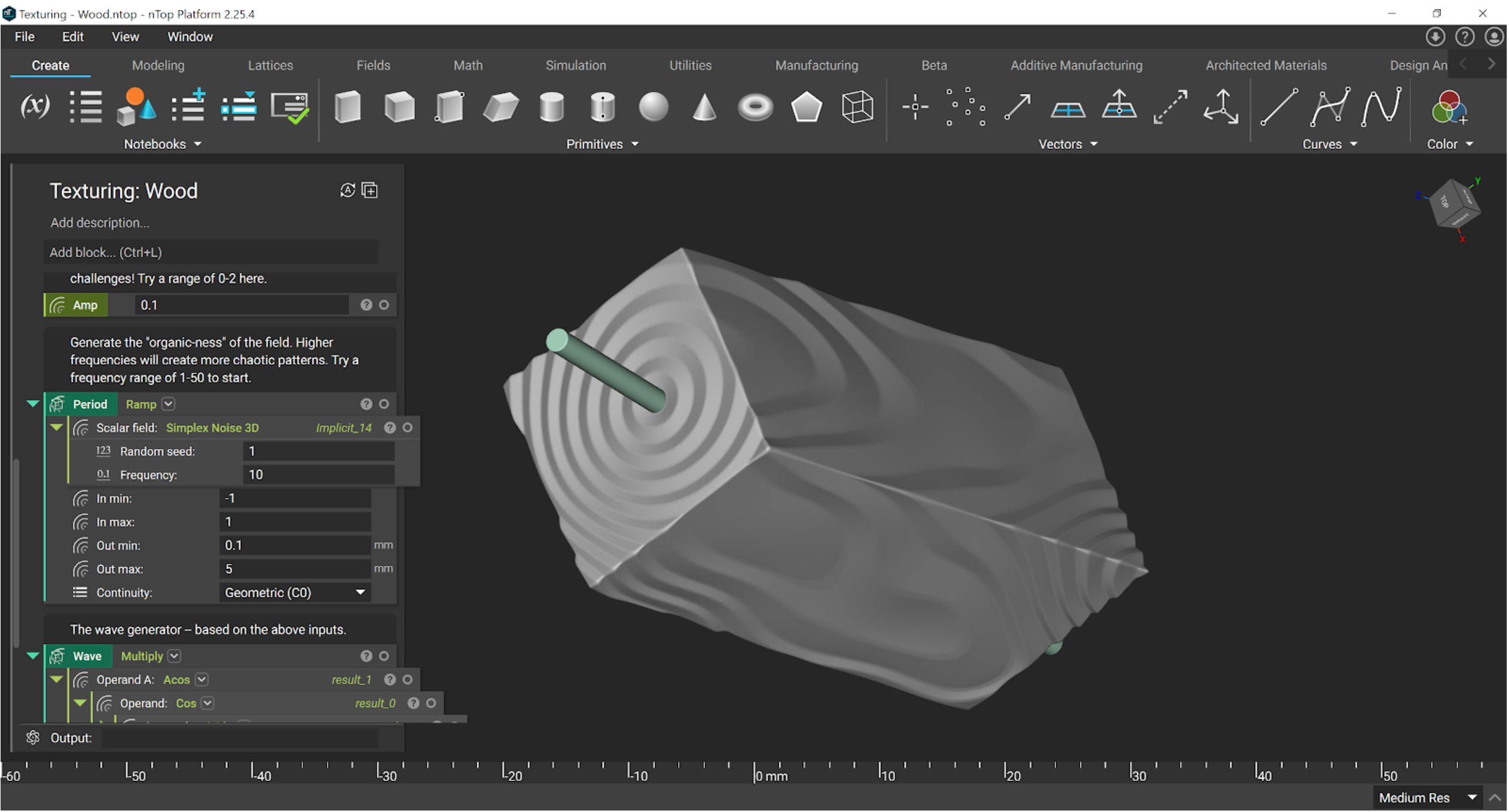 The period of the waves can be linked to noise functions, allowing control over how chaotic the rings look. With a high-frequency value, the texture may begin to resemble some sort of magnetic material instead.
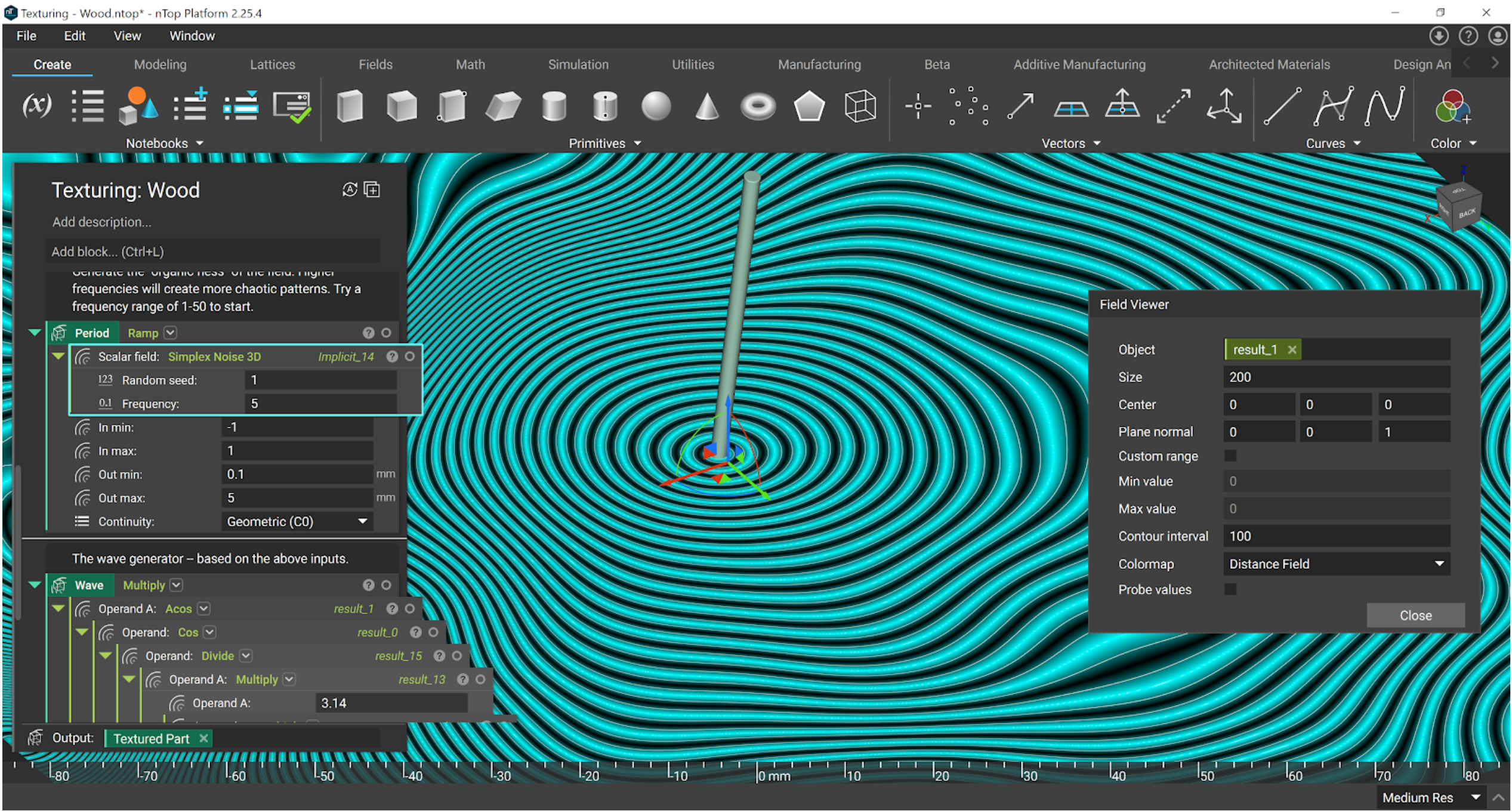
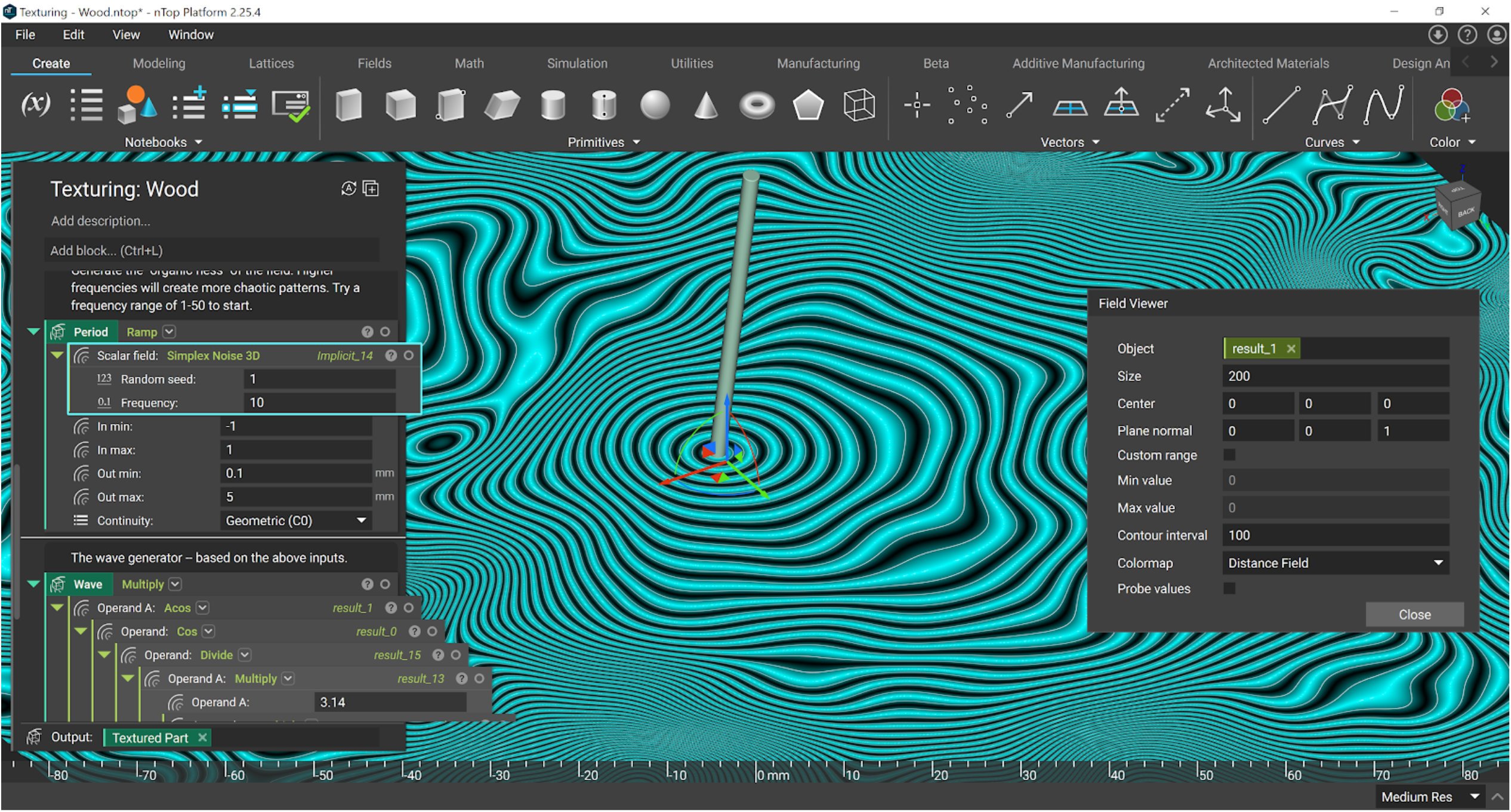
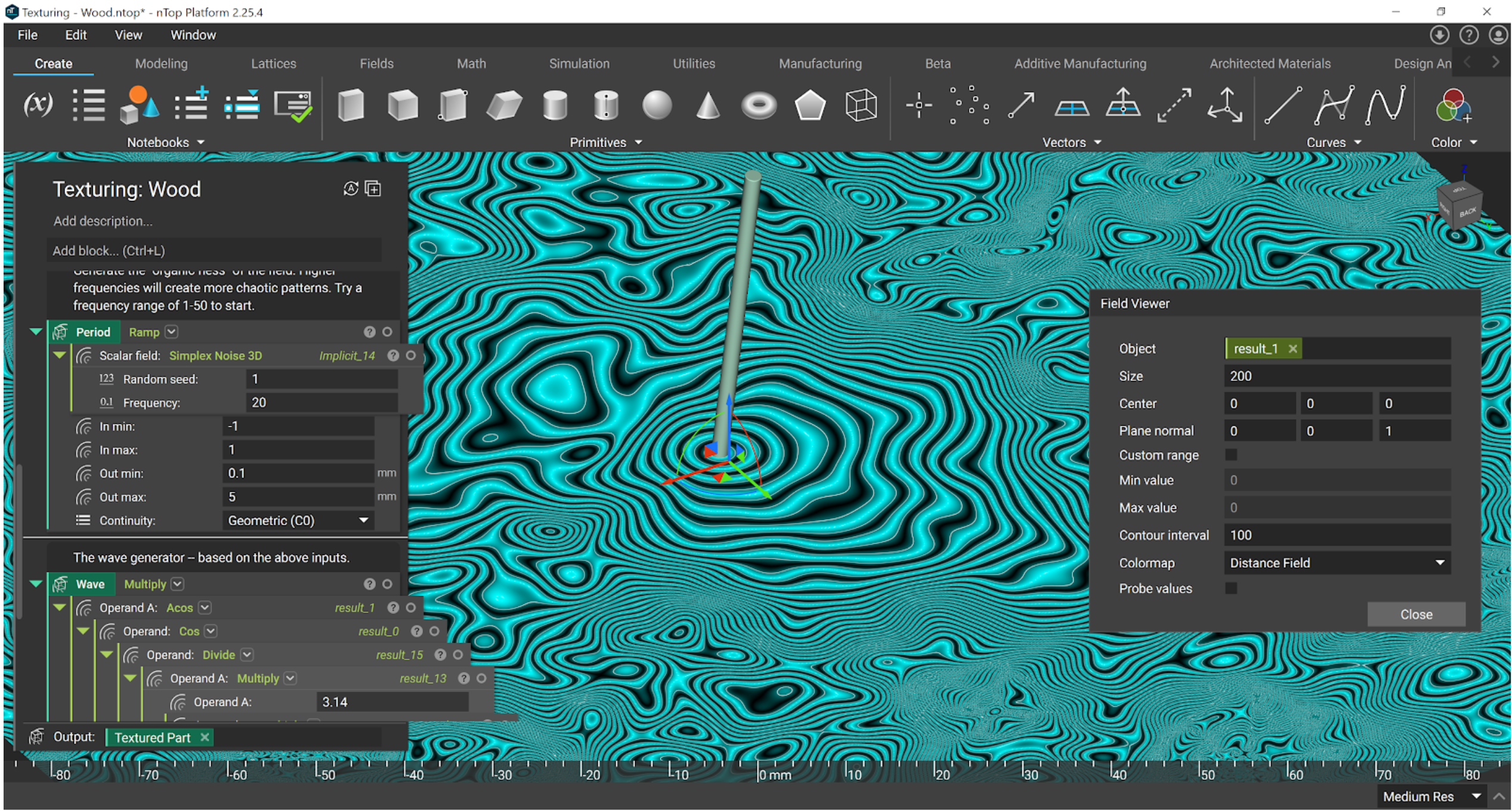 See example file: Texturing - Wood.ntop
Marble
As a final bonus texture, here is an example file for a Marble texture. This one combines everything we have learned above: noise functions, remaps, clamps, and trigonometric functions. It is best stepped through carefully with the field viewer.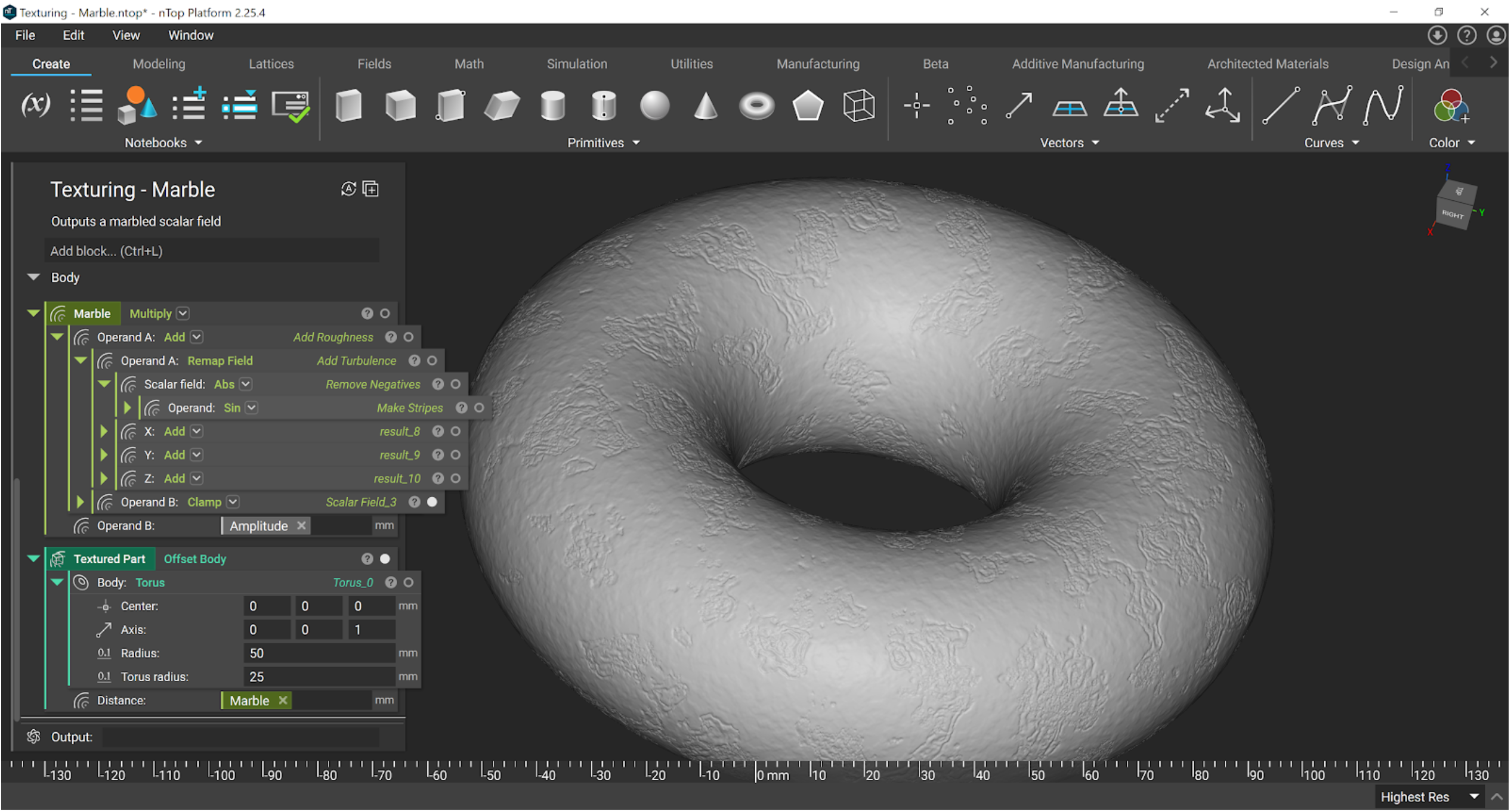 See example file: Texturing - Marble.ntop