

Objective:
Learn how to create a Voronoi surface texture.Procedure:
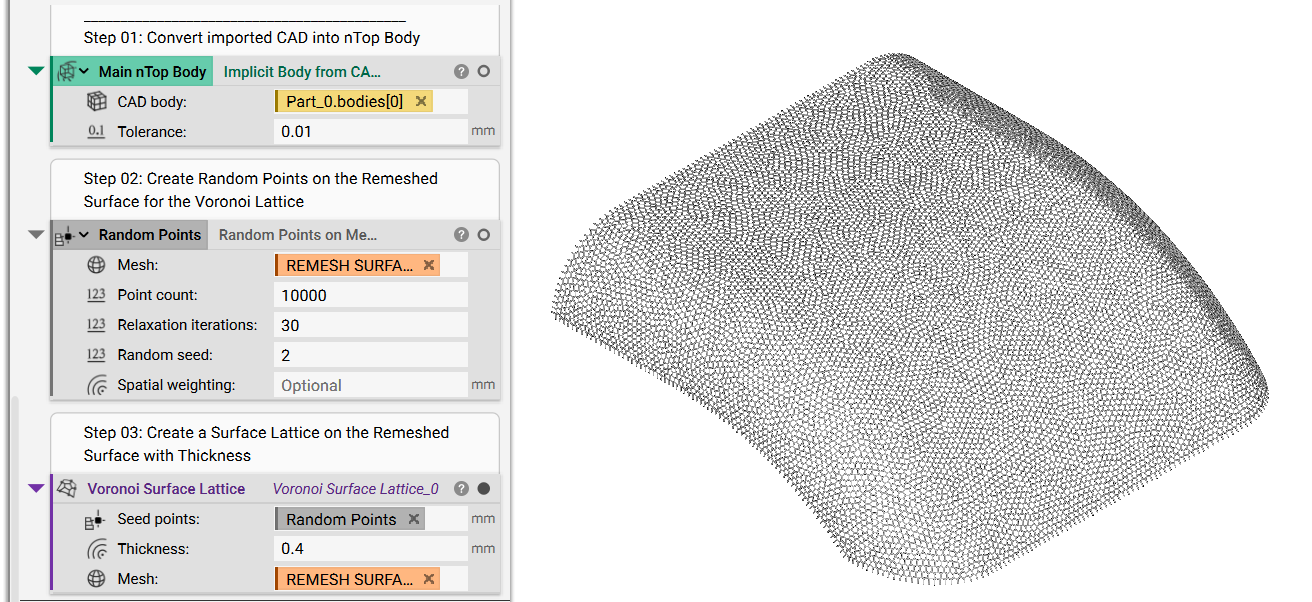
2. Create a Voronoi Texture- Add Random Points on Mesh block.
- Insert the Remeshed Surface variable into the Mesh input
- Set the Point Count to 10,000
- Set Relaxation Iteration to 30
- Set a Random Seed
- Add a Voronoi Surface Lattice
- Insert the Random Points on Mesh as the Seed Points
- Set a Thickness of 0.4 mm
- Insert the Remeshed Surface as the Mesh
 4. Texture the Body
- Add a Boolean Subtract
- Insert the main CAD Implicit****Body as the Primary Body
- Insert the Implicit Body from the Voronoi Surface Lattice block as the Subtraction Bodies
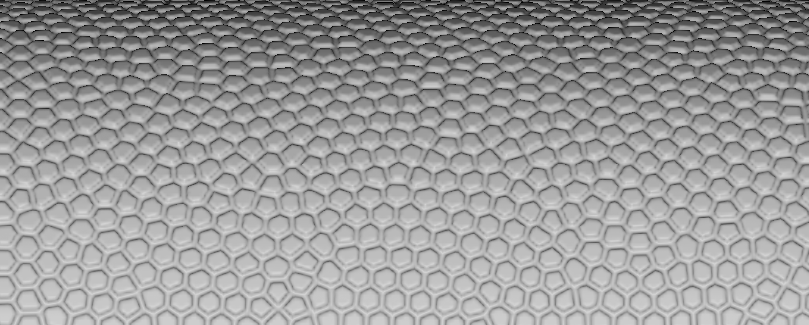 And that’s it! You’ve successfully created a Voronoi surface texture.
Are you still having issues? Contact the support team, and we’ll be happy to help!
And that’s it! You’ve successfully created a Voronoi surface texture.
Are you still having issues? Contact the support team, and we’ll be happy to help!