Implicit Body, Vector, Frame
Implicit Body, Vector, Frame, 1.1.0
About this Block
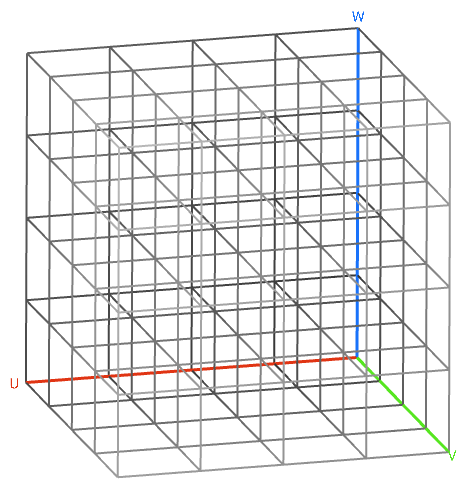
What it does: Generates a Cell Map that covers the entire input Volume with cells of defined size in a rectangular layout. This map serves as a layout for the lattice Unit Cells. Common uses:- Used as an input for the Periodic Lattice block.
- The Cell size X, Y, Z inputs follows U, V, W guides.
- When creating the Cell Map, you can view the Full map or Navigate the Map using the heads-up display. The navigate map allows you to take a closer look at each unit cell location.
- The default Cell Map’s starting point is the Min point of the body’s Bounding box.
- The Frame input controls the orientation and position of the Cell Map.
- If the cells extend beyond the input Volume, you can try the following options to meet your design goals.
- Use the Cell Map in its too-large form to construct a lattice with the Periodic Lattice block, and then trim the lattice back down to the Volume using the Trim Lattice block.
- Use the Trim Cell Map block to reduce the cell count. Note that depending on the Fill type you select, some cells may still be outside the Volume.
- Adjust the Cell size input.
- Adjust the size of the Volume input.