Issue:
An imported/generated mesh contains extraordinary vertices causing downstream workflow issues.Applies to:
- Meshes with extraordinary vertices
Cause:
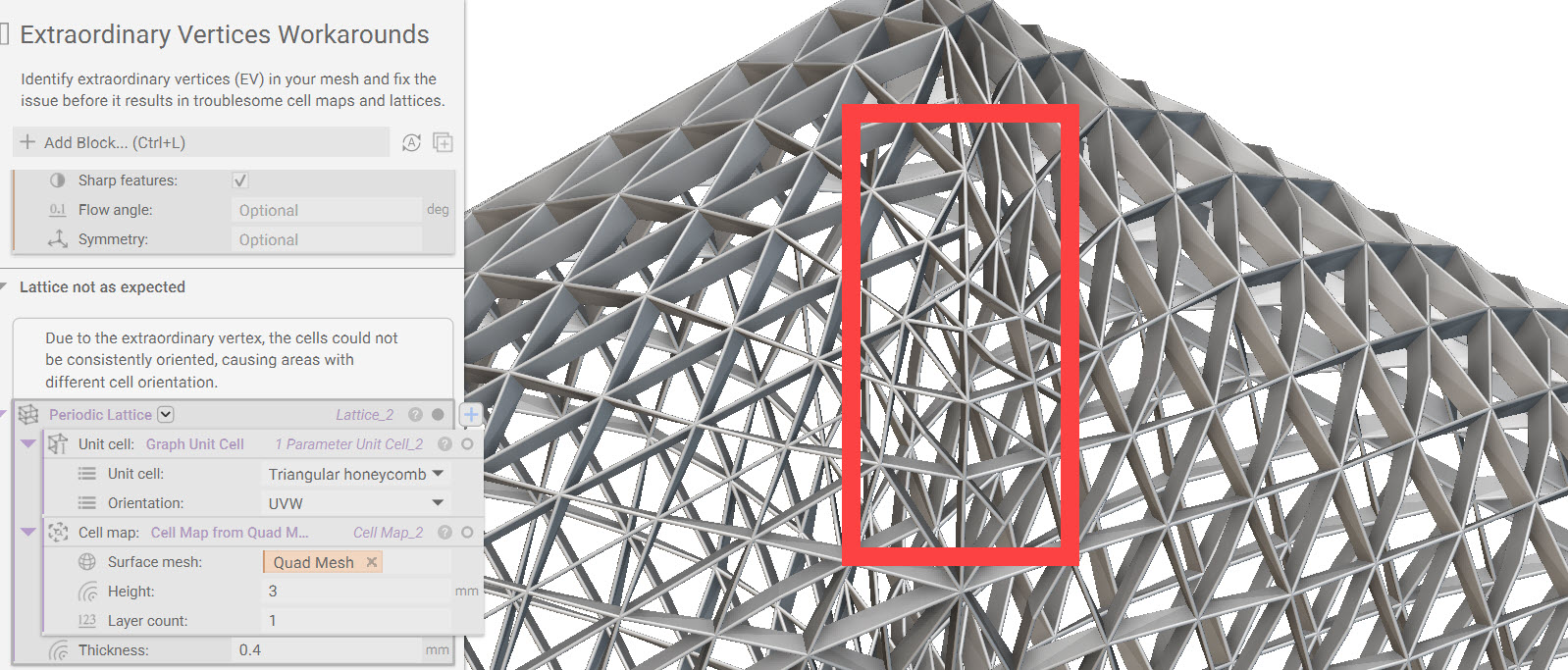
An extraordinary vertex is created when either less than four or more than four edges form a vertex. These vertices are most likely to occur in areas of irregular or high-angle curvatures.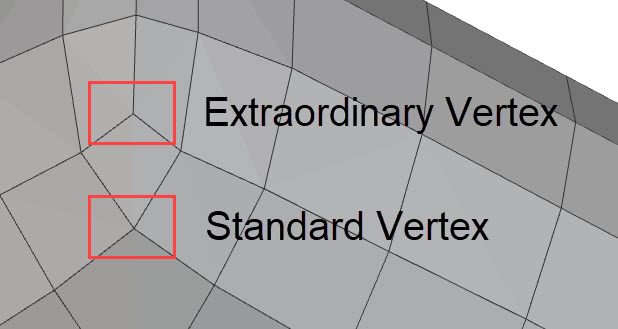 Below is an example of how an extraordinary vertex can cause downstream issues in latticing. Most of the lattice is equal, however; once it encounters the extraordinary vertices, the structure changes to account for them.
Solution:
There are two options for dealing with extraordinary vertices: a solution and a workaround.Option 1:
A proper solution is to remove the extraordinary vertices from the mesh. This method is ideal for parts that are symmetric across a plane. Below is our starting mesh containing extraordinary vertices where the two halves meet. We will begin by working with only half of the mesh.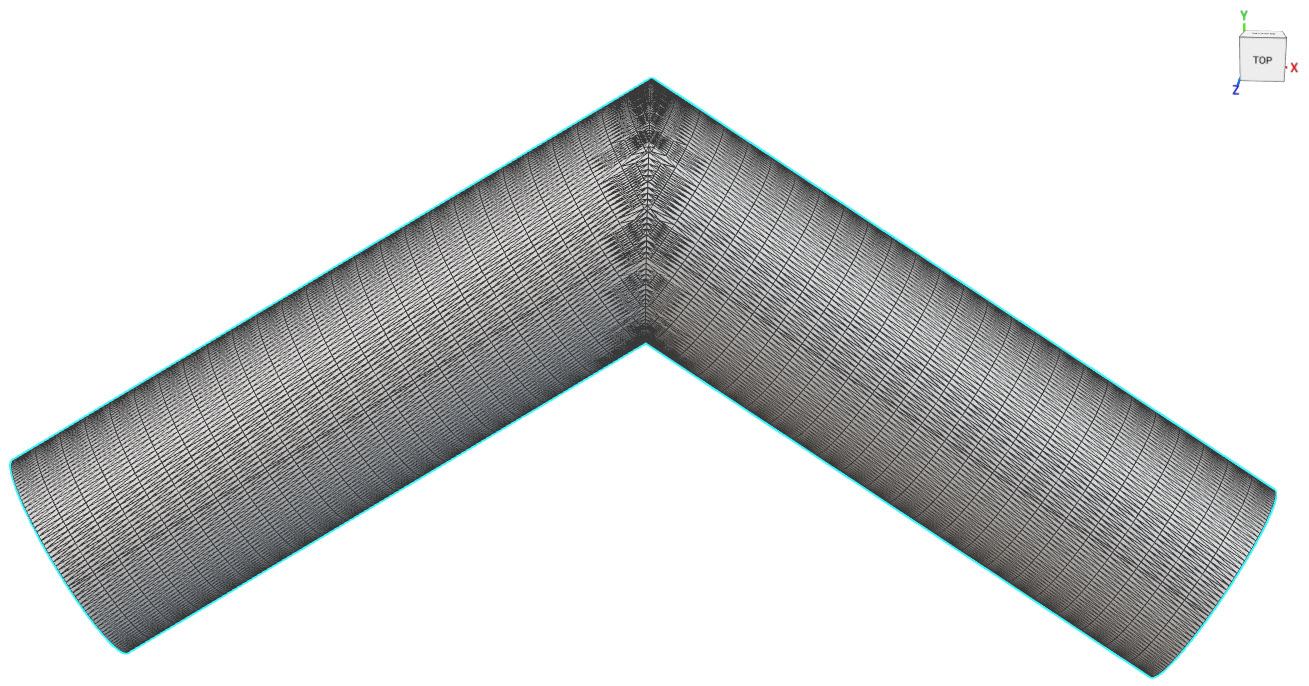
- Using nTop or another CAD software, you will first want to cut the mesh in half. This removes the extraordinary vertices, allowing us to quadrangulate the mesh cleanly. The warnings on both blocks aren’t a problem, just a notification that the output mesh is not closed.
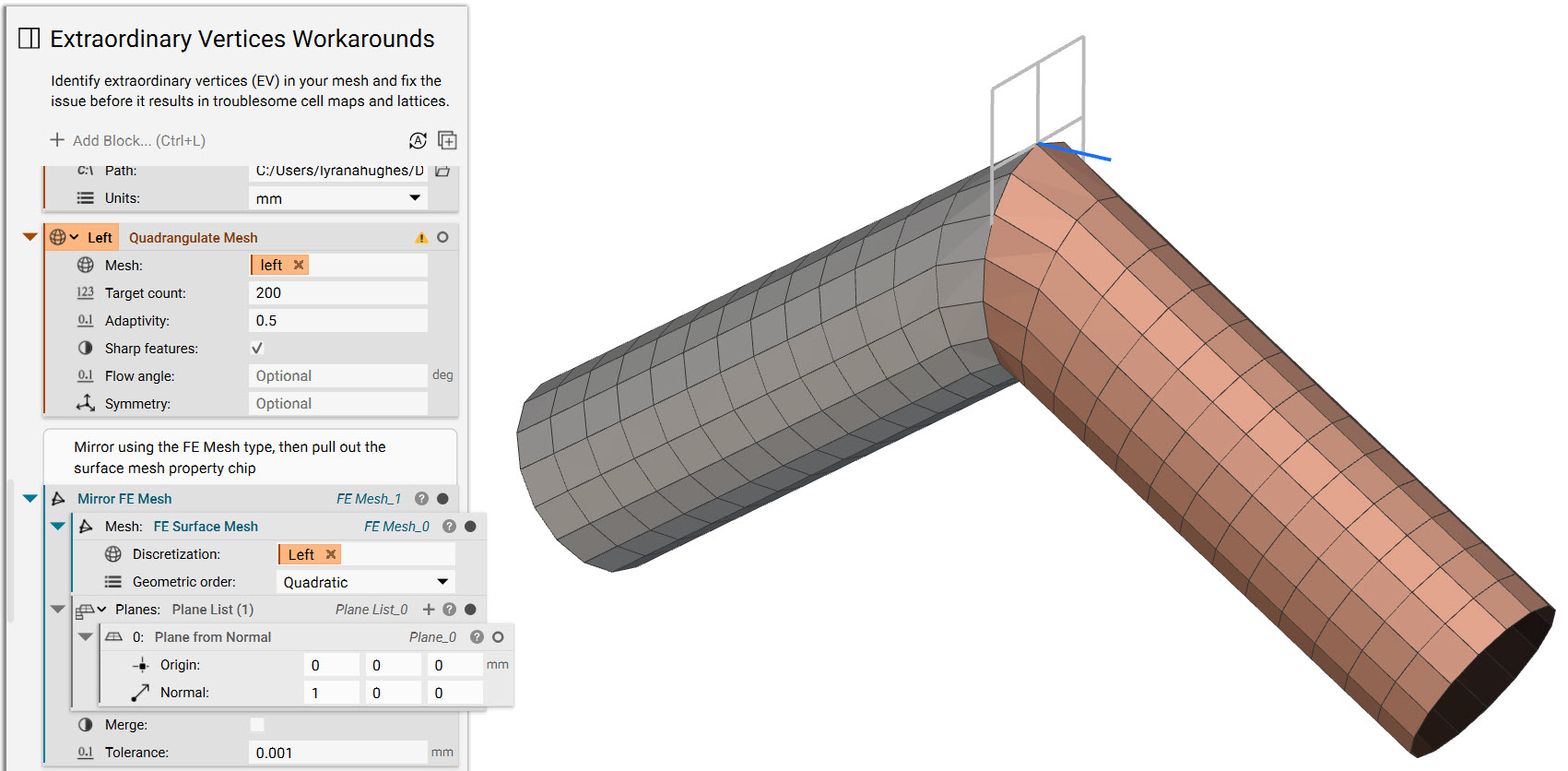
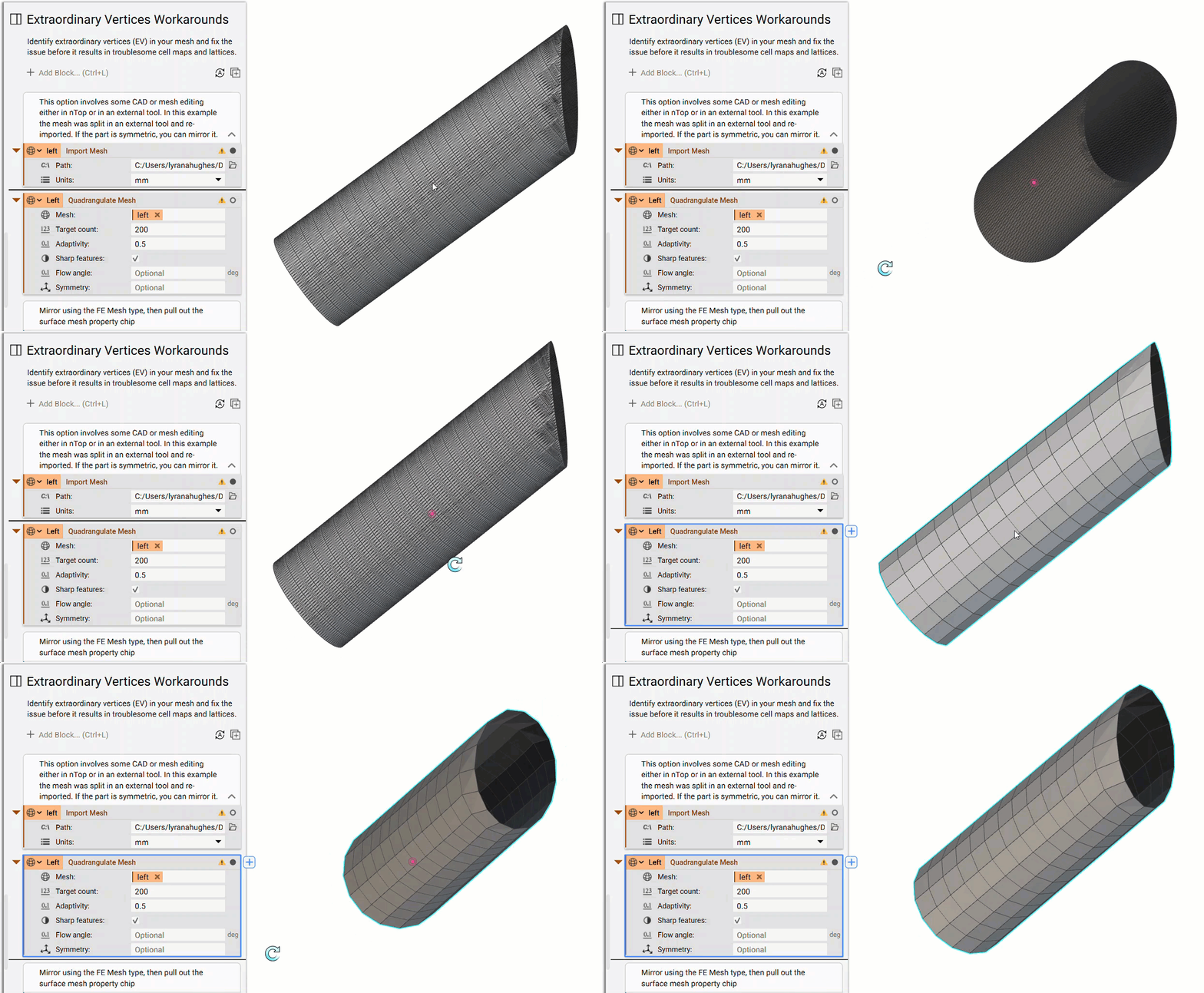 2. Convert the Quadrangulate Mesh into an FE Surface Mesh to set up for mirroring. Then use a Mirror FE Mesh block to mirror the half-mesh over the set plane.
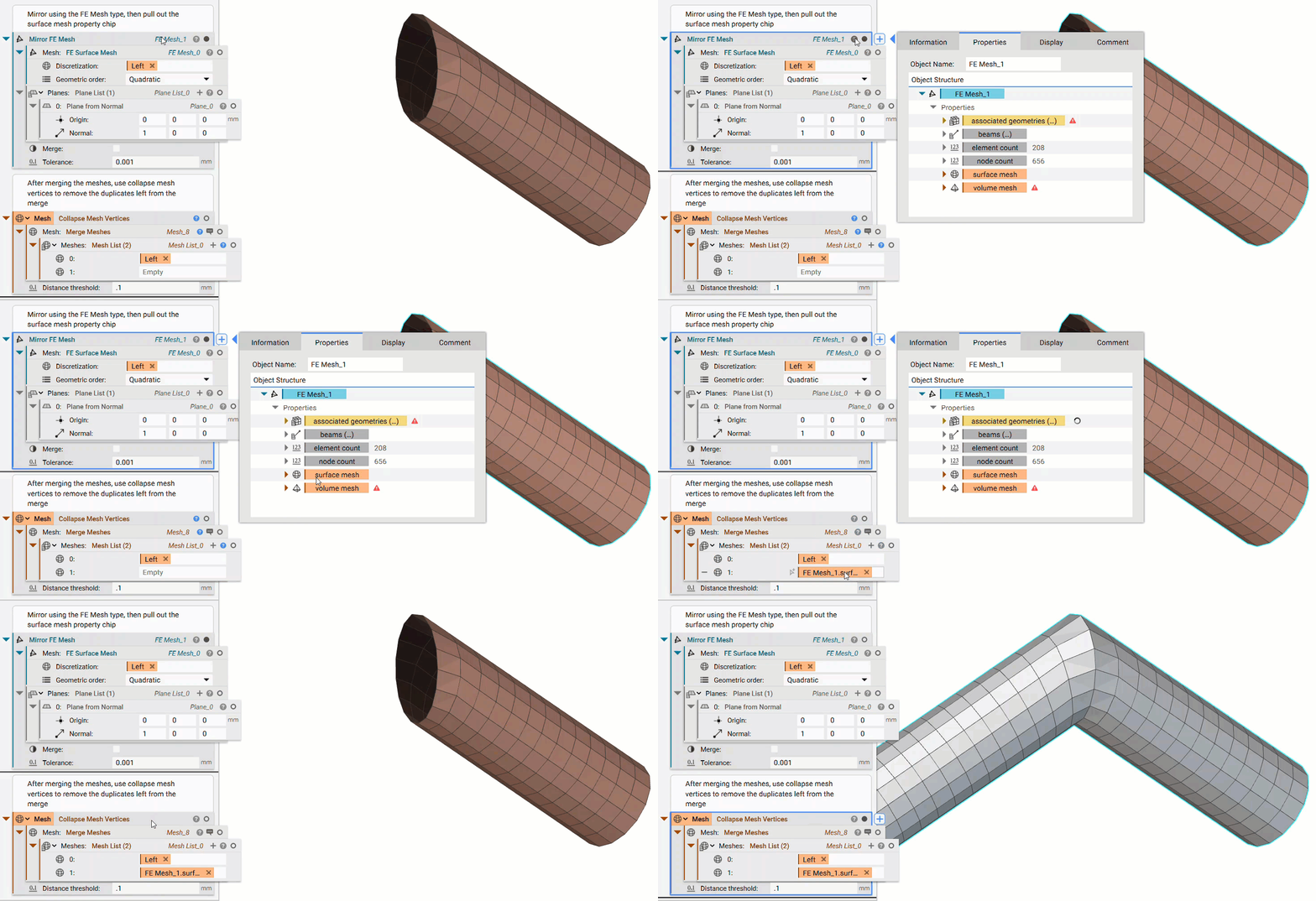
 3. Using the properties panel of the Mirror FE Mesh block, pull out the surface mesh chip and place it into a Merge Meshes block. The other mesh to merge is our original Quadrangulate Mesh half. After joining, we use a Collapse Mesh Vertices block to remove duplicate vertices.
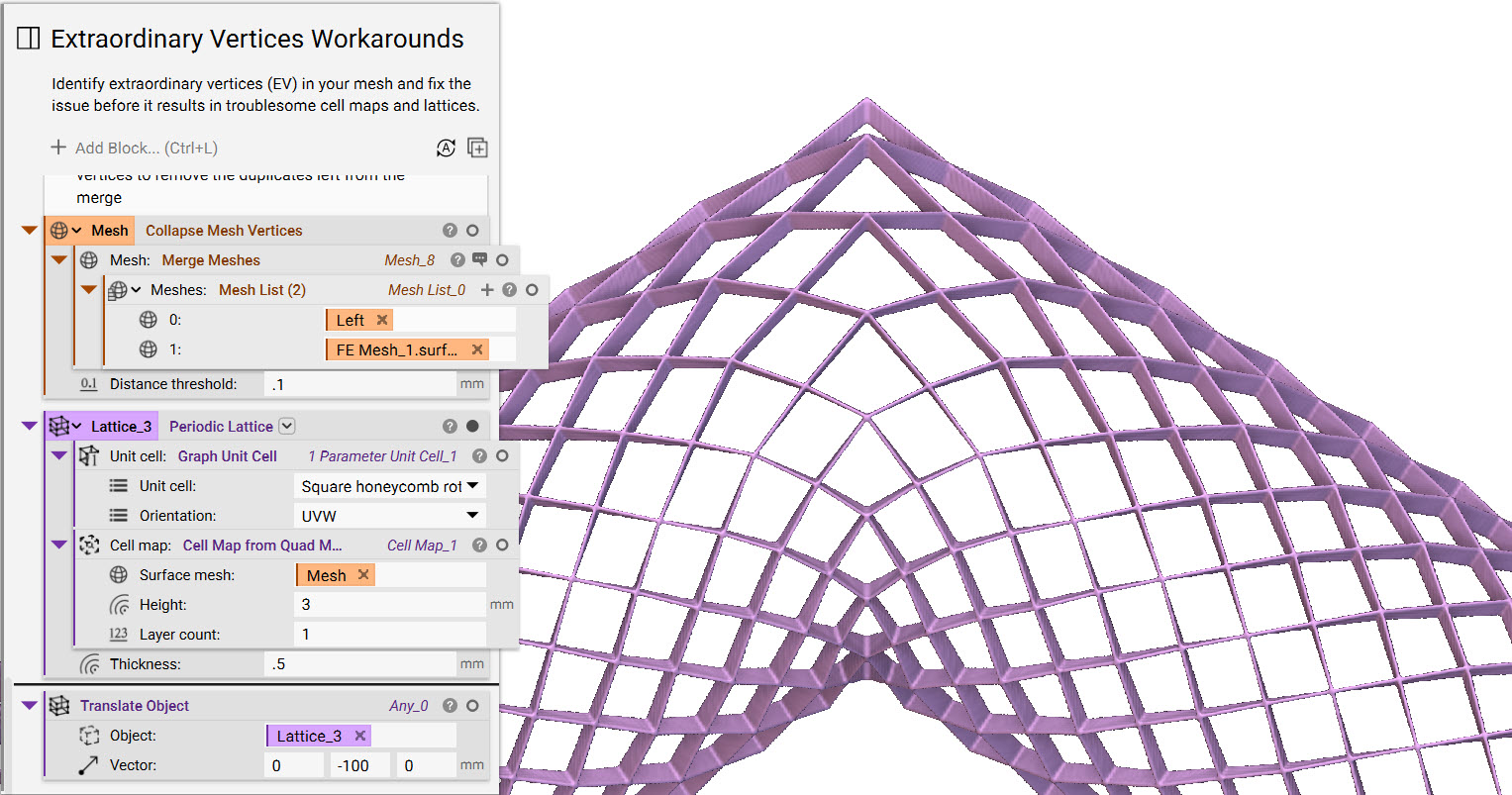
 4. The final step is creating an example lattice to test whether the part was correctly mirrored. In the image below, you can see that the lattice has no extraordinary vertices and that the pattern is consistent.
Option 2:
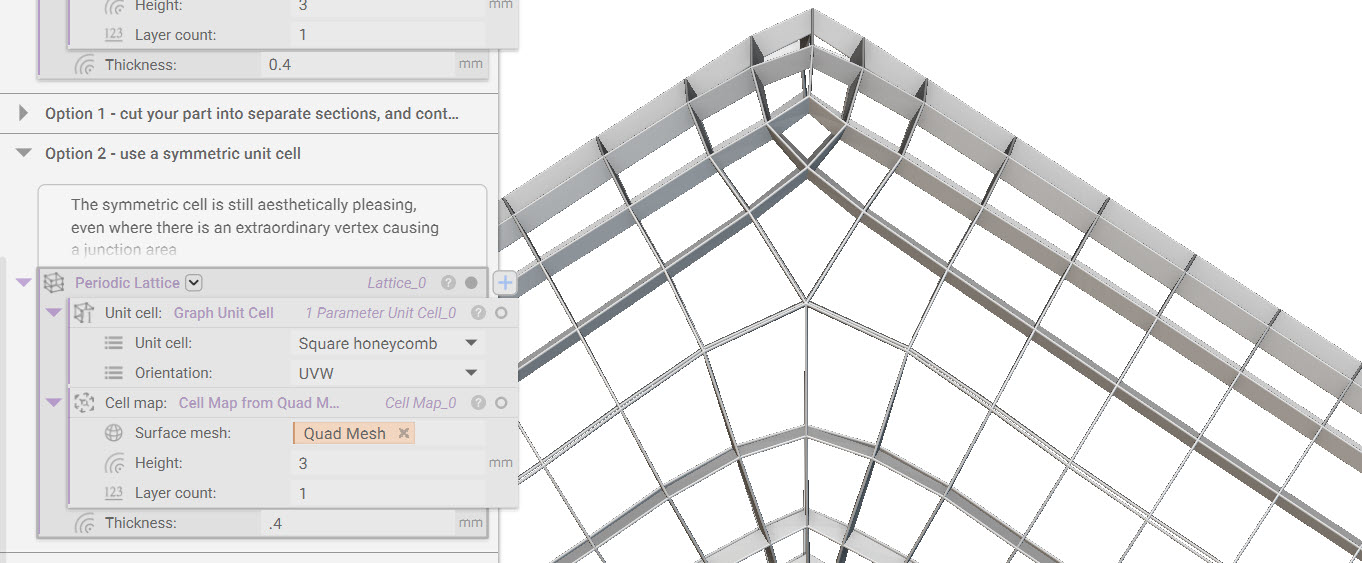
While this doesn’t remove the extraordinary vertices, this option is about adapting your design around the unavoidable. If Option 1 isn’t a possibility based on your part, this may be a helpful alternative. Below is an image of our starting quad mesh containing the extraordinary vertices.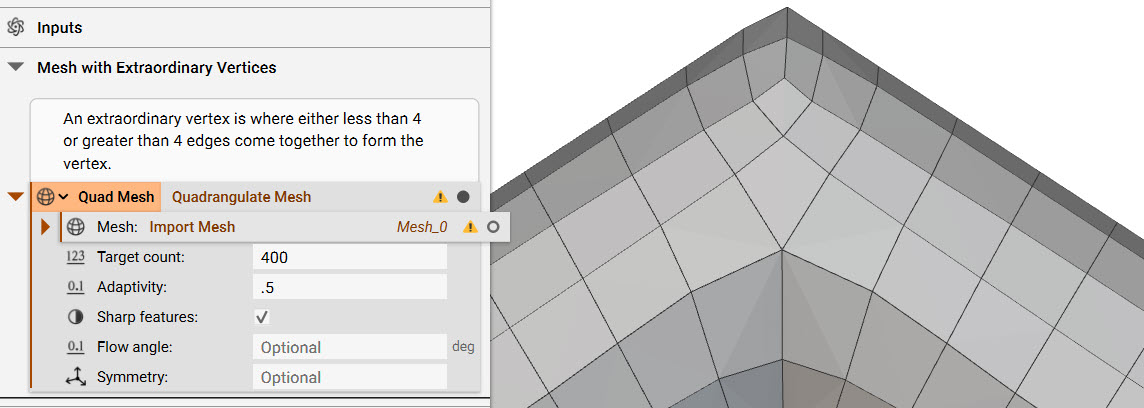 Our recommendation is to use a symmetric unit cell. While the lattice will still contain extraordinary vertices, the result is aesthetically pleasing and less noticeable than the original lattice. An asymmetric unit cell will be far more complicated and unappealing.