

Objective:
Stitch together CAD faces into a single surface.Applies to:
- Texturing
- Defining boundary conditions
Procedure:
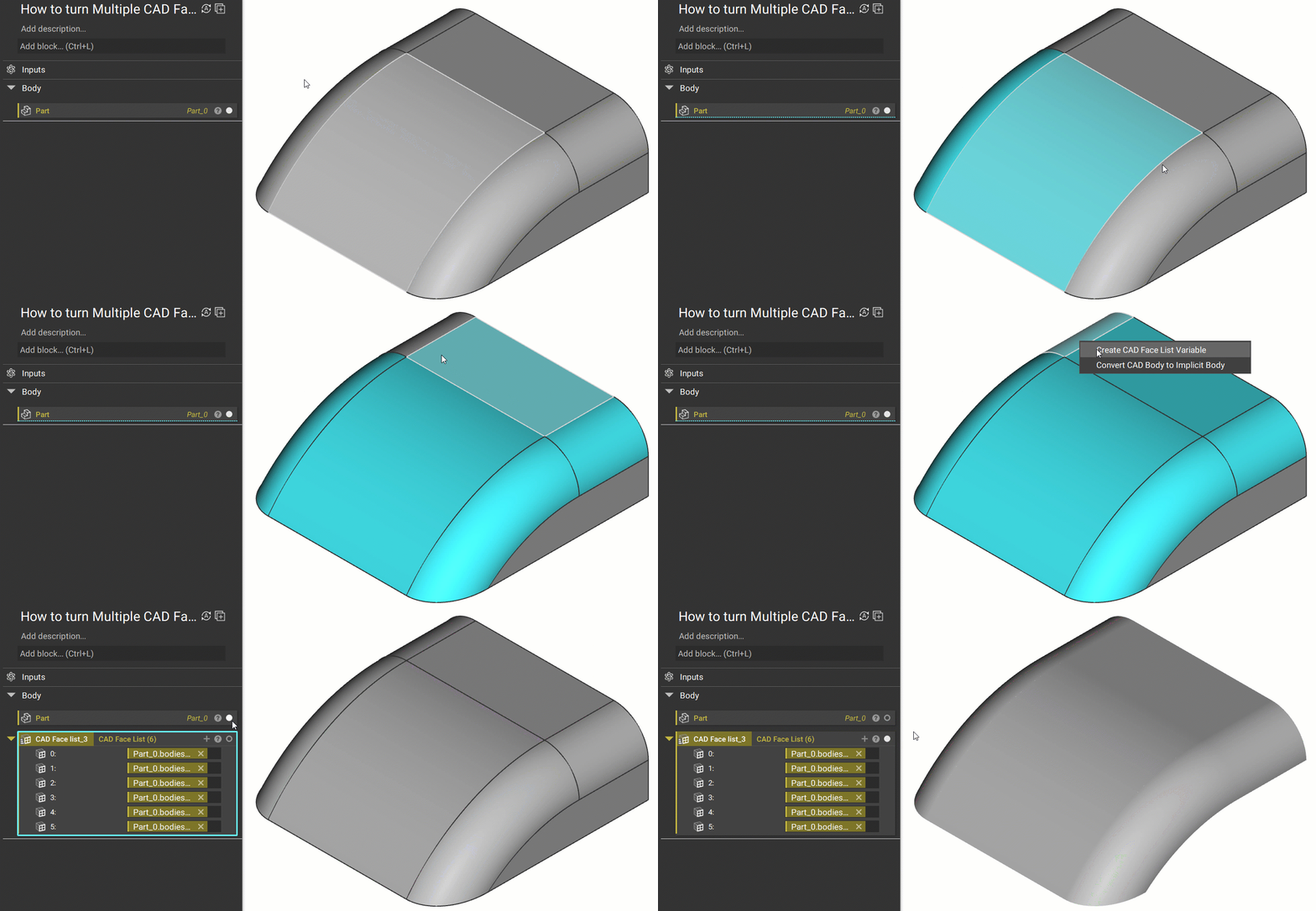
1. Start with an Imported Part 2. Select the faces you want to merge by holding CTRL (they will highlight up as blue).-
- Once you have selected all of the faces, Right-Click and choose the option “Create CAD Face List Variable”. This will create a list that is the size of the number of faces you selected. In this example, we choose 6 faces, so the block will have a (6) behind its name, with 6 being the size of the list.
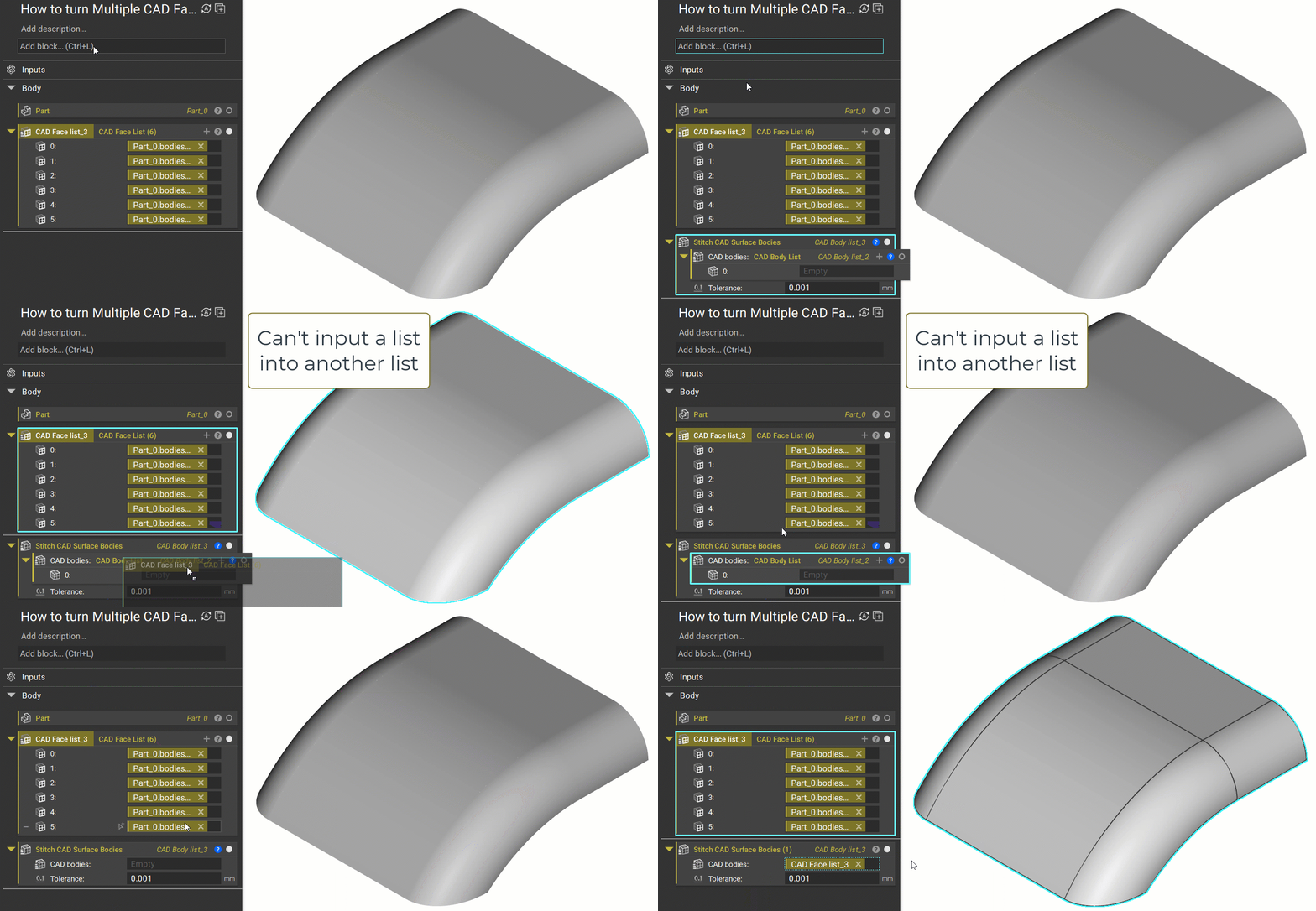
 3. Add a Stitch CAD Surface Bodies block. This block merges multiple sheets within a tolerance range and outputs the results as a list. However, this block comes auto-populated with a list. You cannot input a list into a list. You need to delete the auto-populated list in order to input the CAD faces from Step 2.
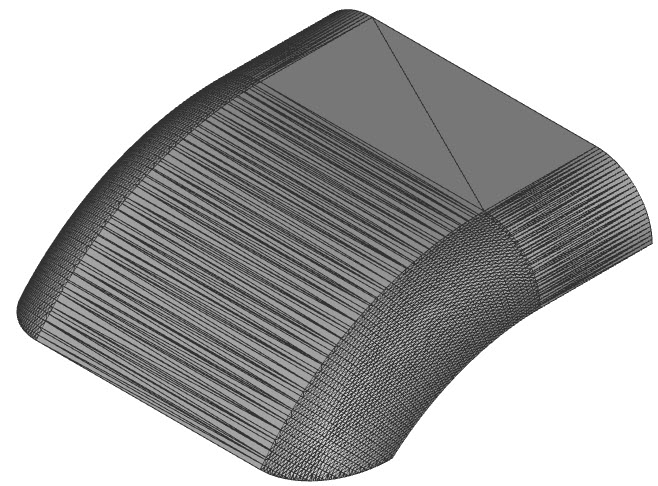
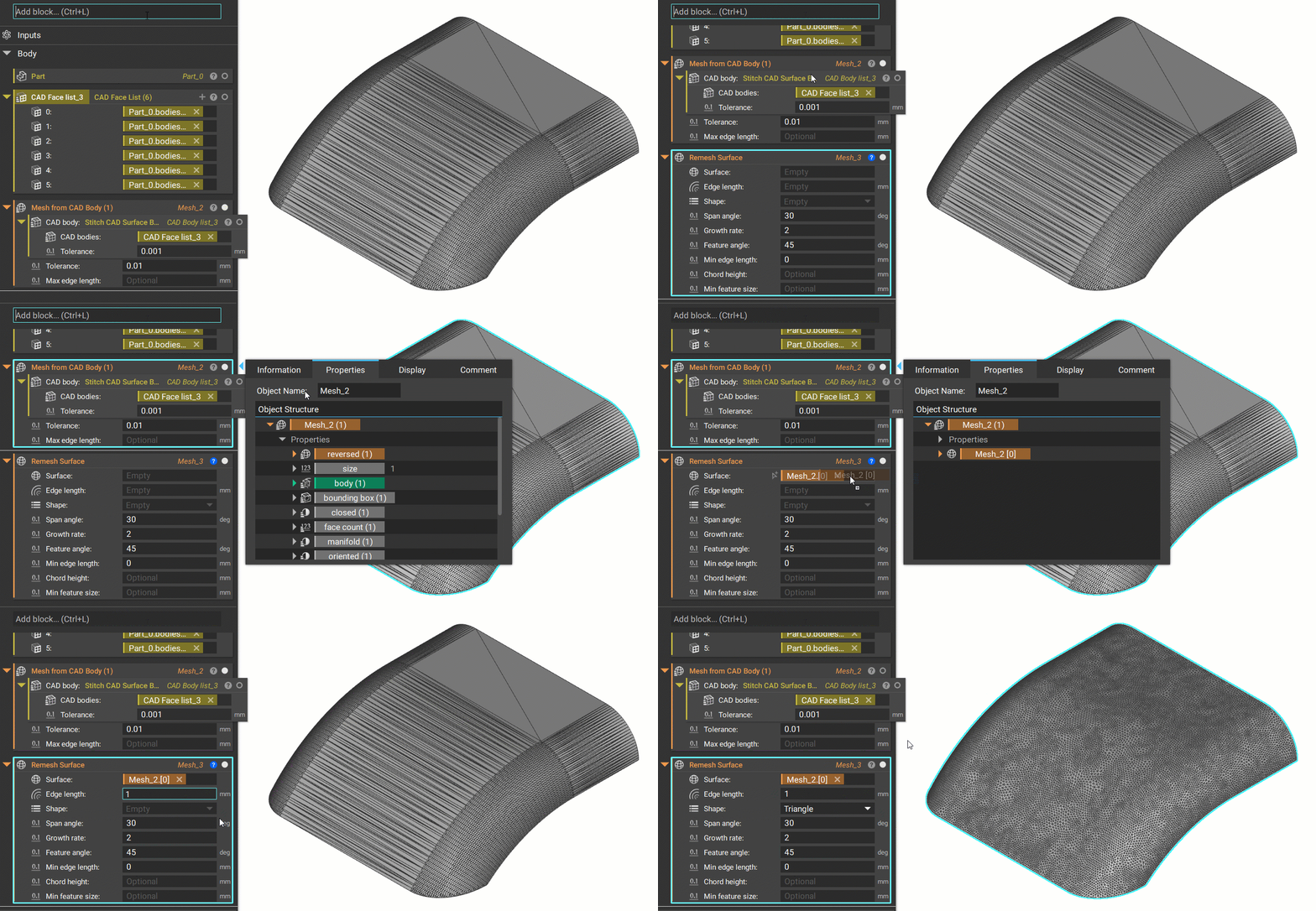
 4. Add a Mesh from CAD Body block to turn the stitched surfaces into a Mesh. This step will make a Mesh that has a list of (1). If you get an Invalid Input Error, go to this article, or see Step 5 for how to fix it.
 5. Add a Remesh Surface block to create a single surface with uniform polygons. This will clean up the mesh. Instead of inputting the Mesh from CAD Body (1) block from the previous step, we want to open up its Properties and take out the Mesh [0] Property to use are our input. This gets rid of the lists of one, which will be helpful for downstream workflows.
 And that’s it! You’ve successfully merged multiple CAD Faces into a single surface.
Are you still having issues? Reach out to the support team, and we’ll be happy to help!
And that’s it! You’ve successfully merged multiple CAD Faces into a single surface.
Are you still having issues? Reach out to the support team, and we’ll be happy to help!