

Objective:
You will learn how to reduce the complexity of a mesh while retaining the intended shape of the geometry. Meshing complex geometry is one of the most critical factors for simulation and manufacturing. However, there is a delicate balance between generating an accurate mesh and creating a file that is too large for practical application.Applies to:
- Manufacturing
- Meshing
Procedure:
We suggest you check these best practices for a detailed analysis of input parameters and the meshing computation time. This will help you better understand different parameters and generate a mesh while managing computational power. This article discusses generating a mesh for a TPMS structure with a high surface area. The steps and suggestions in this article can also be followed for other complex geometries.1. Create a Surface Mesh
We can use the Mesh from Implicit Body block to generate a surface mesh. This article discusses the inputs and when to use them (How to create a surface mesh). This mesh is very detailed and conforms well to the geometry. The issue is that it contains more than 5 million faces, and when exported the file size is 245,891 KB. This size is too large to work with, so we need to make it smaller without compromising the details of the geometry.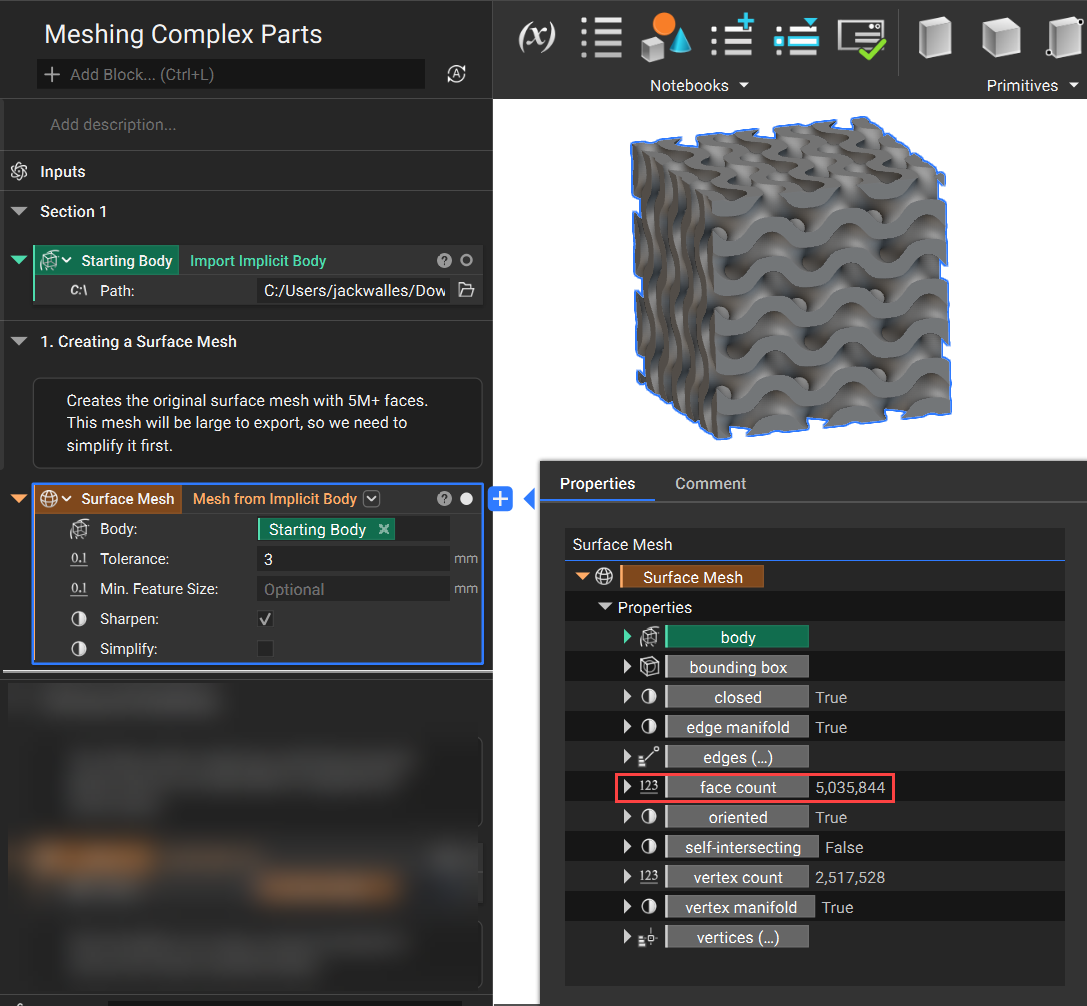 The properties panel shows the face count, self-intersecting, and other necessary parameters to check. To check the mesh quality, you can use our Mesh Quality block.
2. Filtering Meshes
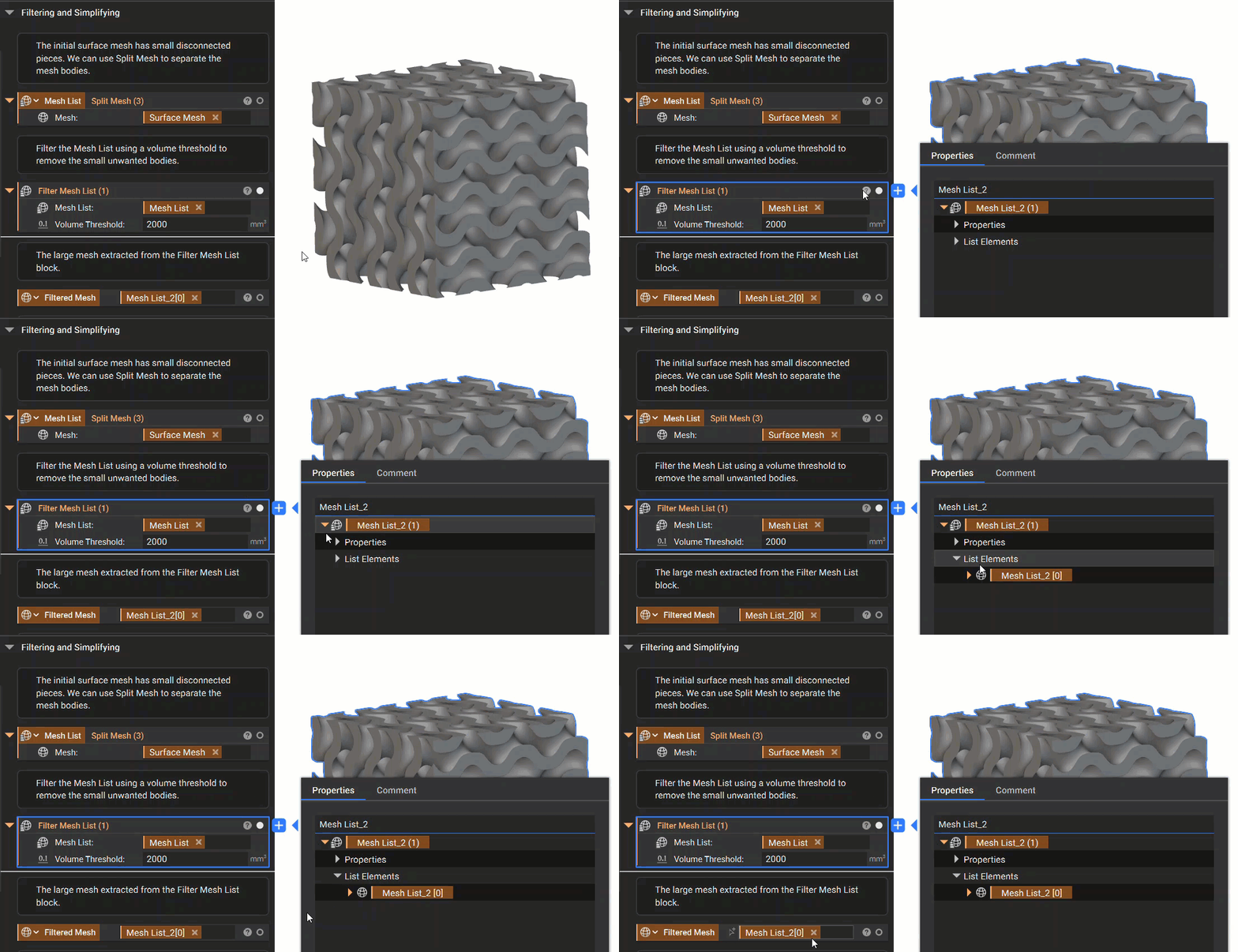
The original mesh contains unwanted small bodies that were generated when creating the lattice. By using the Split Mesh block, we can separate the mesh elements. You can see in the image below how using the Split Mesh block creates a list of 3 meshes.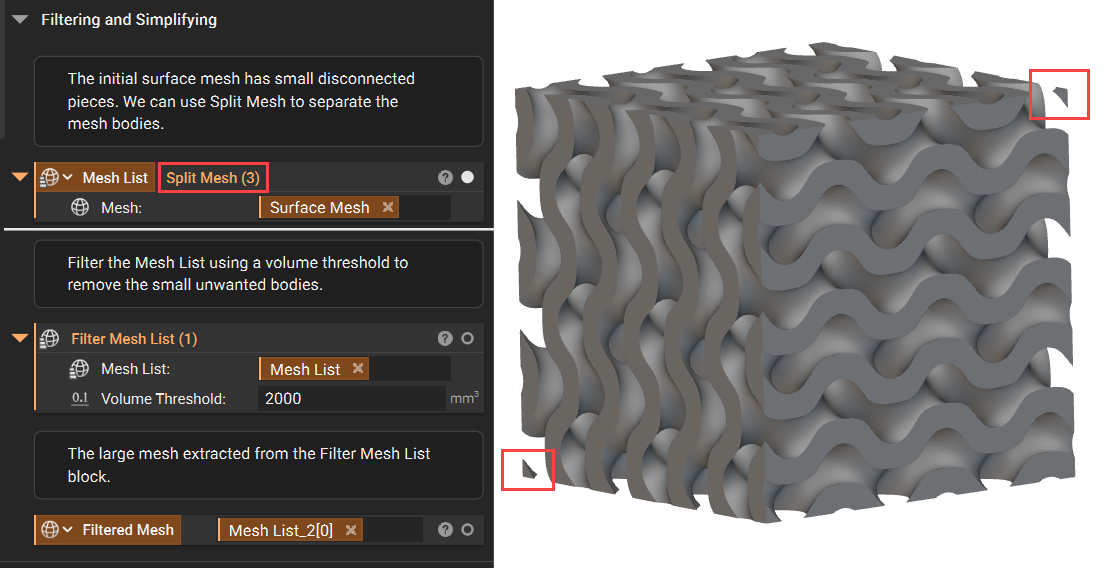 We can then use the Filter Mesh List block to isolate the mesh we want to keep. This block is still a list, so you want to make sure you extract the single mesh from the properties panel.
3. Simplifying your Mesh
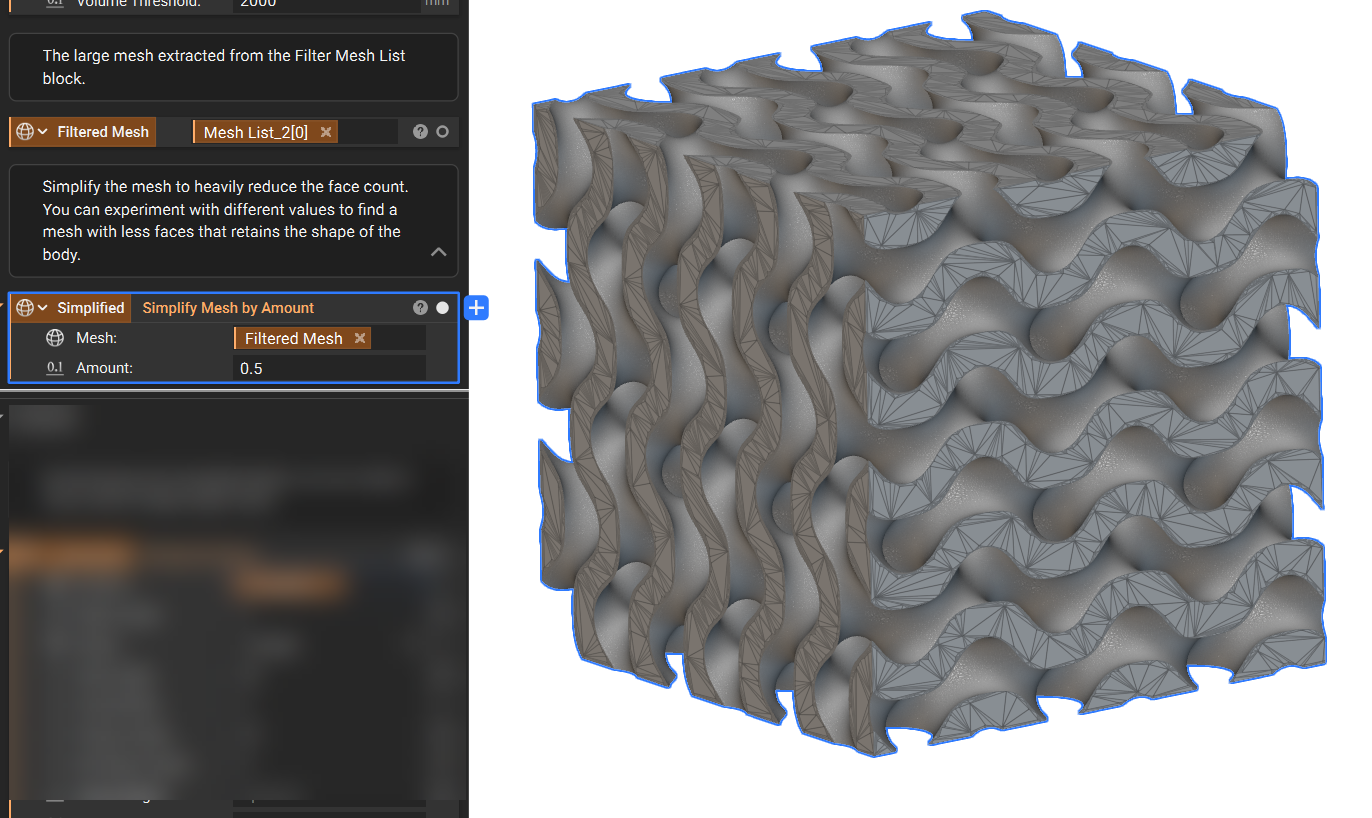
Now that we have a single mesh with the unwanted bodies removed, we need to focus on reducing face count. There are two blocks in nTop for simplifying meshes:- Simplify Mesh by Amount: Simplifies a mesh by a target percentage amount between 0-1. An input value of 0.4 will attempt to remove 40% of the mesh faces.
- Simplify Mesh by Threshold: Reduces the number of faces in a mesh as much as possible while keeping the distance between the surfaces of the input and output meshes below the specified Threshold. This block works best when a Remesh Surface block is used first.
4. Remeshing
To create a uniform edge length mesh, we can use the Remesh Surface block. This block allows you to control many aspects of the mesh composition. For more information on what each input controls, please review our Methods for refining meshes article. After Remeshing, the result is a mostly uniform edge length mesh. You may notice smaller edge lengths towards geometry boundaries or small details, these are kept small to maintain the correct geometry shape. This new mesh also has a face count of 682,800, which is much more reasonable than our starting amount of over 5 million faces.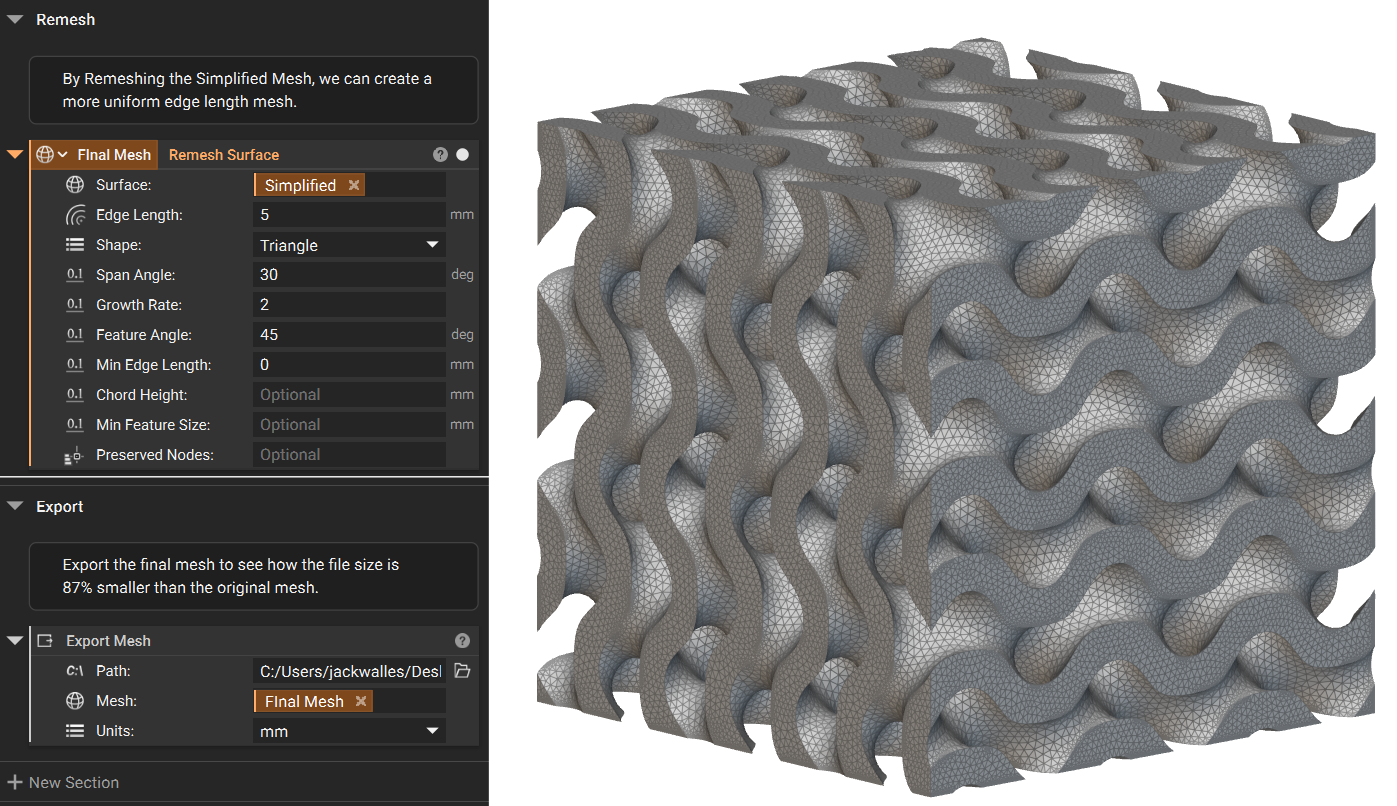 By exporting the original surface mesh and our new final mesh, we can compare the file sizes. The new mesh is 87% smaller than the original!
