Boundary, Vector, Frame
Cad faces, Vector, Frame
About this Block
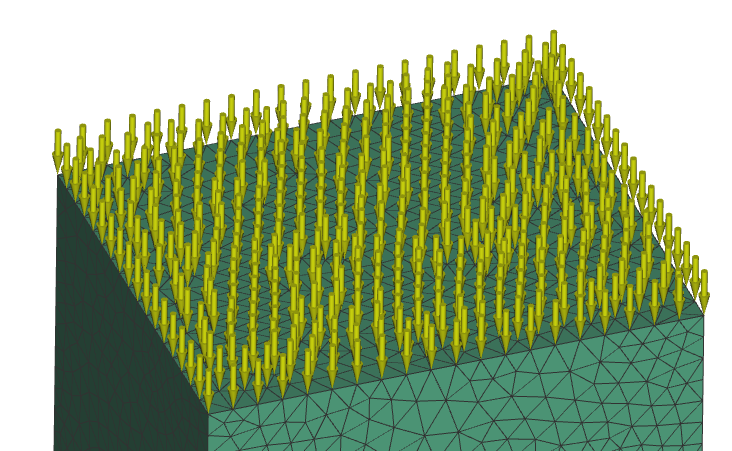
What it does: The Force block is a Boundary Condition for analysis that applies a force over a selected boundary. Common uses:- Boundary condition in an analysis.
- The Force block requires a Boundary, to choose where to apply the force, and a Vector, to determine the magnitude and direction of the force. There is an optional input of a Frame, allowing for further definition of the orientation of the force.
- When choosing entities:
- If you select nodes, it divides the applied force evenly among them.
- If you choose edges, it divides the force evenly among the total length of the edges.
- If you select faces, it divides the force over the entire area of your selection.
- For example, if you use nodes in the FE Boundary, then regions with more nodes will generally see more force since with this option we are taking the force divided by the total number of nodes and applying that value to each node. Instead, if you use the Faces option, then the Force is divided by the total area and this is applied as a force per unit area to each element face which should result in a more evenly applied Force across the entire FE Boundary.
Example File
Download Example: Force